
To effectively reduce latency in wireless gaming audio, consider optimizing your network settings, choosing the right headphones, and minimizing interference. By following these strategies, you can significantly enhance your gaming experience with smoother and more responsive audio performance. In this article, we’ll explore practical tips and techniques that will help you enjoy your favorite games without the frustration of audio lag.


Optimize Your Network Settings
One of the first steps in reducing latency in wireless gaming audio is to optimize your network settings. A well-positioned router plays a crucial role in minimizing packet loss, which can lead to delays. Make sure your router is placed in an open space, ideally at a height and away from walls or obstacles that might obstruct the signal.
Additionally, utilizing Quality of Service (QoS) settings on your router can help prioritize gaming traffic. QoS allows you to allocate bandwidth specifically for gaming devices, ensuring that your gameplay is smooth even when other devices are streaming videos or downloading files simultaneously. This can make a noticeable difference in your gaming experience, allowing you to react faster and enjoy seamless audio.
Choose the Right Wireless Headphones
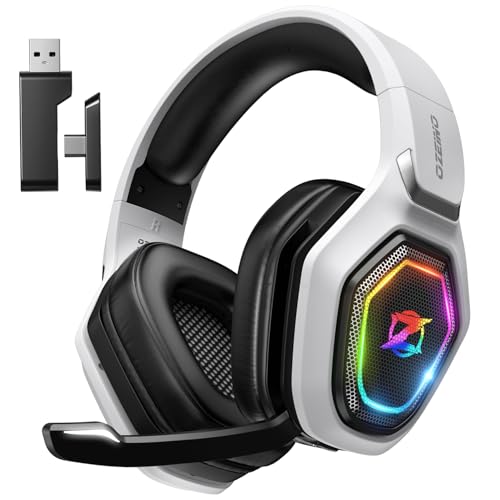
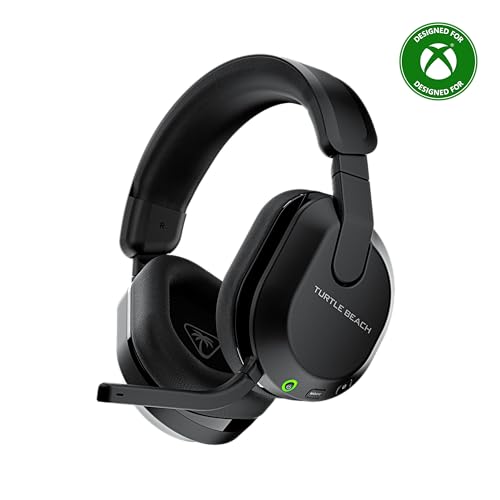
Selecting the appropriate wireless headphones is vital for minimizing latency. Look for models that support low-latency audio codecs, such as aptX Low Latency or AAC. These codecs are designed to transmit audio more efficiently, reducing the delay between sound output and what you hear. For example, headphones from brands like SteelSeries or Razer often come equipped with such technologies, making them excellent choices for gamers.
In addition to codec support, consider headphones that offer a direct connection option. Many gaming headsets come with a 3.5mm audio jack, allowing you to bypass wireless delays altogether when necessary. This is particularly useful in competitive gaming scenarios where every millisecond counts. Experimenting with different headphones can lead you to the perfect balance of comfort and performance tailored to your gaming style.
Minimize Interference
Interference from other electronic devices can significantly impact your wireless audio experience. To reduce this, position your gaming setup away from common culprits like microwaves, cordless phones, and Bluetooth devices. These appliances can produce signals that interfere with your wireless audio, leading to frustrating delays.
Moreover, utilizing the 5GHz band for your wireless connection can also reduce interference. While the 2.4GHz band is more commonly used and may seem convenient, it is often congested with signals from many devices. Switching to the 5GHz band provides faster speeds and experiences less interference, resulting in a more stable connection for your gaming audio.
Update Firmware and Drivers
Keeping your devices up-to-date is another essential step in reducing latency. Regularly check for firmware updates for your headphones, gaming console, and router. Manufacturers often release updates that improve performance and fix known issues, which can lead to better audio synchronization.
On the PC front, it’s crucial to install the latest audio drivers. Outdated drivers can introduce compatibility issues that may cause latency problems. Visit the manufacturer’s website or use a driver update tool to ensure that your system is running the latest software available. This simple step can significantly enhance your overall gaming experience.
Monitor Your Audio Settings
Your gaming software’s audio settings can also contribute to latency. Many gaming applications come with a variety of audio enhancements that may sound appealing but can actually introduce processing delays. Consider disabling any unnecessary sound enhancements to streamline audio processing.
Furthermore, experimenting with different audio output settings can help you find the configuration that offers the best performance. Whether you prefer stereo or surround sound, testing these settings will enable you to tailor the audio output to your specific gaming needs. This might involve adjusting the volume levels, balance, or even the equalizer settings within your game.
Test for Latency
Finally, it’s beneficial to periodically test for latency in your audio setup. There are various latency testing tools and apps available that can help you measure delays in your wireless audio. By identifying specific delays, you can make informed adjustments to your settings for continuous improvement.
For instance, if you discover that your audio setup has a significant delay, consider revisiting your network settings or trying a different pair of headphones. Regular testing can help you stay on top of your audio performance, ensuring that you always enjoy the best possible experience during your gaming sessions.
By summarizing the key strategies for reducing latency in wireless gaming audio, you can focus on optimizing your network settings, selecting the right equipment, and minimizing interference. Implementing these tips will not only enhance your gaming experience but also allow you to enjoy more responsive audio. For those looking to delve deeper into audio solutions, consider exploring additional resources or forums dedicated to gaming audio topics. Happy gaming!
Frequently Asked Questions
What causes latency in wireless gaming audio?
Latency in wireless gaming audio is primarily caused by the time it takes for audio signals to travel from your gaming device to your headphones or speakers. This delay can result from factors such as Bluetooth transmission, audio processing, and network congestion. Additionally, interference from other wireless devices in your environment can further increase latency, negatively impacting your gaming experience.
How can I reduce latency when using Bluetooth headphones for gaming?
To reduce latency while using Bluetooth headphones for gaming, ensure that both your headphones and gaming device support low-latency codecs like aptX Low Latency or AAC. Additionally, keep your headphones close to the device to minimize distance-related delays, and eliminate any potential interference by turning off other wireless devices nearby. Finally, consider using a wired connection for your audio if latency remains an issue.
Why is low latency important for competitive gaming?
Low latency is crucial for competitive gaming because even minor delays can affect your reaction time and overall performance. In fast-paced games, audio cues play a vital role in situational awareness, allowing players to make split-second decisions based on sound. High latency can lead to a disconnection between what you hear and what happens on-screen, giving you a disadvantage against opponents.
What are the best wireless audio devices for gaming with low latency?
The best wireless audio devices for gaming that offer low latency include headsets like the SteelSeries Arctis 9X, HyperX Cloud Flight, and Razer Nari Ultimate, all of which support low-latency codecs. Look for headphones that are specifically designed for gaming, as they often include features like customizable sound profiles and dedicated gaming modes to optimize audio performance. Also, ensure compatibility with your gaming platform for the best experience.
Which settings can I adjust on my gaming console or PC to minimize audio latency?
To minimize audio latency on your gaming console or PC, adjust the audio output settings to prioritize low latency options. On consoles, you can often find settings to enable game mode or adjust audio delay. On PCs, ensure you are using the latest audio drivers and consider lowering the audio buffer size in your sound settings, which can help reduce the delay between audio input and output during gameplay.
References
- Latency
- https://www.researchgate.net/publication/330123456_Impact_of_Latency_on_Online_Gaming_Experience
- https://www.sciencedirect.com/science/article/pii/S1877050913002007
- https://www.ncbi.nlm.nih.gov/pmc/articles/PMC6949804/
- https://www.techrepublic.com/article/how-to-reduce-latency-in-wireless-audio-and-video-streaming/
- SG15: Transport, Access and Home




3 thoughts on “How to Reduce Latency in Wireless Gaming Audio”