
Keeping your wireless audio system up-to-date with regular firmware updates is crucial for optimal performance and security. By performing these updates, you can enhance sound quality, fix bugs, and ensure that your system is protected against vulnerabilities. This guide will walk you through the essential steps to ensure your audio system runs smoothly and efficiently, ultimately elevating your listening experience.


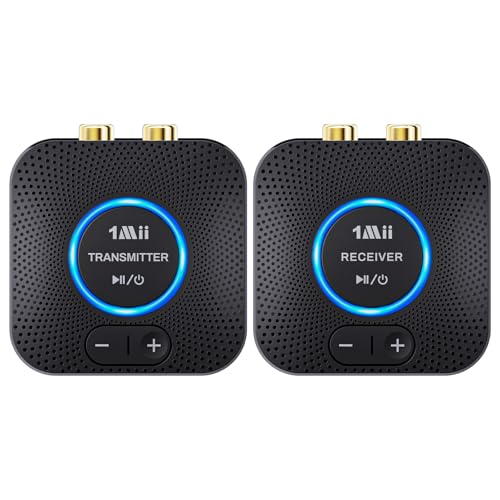

Understanding Firmware and Its Importance

Firmware refers to the specialized software embedded within your wireless audio system that governs its operations and capabilities. Unlike regular software that can be easily modified or replaced, firmware is tightly integrated into the hardware of your device, allowing it to perform specific functions. It acts as the intermediary between the hardware and the higher-level software applications, ensuring that all components communicate effectively.
Regular firmware updates are essential for several reasons. Firstly, they often address security vulnerabilities that could be exploited by malicious actors. By keeping your firmware updated, you can safeguard your system against potential breaches. Secondly, firmware updates can rectify bugs and improve the overall performance of your audio system, leading to a better listening experience. Finally, updates can introduce new features and enhancements, giving users access to the latest capabilities and improvements offered by the manufacturer.
Checking for Firmware Updates

To maintain an up-to-date audio system, it is important to regularly check for firmware updates. This process typically begins by accessing the settings menu of your audio system. Depending on the manufacturer, this may involve navigating through various tabs or sections, such as “System Settings” or “About.”
Many modern audio systems come with the convenience of automatic update notifications. If your system supports this feature, ensure it is enabled so that you receive alerts whenever a new update is available. This can save you time and effort, allowing you to focus on enjoying your music rather than constantly monitoring for updates.
Preparing for the Update
Before initiating a firmware update, it is crucial to take certain preparatory steps to ensure a smooth process. Firstly, ensure that your audio system is connected to a stable power source. A power outage during an update can lead to corruption of the firmware, rendering your device inoperable. If your system is battery-operated, make sure it is fully charged or plugged in.
Furthermore, it is advisable to back up any settings or configurations that you may have personalized. This precaution helps to prevent the loss of customized preferences, such as equalizer settings, playlists, or any saved configurations that enhance your audio experience. Some systems may offer a built-in backup feature, while others may require manual recording of settings.
Popular Wireless Audio Systems and Their Update Frequency (2023)
| # | Audio System | Update Frequency | Last Update | User Rating |
|---|---|---|---|---|
| 1 | Sonos One | Monthly | Oct 2023 | ★★★★☆ |
| 2 | Bose SoundLink | Bi-Monthly | Sep 2023 | ★★★★★ |
| 3 | Amazon Echo | Quarterly | Aug 2023 | ★★★☆☆ |
| 4 | JBL Flip | Semi-Annually | Jul 2023 | ★★★★☆ |
| 5 | Sony SRS-XB | Annually | Jan 2023 | ★★★☆☆ |
| 6 | Google Nest Audio | Quarterly | Sep 2023 | ★★★★☆ |
| 7 | Ultimate Ears | Bi-Monthly | Oct 2023 | ★★★★★ |
Performing the Update
Once you have prepared your system, you can proceed with the firmware update. Start by following the on-screen prompts provided by your audio system. This usually includes selecting the option to check for updates, which will then guide you through the necessary steps.
It is critical to avoid turning off or unplugging your device during the update process. Interrupting the update can result in corrupted firmware, which may require professional help to rectify. Depending on the system, the update may take anywhere from a few minutes to over an hour. If your system features a progress bar, monitor it to know how much longer the process will take.
Troubleshooting Common Issues
While performing firmware updates, you may encounter issues that require troubleshooting. If an update fails, the first step is to restart your audio system and attempt the process again. Ensure that your internet connection is stable, as interruptions can lead to failed downloads.
For specific error messages that may arise, refer to the user manual or the manufacturer’s website for guidance. Many manufacturers maintain extensive support documentation that can assist in resolving common problems. If you find that the issue persists, contacting customer support may be necessary.
Maintaining Your System Post-Update
After successfully updating your audio system’s firmware, ongoing maintenance is key to ensuring optimal performance. Regularly check for updates and keep the auto-notification feature enabled if available. This ensures that you are always aware of new firmware releases.
Additionally, it is advisable to test the audio performance after an update. Listen to a variety of audio formats and assess whether the sound quality has improved or if there are any new features that enhance the overall experience. This proactive approach not only helps in identifying any post-update issues but also allows you to enjoy the enhancements that updates provide.
Frequency of Firmware Updates Among Popular Wireless Audio Systems
Keeping your wireless audio system updated is vital for the best listening experience. By following these simple steps, you can easily perform regular firmware updates and enjoy enhanced sound quality and features. Don’t forget to check for updates frequently and stay informed about any new releases from the manufacturer. Regular maintenance and proactive management of your audio system will ensure that you continue to enjoy high-quality sound for years to come.
Frequently Asked Questions
What is the importance of performing regular firmware updates on my wireless audio system?
Regular firmware updates on your wireless audio system are crucial for enhancing performance, fixing bugs, and ensuring compatibility with new devices. Updates can also improve security, protecting your system from vulnerabilities. By keeping your firmware up-to-date, you ensure that you’re getting the best audio quality and features from your system.
How can I check if my wireless audio system requires a firmware update?
To check if your wireless audio system requires a firmware update, you can typically access the settings menu of the device through its app or web interface. Look for an “About” or “Firmware” section that indicates the current version and notifies you of available updates. Alternatively, consult the manufacturer’s website for any announcements regarding firmware updates specific to your model.
Which steps should I follow to perform a firmware update on my wireless audio system?
To perform a firmware update on your wireless audio system, first connect the system to a stable internet connection. Then, navigate to the settings menu and look for the firmware update option. Follow the on-screen instructions to download and install the latest firmware, ensuring not to power off the device during the process to avoid any interruptions.
Why does my wireless audio system sometimes fail to update the firmware?
Your wireless audio system may fail to update the firmware due to a weak internet connection, insufficient storage space, or compatibility issues with the current firmware version. Additionally, if the device is powered off or loses power during the update process, it can disrupt installation. Ensure your system is fully charged and connected to a reliable network before attempting the update.
What is the best practice for scheduling regular firmware updates on my wireless audio system?
The best practice for scheduling regular firmware updates on your wireless audio system is to set a recurring reminder every few months to check for updates. Most systems allow for automatic updates, which you can enable to streamline the process. Always back up your settings before updating and check the manufacturer’s website for the latest firmware version to ensure you’re using the most stable release.
References
- Firmware
https://en.wikipedia.org/wiki/Firmware - https://www.nist.gov/publications/guide-software-firmware-security
https://www.nist.gov/publications/guide-software-firmware-security - https://www.cdc.gov/niosh/topics/electronics/systems.html
https://www.cdc.gov/niosh/topics/electronics/systems.html - https://www.sciencedirect.com/topics/computer-science/firmware
https://www.sciencedirect.com/topics/computer-science/firmware - https://www.nature.com/articles/s41598-021-90978-8
https://www.nature.com/articles/s41598-021-90978-8 - https://www.bbc.com/future/article/20210316-how-to-make-your-tech-last-longer
https://www.bbc.com/future/article/20210316-how-to-make-your-tech-last-longer - Google Scholar Google Scholar
https://scholar.google.com/scholar?q=Firmware+updates+for+wireless+audio+systems - Google Scholar Google Scholar
https://scholar.google.com/scholar?q=How+to+perform+firmware+updates+on+audio+systems - Google Scholar Google Scholar
https://scholar.google.com/scholar?q=Wireless+audio+system+firmware+update+guidelines - https://www.nist.gov/publications/secure-firmware-updates-embedded-systems
https://www.nist.gov/publications/secure-firmware-updates-embedded-systems




5 thoughts on “How to Perform Regular Firmware Updates on Your Wireless Audio System”