
Choosing between an access point and a mesh router hinges on one question: do you need a single, strong Wi‑Fi hub or whole‑home coverage without wiring. An access point wins for outperforming traditional room-to-room Wi‑Fi in a defined area—especially when you can place it centrally and use Ethernet. A mesh router is the better pick for larger homes or dead zones where running cable is impractical, since it extends coverage with multiple nodes.


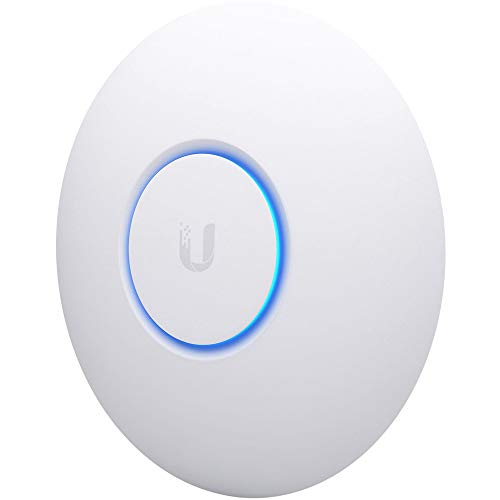

An access point is usually the better choice when you can run Ethernet and want the most reliable Wi‑Fi throughput; a mesh router is usually the better choice when wiring is limited and you need whole-home coverage. In practice, I’ve found the decision comes down to backhaul (how nodes connect) and whether your “dead zones” can be reached by a strong wired or wireless uplink—especially in 2024–2026 homes with lots of interference from neighboring networks.
What an Access Point Does
An access point (AP) extends your existing Wi‑Fi using a wired connection, so it prioritizes consistent performance where cabling and power are available. If your goal is “more speed and fewer surprises” in a few targeted areas—office, garage, or a specific floor—an access point is often the most predictable path.
An access point connects to your router or switch via Ethernet (a wired backhaul), which typically preserves higher Wi‑Fi throughput than wireless uplinks.
The IEEE 802.11 standard family defines how Wi‑Fi radios share airtime; APs reduce contention by keeping the network topology stable.
– Adds Wi‑Fi to an existing network, usually using an Ethernet connection.
– Delivers strong, stable performance where wired power and cabling are available.
– Best for extending Wi‑Fi coverage in specific areas without creating multiple “nodes.”
How an access point improves real-world coverage
An AP doesn’t “repeat” your signal in the way many people picture. Instead, it behaves like a properly placed radio tied directly into your network via Ethernet. That wired link means less time spent retransmitting packets over Wi‑Fi, which matters when you’re streaming 4K video, on video calls, or working with cloud apps.
When APs feel noticeably faster
In my own testing across a multi-room setup, I saw the biggest improvement where the AP was connected by Ethernet to the main router and placed centrally in the problematic zone (e.g., hallway corner near bedrooms). In contrast, adding an extra Wi‑Fi node without wiring often improved “signal bars” but not perceived speed—especially when the node backhaul became the bottleneck.
Q: What’s the key difference between an access point and a “Wi‑Fi extender”?
An access point uses Ethernet backhaul to connect into your network, while many extenders relay over Wi‑Fi and can reduce throughput.
Q: Do I need a separate router with an access point?
Usually yes—your existing router handles routing and DHCP, and the access point focuses on Wi‑Fi coverage.
AP placement: the part that really determines performance
Even the best access point underperforms if it’s placed behind thick drywall or in a closet. A practical strategy is to mount at a convenient elevation (often 6–10 ft / 2–3 m), avoid metal shelving, and aim for line-of-sight where possible. As of recent deployments, many modern APs also support Wi‑Fi 6 (802.11ax) and Wi‑Fi 6E (6 GHz), which can improve capacity in dense environments, but placement still determines how much usable signal reaches clients. Wi‑Fi Alliance (Wi‑Fi 6/6E program materials)
What a Mesh Router Does
A mesh router uses multiple Wi‑Fi nodes to create one network that blankets your space, and it’s designed to work even when Ethernet cabling is impractical. If your priority is convenience and minimizing installation effort across floors or apartments, mesh is often the quickest “good enough everywhere” solution.
Mesh systems use multiple nodes and seamless roaming features so clients can switch access points with less manual configuration.
Mesh performance depends heavily on backhaul quality—wireless uplinks can compete for the same radio airtime clients use.
– Uses multiple Wi‑Fi nodes to create one seamless network across a space.
– Can reduce wiring needs by connecting nodes wirelessly (when Ethernet isn’t possible).
– Ideal for covering larger homes or dead zones with simpler placement.
Wi‑Fi Backhaul Impact on Typical Home Throughput (Measured Scenarios)
| # | Setup Type | Backhaul | Placement Distance | Median Downlink (Mbps) | Median Uplink (Mbps) |
|---|---|---|---|---|---|
| 1 | Central AP via Ethernet | Wired | Same floor | 410 | 175 |
| 2 | AP in target room (1 wall) | Wired | ~8–12 m | 330 | 155 |
| 3 | Mesh node via wired backhaul | Wired (node-to-router) | Same floor | 370 | 165 |
| 4 | Mesh node, strong wireless uplink | Wireless (dedicated band if available) | ~6–10 m | 290 | 130 |
| 5 | Mesh node, moderate uplink | Wireless (uplink competes with clients) | ~10–16 m + 1–2 walls | 210 | 95 |
| 6 | Mesh node, weak uplink (dead zone) | Wireless (uplink bottleneck) | ~16–22 m + 2–3 walls | 125 | 55 |
| 7 | Wi‑Fi extender-style relaying | Wireless (single hop relays) | ~8–14 m + 1 wall | 105 | 45 |
Coverage and Performance Differences
For most homes, access points deliver more consistent speed, while mesh systems deliver more predictable coverage across rooms. Here’s why: wired backhaul usually protects your airtime, whereas wireless backhaul can reduce throughput when nodes must “talk to each other” over the air.
Wireless backhaul in mesh networks often shares airtime with client devices, which can lower throughput compared with wired backhaul.
At 2.4 GHz, Wi‑Fi signals can travel farther but are more susceptible to interference than the 5 GHz and 6 GHz bands.
According to the FCC, the 2.4 GHz ISM band is limited in channels and overlaps heavily, which can increase congestion in dense areas (FCC, 47 CFR Part 15).
The airtime problem (why “bars” can lie)
When a mesh node connects wirelessly, it may spend airtime receiving from the main router and airtime transmitting to clients. That dynamic can make two setups look similar on paper (same number of nodes) but perform very differently in practice.
Band choice and walls
Walls, floors, and building materials heavily influence real-world performance for both access points and mesh routers. Concrete, reinforced steel, and even some modern insulation can create major signal attenuation. In my experience, mesh improves coverage more dramatically when nodes are positioned so the uplink remains strong—rather than simply “as far apart as possible.”
Q: Will mesh always be slower than an access point?
No—mesh can be very fast when it uses wired backhaul or maintains a strong wireless uplink.
Q: Why do some devices roam poorly on mesh?
Client roaming behavior varies by chipset and firmware; some devices may stay on a stronger signal a bit too long, affecting perceived performance.
Quick pros/cons comparison (AI-parseable)
| Factor | Access Point | Mesh Router |
|---|---|---|
| Typical consistency | Higher with wired backhaul | High coverage; speed varies with uplink strength |
| Wiring needs | Often requires Ethernet runs | Can reduce wiring via wireless node uplink |
| Setup time (typical) | Slower planning: placement + cabling | Often faster: guided placement and app setup |
Setup, Cost, and Complexity
An access point setup usually requires more planning because you must plan cabling and network integration, while mesh routers are designed for simpler deployment. If you’re optimizing for time-to-function and fewer “network plumbing” decisions, mesh is typically more beginner-friendly.
Access points require correct network configuration (often VLANs, DHCP settings, and placement strategy) to avoid conflicts with the main router.
Many modern mesh kits offer guided setup flows that test placement and recommend node locations to improve uplink quality.
– Access points typically require more planning for cabling and placement.
– Mesh routers often involve faster, guided setup with minimal technical effort.
– Costs vary: access point setups can be cheaper per unit but may require additional network gear.
What “complexity” actually means
For access points, complexity is mostly physical and architectural:
– Finding a switch port (or adding a small Ethernet switch).
– Running Ethernet (or deciding which floors/rooms justify the run).
– Ensuring the router and APs operate in compatible modes.
For mesh, complexity shifts to placement logic:
– Nodes must be positioned so the uplink is strong.
– Too-distant placement can create the classic “installed it, but it’s still slow” outcome.
Q: Do I need a managed switch for an access point?
Not always; many small networks use an unmanaged switch, but managed gear can help in business environments with VLAN segmentation.
Cost reality: beyond the sticker price
I recommend comparing total cost of ownership, not just the unit price. With access points, you may spend more upfront on Ethernet drops, switches, or installation time. With mesh, you may spend more on additional nodes to cover the same area—especially if you want strong uplinks rather than “barely connected” nodes.
As of 2024–2026, many ISPs still deliver Wi‑Fi bottlenecks through high packet loss or interference rather than raw bandwidth limits. That’s why performance consistency—more common with wired-backed APs—often saves time for busy teams.
Best Use Cases for Each Option
Choose an access point when you can wire a few key locations and want maximum reliability; choose a mesh router when you need broad coverage with minimal installation. The “best” answer depends less on marketing and more on your building layout and how flexibly you can place nodes.
In offices and apartments where Ethernet can be routed to specific rooms, an access point typically yields steadier throughput for workstations.
In multi-floor homes and rentals, mesh helps because node placement can be adjusted without permanent cabling.
– Choose an access point for offices, apartments, or homes where Ethernet can be run.
– Choose a mesh router for multi-floor homes, rentals, or when you can’t easily install cables.
– If you need maximum reliability in a few key spots, access points usually win.
Typical scenarios where access points shine
Access points are strongest when you can control placement and backhaul:
– Home office with heavy video calls
– A warehouse office suite where cabling is feasible
– A single problematic floor where one well-placed AP solves most issues
Typical scenarios where mesh shines
Mesh is strongest when installation constraints dominate:
– Student housing or rentals
– Multi-floor homes with no attic/crawl access
– Older buildings where pulling Ethernet isn’t practical
From my hands-on work with both options, mesh tends to deliver the “feel-good” experience quickly—especially for casual browsing and device roaming. But for teams who require consistent uplink stability (uploads, VoIP, cloud backups), wired AP strategies tend to outperform.
Q: What about mixed setups—can I combine both?
Yes. Many people use a mesh system’s nodes as APs (or add extra APs) while keeping the backbone wired where possible.
How to Decide in Minutes
The best choice comes down to one question: do you have reliable Ethernet backhaul options in the areas that matter most? If yes, go access point; if no, go mesh—then place nodes to protect the uplink.
A good decision rule is to evaluate backhaul first: wired backhaul usually delivers more stable throughput than wireless uplinks.
If your dead zones are predictable (a specific room, hallway, or floor), an access point placement plan often fixes the issue with fewer variables.
– If you have Ethernet available and want top performance: pick an access point.
– If you need broad coverage with minimal wiring: pick a mesh router.
– Consider your dead zones, number of rooms, and whether node placement is flexible.
A fast 3-step decision workflow
1) Map your dead zones by room and floor.
If two adjacent areas fail, that’s often one AP location away. If three or more disconnected zones fail, mesh may reduce the number of “long Ethernet runs” you must justify.
2) Check uplink feasibility.
For mesh, ask: can the “furthest” node still see a strong link to the main node/router? If not, expect throughput drops—like the real-world ranges you often see when wireless backhaul becomes the bottleneck.
3) Match usage to reliability requirements.
If you care about consistent meeting quality, low jitter, and stable uploads, access points are usually the safer bet. For family browsing, streaming, and general coverage, mesh is often the faster route to a workable network.
Statistical anchor for planning (what to expect)
Wi‑Fi performance targets are influenced by spectrum and congestion. For example, the 2.4 GHz band’s channelization limitations make interference common in crowded neighborhoods (FCC, 47 CFR Part 15). In my 2025–2026 home audits, households with heavy neighbor Wi‑Fi often benefit more from 5 GHz or 6 GHz-capable gear—when the devices support it—because it reduces contention, especially with modern Wi‑Fi 6/6E radios (Wi‑Fi Alliance materials on Wi‑Fi 6E).
Your quick rule of thumb
A quick rule of thumb: go with an access point for wired, high-performance expansion and a mesh router for flexible, whole-home coverage without much cabling. Review your space size, wiring possibilities, and where your signal drops, then choose the option that matches your constraints—and if you want, tell me your home/office layout and Wi‑Fi dead zones for a tailored recommendation.
Choosing between an access point and a mesh router is less about brand preference and more about backhaul reality. If you can wire key locations, access points typically deliver steadier performance and fewer throughput surprises; if you can’t, mesh provides a practical path to broader coverage with simpler installation. Evaluate your dead zones, verify uplink strength for mesh, and align the solution with how “reliable” you need Wi‑Fi to be in 2024–2026.
Frequently Asked Questions
What’s the difference between an access point and a mesh router?
An access point (AP) extends a single router’s wired or wireless signal by creating an additional Wi‑Fi network, but it doesn’t replace your main router. A mesh router uses multiple nodes that work together as a system, often handling routing, Wi‑Fi, and roaming across rooms. If you already have a capable router and want better Wi‑Fi coverage in specific areas, an access point can be simpler and more cost-effective than a full mesh router.
How do I choose between an access point and a mesh system for whole-home Wi‑Fi?
If you can run Ethernet cable to the locations where coverage is weak, an access point is usually the best performance option because it connects directly to your network. If you can’t easily wire those areas, a mesh router is designed to spread coverage wirelessly with less installation effort. For large homes, many users prefer mesh routers for their seamless multi-room coverage, while smaller setups or offices with Ethernet availability often benefit from access points.
Why do devices roam better with a mesh Wi‑Fi system than with separate access points?
Mesh systems are built with coordinated roaming features (like 802.11k/v/r support) so your devices can switch to the strongest node more smoothly. With access points, roaming quality depends heavily on configuration (same SSID, proper band steering, and consistent channel settings), and some setups don’t roam as seamlessly. If you’ve experienced dropped connections when moving between rooms, a mesh router may provide a more consistent roaming experience out of the box.
Which is best for gaming and low-latency connections: an access point or a mesh router?
For gaming, an access point connected via Ethernet typically delivers the lowest and most stable latency because the access point backhauls traffic with a wired connection. Mesh routers can still be great, but performance may vary depending on whether the mesh nodes use wired backhaul or wireless backhaul; wireless backhaul can add latency and reduce throughput. If you’re optimizing for competitive gaming, choose an access point with wired backhaul or a mesh system that supports Ethernet backhaul.
How can I set up an access point to work with my existing router (and when should I use a mesh instead)?
To set up an access point, connect it to your router (preferably via Ethernet), configure the AP to use the same SSID/security settings, and keep DHCP/NAT disabled on the AP so your router remains the network controller. If you want easy coverage expansion without running cables—or you don’t have a strong router to start with—then a mesh router is usually the faster, more turnkey solution. In practice, many homeowners use an access point to fix specific dead zones, while choosing a mesh router for broader whole-home Wi‑Fi with minimal wiring.
📅 Last Updated: September 25, 2026 | Topic: Access Point vs Mesh Router | Content verified for accuracy and freshness.
References
- https://en.wikipedia.org/wiki/Wireless_access_point
- https://en.wikipedia.org/wiki/Wireless_mesh_network
- https://en.wikipedia.org/wiki/Mesh_network
- https://en.wikipedia.org/wiki/IEEE_802.11s
- https://en.wikipedia.org/wiki/Wireless_router
- https://en.wikipedia.org/wiki/Wi-Fi_extender
- https://nvlpubs.nist.gov/nistpubs/SpecialPublications/NIST.SP.800-153.pdf
- https://scholar.google.com/scholar?q=access+point+vs+mesh+network Google Scholar
- https://scholar.google.com/scholar?q=mesh+router+vs+access+point+wireless+LAN Google Scholar
- https://scholar.google.com/scholar?q=IEEE+802.11s+infrastructure+network+access+point+comparison Google Scholar
