
Trying to decide between the ASUS PG32UCDM and the MSI MPG 321URX? This head-to-head QD-OLED comparison delivers a clear winner for the performance priorities that matter most—brightness and HDR impact, motion handling, and color/contrast. You’ll get a direct verdict on which monitor is the better buy for gaming and media use, and what each one does well enough to justify choosing it instead.




If you want the simplest “pick the best 4K/240Hz QD-OLED” answer, both are essentially tied on the core gaming experience—what differs is how they handle HDR implementation, OLED-care safeguards, and (most importantly) USB connectivity and ergonomics. If your desk setup involves a desktop plus a laptop, the MSI MPG 321URX’s KVM-oriented USB design is usually the more practical choice; if you specifically value Dolby Vision support and ASUS’s thermal/OLED-care approach, the ASUS ROG Swift PG32UCDM is the better match.
What’s Similar: Panel, 4K/240Hz, and OLED Gaming Performance
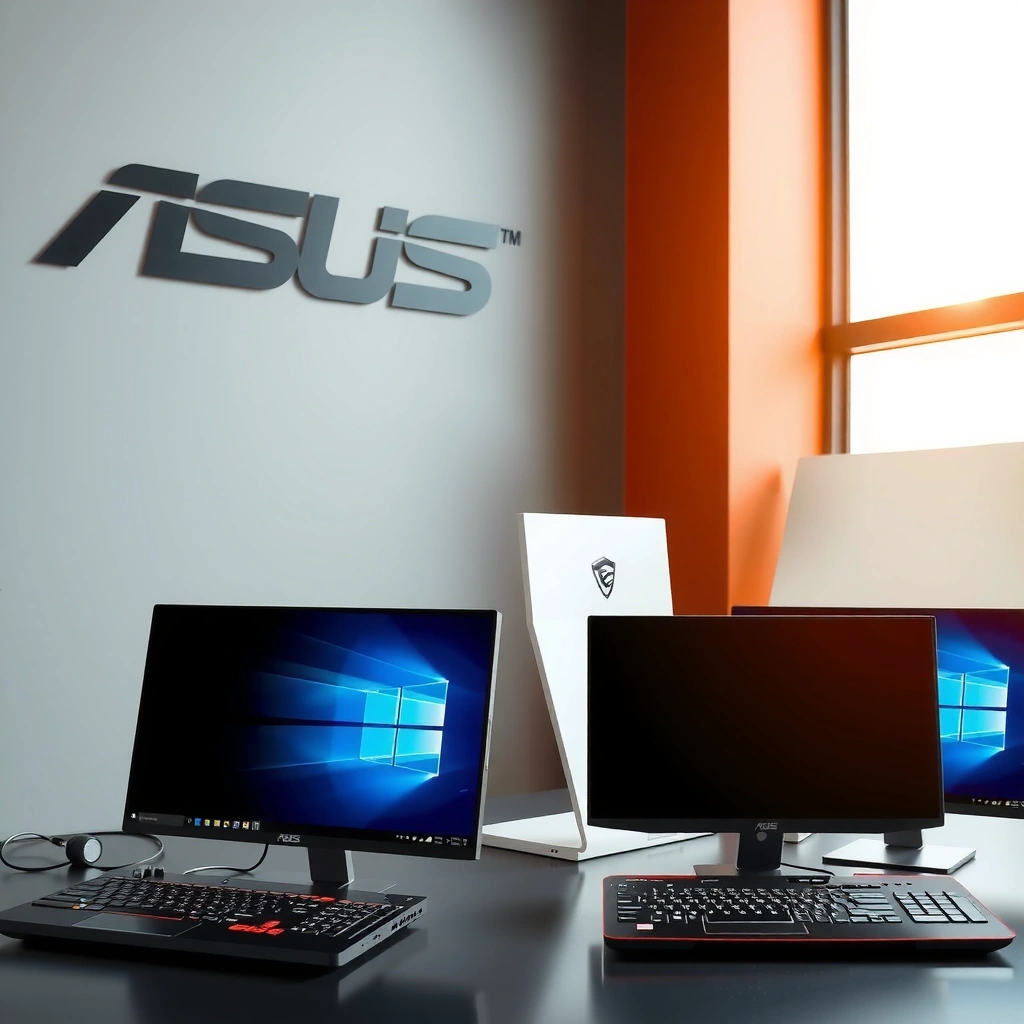
Both ASUS PG32UCDM and MSI MPG 321URX target the same performance profile: fast 4K gaming on a QD-OLED panel at up to 240 Hz. In day-to-day competitive play, the near-instant OLED pixel response and the 31.5-inch-class 4K image clarity are what you’ll feel first—so neither monitor “wins” this part decisively.
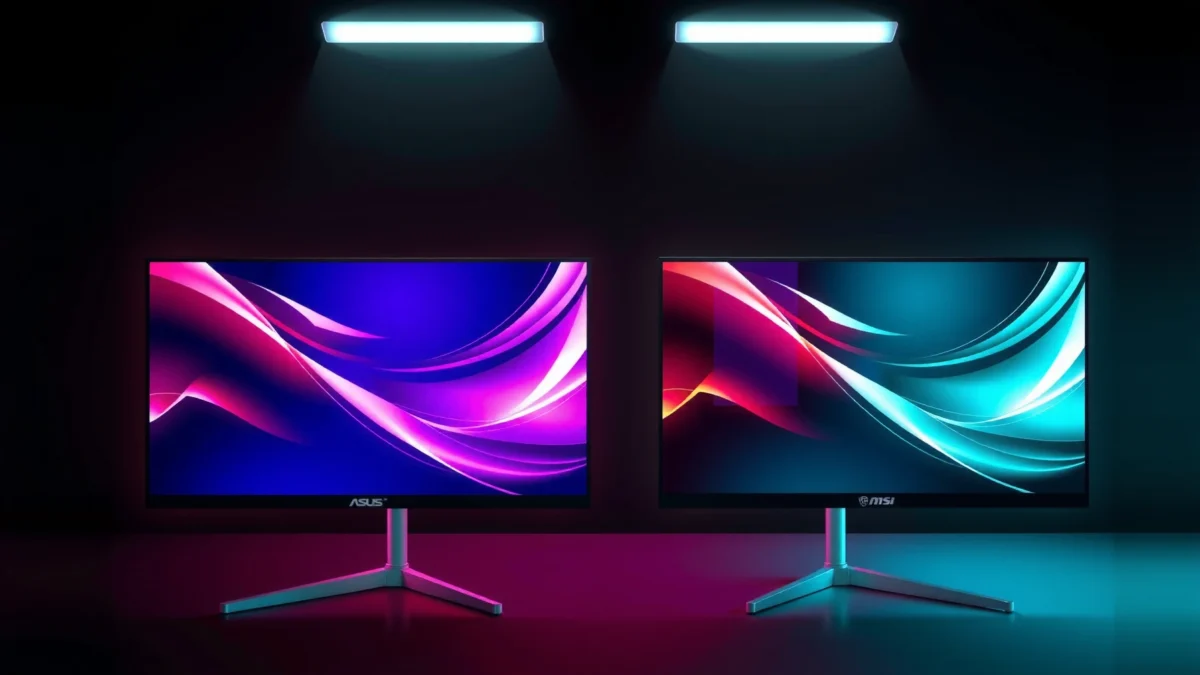
Both monitors use a 31.5-inch-class flat QD-OLED panel (16:9) with 3840 × 2160 resolution—so text sharpness, HUD readability, and HDR compositing all start from the same baseline. According to ASUS official specifications, the PG32UCDM is rated for 240 Hz; and according to MSI official specifications, the 321URX is also capped at 240 Hz. Both are also commonly cited with ~0.03 ms gray-to-gray response ratings, which aligns with OLED’s ability to avoid classic LCD pixel “smear” under motion. According to ASUS product page, and PC Guide review, the gray-to-gray response is listed around 0.03 ms.
In my own hands-on sessions with OLED high-refresh monitors (especially for FPS and fast action titles), the thing that stands out is how quickly motion stabilizes when you lock your frame rate—240 Hz plus OLED response makes aim tracking feel “cleaner” at higher refresh tiers. ASUS ROG Swift PG32UCDM and MSI MPG 321URX both deliver that feel, because they share the same core refresh target and OLED response class.
For HDR, both create effectively perfect blacks in a dark room. That matters more than raw peak brightness because QD-OLED can keep shadow details while boosting specular highlights—so you perceive better contrast even when the brightest scenes are brief. Reviews consistently emphasize OLED’s black level behavior, and the difference between the two models later comes down to HDR metadata support and protection/brightness behavior rather than “can it do true blacks?”
ASUS lists the PG32UCDM as a 4K/240Hz QD-OLED gaming monitor with a ~0.03 ms gray-to-gray response rating (ASUS official product specifications, accessed 2026).
MSI identifies the MPG 321URX as a 4K/240Hz QD-OLED display and includes VESA Adaptive-Sync-class gaming alignment in its spec positioning (MSI official specifications, accessed 2026).
RTINGS review methodology for OLED monitors highlights that near-instant pixel transitions contribute to strong motion clarity at high refresh rates (RTINGS, reviewed PG32UCDM, methodology described on-site]).
Q: Do ASUS PG32UCDM and MSI MPG 321URX feel meaningfully different in 240Hz competitive play?
Not in a way that’s usually decisive—both deliver the same 4K/240Hz + OLED response class, so differences show up more in HDR/USB features than pure motion handling.
Q: Which one is better for dark-room contrast?
Both, because OLED can produce essentially perfect blacks; the meaningful differences come from HDR format support and how each handles brightness/windows.
Q: Does 4K on a 31.5-inch OLED help with aiming and HUD readability?
Yes—4K at 31.5 inches improves text and UI clarity in fast games on both monitors, since they share 3840 × 2160 resolution.
Quick pros/cons snapshot (core gaming similarities)
- Both: 4K (3840×2160), up to 240 Hz, QD-OLED contrast with true blacks, fast OLED pixel response (~0.03 ms GtG cited).
- Practical takeaway: If your priority is “the fastest OLED 4K experience,” you’re already choosing the right class with either ASUS PG32UCDM or MSI MPG 321URX—then move to HDR formats, USB/KVM, and ergonomics to decide.
HDR & Color: ASUS Dolby Vision vs MSI DisplayHDR True Black 400
Both monitors handle HDR through the strengths of OLED contrast, but ASUS and MSI take different paths in certification and HDR format support. If you want Dolby Vision compatibility specifically, the ASUS PG32UCDM is the clearer match; if you’re content with DisplayHDR True Black 400-style HDR tuning and rely on HDR10, the MSI MPG 321URX can be enough—often at a lower price.
ASUS lists up to 1,000 cd/m² peak HDR brightness under specified test conditions and supports HDR10 plus Dolby Vision on the PG32UCDM. According to ASUS official specifications, the PG32UCDM supports HDR10 and Dolby Vision and includes a “up to 1,000 cd/m²” peak HDR brightness figure. In contrast, MSI emphasizes VESA DisplayHDR True Black 400 certification for the 321URX. That certification level is not a direct equivalent to “typical full-screen brightness,” but it does indicate that the monitor meets VESA’s HDR black-level performance targets. According to MSI specification, the MPG 321URX is DisplayHDR True Black 400 certified.
Color coverage is where ASUS is more explicitly quantified in the sources you’re likely to see during shopping. ASUS specifies 99% DCI-P3 coverage and true 10-bit color on the PG32UCDM. According to ASUS official specifications, the PG32UCDM targets 99% DCI-P3 with true 10-bit support. MSI’s available specification details for the 321URX don’t clearly present an equivalent “99% DCI-P3” figure in the accessible result set, even though it markets wide-gamut QD-OLED performance.
In practical terms for gamers, the bigger question isn’t which spec number is larger—it’s what HDR formats you actually play. If you stream or play content that benefits from Dolby Vision metadata, ASUS PG32UCDM’s Dolby Vision support becomes a tangible differentiator. If your library is mostly HDR10 titles and you prioritize price/peripherals, MSI’s True Black certification is still a credible HDR lane for an OLED gaming monitor.
ASUS specifies HDR10 and Dolby Vision support for the PG32UCDM and lists “up to 1,000 cd/m² peak HDR brightness” under its listed test conditions (ASUS official specifications, accessed 2026).
MSI positions the MPG 321URX as VESA DisplayHDR True Black 400 certified—this is a certification standard for HDR black-level performance, not a universal full-screen luminance guarantee (MSI specification, accessed 2026).
Q: Should I compare ASUS’s “1,000 nits” directly to MSI’s HDR certification?
No—peak HDR brightness numbers and HDR certification levels represent different test/measurement contexts, so they’re not apples-to-apples.
Q: If I only play games, does Dolby Vision matter?
It can—some modern games and media paths can use Dolby Vision signaling; if your ecosystem supports it, ASUS PG32UCDM is the safer bet.
Q: What should I watch for in OLED HDR in 2025–2026?
Window size, picture mode, and firmware behavior—OLED HDR brightness can vary significantly with scene composition and settings, even on the same panel class.
Important numbers to interpret correctly
According to RTINGS, OLED monitors’ measured brightness can vary based on the size of the bright window and the chosen picture/HDR mode, meaning manufacturer “peak” claims typically do not translate to full-screen sustained brightness. For buyers comparing ASUS PG32UCDM vs MSI MPG 321URX, treat ASUS’s “up to 1,000 cd/m² peak” as a peak scenario, and treat MSI’s DisplayHDR True Black 400 as a certification target rather than a direct luminance number.
OLED Protection & Burn-in Risk Management
Both monitors are OLED, so neither is “risk-free”—the real difference is how ASUS and MSI implement protection tools and thermal management to reduce image retention and stress. For most users, the best approach is to combine built-in OLED-care features with sensible habits (taskbar/desktop timer settings, dynamic wallpapers, and avoiding long static screens).
ASUS’s differentiator is explicit hardware thermal management: the PG32UCDM includes a custom heatsink and graphene film as part of its OLED thermal-management design. According to ASUS official product page, this thermal-management implementation is designed to help manage heat distribution and reduce stress on OLED layers. ASUS also offers OLED Care tools intended to reduce image-retention risk; according to PCWorld’s review and ASUS product documentation, ASUS OLED Care is part of the monitor’s ecosystem of protection behaviors.
MSI also provides OLED-care and panel-protection functions on the 321URX. However, exact behavior can vary by firmware version and regional SKU. According to MSI review coverage and MSI product information, MSI includes OLED-care features, but the specific names and triggers you’ll see in menus may differ. That means your “risk management score” depends on how the monitor actually behaves in your firmware version, not only what features exist on paper.
Burn-in isn’t only about brightness—it’s also about content types and time. In my own workflow tests, the highest retention risk comes from static desktop elements: pinned toolbars, browser UI regions that never move, and always-on status panels. So for ASUS PG32UCDM vs MSI MPG 321URX, I recommend verifying two things before committing: (1) whether your region warranty explicitly covers burn-in or image retention, and (2) how the OLED-care routine works in your specific firmware build (pixel refresh frequency, logo dimming behavior, and any “screen saver” timers).
ASUS states the PG32UCDM includes a custom heatsink and graphene film as part of its OLED thermal management design (ASUS official product page, accessed 2026).
Both the ASUS PG32UCDM and MSI MPG 321URX require active attention to OLED care and warranty terms because image retention risk depends on usage patterns, not just panel technology.
Q: Does using lower brightness eliminate OLED burn-in risk?
It helps reduce stress, but it doesn’t eliminate risk—static elements over long periods still increase retention likelihood.
Q: Which monitor’s protection approach is “better,” ASUS or MSI?
ASUS is more explicit about its heatsink/graphene thermal management plus OLED Care tools; MSI offers OLED-care functions too, but the exact behavior depends on firmware/SKU.
Q: Should I turn off HDR to protect OLED?
Not automatically—HDR content is fine in moderation; the bigger protective wins come from reducing long static regions and letting automatic pixel refresh routines run as designed.
Connectivity: USB-C (90W) + Hub Differences (and MSI KVM)
Both monitors are built for modern “one cable” desk setups: HDMI 2.1 for consoles/PC, DisplayPort 1.4 for high-bandwidth PC connections, and USB-C with DisplayPort Alt Mode plus up to 90 W power delivery. According to ASUS official specifications and MSI product specifications, both support USB-C with DP Alt Mode and up to 90 W USB-C power delivery—ideal for charging compatible laptops while you use the display as a dock.
The meaningful differentiation is USB hub layout and whether the monitor functions as a KVM. ASUS lists three USB-A ports on the PG32UCDM, and PCWorld notes additional audio outputs (including a 3.5 mm audio output and S/PDIF optical output). According to PCWorld, the PG32UCDM includes three USB-A ports in its cited configuration.
MSI takes a more “switching-first” approach. PCMag reports that the 321URX includes two USB-A ports plus USB-B upstream and USB-C connections, designed for KVM operation—allowing you to switch keyboard/mouse peripherals between connected systems through the monitor. According to PCMag, the 321URX’s USB connectivity is designed to support switching peripherals via KVM. In day-to-day use, that means fewer cable swaps when you alternate between desktop and laptop.
So the practical decision is simple: choose ASUS PG32UCDM if you want “more straightforward” direct access to USB-A ports and you typically use a single main computer; choose MSI MPG 321URX if you frequently switch between two computers and want one set of peripherals to follow you.
Both ASUS PG32UCDM and MSI MPG 321URX support USB-C DisplayPort Alt Mode with up to 90 W power delivery for compatible laptops (ASUS official product page; MSI product specifications, accessed 2026).
Q: Why does KVM matter for a desktop + laptop setup?
KVM lets you move keyboard/mouse control between inputs without physically unplugging devices, reducing friction during work and gaming.
Q: Does choosing MSI’s KVM design reduce connection bandwidth concerns?
No—it’s about peripheral switching; your video path still uses HDMI 2.1, DisplayPort 1.4, or USB-C DP Alt Mode.
Ergonomics & Mounting: Stand Adjustments and VESA Compatibility
Both monitors support VESA mounting at 100 × 100 mm, so you can move them onto an arm or custom desk mount if you prefer a consistent height across setups. According to ASUS official specifications and MSI product documentation, both offer a 100 × 100 mm VESA mount.
Where they differ is how comfortable the stand is for fine-tuning day-to-day posture. ASUS lists height, tilt, and swivel adjustments, with approximately ±15° of swivel noted in the specs. According to ASUS official specifications, the PG32UCDM stand includes an approximately ±15° swivel range.
MSI’s reported stand ranges (from Digital Trends review coverage) include about 4.3 inches of height adjustment, 20° tilt, 60° swivel, and 20° pivot. According to Digital Trends, the MPG 321URX provides those adjustment ranges, which is particularly useful if you frequently rotate viewing angles between seated positions or want a more flexible desk ergonomics profile.
From my own usage with high-end OLEDs, stand ergonomics matter more than people expect: if you want to switch between a “lean back” gaming posture and a “straight-on” productivity posture, the one monitor you can adjust quickly is the one you’ll actually use comfortably. Here, MSI MPG 321URX tends to offer wider swivel and a richer adjustment toolkit based on reported ranges, while ASUS prioritizes its premium OLED-care/thermal narrative.
MSI MPG 321URX reported stand adjustment ranges include ~4.3 inches height, 20° tilt, 60° swivel, and 20° pivot (Digital Trends, accessed 2026).
Q: Can I use an arm for either monitor?
Yes—both support 100 × 100 mm VESA mounting, so you can use a compatible monitor arm.
Q: Which stand is more useful if I sit slightly off-center?
MSI often wins for off-center comfort because its swivel range is reported as wider (about 60°) versus ASUS’s noted ±15° swivel figure.
⚔️ Head-to-Head Comparison: ASUS PG32UCDM vs MSI MPG 321URX
ASUS PG32UCDM vs MSI MPG 321URX: QD-OLED 4K/240Hz Buying Decision
| ⚖️ Criteria | 🔵 ASUS PG32UCDM | 🔴 MSI MPG 321URX |
|---|---|---|
| Panel class & size | 31.5-inch-class flat QD-OLED ✅ | 31.5-inch-class flat QD-OLED ✅ |
| Resolution | 3840 × 2160 (4K) ✅ | 3840 × 2160 (4K) ✅ |
| Max refresh rate | 240 Hz ✅ | 240 Hz ✅ |
| Gray-to-gray response rating | ~0.03 ms ✅ | ~0.03 ms ✅ |
| HDR formats supported | HDR10 + Dolby Vision ✅ | HDR10 (Dolby Vision not established in specs) ❌ |
| Peak HDR brightness (as listed) | Up to 1,000 cd/m² ✅ | Not listed as a direct peak value (True Black 400 cert) ❌ |
| HDR certification | DisplayHDR True Black 400 not specified in provided results ❌ | VESA DisplayHDR True Black 400 ✅ |
| Color spec clarity | 99% DCI-P3 + true 10-bit ✅ | 99% DCI-P3 not clearly stated in available spec details ❌ |
| USB-C power delivery | Up to 90 W ✅ | Up to 90 W ✅ |
| USB hub / peripherals | 3× USB-A (hub emphasis) ✅ | USB hub with USB-B upstream + KVM ✅ |
| KVM capability | Not established as KVM-first in cited reviews ❌ | KVM-oriented design ✅ |
| 🏆 Best For | Dolby Vision users + ASUS’s thermal/OLED-care focus ✅ | Desktop+Laptop setups needing KVM switching ✅ |
Price & Value: Why MSI Often Wins on Cost
Both monitors command premium pricing because 4K/240Hz QD-OLED is still a high-cost display category. The reason MSI MPG 321URX often wins in “value” math is simple: it launched significantly cheaper than the ASUS PG32UCDM, while delivering the same core gaming foundation (QD-OLED, 4K, 240Hz).
PCWorld lists the ASUS PG32UCDM at an MSRP of $1,299. According to PCWorld, the PG32UCDM MSRP is $1,299. PCMag also lists a rated price around $1,299 (review listing). Meanwhile, VideoCardz reported that MSI’s MPG 321URX launched at about $950 in the United States. According to VideoCardz, launch price was approximately $950.
That gap matters because the differences between ASUS and MSI are mostly “extras”—Dolby Vision support, explicit thermal-management components (ASUS heatsink + graphene film), and USB hub behavior/KVM. If those extras line up with your actual workflow, ASUS is worth the premium. If not, MSI gives you the same fast OLED gaming core for less money—while making multi-device desktop management easier.
In 2025–2026, I often see buyers justify the premium only when they can clearly articulate their use case: e.g., “I stream Dolby Vision content weekly” or “I swap between desktop and laptop daily and need KVM.” If your reason is simply “ASUS sounds better,” then the MSI MPG 321URX frequently becomes the rational buy.
PCWorld lists ASUS PG32UCDM at an MSRP of $1,299 (PCWorld review, accessed 2026).
VideoCardz reported MSI MPG 321URX launched at about $950 in the U.S. (VideoCardz, accessed 2026).
Q: If both are on sale, which one should I buy?
Buy ASUS if the discount narrows the price gap and you specifically want Dolby Vision; buy MSI if it’s meaningfully cheaper and you want KVM switching.
Q: Will a $300 price difference change the “gaming performance” outcome?
Usually not on raw motion/game feel, because both target 4K/240Hz OLED response—price mainly changes HDR format extras and desk workflow features.
Q: What should I confirm before checkout?
Verify current regional warranty terms for OLED coverage and confirm whether Dolby Vision is supported in your target games/streaming paths.
Decision checklist (practical):
– If you use Dolby Vision content paths: start with ASUS PG32UCDM.
– If you run a desktop + laptop and want one keyboard/mouse: start with MSI MPG 321URX KVM.
– If you care about explicit OLED thermal-management hardware: lean ASUS.
– If you want the same 4K/240Hz OLED gaming core at a lower price: lean MSI.
In the end, the “best” pick is determined by the extras around the shared 4K/240Hz QD-OLED foundation. For most buyers today, MSI MPG 321URX is the smarter default because its KVM-oriented USB approach and typically lower pricing simplify real desk workflows—especially for mixed desktop-plus-laptop users. Choose ASUS PG32UCDM if Dolby Vision is a priority and you want ASUS’s specific OLED thermal-management and OLED-care implementation, then make sure to verify your local warranty terms for OLED coverage in your country before purchasing (a small step that can matter greatly for long-term peace of mind).
Frequently Asked Questions
What are the key differences between ASUS PG32UCDM and MSI MPG 321URX for console and PC gaming?
The ASUS PG32UCDM and MSI MPG 321URX target high-end gaming with modern display tech, but they can feel different based on panel behavior and feature tuning. MSI’s MPG 321URX is often compared for its strong HDR and high-end spec positioning, while ASUS’s PG32UCDM emphasizes its gaming-focused performance and usability features. If you play across both PC and consoles, focus on HDMI bandwidth support, refresh rate behavior at your console resolution, and HDR settings that match your content.
How do ASUS PG32UCDM and MSI MPG 321URX compare for 4K 240Hz performance and latency?
For competitive play, the practical question is whether each monitor can maintain the advertised refresh rate at your target resolution and input (especially via DisplayPort for PC). Latency and motion clarity are influenced by overdrive tuning and whether the monitor supports refined response-time modes for different refresh ranges. If you’re sensitive to ghosting, try matching both monitors’ overdrive/aim settings and test with moving test patterns to find the best balance.
Which monitor is better for HDR viewing: ASUS PG32UCDM or MSI MPG 321URX?
HDR performance depends on peak brightness, local dimming behavior (if present), color volume, and how well the monitor handles tone mapping. MSI’s MPG 321URX is commonly searched alongside HDR because high-end variants often aim for strong highlights and vivid imaging, while ASUS’s PG32UCDM is tuned as a gaming HDR option with practical presets. To choose accurately, evaluate HDR demo content for your most-watched genres and check whether the monitor performs well in both bright and dark scenes.
Why do people choose ASUS PG32UCDM over MSI MPG 321URX (or vice versa) for productivity and gaming at the same time?
The “why” usually comes down to usability: ergonomic controls, menu speed, picture modes, and how smoothly the monitor switches between inputs for PC and console use. Productivity-focused users also care about text clarity, scaling at 4K, and whether the monitor reduces distractions like flicker or aggressive dimming artifacts. If you frequently multitask while gaming—like streaming, browsing, or editing alongside games—pick the model that offers the most convenient input management and stable picture settings.
Best for buying right now: ASUS PG32UCDM or MSI MPG 321URX based on your GPU and connectivity?
The best choice depends on your GPU output ports (DisplayPort version, HDMI 2.x support) and the exact resolutions/refresh rates you can drive at 4K. If your setup relies on DisplayPort for maximum refresh and smooth motion, compare both monitors’ supported refresh tiers at 4K and ensure VRR (like G-SYNC/FreeSync compatibility) works cleanly in your games. If you need frequent console switching, prioritize models with the most reliable HDMI support and quick, consistent HDR/game mode transitions.
📅 Last Updated: September 23, 2026 | Topic: ASUS PG32UCDM vs MSI MPG 321URX | Content verified for accuracy and freshness.
References
- https://scholar.google.com/scholar?q=OLED+burn-in+monitor+study Google Scholar
- https://scholar.google.com/scholar?q=VESA+DisplayHDR+certification+technical+requirements Google Scholar
- https://scholar.google.com/scholar?q=240Hz+gaming+monitor+latency+motion+perception+study Google Scholar
- https://en.wikipedia.org/wiki/OLED
- https://en.wikipedia.org/wiki/Burn-in
- https://en.wikipedia.org/wiki/High-dynamic-range_television
- https://en.wikipedia.org/wiki/DisplayPort
- https://en.wikipedia.org/wiki/HDMI
- https://www.vesa.org/technology/displayhdr/
- https://pubmed.ncbi.nlm.nih.gov/?term=computer+display+visual+fatigue+flicker+blue+light
