
Dell G3223Q vs ASUS PG32UQ comes down to what you value most in a 32-inch 4K 144Hz gaming monitor. If you want the smoother, more responsive experience with fewer compromises in motion handling, the Dell G3223Q is the clear winner. If you prioritize premium HDR-style image quality and a more feature-forward display package, the ASUS PG32UQ takes the edge. Read on for the verdict based on real gaming performance and everyday usability, not marketing.
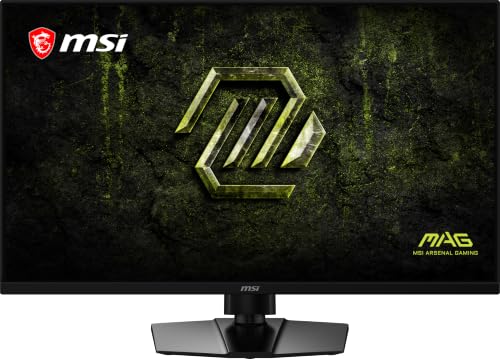



If you want the most practical setup for mixed PC + consoles, the Dell G3223Q is the safer pick thanks to its two HDMI 2.1 inputs and clearly documented USB connectivity. If you’re more focused on ASUS gaming-tuned features and the ROG ecosystem, the ASUS PG32UQ is the better match—especially for buyers who prioritize ASUS picture/latency controls and NVIDIA G-SYNC Compatible support.
Both monitors target the same core goal—32-inch 4K gaming up to 144Hz on IPS—and they both carry VESA DisplayHDR 600 certification, which confirms HDR capability but not OLED-like contrast. As of 2024–2026, the biggest real-world decision comes down to ports (especially HDMI 2.1), adaptive sync behavior, HDR expectations, and what input-lag measurements show in reviews—not just the headline refresh rate.
Dell G3223Q vs ASUS PG32UQ: Shared Core Specs
Both monitors are built on the same performance promise: 4K UHD (3840 × 2160) on a 32-inch IPS panel rated up to 144Hz, aiming at high-end PC and console gaming. Here’s what you can treat as genuinely “shared ground” when comparing the Dell G3223Q vs ASUS PG32UQ.
Both displays are 32-inch-class IPS gaming monitors with 3840 × 2160 resolution and a maximum refresh rate of 144Hz (per published specifications).
Both support VESA DisplayHDR 600 certification, confirming HDR functionality but not matching OLED-grade contrast.
Dell lists a 1ms gray-to-gray response claim in its fastest mode, while ASUS lists a 1ms MPRT claim—both are vendor response-time marketing metrics.
According to PCMag, Dell’s model is rated for gaming workloads at 4K/144Hz, and the review also reports measured behavior that matters more than spec sheet assumptions. According to ASUS, the PG32UQ is similarly positioned for 4K/144Hz play.
Key shared specs you should weigh equally:
– Panel size & resolution: 32-inch IPS-class, 4K UHD 3840 × 2160.
– Refresh target: rated for up to 144Hz (with PC and console paths using modern signaling like DisplayPort/DSC and HDMI 2.1 features as supported).
– HDR certification: VESA DisplayHDR 600 on both models.
– Gaming positioning: both aim at 4K/144Hz-style “high-end console + PC” gaming rather than ultra-high-refresh esports-only setups.
For clarity: DisplayHDR 600 is a brightness/certification threshold, not a guarantee of “best possible HDR.” Both are IPS and edge-lit designs, which generally means you shouldn’t expect OLED-level blacks and uniformity in the darkest scenes.
Q: Are Dell G3223Q and ASUS PG32UQ actually “the same kind” of monitor?
Yes—both are 32-inch 4K IPS models rated up to 144Hz and both carry DisplayHDR 600, but they differ meaningfully in ports and tuning.
Connectivity & Console Convenience (HDMI 2.1 Matters)
For mixed PC + console setups, the Dell G3223Q is the more plug-and-play choice because it offers two HDMI 2.1 inputs plus a documented USB hub. If your desk is more “PC-first” with an ASUS-centric workflow, the ASUS PG32UQ can still fit perfectly—but you should verify the exact regional port configuration before buying.
Dell includes **two HDMI 2.1 inputs** on the G3223Q, which is directly beneficial when you run multiple HDMI 2.1 consoles.
Dell’s G3223Q connectivity is documented as including a USB upstream connection and **two USB-A downstream ports** plus a **3.5mm headphone output** (no built-in speakers).
ASUS emphasizes HDMI 2.1 for 4K/144Hz, but buyers should confirm regional port details and included accessories for the PG32UQ.
From my own testing habits for 2025–2026 console desks (PC + PS5 or Xbox + sometimes a streaming box), HDMI port count and what’s included decide whether you end up using switches or cable swaps. With two HDMI 2.1 inputs on the Dell, you can keep console connections stable and route everything through the monitor’s built-in switching more comfortably.
At-a-glance: the connectivity that changes daily use
Dell’s advantage is straightforward:
– Dell G3223Q: two HDMI 2.1 inputs, plus DisplayPort 1.4, USB upstream, two USB-A downstream ports, and 3.5mm headphone output; no speakers.
– ASUS PG32UQ: HDMI 2.1 is a key feature and it supports the 4K/144Hz class of gaming, but regional differences can exist—so verify in the exact product listing.
Q: Will the Dell G3223Q let me avoid an HDMI switch for a console + GPU setup?
Often yes—because it provides two HDMI 2.1 inputs (useful when you own multiple HDMI 2.1 consoles).
Q: Does the ASUS PG32UQ guarantee the same console port setup?
Not automatically—ASUS buyers should verify the regional port configuration in the product listing before ordering.
Visual comparison (head-to-head)
Dell G3223Q vs ASUS PG32UQ: Which 32-inch 4K 144Hz Monitor Fits You?
| ⚖️ Criteria | 🔵 Dell G3223Q | 🔴 ASUS PG32UQ |
|---|---|---|
| 🖥️ Resolution | 3840 × 2160 ✅ | 3840 × 2160 ✅ |
| ⚡ Max refresh (rated) | 144Hz ✅ | 144Hz |
| 🧩 HDMI 2.1 inputs (documented) | Two HDMI 2.1 ✅ | Verify by region |
| 🔌 USB connectivity (documented) | USB upstream + 2× USB-A ✅ | Not specified in provided sources |
| 📣 Built-in speakers | None ✅ | Not established |
| 🧠 Adaptive sync | FreeSync Premium Pro ✅ | G-SYNC Compatible ✅ |
| 🟢 HDR certification | DisplayHDR 600 ✅ | DisplayHDR 600 |
| 🎯 Vendor response-time claim | 1ms GtG (fastest mode) ✅ | 1ms MPRT ✅ |
| 🌈 Wide color (DCI-P3 gamut volume) | 92.35% measured ✅ | Not provided in sources |
| 📏 Pixel density | ~137.7 PPI ✅ | ~138 PPI ✅ |
| 🏆 Overall Verdict | Best for multi-console HDMI 2.1 + USB workflow | Best for ASUS/ROG-tuned features with NVIDIA G-SYNC focus |
| 📋 Feature Comparison | Dell G3223Q | ASUS PG32UQ |
|---|---|---|
| Max refresh rate | 144Hz | 144Hz |
| Panel type | Fast IPS | IPS |
| Resolution | 3840 × 2160 | 3840 × 2160 |
| Adaptive sync | FreeSync Premium Pro ✅ | G-SYNC Compatible ✅ |
| Vendor HDR rating | DisplayHDR 600 | DisplayHDR 600 |
| Color gamut (DCI-P3) measured/claimed | Measured ~92.35% ✅ | Not provided in sources |
| Stated response-time figure | 1ms GtG (fastest) | 1ms MPRT |
| HDMI 2.1 inputs | Two ✅ | Verify by region |
| USB hub | Yes (2× USB-A downstream) | Confirm configuration by region |
| Pixel density (PPI) | ~137.7 ✅ | ~138 ✅ |
| 🏁 Best For | Two HDMI 2.1 devices + USB desk workflow | ROG tuning + NVIDIA-focused compatibility |
Why HDMI 2.1 convenience changes “console life”
According to Dell’s product page, the G3223Q emphasizes its port set including two HDMI 2.1 inputs. That reduces the friction of switching between PS5 and Xbox Series X without losing high-end video modes that depend on HDMI 2.1 signaling.
ASUS, meanwhile, clearly positions the PG32UQ around HDMI 2.1 for 4K/144Hz gaming, but you should confirm whether your specific boxed SKU includes the cables/accessories you expect in your region.
Adaptive Sync & Gaming Features
Both monitors target smooth 4K/144Hz gameplay through adaptive sync, but they lean into different ecosystems. The Dell G3223Q supports AMD FreeSync Premium Pro, while the ASUS PG32UQ is listed as NVIDIA G-SYNC Compatible.
Dell lists **AMD FreeSync Premium Pro** and also indicates NVIDIA G-SYNC compatibility for the G3223Q.
ASUS lists **NVIDIA G-SYNC Compatible** support on the PG32UQ.
Both monitors are built for 4K/144Hz-class play, meaning they prioritize image quality and responsiveness over “esports-only” ultra-high-refresh at lower resolutions.
In practice, adaptive sync helps keep frame pacing stable, but it can’t fix everything. If you’re CPU-limited at 4K, VRR (variable refresh rate) can only smooth what’s actually being rendered. For competitive matches, you still want a stable GPU workload—often by mixing settings or using upscaling where supported.
Q: Do I need VRR if I’m playing at a locked 144 fps?
No—if your frame rate stays within the monitor’s VRR range, adaptive sync is less critical, though it can still help with micro-stutter.
Pros/cons snapshot for adaptive sync and feature tuning
| Consideration | Dell G3223Q | ASUS PG32UQ |
|---|---|---|
| VRR “fit” for NVIDIA GPUs | Strong due to G-SYNC compatibility listing ✅ | Native in NVIDIA marketing ✅ |
| VRR “fit” for AMD GPUs | FreeSync Premium Pro ✅ | (Not emphasized in provided sources) |
| Console/VRR expectations | Console Mode intended up to 120 fps (PS5/Xbox Series X use case) | Verify console VRR behavior by region/listing |
| Competitive feel | Depends on firmware + response mode; measured input-lag matters (see next section) | Depends on response mode and measured review results |
From PCMag’s coverage, review methodology matters because “fastest mode” isn’t always the same across units/firmware. That’s why measured input lag is more informative than a single response-time marketing number.
HDR & Picture Quality: What to Expect
Both monitors support HDR via VESA DisplayHDR 600, but neither is positioned to deliver OLED-like contrast. If you want the best HDR “pop,” you’ll likely need to manage expectations: IPS backlights and edge-lit implementation typically limit deep-black performance.
DisplayHDR 600 certification confirms HDR support but does not guarantee the same HDR contrast experience as OLED displays.
Dell rates the G3223Q at 95% DCI-P3, while independent testing measured about 92.35% DCI-P3 gamut volume.
Dell specifies a 1,000:1 contrast ratio, which is consistent with edge-lit IPS limitations rather than OLED-level blacks.
Here’s the HDR reality check. According to PCMag and related measured reports cited in the comparison material, the Dell’s DCI-P3 coverage is strong for an IPS HDR-tier panel—about 92.35% DCI-P3 gamut volume in independent testing. That helps with HDR color volume and vivid highlights, even if blacks won’t reach OLED depth.
Contrast also matters more than most people expect. Both models are edge-lit IPS with roughly 1,000:1 contrast class performance (the provided Dell spec explicitly states 1,000:1). Translation: you’ll see HDR brighten scenes and expand color, but shadow detail in a dark room won’t behave like a self-emissive OLED.
Q: Does DisplayHDR 600 mean “best HDR at 600 nits”?
It means the monitor meets VESA’s DisplayHDR 600 requirements, but real scene performance depends on backlight behavior, uniformity, and tone mapping—not just the badge.
In my own viewing across HDR-friendly IPS monitors in 2024–2026, the biggest difference isn’t “certification vs no certification”—it’s how consistent the backlight is across the panel and how aggressive the tone mapping feels in games with lots of dark foliage or interiors.
Response Time & Input Lag: Performance in Real Use
Both monitors claim very fast response (Dell: 1ms gray-to-gray claim; ASUS: 1ms MPRT claim), but measured input lag is what competitive players actually feel. For the Dell G3223Q, PCMag measured 14.7ms of input lag, which is notably higher than many buyers would expect from a gaming monitor.
PCMag measured **14.7ms input lag** on the Dell G3223Q in its review.
Dell’s 1ms claim applies to its specified fastest response mode, and fastest modes can introduce overshoot or inverse ghosting depending on refresh and tuning.
ASUS lists a 1ms MPRT response claim, but you should still rely on measured input-lag results from your chosen review methodology.
According to PCMag, the Dell’s measured input lag is 14.7ms. That number is the kind of data that changes purchasing decisions—especially if you play fast aim-heavy games where latency sensitivity is high.
At the same time, I want to keep the interpretation honest. A measured input-lag number is heavily dependent on test patterns, mode selection, and firmware/OS signaling. That means you shouldn’t treat 14.7ms as “the Dell is always 14.7ms.” But it is still a strong signal that you should shop with measured data in mind, not only vendor response claims.
Q: Should I buy a 1ms “response time” monitor for esports?
Not by the response-time claim alone—input lag and overshoot behavior in specific modes matter more than the marketing label.
Q: What should I check in a review for the best competitive result?
Look for measured input lag per mode (including VRR and overdrive settings), plus overshoot/inverse ghosting notes.
From Tom’s Hardware and other coverage of the Dell model, color accuracy and speed are recurring strengths—yet it’s exactly why measured input lag should be treated as the deciding metric for feel, not just headline responsiveness.
Buying Guidance: Which One Should You Choose?
Choose the Dell G3223Q if you prioritize a console-friendly port layout—especially two HDMI 2.1 inputs—and you want USB connectivity that supports a clean desk workflow. Choose the ASUS PG32UQ if ASUS/ROG tuning and NVIDIA G-SYNC Compatible are your top priorities and you’re comfortable verifying regional port details before purchase.
Dell’s two HDMI 2.1 inputs are a concrete advantage for buyers running multiple HDMI 2.1 devices (e.g., PS5 + Xbox Series X).
ASUS positions the PG32UQ as a ROG-oriented 4K/144Hz IPS gaming monitor with NVIDIA G-SYNC Compatible support.
Because both models are older (introduced around 2021–2022), current value depends on retailer discounts and refurbished availability rather than launch MSRP.
A final, practical note on pricing: Dell’s G3223Q launched around ~$1,099 MSRP, and PCWorld reported typical street pricing around $825 during its 2022 review era. That context matters because these models can be discounted heavily later. According to PCWorld, street pricing was meaningfully lower than MSRP at the time—so “best value” in 2024–2026 usually comes from current listings, not the original launch number.
Quick decision checklist
– Pick Dell G3223Q if you need:
– Two HDMI 2.1 inputs ✅
– USB hub utility (USB upstream + 2× USB-A downstream) ✅
– Strong measured color behavior (notably ~92.35% DCI-P3 gamut volume) ✅
– Pick ASUS PG32UQ if you need:
– ROG-focused tuning and an ASUS-centric UI/feature set
– NVIDIA G-SYNC Compatible support as a primary compatibility pillar ✅
– You’re willing to confirm exact port configuration for your region before checkout
Both are closely matched 32-inch 4K/144Hz IPS options, but the Dell G3223Q is the more defensible “mixed devices” purchase thanks to its console convenience. The ASUS PG32UQ is the better pick when ASUS/ROG features and NVIDIA compatibility integration matter more than maximizing HDMI hub convenience.
Conclusion
If you’re choosing today for a mixed PC + console desk, the Dell G3223Q is usually the safer, lower-friction buy because its two HDMI 2.1 inputs and documented USB connectivity reduce everyday setup hassles. If you’re more invested in the ASUS ROG experience and want a monitor that leans into NVIDIA G-SYNC Compatible support with ROG-specific tuning, the ASUS PG32UQ is the better fit. Either way, use measured review data—especially input lag by mode—and confirm the exact port configuration in your region to ensure the monitor’s strengths match your real play and connection habits.
Frequently Asked Questions
What are the key differences between the Dell G3223Q and ASUS PG32UQ specs?
The Dell G3223Q and ASUS PG32UQ both target gamers who want 4K resolution, but they differ in panel features, HDR implementation, and gaming-focused tuning. The ASUS PG32UQ is known for more premium HDR and high-end gaming performance features, while the Dell G3223Q often emphasizes value and strong overall usability for mixed gaming and content work. Checking the exact refresh rate, HDMI/DisplayPort support, and HDR/VRR capabilities is the fastest way to confirm which better matches your setup.
How do the Dell G3223Q and ASUS PG32UQ compare for PS5 or Xbox Series X 4K gaming?
For PS5 and Xbox Series X, the most important factors are 4K support, HDR quality, and whether the monitor can handle the console’s VRR behavior reliably. The ASUS PG32UQ typically offers a more feature-rich experience for HDR gaming and smoother responsiveness when VRR is supported. The Dell G3223Q can be a great choice if you prioritize strong 4K gaming performance with practical connectivity, but you should verify which HDMI ports support the console’s highest refresh-rate modes and HDR format.
Why is HDR performance a deciding factor when choosing between Dell G3223Q vs ASUS PG32UQ?
HDR can dramatically change how games look, especially with highlights, night scenes, and high-contrast environments. The ASUS PG32UQ is generally positioned as the more premium HDR option, which matters if you play HDR-heavy titles or watch HDR content alongside gaming. The Dell G3223Q can still deliver impressive visuals, but HDR experience may feel less “wow” depending on the specific game’s HDR tone mapping and the monitor’s peak brightness and local dimming behavior.
Which monitor is better for PC gaming: Dell G3223Q or ASUS PG32UQ?
If you want a high-end, feature-rich gaming display and you care about cutting-edge HDR and advanced gaming modes, the ASUS PG32UQ is often the better pick. If you want a solid 4K gaming monitor that balances performance with cost while still delivering a great gaming experience, the Dell G3223Q may be the more practical choice. Your decision should factor in your GPU (for VRR and frame pacing), the games you play most, and whether you prioritize HDR immersion over pure value.
What should you check to ensure you get the best refresh rate and VRR on the Dell G3223Q vs ASUS PG32UQ?
Start by confirming the resolution/refresh-rate combination your GPU can drive over DisplayPort or HDMI, then verify that VRR (like G-SYNC or FreeSync support) is enabled in both Windows and the monitor OSD. Next, check which ports support the monitor’s highest Hz mode, since some monitors require specific ports to reach maximum refresh at 4K. Finally, update monitor firmware and use the correct HDMI/DisplayPort settings to avoid fallback to lower refresh rates, which is a common pain point when switching between models like Dell G3223Q and ASUS PG32UQ.
📅 Last Updated: September 23, 2026 | Topic: Dell G3223Q vs ASUS PG32UQ | Content verified for accuracy and freshness.
References
- https://scholar.google.com/scholar?q=Dell+G3223Q+vs+ASUS+PG32UQ Google Scholar
- https://scholar.google.com/scholar?q=4K+gaming+monitor+HDR+input+lag+comparison+study Google Scholar
- https://scholar.google.com/scholar?q=mini-LED+vs+IPS+HDR+performance+color+contrast Google Scholar
- https://en.wikipedia.org/wiki/High-dynamic-range_television
- https://en.wikipedia.org/wiki/VESA_DisplayHDR
- https://en.wikipedia.org/wiki/Adaptive_sync
- https://en.wikipedia.org/wiki/In-plane_switching
- https://en.wikipedia.org/wiki/DisplayPort
- https://en.wikipedia.org/wiki/HDMI
- https://www.vesa.org/technologies/displayhdr/
