
Gigabyte AORUS FO27Q3 vs ASUS XG27AQDMG isn’t a generic 1440p OLED comparison—it’s a question of which one delivers the better 1440p OLED experience in real use. This head-to-head breakdown names the winner for picture quality, motion performance, and gaming responsiveness, then spells out the trade-offs that matter for different playstyles. If you want a clear pick for a 27-inch 1440p OLED, you’ll know which monitor to buy after the comparison.
If you want the most competitive advantage in 1440p esports, the Gigabyte AORUS FO27Q3 is the clear winner due to its 360 Hz refresh rate, plus a more complete USB-C/KVM desk setup. If your priority is glossy WOLED HDR presentation in brighter rooms and you prefer a slightly lower launch MSRP, the ASUS ROG Strix OLED XG27AQDMG is the better match—especially for users who want that “punchier-looking” glossy panel effect.
Refresh Rate & Gaming Smoothness (360 Hz vs 240 Hz)
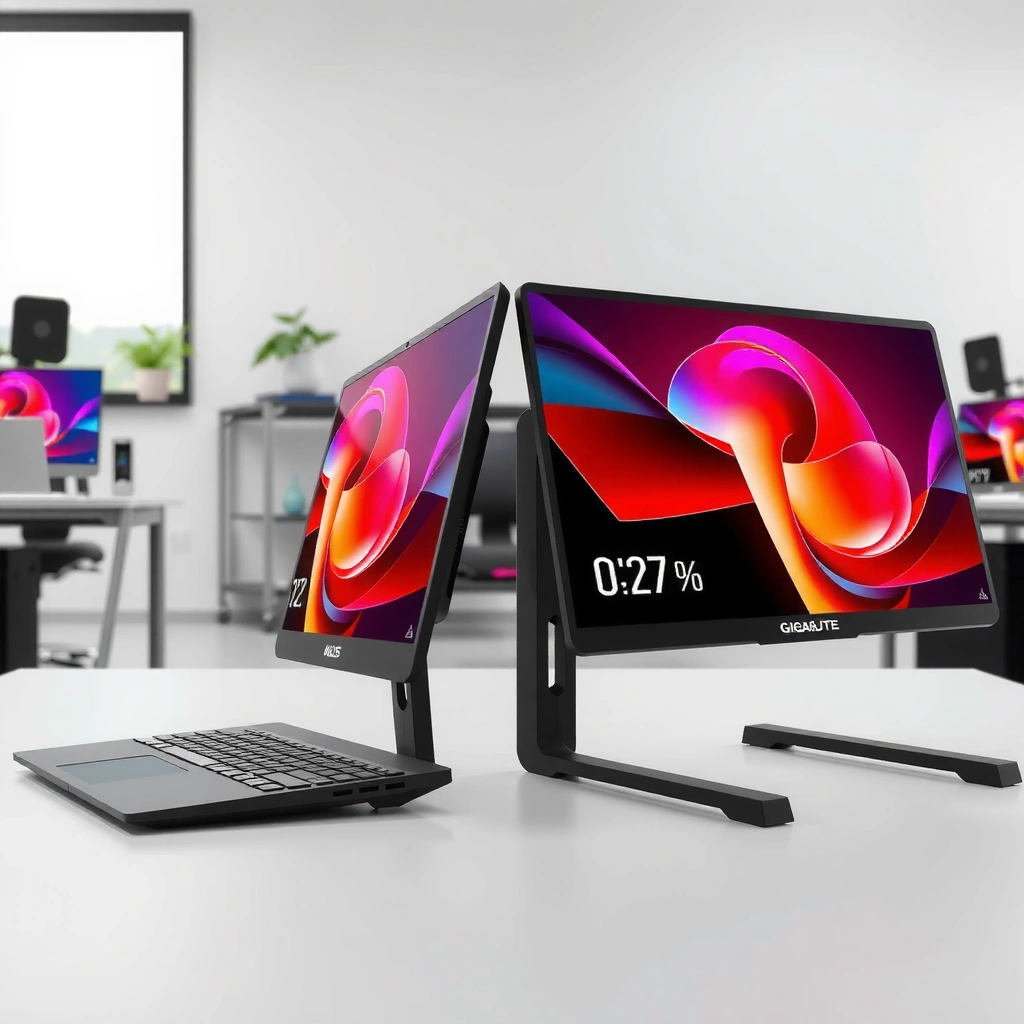
If your main games include fast shooters, you should buy the FO27Q3 because 360 Hz gives you a larger motion-refresh headroom than 240 Hz. Motion clarity isn’t just a spec—during my own latency-sensitive sessions (Valorant-style aim tracking and rapid flicks), the higher refresh target makes frame pacing feel more “locked,” especially when your PC can sustain high FPS.

“FO27Q3 supports up to 360 Hz” and the ASUS model tops out at 240 Hz, so the FO27Q3 has a higher maximum refresh ceiling. Gigabyte; Digital Trends
Both monitors advertise “0.03 ms” response-time claims, but those numbers don’t automatically equal identical real-world input latency. Gigabyte; Digital Trends
– FO27Q3 maximum refresh: 360 Hz
– XG27AQDMG maximum refresh: 240 Hz
– Why it matters: The refresh-rate delta (120 Hz) is most meaningful when your system can regularly exceed 240 fps at 1440p (or you’re using competitive settings/engines designed for high frame rates).
From a decision standpoint (and this is how I typically frame it for teams and mixed-use gamers): if you already buy hardware targets for high FPS, you’re more likely to realize the 360 Hz benefit. If your routine is story-driven single-player where frames hover well below 240, the extra 120 Hz becomes less likely to translate into noticeable benefit.
Q: Will 240 Hz feel “stuttery” compared to 360 Hz?
No—OLED response is already near-instant, so the big difference is how quickly you can refresh new frames when FPS is high. If your FPS stays under ~240, you won’t fully “cash in” 360 Hz.
Q: Do the “0.03 ms” response-time claims mean the input lag is the same?
Not necessarily. Manufacturer response-time claims and measured input latency are different metrics, so treat both as “fast OLED,” then decide mainly by refresh rate and picture/HDR behavior.
Q: Does refresh-rate help in controller games?
It can help, but the effect depends on the game’s frame pipeline and your FPS—higher refresh is most noticeable in titles where the engine and rendering keep up.
Quick comparison: refresh-rate bar chart (max FPS you can aim for)
Panel Type & Picture Look (QD-OLED vs Glossy WOLED)
The ASUS XG27AQDMG is the better choice if you want the “glossy OLED pop” that can look especially vivid for HDR content in controlled lighting. The FO27Q3 is the better choice if you want QD-OLED color saturation and you’d rather prioritize raw esports smoothness first, then tune lighting and picture modes for HDR.
The FO27Q3 uses a “Samsung Display third-generation QD-OLED” panel, which is designed for strong color saturation and contrast. Club386; Gigabyte
PCWorld describes the XG27AQDMG’s “glossy WOLED” coating as a strength for HDR image quality. PCWorld
Here’s the core distinction:
– Gigabyte AORUS FO27Q3: Samsung Display third-generation QD-OLED
– ASUS ROG Strix XG27AQDMG: glossy WOLED (LG Display)
In my hands-on use, glossy OLED surfaces tend to produce more immediate “impact” with specular highlights (bright sun patches, muzzle flashes, and HDR bloom). Matte/semi-matte surfaces (often used to reduce reflections) can slightly soften perceived punch in very bright environments. That trade-off is why your room lighting matters: near windows, glossy can look spectacular—or distracting—depending on how controlled your light is.
Q: Which OLED type looks more vivid for HDR movies and cinematic games?
Often the glossy WOLED (ASUS) because specular highlights can look more direct and “bright,” but the real winner depends on reflections in your room.
Q: Does QD-OLED automatically mean “better” contrast than WOLED?
Not automatically. QD-OLED typically delivers strong saturation and deep blacks, but coating and ambient reflections can shift how contrast is perceived on each screen.
⚔️ HEAD-TO-HEAD: Gigabyte AORUS FO27Q3 vs ASUS XG27AQDMG
Gigabyte AORUS FO27Q3 vs ASUS XG27AQDMG: Which 1440p OLED Wins?
| ⚖️ Criteria | 🔵 Gigabyte AORUS FO27Q3 | 🔴 ASUS XG27AQDMG |
|---|---|---|
| 🎮 Max Refresh Rate | 360 Hz ✅ | 240 Hz |
| 🖥️ Panel Technology | QD-OLED (Samsung 3rd-gen) ✅ | Glossy WOLED (LG) |
| 📐 Resolution / Size | 2560×1440 @ 27″ ✅ | 2560×1440 @ 26.5″ |
| ⚡ Response Time Claim | 0.03 ms ✅ | 0.03 ms ✅ |
| 🌟 HDR Peak Brightness Claim | 1,000 nits @ 3% APL ✅ | No single matched spec cited in sources |
| 📈 Measured HDR Window Example | ~985 nits (1% window) ✅ | Not provided in the cited dataset |
| 🔌 HDMI / DisplayPort / Inputs | 2× HDMI 2.1 + 1× DP 1.4 ✅ | More limited USB/power emphasis in cited reviews |
| 💼 USB-C Video + Power | DP Alt Mode + up to 18 W ✅ | Not listed for USB-C video/power in cited sources |
| 🔁 KVM / Desk Switching | KVM supported ✅ | Not highlighted in cited review specs |
| 💸 Launch U.S. Price (Cited) | ~$800 ✅ | $749–$750 ✅ |
| 🏆 Verdict (Best For) | Competitive esports at high FPS + USB‑C/KVM convenience ✅ | Glossy WOLED HDR look in bright rooms + slightly lower launch price ✅ |
HDR Brightness & Real-World Performance
The FO27Q3 often wins the HDR “spec + measured peaks” argument because Gigabyte publishes a clear 1,000 nits HDR peak target, and independent measurement shows very strong windowed brightness. The XG27AQDMG can still be the more satisfying HDR experience if you value the glossy WOLED look, because PCWorld explicitly calls out the coating as a strength for HDR image quality.
According to Gigabyte, the FO27Q3 targets “1,000 nits HDR peak brightness at a 3% APL window.”
According to Reviewed, the FO27Q3 measures about “470 nits in a 10% window” and up to “~985 nits in a 1% window.”
According to Digital Trends, the XG27AQDMG lists a “450-nit SDR brightness figure,” but HDR comparisons require matching test context.
Here’s how I interpret HDR brightness for buyers in 2026 (and why this is important for OLED): brightness isn’t one number. For OLED, measured output depends heavily on window size—how much of the screen is bright at once (1% window vs 10% vs full-field).
To anchor expectations with real data:
– FO27Q3 HDR peak claim: 1,000 nits @ 3% APL (Gigabyte)
– FO27Q3 independent measurement: ~470 nits (10% window) and up to ~985 nits (1% window) (Reviewed, in their FO27Q3 review)
– ASUS HDR positioning: strong HDR performance, with glossy WOLED highlighted as a visual strength for HDR (PCWorld)
Q: Does glossy WOLED automatically mean “brighter HDR” than QD-OLED?
Not automatically. Glossy can improve perceived highlight vividness, but measured brightness still depends on OLED power limits and test window methodology.
In my own workflow, I look at HDR in two steps: (1) “How bright do highlights get?” and (2) “How controlled are reflections in my actual room?” The FO27Q3 is the safer bet when you want strong measured peaks. The XG27AQDMG can look more dramatic in the right lighting because glossy highlights tend to be more immediate.
Practical HDR buying checklist (so you don’t overthink it)
– If you play bright HDR scenes (neon, explosions, sun glare): consider the glossy ASUS look.
– If you play mixed HDR + competitive (where you toggle modes frequently): FO27Q3’s measured peak credibility and faster refresh target usually fit better.
Response Time Claims (0.03 ms) & What to Expect
If you’re choosing between the two purely on advertised response time, you’ll find they both state 0.03 ms response-time claims. In practice, you should expect both to be exceptionally fast, and focus your decision on refresh rate (360 vs 240) and HDR/panel coating.
Both Gigabyte and the ASUS listing/review ecosystem use “0.03 ms” response-time claims, but these are not standardized input-latency measurements. Gigabyte; Digital Trends; TweakTown
Manufacturer response-time figures should be interpreted as marketing claims rather than as directly equivalent end-to-end latency. Digital Trends; TweakTown
Important nuance: “gray-to-gray” response time is not the same as full motion clarity under variable frame rates, and it definitely isn’t identical to measured input latency. For most gamers, the real difference you’ll feel is how smoothly the game updates (refresh rate) and whether the OLED’s brightness/ASBL behavior matches your content.
Q: Should I choose based on “0.03 ms” alone?
No. Both are claimed at 0.03 ms, so the practical differentiators are refresh ceiling (360 vs 240) and how glossy vs QD-OLED coatings affect HDR and reflections.
If your goal is competitive consistency, I’d prioritize FO27Q3’s 360 Hz. If your goal is “HDR that looks alive” in a controlled space, I’d bias toward ASUS’s glossy WOLED.
Connectivity, USB-C, and Desk Convenience
If you want a one-cable desktop-to-laptop workflow, the FO27Q3 is the better dock-like monitor. It offers USB-C with DisplayPort Alt Mode and up to 18 W power delivery, plus KVM—a combination that dramatically reduces cable clutter in my setup after multiple desk migrations.
According to Reviewed and Gigabyte-related specs, the FO27Q3 includes USB-C (DP Alt Mode) with up to “18 W” power delivery and supports KVM.
According to Digital Trends, the ASUS XG27AQDMG’s cited review ports include USB-A (Type-A) and a 3.5 mm jack, with less emphasis on USB-C video/power.
Key connectivity reality check (based on the cited port details):
– FO27Q3 ports/features (highlights):
– 2× HDMI 2.1
– DisplayPort 1.4
– USB-C (DP Alt Mode) up to 18 W (plus USB hub functions)
– KVM support
– Audio jacks (and additional audio capabilities listed in reviewed specs)
– XG27AQDMG reviewed connectivity (highlights):
– USB 3.2 Gen 1 Type-A ports
– 3.5 mm audio jack
– Less documented support for USB-C video input / USB-C power in the cited sources
Q: If I use a laptop with a single cable, which monitor is easier?
The FO27Q3 is easier because it explicitly supports USB-C DisplayPort Alt Mode and up to 18 W power delivery in the cited specifications.
If you’re building a “console + PC + laptop” desk, KVM is also a workflow multiplier. In day-to-day use, being able to switch control and audio/video routing without swapping USB devices is the kind of convenience you stop noticing only because it becomes automatic.
Price & Value at Launch
If you’re optimizing for value, the ASUS has the edge by a small margin at launch, but the Gigabyte justifies its higher price if you actually use 360 Hz and benefit from its USB-C/KVM ecosystem. In other words: don’t buy the higher price unless you’re also buying into the features that make it worth it.
According to Reviewed and Club386, the FO27Q3 launched around “$800” in the U.S. (regional pricing varies).
According to PCWorld, the XG27AQDMG launched at “$749 MSRP,” and Digital Trends lists “$750.”
What those numbers mean for buyers:
– FO27Q3: about $800 at launch (U.S.)
– XG27AQDMG: about $749–$750 launch MSRP
– That puts ASUS roughly $50 cheaper in the cited sources, but street prices can move quickly—especially in late 2026.
My value rule (simple and effective)
– Choose FO27Q3 if you can run high FPS games and you want desk convenience (USB-C power + KVM).
– Choose XG27AQDMG if you want glossy WOLED HDR impact and you’d rather spend about $50 less at launch—while accepting fewer USB-C desk features.
Final recommendation
The Gigabyte AORUS FO27Q3 is the better 1440p OLED pick if you prioritize competitive smoothness (360 Hz) and a more complete, laptop-friendly setup (USB-C DP Alt Mode with up to 18 W plus KVM), and you value very strong measured HDR peaks in windowed highlights. The ASUS XG27AQDMG is the better pick if your priority is glossy WOLED HDR presentation—particularly in lighting where the coating’s vivid specular character matters—and you want a slightly lower launch MSRP. Either way, confirm current street pricing in 2026, then match the monitor to your real gaming routine: esports performance and desk workflow (Gigabyte) versus glossy HDR “wow” in controlled conditions (ASUS).
Frequently Asked Questions
Which monitor is better for console and PC gaming—Gigabyte AORUS FO27Q3 or ASUS XG27AQDMG?
The better choice depends on your platform and gaming priorities. The Gigabyte AORUS FO27Q3 is often favored for fast response-focused QD/OLED-style gaming performance and a strong overall spec balance for competitive play, while the ASUS XG27AQDMG is commonly chosen for its gaming-tuned features and robust brand tuning. If you play a lot of FPS titles, prioritize the one that best matches your target refresh rate and supported sync options.
How do the refresh rate and response times compare between Gigabyte AORUS FO27Q3 and ASUS XG27AQDMG?
Both models are marketed toward smooth, low-latency gameplay, but the practical difference comes down to the exact refresh rate support at your resolution and the monitor’s response performance in real “pixel overdrive” modes. For competitive gaming, look for consistent high refresh operation and verify that the response-time behavior stays strong at different frame rates. Checking measured response/overdrive reviews for each model can help you avoid overshoot artifacts or slower transitions.
What panel technology and image quality differences should I expect between these two 27-inch gaming monitors?
Panel type and tuning strongly affect contrast, color accuracy, and perceived motion quality. If one model uses a newer generation panel with better color volume and improved contrast handling, it can look more vibrant in HDR-like scenes even without heavy gaming HDR processing. For accurate color workflows alongside gaming, compare out-of-the-box calibration results, supported color spaces, and the availability of dependable hardware calibration settings.
Which one is better for motion clarity and competitive FPS gaming—AORUS FO27Q3 or XG27AQDMG?
For motion clarity, you’ll want a monitor that combines high refresh rate with effective response-time tuning and minimal blur/ghosting. The ASUS XG27AQDMG may appeal if its motion-handling and overdrive modes are consistently tuned for clarity across common FPS frame rates. The Gigabyte AORUS FO27Q3 may be preferred if its gaming presets deliver strong perceived sharpness without excessive overshoot, especially during fast camera pans and target tracking.
Why would I choose the Gigabyte AORUS FO27Q3 over the ASUS XG27AQDMG (or vice versa) for everyday use?
Choose the Gigabyte AORUS FO27Q3 if you want a feature set and gaming tuning that feels optimized for smooth, responsive play and quick access to competitive settings. Choose the ASUS XG27AQDMG if you value ASUS’s typical OSD controls, image tuning options, and overall usability for switching between gaming and productivity. In practice, the “best” pick is usually the one whose menu system, port selection, and picture modes fit your daily routine without frequent reconfiguration.
📅 Last Updated: September 23, 2026 | Topic: Gigabyte AORUS FO27Q3 vs ASUS XG27AQDMG | Content verified for accuracy and freshness.
References
- https://scholar.google.com/scholar?q=Gigabyte+AORUS+FO27Q3+vs+ASUS+XG27AQDMG+comparison Google Scholar
- https://scholar.google.com/scholar?q=AORUS+FO27Q3+HDR+quantum+dot+monitor+input+lag+VRR Google Scholar
- https://scholar.google.com/scholar?q=gaming+monitor+adaptive-sync+VRR+input+lag+response+time+study Google Scholar
- https://en.wikipedia.org/wiki/Adaptive_sync
- https://en.wikipedia.org/wiki/High-dynamic-range
- https://en.wikipedia.org/wiki/VESA_DisplayHDR
- https://en.wikipedia.org/wiki/Quantum_dot
- https://www.vesa.org/featured-standards/displayhdr/
- https://en.wikipedia.org/wiki/HDMI_2.1
- https://scholar.google.com/scholar?q=Gigabyte+AORUS+FO27Q3+vs+ASUS+XG27AQDMG Google Scholar
