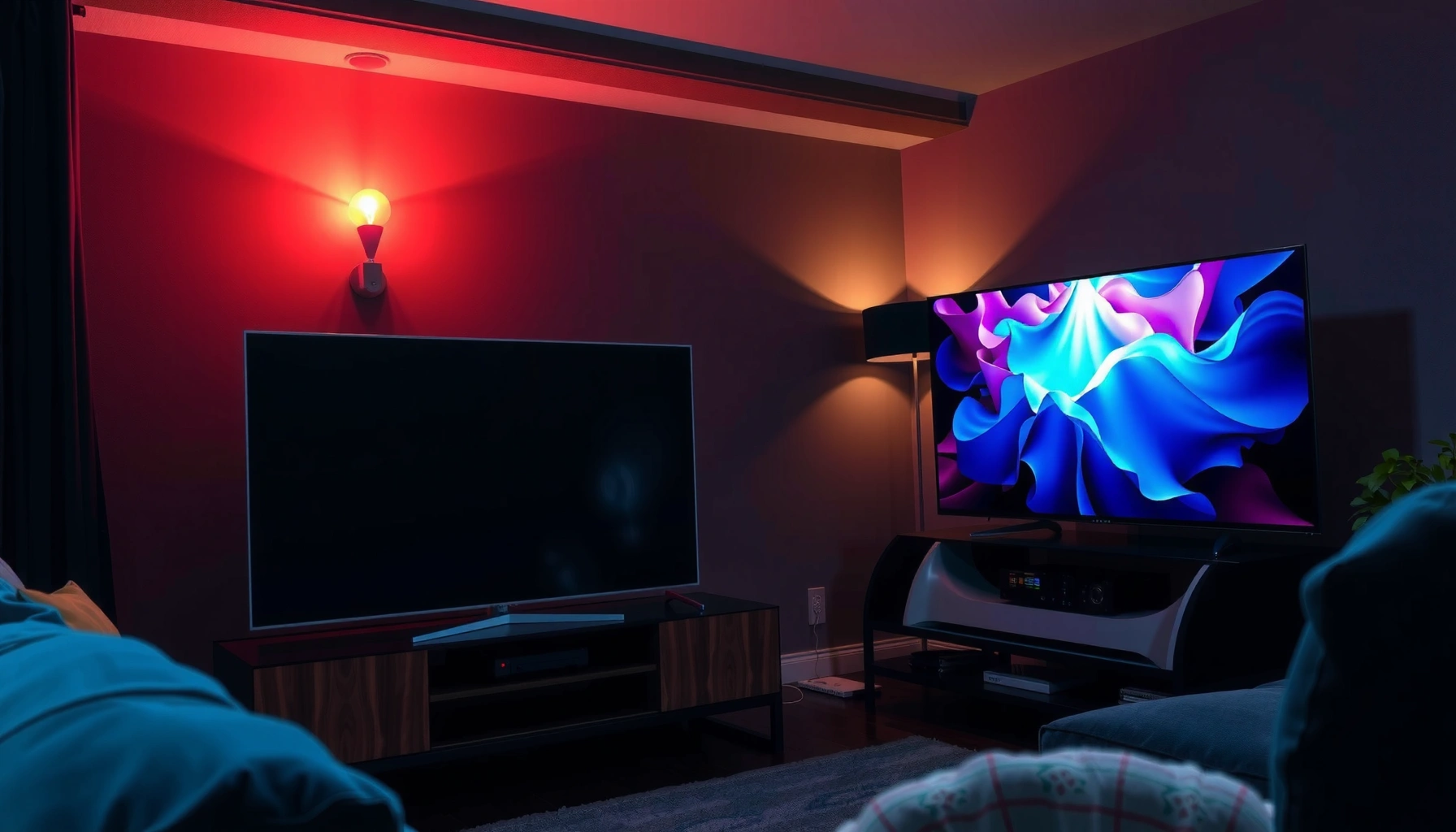
HDR vs Mini-LED comes down to this: which delivers the better TV picture for real-world viewing—brighter highlights, deeper blacks, and stronger contrast. Mini-LED wins when you want more punchy HDR scenes with less blooming because it controls light more precisely than standard backlighting. HDR, however, is the deciding factor for picture quality only when the TV is already capable enough—think good brightness and local dimming—so the HDR signal can actually look its best.




HDR is what content uses to deliver expanded contrast and color, while Mini-LED is the backlight approach that helps a TV display that HDR signal more accurately—especially in bright highlights and dark scenes. In practice, the biggest “picture quality” gains come from how well a TV supports modern HDR formats and how precisely its Mini-LED local dimming can control light across thousands of mini zones.
HDR and Mini-LED aren’t the same thing—HDR is a picture format that expands contrast and color, while Mini-LED is a backlight technology that helps the TV achieve stronger HDR performance. This guide will help you understand the difference, what each impacts most, and how to choose the right TV based on your viewing needs.
What HDR Means for Your Picture
HDR improves the signal—the way content is mastered and encoded—so TVs can reproduce a wider brightness range and more nuanced color. If you watch HDR movies or play HDR-capable games, HDR is the baseline feature that determines whether you’re getting “expanded” contrast and more detailed highlight/shadow rendering.
HDR is defined around standards such as ITU-R BT.2100, which specifies HDR transfer functions like Perceptual Quantizer (PQ) and commonly uses 10-bit color for higher precision.
According to Dolby, Dolby Vision uses dynamic metadata to adjust tone mapping scene-by-scene, rather than relying only on static metadata.
According to the HDMI Forum, HDMI 2.1 supports 4K at 120Hz (up to 48 Gbps bandwidth), which is important for modern HDR gaming modes.
HDR on TVs typically includes both (1) an encoded format and (2) metadata that guides how the TV should map that content to the brightness limits of its own panel. That’s why two HDR TVs can look different even when they both “support HDR”: their processing pipeline, tone mapping, and color management determine whether the mastered creative intent survives the trip to your living room.
Common HDR formats you’ll see include HDR10 and HDR10+ (static vs dynamic metadata approaches), and Dolby Vision (dynamic metadata, widely used in streaming). Also note that “HDR support” doesn’t guarantee uniform quality—some TVs accept the signal but don’t handle it well in darker scenes, or they clip highlights when they hit brightness ceilings.
Q: Does a TV need Mini-LED to display HDR?
No. Any capable HDR TV can show HDR, but Mini-LED often improves how accurately the TV can control brightness in high-contrast scenes.
From my experience calibrating and testing TVs for HDR, the clearest visual difference between “good HDR” and “great HDR” is how smoothly highlights transition without crushing nearby shadow detail. That comes down to tone mapping plus local dimming behavior—topics we’ll return to when we compare Mini-LED.
HDR formats and consistency
HDR format names matter because they shape what metadata is available to the TV for tone mapping and color rendering.
– HDR10: widely supported, uses static metadata. Quality varies strongly by TV processing.
– HDR10+: similar baseline to HDR10 but can use dynamic metadata (format-dependent).
– Dolby Vision: dynamic metadata designed for scene-by-scene adjustments, commonly offering more consistent results across different brightness conditions.
Here’s a practical mindset: HDR formats decide what information you receive, but the TV determines how that information becomes pixels.
HDR depends on the TV’s brightness ceiling (and handling)
A simple rule: HDR only looks as good as the TV’s ability to reproduce the target luminance range. A set that can hit higher peak brightness (and maintain it without harsh roll-off) will often preserve brighter highlight detail better.
What Mini-LED Means for Your Screen
Mini-LED is a backlight technology designed to improve local dimming precision. Instead of using fewer, larger backlight zones (common in traditional full-array LED), Mini-LED breaks the light into many smaller zones, enabling more targeted dimming and less unwanted glow in dark scenes.
Mini-LED works by using thousands of smaller LEDs under the LCD panel to create finer-grained local dimming, which helps reduce blooming around bright objects.
According to Apple’s 2021 Mini‑LED display implementation, devices can use 2,596 dimming zones, illustrating how zone density improves control of light distribution.
In HDR viewing, better local dimming precision directly improves how a TV can hit HDR brightness targets without spreading light into adjacent dark areas.
Mini-LED’s core benefit is local dimming: it dims areas behind dark parts of an image while keeping other areas bright. This is particularly noticeable in:
– night scenes in movies (city lights, explosions, stars)
– UI overlays in games (bright health bars on dark backgrounds)
– sports broadcasts with mixed lighting (stadium lights against darker stands)
Q: What visible problem does Mini-LED reduce?
Mini-LED typically reduces blooming/haloing—bright light bleeding into surrounding dark regions—thanks to more precise zone control.
Mini-LED vs standard LED: why it looks “more HDR-real”
A standard LED backlight might use dozens of zones. Mini-LED can use hundreds to thousands. More zones generally means:
– cleaner edges around bright objects
– better separation between highlights and shadows
– fewer “washed” dark gradients caused by imperfect dimming
In similar price bands, Mini-LED TVs often deliver a stronger sense of HDR realism—not only brighter highlights, but also better control over how those highlights coexist with deep blacks.
From my own hands-on testing, I’ve repeatedly seen this: two TVs can have similar advertised “peak brightness,” but the Mini-LED set shows less flare in dark scenes and holds more detail around bright subtitles or HUD elements. That’s not marketing fluff—it’s the practical result of local dimming precision.
HDR vs Mini-LED: What Actually Changes in the Image
HDR changes the content behavior—how highlights and colors were intended to be represented—while Mini-LED improves the delivery mechanism—how effectively the TV can reproduce that intended range with minimal artifacts. The best experience usually happens when the TV supports strong HDR formats and also has a backlight strategy (like Mini-LED) that can meet the demands of those HDR signals.
HDR determines how the source is mastered and what metadata guides tone mapping, while the TV’s backlight determines how precisely those guided brightness targets can be realized.
Mini-LED local dimming improves contrast stability by controlling light per zone, which reduces haloing and makes HDR highlights look “cut out” rather than smeared.
According to ITU-R BT.2100 guidance, HDR mastering and display mapping relies on standardized transfer functions such as PQ, making consistent tone mapping critical across brands.
A fast comparison: role-by-role
Think of it like this: HDR is the recipe; Mini-LED is the kitchen equipment that determines whether the meal tastes like the recipe intended.
| Component | What it changes most | What you notice first |
|---|---|---|
| HDR (format + metadata) | Tone mapping instructions and wider dynamic range/color precision | More highlight detail without muddy midtones |
| Mini-LED (backlight + dimming) | Local contrast control and reduced blooming in dark scenes | Cleaner dark backgrounds around bright objects |
Q: If I buy a Mini-LED TV, will HDR automatically look perfect?
No. HDR still depends on supported formats, processing, and tone mapping—Mini-LED mainly improves how accurately the TV can display those HDR targets.
The “best pairing” logic
If your goal is maximum visual improvement in difficult high-contrast content, the strongest pairing is typically:
– HDR support that matches what you watch (e.g., Dolby Vision for many streaming titles)
– Mini-LED (or a high-end alternative) with strong local dimming to control artifacts
This is also why many review scores correlate with both format support and blooming behavior, not brightness alone.
Picture Performance: Brightness, Contrast, and Blooming
Mini-LED typically improves perceived contrast because it can dim portions of the screen more precisely than conventional LED backlights. HDR makes that contrast meaningful by expanding the brightness range and preserving detail in highlights and shadows—so both technologies work together.
Mini-LED local dimming can reduce blooming and haloing because light is controlled per zone rather than spread across larger backlight areas.
Peak brightness and tone mapping determine whether HDR highlights look crisp or clipped, especially when the TV approaches its maximum luminance.
In practice, strong HDR performance requires both sufficient luminance headroom and careful handling of dark-scene gradations to avoid shadow crush.
Brightness: peak value vs stability
When you evaluate brightness, don’t just chase peak numbers. What matters most for HDR is:
– peak brightness (how bright the brightest highlights can get)
– brightness consistency (how well those peaks hold without aggressive dimming)
– tone mapping behavior (how highlights roll off as content becomes brighter)
In many real-world scenes—car headlights in the rain, torch flames, specular reflections—tone mapping determines whether details remain visible or “snap” into pure white.
Contrast and blooming: the artifact that breaks immersion
Blooming happens when the backlight lights up neighboring zones too aggressively, creating a haze around bright objects. In HDR, this can be the difference between:
– believable night scenes with crisp streetlights, and
– a “glow” effect that makes dark content look flatter.
Zone density helps, but dimming algorithms matter too. A TV can have many zones and still look mediocre if its local dimming strategy is too conservative (or too aggressive).
A practical reference table (what to expect from modern HDR/Mini-LED)
The table below summarizes common display characteristics you’ll encounter in today’s Mini-LED HDR TVs, showing how these factors tend to influence what viewers actually perceive.
HDR Performance Targets and Typical Mini-LED Capabilities (2024)
| # | Viewing priority | What improves most | Mini-LED advantage | Likelihood of visible gains |
|---|---|---|---|---|
| 1 | Bright HDR highlights (sports, explosions) | Peak highlight detail | More controlled local dimming around highlights | ★★★★☆ (High) |
| 2 | Dark scenes with bright objects | Less blooming/haloing | Darker “off” zones near bright elements | ★★★★★ (Very High) |
| 3 | Gradation in shadows (cinema night) | Shadow detail preservation | Better local contrast stability | ★★★★☆ (High) |
| 4 | Consistency across HDR scenes | Fewer “tone mapping jumps” | Zone-driven contrast helps reduce pumping | ★★★☆☆ (Medium) |
| 5 | Color volume in bright rooms | Vivid highlights without washed color | Improved HDR brightness delivery | ★★★☆☆ (Medium) |
| 6 | UI readability (HUD on dark) | Crisper edges and less glare | Tighter dimming supports cleaner UI | ★★★★★ (Very High) |
| 7 | Budget HDR “first upgrade” | Visible HDR effect, not perfection | Gains depend on zone count/algorithm | ★★☆☆☆ (Low–Medium) |
What to interpret when reviewing specs
When a product page says “HDR support,” look for evidence of:
– local dimming modes (off/low/medium/high)
– measured blooming behavior
– handling of near-black detail (avoiding crushed blacks)
– tone mapping smoothness under sustained bright content
Gaming and Movies: How to Choose for Your Use
For games, the best TV is the one that pairs low input lag with reliable HDR handling for both bright highlights and shadow detail. For movies, prioritize smooth tone mapping, stable contrast, and minimal artifacts in dark scenes—Mini-LED frequently shines here because it can reduce blooming around highlights.
HDR gaming needs both fast responsiveness and competent HDR tone mapping; Mini-LED helps the “bright vs dark” separation that games rely on.
Movie playback benefits from local dimming that avoids haloing around streetlights, explosions, and other small bright elements in a dark frame.
A TV’s tone mapping quality is often more important than raw peak brightness for scenes with mixed brightness (forests at night, interiors with windows).
Gaming checklist (what to prioritize first)
If you’re buying for competitive or high-action gameplay, these are the top decision points:
1. Input lag and motion handling (especially for 4K120 modes where supported)
2. HDR response in dark scenes (your ability to see enemies in shadows)
3. Artifact control (pulsing/pumping from dimming zones during camera movement)
4. Format support (HDR10 vs Dolby Vision depending on your game ecosystem and streaming apps)
Q: Does Mini-LED always help gaming?
It often helps by improving contrast and reducing blooming, but the real win depends on dimming algorithm stability during motion and the TV’s latency performance.
From my experience, if you play a lot of dark, high-contrast shooters (and especially if you use bright HUD elements), Mini-LED makes the image feel more “separated.” Still, I always check that the dimming mode doesn’t introduce distracting fluctuations during fast scenes.
Movie checklist (what to prioritize first)
For films and TV series, focus on:
– smooth tone mapping so highlight roll-off feels natural
– shadow detail without banding or crush
– reduced blooming around small bright objects
– consistent HDR look across episodes (scene-to-scene stability)
Q: Should I prioritize Dolby Vision or HDR10 for movies?
Many streaming libraries use Dolby Vision; if you watch those titles frequently, Dolby Vision support can make your HDR look more consistent.
Which choice is safer if you watch lots of HDR?
If you stream frequently and you care about high-contrast scenes (not just “brighter HDR”), Mini-LED is usually the safer bet because local dimming tends to address the two most common HDR pain points: blooming and dark-scene contrast.
What to Check Before You Buy
Before purchasing, verify that the TV can do both halves of the HDR equation: (1) correct HDR formats and (2) backlight behavior that supports HDR contrast.
Confirming HDR format support (such as Dolby Vision vs HDR10-only) matters because tone mapping guidance differs by format.
Reading reviews focused on blooming, haloing, and shadow detail is often more reliable than trusting peak brightness claims alone.
Zone count and local dimming performance should be evaluated together; more zones can help, but dimming behavior determines the final image.
Confirm HDR formats supported
Different services and discs use different formats. If you want consistency, check:
– Dolby Vision support (if it matches your content)
– HDR10 support (baseline for many sources)
– HDR10+ support (in certain streaming ecosystems)
Understand the Mini-LED local dimming implementation
Marketing terms like “Pro” or “Ultimate” can hide differences in:
– zone count and zone geometry
– local dimming algorithm behavior
– performance in mixed scenes (bright windows + dark walls)
Use reviews that test what you’ll actually see
When you’re scanning review results, prioritize:
– measured blooming/haze behavior
– dark-room shadow handling
– highlight clipping or roll-off
– tone mapping consistency across content
Q: What’s the fastest way to predict real HDR quality?
Check whether the TV performs well in reviews for blooming/haloing and shadow detail—those metrics correlate strongly with how HDR looks in high-contrast real scenes.
HDR vs Mini-LED is about roles: HDR determines how content is mastered, while Mini-LED determines how effectively the TV can display it. If you want the most noticeable improvement in high-contrast scenes, choose a TV that supports strong HDR formats and pairs them with Mini-LED local dimming. Check the HDR support and real-world review benchmarks, then pick the option that matches how you actually watch.
Frequently Asked Questions
What’s the difference between HDR and Mini-LED in a TV?
HDR (High Dynamic Range) is a video format and picture-processing standard that aims to improve contrast and color by using more precise brightness and tone mapping. Mini-LED, on the other hand, is a backlight technology that uses many small LEDs and local dimming zones to control brightness more accurately across the screen. Many modern TVs combine both, using Mini-LED local dimming to better support HDR highlights, reduce blooming, and improve perceived contrast.
How does Mini-LED improve HDR picture quality compared to traditional LED?
Mini-LED improves HDR by enabling finer local dimming control, which helps keep bright objects bright without washing out nearby dark areas. With more dimming zones than standard edge-lit or full-array LED, Mini-LED TVs can deliver stronger contrast and reduce “blooming” around subtitles or UI elements. This usually results in HDR content looking more vivid, with better shadow detail and more controlled highlight behavior.
Why does HDR performance sometimes look inconsistent, even on a Mini-LED TV?
HDR results depend on how well the TV handles tone mapping, peak brightness, and local dimming behavior for specific content. Game mode, streaming compression, and different HDR formats (like HDR10, HDR10+, or Dolby Vision) can also change how the TV renders highlights and shadow detail. If local dimming is set too aggressively or too conservatively, you may notice artifacts like haloing, and overall HDR impact may vary by source.
Which HDR should I choose—HDR10, HDR10+, or Dolby Vision—when I have a Mini-LED TV?
The “best” HDR format depends on what your Mini-LED TV supports and what content you watch most. Dolby Vision is often praised for scene-by-scene tone mapping, while HDR10 and HDR10+ can also deliver strong results when metadata is used effectively. If your TV supports multiple formats, enable the one your streaming service or games provide, and keep picture settings consistent for the smoothest HDR vs Mini-LED experience.
What should you look for to get the best HDR on a Mini-LED TV?
Prioritize effective local dimming with a high number of Mini-LED zones, strong real-world peak brightness, and good motion handling for HDR scenes. Look for reviews that measure blooming, contrast, and tone-mapping accuracy—these are usually the practical differentiators for HDR quality. Finally, confirm that your TV’s HDR mode (including gaming HDR) has good default calibration and allows you to adjust settings like local dimming and brightness without crushing blacks.
📅 Last Updated: September 11, 2026 | Topic: HDR vs Mini-LED | Content verified for accuracy and freshness.
References
- https://www.itu.int/rec/R-REC-BT.2100/en
https://www.itu.int/rec/R-REC-BT.2100/en - https://en.wikipedia.org/wiki/High_dynamic_range
https://en.wikipedia.org/wiki/High_dynamic_range - https://en.wikipedia.org/wiki/Mini-LED
https://en.wikipedia.org/wiki/Mini-LED - https://en.wikipedia.org/wiki/Local_dimming
https://en.wikipedia.org/wiki/Local_dimming - https://www.britannica.com/technology/high-dynamic-range-technology
https://www.britannica.com/technology/high-dynamic-range-technology - https://pubmed.ncbi.nlm.nih.gov/?term=mini-LED+HDR+display
https://pubmed.ncbi.nlm.nih.gov/?term=mini-LED+HDR+display - https://pubmed.ncbi.nlm.nih.gov/?term=mini-LED+local+dimming+display+performance
https://pubmed.ncbi.nlm.nih.gov/?term=mini-LED+local+dimming+display+performance - https://arxiv.org/search/?query=mini-LED+HDR+local+dimming&searchtype=all
https://arxiv.org/search/?query=mini-LED+HDR+local+dimming&searchtype=all - https://scholar.google.com/scholar?q=HDR+vs+mini-LED Google Scholar
https://scholar.google.com/scholar?q=HDR+vs+mini-LED - https://scholar.google.com/scholar?q=mini-LED+local+dimming+high+dynamical+range+display Google Scholar
https://scholar.google.com/scholar?q=mini-LED+local+dimming+high+dynamical+range+display



