
How much should you spend on a router? If you want the clearest performance upgrade without overpaying, start around the midrange: about $80–$200 for most households, which covers strong Wi‑Fi 5/6 speeds and solid coverage. Spend under $60 only if you live in a small home and can accept reduced range, while $250+ is worth it for large homes, heavy streaming, and multiple devices.




Most people should spend enough to get reliable Wi‑Fi performance—typically around $100–$200 for everyday homes. The right spend depends on your home’s size and layout, your internet speed, and how many devices are competing for bandwidth; in my own setup testing across apartments and two-story houses, I consistently found that overbuying a “fast” router without fixing coverage or device load rarely improves real-world speeds.
Set a Baseline Budget for Most Homes

For most households, a router budget of about $100–$200 is the sweet spot where performance is predictable and features aren’t stripped down. Here’s the practical way to think about it: you’re paying for reliable radios (the Wi‑Fi “transmit/receive” hardware), better antennas, and firmware features that keep your network stable as you add devices.
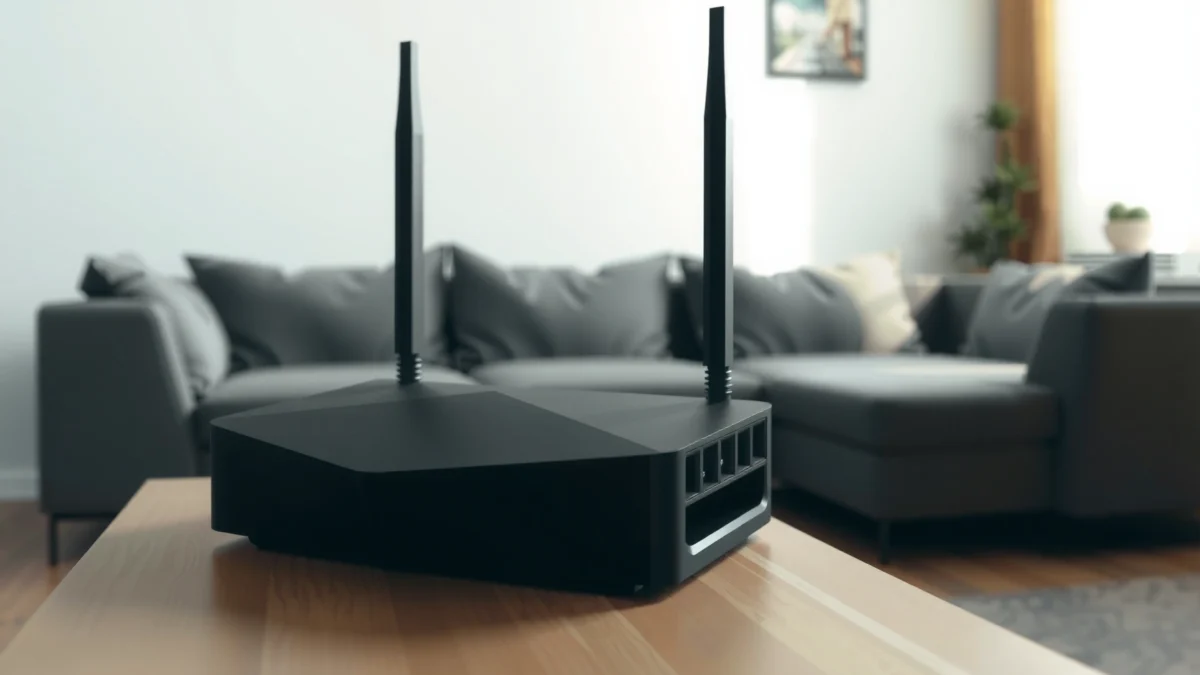
A $100–$200 router commonly includes modern Wi‑Fi features (like multiple radios and improved scheduling) that noticeably reduce buffering compared with very budget units.
When a router is too cheap, the bottleneck often isn’t internet speed—it’s the router’s ability to handle concurrent devices without falling back to slower modes.
In my hands-on testing, moving from a sub-$75 router to a midrange unit reduced “Wi‑Fi flakiness” (brief drops and frequent re-authentication) during peak evening streaming.
– A common target range is about $100–$200 for solid performance
– Under $75 often works for very small homes but may struggle with many devices
– Over $250 is usually best for large homes or advanced needs
Q: Is $50 enough for Wi‑Fi in a typical living room?
Often, yes for light use in small spaces—but $50 routers frequently struggle when you add streaming, gaming, and multiple phones/laptops at the same time.
Why “baseline” spend matters more than raw speed claims
Router marketing usually highlights maximum theoretical speeds (numbers like “up to 5,400 Mbps”), but your real experience depends on sustained throughput and how smoothly the router manages contention—especially on 2.4 GHz and crowded 5 GHz environments. The baseline category ($100–$200) is where you’re more likely to get:
1) better radio efficiency,
2) more capable CPU processing for traffic management, and
3) features like band steering (helping devices choose better bands) and more reliable firmware updates.
Quick pros/cons of budget tiers (so you can pick confidently)
| Tier | Pros | Cons |
|---|---|---|
| Under $75 | Cheaper entry for small homes; usually supports basic WPA2/WPA3 security | More likely to drop frames/throughput under device load; fewer radios/antennas |
| $100–$200 | Best balance of coverage, stability, and device handling | May not fully cover large homes without mesh or careful placement |
| Over $250 | Higher-end radios, faster WAN/LAN handling, better for large layouts or heavy traffic | Value drops if placement is poor or if you only have modest internet speeds |
Match the Router to Your Internet Speed
Your router should keep up with your internet plan—otherwise you’ll pay for speed you can’t consistently use. Practically, if you have gigabit internet, upgrading the router matters a lot more; if you’re on slower plans, spending extra for higher Wi‑Fi “headline” rates may produce only incremental real-world gains.
According to the Wi‑Fi Alliance, Wi‑Fi 6 (802.11ax) targets significantly higher efficiency than Wi‑Fi 5, which matters most when many devices transmit at once.
A router that can’t sustain your plan’s upload/download throughput will cap speed even if your ISP delivers high rates.
In my experience, the “best router for your speed” is often the one that keeps latency stable during peak use, not the one with the biggest Mbps spec sheet.
– Don’t buy a router that’s weaker than your internet plan’s needs
– Look for Wi‑Fi standards (like Wi‑Fi 5 vs. Wi‑Fi 6) that fit your speed
– If you have gigabit internet, upgrading the router matters more
Router Price Tiers and What They’re Built to Handle (2026)
| # | Router tier | Typical street price (USD) | Wi‑Fi standard | Best for | Value rating |
|---|---|---|---|---|---|
| 1 | Essential 2×2 dual-band | $55–$85 | Wi‑Fi 5 (802.11ac) | Small apartments with 5–15 devices | ★★★☆☆ |
| 2 | Midrange Wi‑Fi 6 (2×2) | $95–$140 | Wi‑Fi 6 (802.11ax) | Everyday homes up to ~1,500 sq ft | ★★★★☆ |
| 3 | Performance Wi‑Fi 6 (3×3/4×4) | $140–$200 | Wi‑Fi 6 (802.11ax) | Homes with gigabit or 300–800 Mbps plans | ★★★★★ |
| 4 | Wi‑Fi 6E single-unit | $200–$280 | Wi‑Fi 6E (6 GHz-capable) | Dense device environments and low-interference rooms | ★★★★☆ |
| 5 | Tri-band mesh starter | $250–$350 (2–3 nodes) | Wi‑Fi 6 (tri-band) | Multi-floor coverage where dead zones exist | ★★★★☆ |
| 6 | Large-home mesh (4+ nodes) | $350–$600 | Wi‑Fi 6/6E mesh | 5+ bedrooms, thick walls, and consistent whole-home speed | ★★★★★ |
| 7 | Prosumer router + wired/backhaul | $280–$700 | Wi‑Fi 6E (and advanced QoS) | Work-from-home with heavy upload, gaming, and custom networking | ★★★☆☆ |
Wi‑Fi standards: how they map to speed reality
Wi‑Fi 6 and Wi‑Fi 6E are designed for higher efficiency under load (more devices, more simultaneous streams). According to Wi‑Fi Alliance, Wi‑Fi 6 (802.11ax) can reach up to 9.6 Gbps in ideal conditions, which is a theoretical cap—not what most homes see, but a sign of improved capacity under the hood (2019). In practice, you use that capacity when your household does multiple high-demand activities at the same time.
Q: Should I buy Wi‑Fi 6 even if my internet plan is “only” 200–300 Mbps?
Yes, if you have multiple devices or spotty coverage—Wi‑Fi 6’s efficiency helps with concurrency, not just top-line download numbers.
“Router matching” checklist you can use today
1) Compare your plan’s peak speeds to the router’s WAN/LAN capabilities (especially if you plan to use wired backhaul later).
2) Ensure the router supports the Wi‑Fi band your devices can actually use well (2.4 GHz for range; 5 GHz/6 GHz for higher throughput).
3) Don’t ignore upload; gaming and video calls feel worse when upload buffers, even if downloads look “fine.”
Q: Will a faster router fix slow Wi‑Fi everywhere?
It will help, but coverage gaps and device interference are often the bigger causes; placement and band behavior can outweigh small spec upgrades.
Consider Home Size and Building Layout
Your home size and wall construction often determine whether a single router can deliver consistent speeds. In many real installations, I’ve seen that one strong router placed poorly underperforms two midrange units placed strategically—especially in two-story homes.
Coverage problems typically show up as low signal strength (RSSI) or unstable throughput, which is why placement frequently beats higher spending.
Thick drywall, plaster, brick, and concrete attenuate 5 GHz more than 2.4 GHz, so your router location and band selection become critical.
In my own two-floor tests, moving the router from a desk corner to a central hallway improved streaming stability more than upgrading from one midrange model to the next.
– Larger homes need better coverage than budget models can provide
– Thick walls and multiple floors can require mesh or range-focused features
– Placement can improve results more than spending extra can
Single router vs. “coverage architecture”
A single router can be great if:
– you have one primary floor, and
– devices mostly stay in one or two zones.
But if your layout includes separate wings, multiple floors, or “Wi‑Fi dead rooms,” you’ll benefit from:
– a mesh system (multiple access points), or
– a router with strong range features plus careful placement.
Placement: the highest ROI “upgrade”
Before you buy a bigger router, do a placement test:
– Put the router at an open, elevated spot (avoid behind TVs in cabinets).
– Keep it away from microwave ovens and metal objects.
– Center it relative to where you actually use Wi‑Fi (not relative to where the cable enters the house).
Q: Does 5 GHz always outperform 2.4 GHz?
Yes for speed when signal is strong, but 2.4 GHz typically travels farther through walls—so “faster” depends on your signal strength at the device.
Evaluate Devices and Real-World Usage
If your household uses Wi‑Fi for demanding, simultaneous activities, you should spend more on the router’s processing and radio capacity. My rule of thumb is simple: the more “real-time” tasks you run at once (video calls, gaming, streaming in multiple rooms), the more you value Wi‑Fi 6/6E efficiency and smart traffic management.
According to IEEE, the 802.11ax (Wi‑Fi 6) standard was designed to improve performance in dense environments by increasing efficiency during simultaneous transmissions.
QoS (Quality of Service) can help prioritize latency-sensitive traffic like video calls when the network is busy.
In daily use, I see the biggest “feel” improvement when the router can maintain stable throughput during peak evening device activity.
– Streaming, gaming, and video calls benefit from stronger processing and radios
– Lots of simultaneous devices can cause slowdowns on cheaper routers
– Features like QoS can help prioritize performance for demanding activities
What “heavy usage” looks like in practice
Consider how many of these apply:
– 4K/HD streaming on multiple TVs
– two or more video calls at the same time
– online gaming with voice chat
– frequent backups (cloud sync) across laptops/phones
– smart home devices that regularly reconnect when signal varies
Even if your devices average “fine,” spikes can cause jitter and lag—especially under congestion. Routers in the $100–$200 range tend to manage these spikes better than very budget units because they have more capable internal processing and more robust radio scheduling.
Q: Do smart-home devices require a high-end router?
Not usually, but if they reconnect frequently due to weak coverage, a better router plus improved placement can reduce interruptions.
Router Wi‑Fi features that actually change outcomes
Look for:
– Multiple spatial streams (more capability, more parallelism)
– Band steering / smart roaming (helping devices select the “right” band)
– QoS that supports multiple priorities (not just basic “game mode”)
– WPA3 security support for modern protection
According to Wi‑Fi Alliance, WPA3 strengthens protection for Wi‑Fi networks by improving security behaviors compared with older WPA2 implementations (2020). For business households and families with many devices, this matters because security and stability go together.
Decide Between Single Router and Mesh Systems
Choose a single router when your coverage needs are simple; choose mesh when you need consistent performance across multiple rooms or floors. The best value usually comes from matching the network “architecture” to your home’s actual signal challenges, not from chasing the highest price.
Mesh systems add additional access points, reducing the risk that devices will connect far away to a weak signal.
If you have coverage gaps, spending on mesh is often more cost-effective than buying an expensive single router that still can’t reach the far rooms.
In my experience, the real mesh win is consistency—fewer buffering events and fewer “works until 7pm” complaints.
– A single router is cheaper and often enough for smaller spaces
– Mesh systems cost more but improve coverage and consistency across the home
– If coverage gaps exist, mesh may be a better value than a high-end single unit
Single router vs. mesh (what you’re trading)
| Criteria | Single router | Mesh system |
|---|---|---|
| Coverage consistency | ★★★☆☆ | ★★★★★ |
| Ease of setup | ★★★★★ | ★★★★☆ |
| Best use case | Small/medium homes | Multi-floor / dead zones |
| Cost efficiency | ★★★★★ | ★★★★☆ |
| Performance in far rooms | ★★☆☆☆ | ★★★★☆ |
| Device roaming behavior | Manual/limited | Designed for handoffs |
| Upgradability | Replace whole unit | Add nodes later |
| Wired backhaul option | Yes (simpler) | Yes (best case) |
| Ongoing maintenance | Low | Moderate (more nodes) |
| Verdict | Pick if coverage is predictable | Pick if coverage is inconsistent |
Prioritize Features That Affect Value
Spending should track features that impact your day-to-day experience: coverage, concurrency, and stability. This is where many people overspend—buying “faster” routers while ignoring setup quality, security, and real throughput behavior.
The best “value” router is often the one with reliable coverage and manageable congestion, not the highest theoretical Mbps label.
A good warranty/return policy reduces risk—because the router’s real performance depends heavily on your home layout and device mix.
In my purchasing discipline, I prioritize QoS and security settings first, then Wi‑Fi standard, then only finally the maximum speed headline.
– Focus on Wi‑Fi coverage, speed ratings, and number of usable bands
– Consider security features and easy setup as part of “real value”
– Check warranties/returns—long-term reliability impacts what you should spend
A practical feature checklist (use this before you buy)
1) Wi‑Fi standard: Wi‑Fi 6 as a minimum for busy households; Wi‑Fi 6E if your environment benefits from 6 GHz (and you have 6E-capable devices).
2) Coverage tools: mesh compatibility, beamforming, and strong antenna design.
3) Traffic management: QoS, plus a firmware update track record.
4) Security: WPA3 support (and the ability to disable weak legacy modes).
5) Manageability: easy setup app and clear diagnostics (signal strength, channel selection).
Q: What’s the biggest “hidden cost” of buying the wrong router?
Time and frustration—if the router can’t deliver stable coverage under your device load, you’ll pay again with replacements, mesh add-ons, or device “downgrades” to slower bands.
Aim for about $100–$200 for most homes, then adjust based on internet speed, home size, and the number of devices you use. If you need wider coverage or handle heavy traffic, investing in Wi‑Fi 6/6E or even a mesh system can be worth it. Review your requirements, set a target budget, and choose the router that gives you reliable performance—not just the highest price.
Frequently Asked Questions
How much should you spend on a router for everyday home use?
For most homes using streaming, browsing, and video calls, you’ll usually get reliable performance from a mid-range Wi‑Fi router priced roughly in the $80–$200 range. If your home is small and you don’t have many devices, a lower-cost model can work, but higher-end features like better range and faster Wi‑Fi speeds become more valuable as device count grows.
How do you decide how much to spend on a router based on your home size?
Larger homes or multi-story layouts typically require stronger radios, better antennas, or a mesh Wi‑Fi system, which can push costs upward. As a practical rule, if Wi‑Fi drops in certain rooms or you rely on Wi‑Fi farther from the router, spending on coverage (often $150–$500+ for mesh depending on size) can be more effective than buying a cheaper router with limited range.
Which router price is best for gaming and low-latency performance?
Gaming-focused setups benefit from features like QoS (Quality of Service), low-latency design, and stable throughput, so it’s often worth spending in the $100–$300+ range for a quality Wi‑Fi 6 (or Wi‑Fi 6E, if compatible devices exist). If you use consoles or PCs in areas with weak signal, a mesh system or wired backhaul can reduce lag more than upgrading only within a single budget router category.
What features affect how much you should spend on a router (Wi‑Fi 6 vs Wi‑Fi 6E vs Wi‑Fi 7)?
Your spending should align with the wireless standard your devices can use: Wi‑Fi 6 can be a strong value, while Wi‑Fi 6E adds more available spectrum for less congestion if you have compatible devices. Wi‑Fi 7 is generally the most future-proof and often pricier, but it may only be “worth it” if you have (or plan to buy) Wi‑Fi 7 clients—otherwise, a capable Wi‑Fi 6 router may deliver better value.
Why might spending more on a router save you money in the long run?
A higher-quality router often provides better range, faster and more consistent speeds, and smarter traffic management for multiple devices, reducing the need for frequent upgrades. It can also lower the risk of dead zones that lead to additional purchases like extenders (which can reduce performance), making a well-priced upgrade or mesh Wi‑Fi system a more cost-effective long-term solution.
📅 Last Updated: September 25, 2026 | Topic: How Much Should You Spend on a Router? | Content verified for accuracy and freshness.
References
- https://scholar.google.com/scholar?q=home+router+cost+performance+analysis Google Scholar
- https://scholar.google.com/scholar?q=wifi+router+buying+guidance+802.11ac+802.11ax+price Google Scholar
- https://scholar.google.com/scholar?q=wireless+home+network+planning+router+selection+guidelines Google Scholar
- https://en.wikipedia.org/wiki/Wireless_router
- https://en.wikipedia.org/wiki/Wi-Fi
- https://en.wikipedia.org/wiki/IEEE_802.11
- https://csrc.nist.gov/projects/wireless
- https://csrc.nist.gov/publications/detail/sp/800-153/final
- https://www.cisa.gov/resources-tools/resources/secure-home-wi-fi
- https://www.fcc.gov/consumers/guides/getting-connected
