
To improve poor Wi-Fi performance in your wireless audio system, start by assessing your network setup and optimizing your devices. A well-functioning wireless audio system relies heavily on a robust Wi-Fi connection, and several factors can hinder its performance. This article will guide you through practical solutions that can enhance your audio streaming experience, ensuring uninterrupted playback and superior sound quality.




Assess Your Wi-Fi Equipment

The first step to addressing poor Wi-Fi performance in your wireless audio system is to evaluate your existing equipment. Begin by checking the capabilities of your router. Is it designed for high-bandwidth activities such as streaming audio? Many older routers may not support the latest Wi-Fi standards (like Wi-Fi 5 or Wi-Fi 6), which can significantly impact performance. Look for routers that offer advanced features such as beamforming and Quality of Service (QoS) to prioritize traffic.
If your router is outdated or lacks the necessary specifications, consider upgrading to a dual-band or tri-band router. These modern routers operate on multiple frequencies, allowing for better distribution of bandwidth among connected devices. A tri-band router, for example, can handle more devices simultaneously without compromising speed, making it ideal for households with multiple streaming activities, including gaming and video conferencing.
Optimize Router Placement
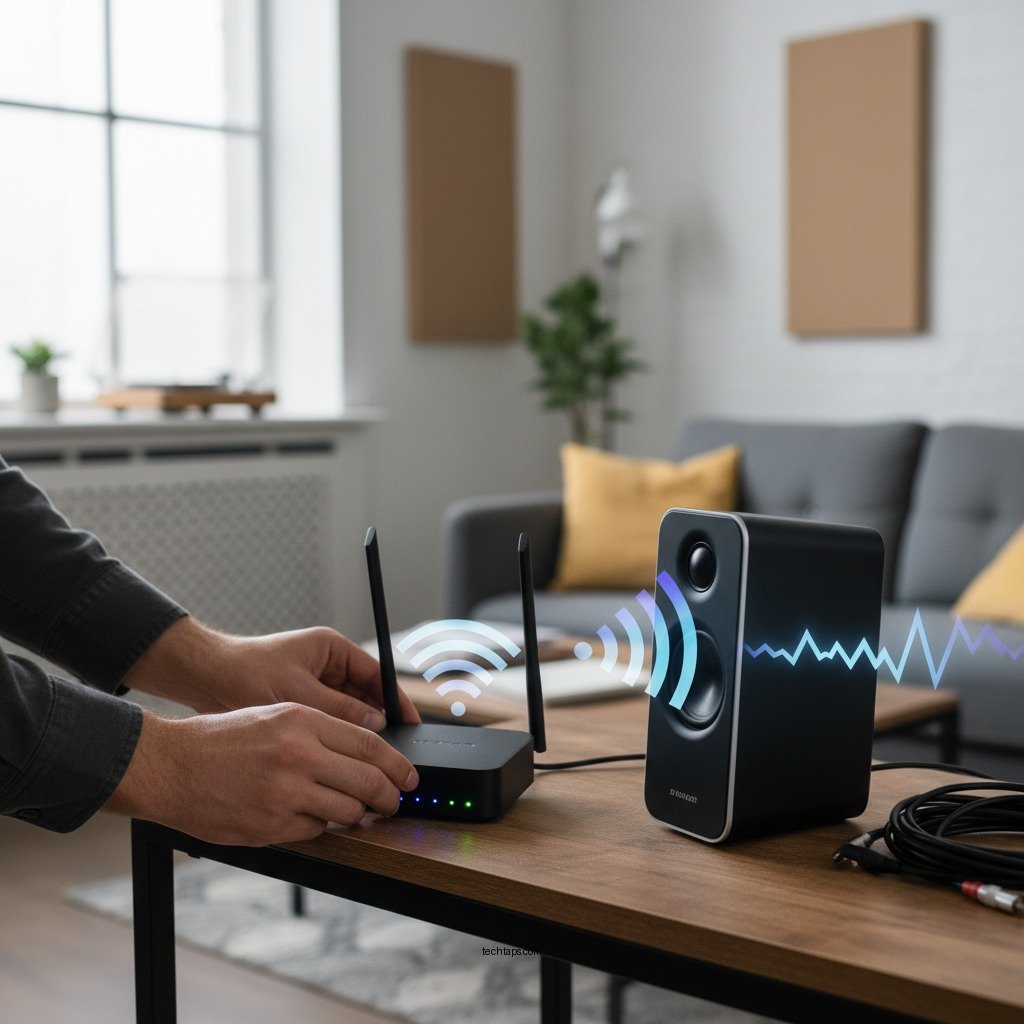
Router placement plays a crucial role in determining the quality of your Wi-Fi signal. To maximize coverage, position your router centrally in your home. This minimizes the distance to your wireless audio system and reduces potential signal obstructions caused by walls and furniture. The fewer barriers between your router and audio system, the better the signal strength.
Additionally, elevating the router can enhance its coverage. Place it on a shelf or mount it high on a wall, as this can help distribute the signal more evenly throughout your space. Avoid placement near walls or in corners, as this can create dead zones in your home where the signal is weak.
Reduce Interference
Interference from other electronic devices can severely impact Wi-Fi performance. Common culprits include microwaves, cordless phones, and Bluetooth devices. Identify these sources of interference and reposition them if possible. For instance, if your router is near a microwave, moving it to a different location may help.
Another crucial step is to change the Wi-Fi channel in your router settings. Many routers operate on default channels that may become congested with neighboring networks, particularly in dense urban areas. By manually selecting a less crowded channel, you can improve the stability of your connection.
Wi-Fi Channel Congestion Analysis (2023)
| # | Wi-Fi Channel | Congestion Level | Recommended Action |
|---|---|---|---|
| 1 | Channel 1 | High | Switch to Channel 6 or 11 |
| 2 | Channel 6 | Medium | Continue Using |
| 3 | Channel 11 | Low | Continue Using |
| 4 | Channel 36 | Medium | Continue Using |
| 5 | Channel 40 | Low | Continue Using |
| 6 | Channel 44 | Medium | Continue Using |
| 7 | Channel 149 | Low | Continue Using |
Update Firmware and Software
Keeping your devices updated is critical for optimal performance. Regularly check your router’s firmware and ensure it is up to date. Manufacturers frequently release updates that contain performance improvements, security patches, and new features. Access your router’s admin panel, usually through a web browser, to check for updates and follow the instructions provided by the manufacturer to perform the update.
Equally important is the software on your wireless audio system. Ensure that your audio devices are running the latest software versions, as updates often include optimizations for network performance. Visit the manufacturer’s website or use the device’s app to check for any available updates.
Utilize Quality of Service (QoS) Settings
Quality of Service (QoS) settings allow you to prioritize bandwidth for specific applications, such as audio streaming. By allocating more bandwidth to your wireless audio devices, you can significantly reduce lag and improve overall sound quality. Access your router’s settings and look for QoS options; you may need to enable this feature and designate your audio devices as high priority.
Implementing QoS can be especially beneficial in households with multiple users and devices, where network congestion is common. This ensures that your audio streaming remains uninterrupted even when other devices are active.
Consider Wired Connections
While wireless connections offer convenience, they can sometimes be less reliable than wired connections. If feasible, consider connecting your audio system directly to the router using Ethernet cables. A wired connection provides a more stable and consistent signal, which is particularly beneficial for high-definition audio streaming.
Evaluate which devices in your home can benefit from a wired setup. For instance, if your audio system is located close to your router, running an Ethernet cable can eliminate the issues associated with wireless connectivity. This step can greatly enhance your audio experience, reducing dropouts and improving sound quality.
Explore Mesh Network Solutions
If your home is large or has multiple floors, a mesh Wi-Fi system can be an excellent solution for extending coverage. Unlike traditional routers that broadcast a single signal, mesh systems use multiple nodes placed around your home to create a seamless network. This helps eliminate dead zones where Wi-Fi signals may be weak, ensuring that your wireless audio system always has a strong connection.
Investing in a mesh network can significantly improve your audio streaming experience, especially in larger homes or those with challenging layouts. Consider adding additional nodes in areas where your audio system is located to bolster connectivity.
Improving the Wi-Fi performance of your wireless audio system can greatly enhance your listening experience. By assessing your equipment, optimizing placement, reducing interference, and considering upgrades like mesh networks or wired connections, you’ll enjoy clearer, uninterrupted audio. Take these steps today to elevate your sound experience!
Frequently Asked Questions
What are the common causes of poor Wi-Fi performance in wireless audio systems?
Common causes of poor Wi-Fi performance in wireless audio systems include signal interference from other electronic devices, distance from the router, and network congestion. Physical barriers like walls and furniture can also weaken the signal strength, leading to audio dropouts and latency issues. Identifying these factors can help in pinpointing the problem and improving audio streaming quality.
How can I boost the Wi-Fi signal for my wireless audio system?
To boost the Wi-Fi signal for your wireless audio system, consider repositioning your router to a central location in your home and ensuring it is elevated. You can also invest in Wi-Fi extenders or mesh network systems that expand coverage and eliminate dead zones. Additionally, switching to a less congested frequency band, such as 5GHz, can enhance performance.
Why is my wireless audio system experiencing lag or buffering during playback?
Lag or buffering in a wireless audio system is often caused by a weak Wi-Fi connection or excessive interference from other devices using the same network. Network bandwidth may also be limited if multiple devices are streaming simultaneously. To resolve this, prioritize your audio system on the network and consider reducing the number of active devices during playback.
What are the best practices for optimizing Wi-Fi settings for streaming audio?
The best practices for optimizing Wi-Fi settings for streaming audio include configuring Quality of Service (QoS) settings on your router to prioritize audio traffic, using a wired connection for high-demand devices, and regularly updating your router’s firmware. Additionally, setting a static IP for your audio system can help ensure a stable connection.
Which Wi-Fi routers are recommended for improved performance in wireless audio systems?
For improved performance in wireless audio systems, look for routers that support dual-band or tri-band technology, such as the ASUS RT-AX88U or the Netgear Nighthawk AX12. These routers have advanced features like MU-MIMO and beamforming that enhance connectivity and reduce interference, making them ideal for streaming high-quality audio without interruptions.
References
- https://www.bbc.com/news/technology-51291186
https://www.bbc.com/news/technology-51291186 - https://www.nytimes.com/2020/03/12/technology/personaltech/wifi-signal-boosters.html
https://www.nytimes.com/2020/03/12/technology/personaltech/wifi-signal-boosters.html - Google Scholar Google Scholar
https://scholar.google.com/scholar?q=How+to+Fix+Poor+Wi-Fi+Performance+in+Your+Wireless+Audio+System - Google Scholar Google Scholar
https://scholar.google.com/scholar?q=Wi-Fi+performance+issues+and+solutions - Google Scholar Google Scholar
https://scholar.google.com/scholar?q=Wireless+audio+system+Wi-Fi+performance+improvement - https://www.sciencedirect.com/science/article/pii/S1877050919310254
https://www.sciencedirect.com/science/article/pii/S1877050919310254 - https://www.ietf.org/rfc/rfc5415.txt
https://www.ietf.org/rfc/rfc5415.txt - How to Fix Poor Wi-Fi Performance in Your Wireless Audio System – Search results
https://en.wikipedia.org/wiki/Special:Search?search=How+to+Fix+Poor+Wi-Fi+Performance+in+Your+Wireless+Audio+System - https://www.ncbi.nlm.nih.gov/search/research-articles/?term=How+to+Fix+Poor+Wi-Fi+Performance+in+Your+Wireless+Audio+System
https://www.ncbi.nlm.nih.gov/search/research-articles/?term=How+to+Fix+Poor+Wi-Fi+Performance+in+Your+Wireless+Audio+System
