
To experience lossless audio on Spotify and Apple Music, you need to enable specific settings and ensure you’re using compatible devices. Achieving high-fidelity sound is easier than you might think! This guide will walk you through the steps to enjoy your favorite tracks in exceptional quality, giving you an enriched listening experience that brings out the nuances of every note.


Understanding Lossless Audio

Lossless audio refers to a type of digital sound format that retains all the original information from the recording, resulting in higher sound quality compared to lossy formats like MP3 or AAC. While lossy formats compress audio files to save space, they often sacrifice quality, removing certain frequencies that may be imperceptible to the average listener but are crucial for audiophiles.
The key benefits of listening to lossless audio include a more dynamic sound range, clarity in the high and low frequencies, and an intimate connection to the music as it was intended by the artist. Whether you’re a casual listener or a serious music enthusiast, experiencing lossless audio can transform the way you enjoy your favorite songs.
Enabling Lossless Audio on Spotify

To enable lossless audio on Spotify, you’ll need to activate the “High Quality Streaming” setting within your app. Here’s how:
1. Open the Spotify app on your device and navigate to the ‘Home’ tab.
2. Tap on the ‘Settings’ gear icon in the top right corner.
3. Scroll down to ‘Audio Quality.’
4. Toggle the ‘High Quality Streaming’ option to ON.
Remember, lossless audio is available only to Spotify Premium subscribers, so make sure you have a premium account. This subscription offers not only lossless streaming but also ad-free listening and the ability to download songs for offline enjoyment.
Enabling Lossless Audio on Apple Music
Apple Music makes it easy to enjoy lossless audio by allowing users to turn on the “Lossless Audio” setting. Here’s how to do it:
1. Open the Settings app on your iPhone or iPad.
2. Scroll down and tap on ‘Music.’
3. Find the ‘Audio Quality’ section and toggle on the ‘Lossless Audio’ option.
Apple Music offers various quality levels for lossless audio: ALAC (Apple Lossless Audio Codec) at 16-bit/44.1 kHz and up to 24-bit/192 kHz for high-resolution lossless. This means you can choose the level of quality based on your storage capacity and listening habits. The higher the bit depth and sample rate, the more detail and nuance you’ll hear in your music.
Compatible Devices for Lossless Audio
To fully enjoy lossless audio, it’s essential to use compatible devices. Here’s a list of devices that support lossless playback for both Spotify and Apple Music:
– Smartphones and Tablets: Most recent iOS and Android devices support lossless audio.
– Computers: Windows and Mac computers with updated software can playback lossless audio files.
– Digital Audio Players: High-fidelity players like Astell&Kern and Sony Walkman can deliver stunning sound quality.
– Smart Speakers: Brands like Sonos and Apple HomePod support lossless playback.
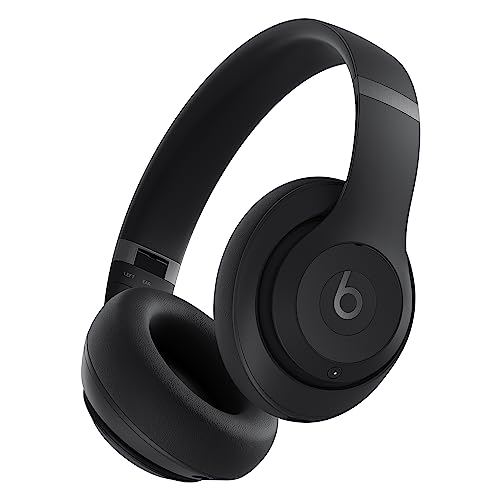
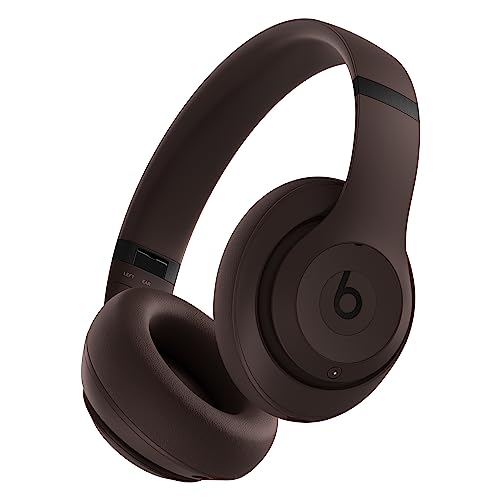
When it comes to headphones and speakers, aim for high-quality audio equipment. Look for brands like Sennheiser, Audio-Technica, or Bose, which offer headphones designed to render lossless audio beautifully. Investing in a quality DAC (Digital-to-Analog Converter) can also elevate your experience significantly.
Network Requirements for Lossless Streaming
Streaming lossless audio requires a stable and fast internet connection. Ideally, you should have a minimum download speed of 5 Mbps for standard lossless streaming, while high-resolution lossless may require 10 Mbps or more.
To ensure smooth playback, consider these tips:
– Optimize your Wi-Fi: Position your router in a central location and minimize interference from walls and electronic devices.
– Use wired connections: An Ethernet connection can provide a more stable experience than Wi-Fi, especially for high-resolution audio.
– Limit network traffic: When streaming, try to minimize other activities on your network, such as gaming or large downloads, to ensure your audio streams uninterrupted.
Best Practices for Enjoying Lossless Audio
Creating an ideal listening environment is crucial for fully experiencing lossless audio. Here are some suggestions:
– Choose a quiet space: Background noise can detract from the clarity of the music. Find a comfortable, quiet area where you can focus on your listening experience.
– Experiment with genres: Some music genres, like classical, jazz, or acoustic, benefit significantly from lossless audio due to their intricate details and dynamic ranges. Create playlists that highlight these qualities.
– Use a dedicated music app: While Spotify and Apple Music are great, consider exploring other platforms like Tidal or Qobuz that specialize in high-resolution audio.
Listening through quality headphones or speakers can also enhance your experience. Take the time to find audio gear that complements your preferences, whether you prefer a warm sound, crisp highs, or deep bass.
With these steps and tips, you’ll be well on your way to enjoying music in its purest form—crisp, clear, and utterly immersive.
Embracing lossless audio on Spotify and Apple Music is a rewarding journey that enriches your listening experience. By enabling the right settings, using compatible devices, and creating an optimal environment, you can appreciate your music like never before. So go ahead—try out those settings, explore the rich world of lossless audio, and allow your favorite tracks to take you on a whole new sonic adventure!
Frequently Asked Questions
What is lossless audio and why is it important for streaming on platforms like Spotify and Apple Music?
Lossless audio refers to sound files that are compressed without any loss of quality, preserving the original recording’s fidelity. This is important for music streaming because it allows listeners to experience music as the artists intended, with all the nuances and details of the sound captured in high-quality formats. Streaming lossless audio enhances the listening experience, particularly for audiophiles and those using high-end audio equipment.
How can I enable lossless audio on Spotify?
To enable lossless audio on Spotify, you need to subscribe to Spotify Premium, as lossless audio is not available for free users. Once subscribed, go to your app settings, select “Audio Quality,” and toggle the “Very High” option under Streaming Quality. This setting streams music at up to 320 kbps, which is the highest quality available, but keep in mind that true lossless audio (FLAC) is not offered on Spotify currently.
Which subscription plan do I need for lossless audio on Apple Music?
To enjoy lossless audio on Apple Music, you need a standard Apple Music subscription, as lossless audio is included at no additional cost. Apple Music offers lossless audio streaming at different resolutions, including CD-quality (16-bit/44.1 kHz) and high-resolution (up to 24-bit/192 kHz). Make sure to enable the Lossless Audio option in your settings to start enjoying high-quality sound.
Why does using lossless audio on Spotify or Apple Music require more data?
Lossless audio files are significantly larger than standard compressed audio files, which means they require more data to stream. For example, a lossless track can consume up to 10-20 MB per song, compared to just a few megabytes for standard streams. Users with limited data plans or slower internet connections should be mindful of their usage when streaming high-quality audio to avoid exceeding data limits.
What are the best headphones or speakers for experiencing lossless audio on Spotify and Apple Music?
To fully appreciate lossless audio on Spotify and Apple Music, investing in high-quality headphones or speakers is essential. Look for headphones that offer a wide frequency response and low distortion, such as studio monitors or audiophile-grade headphones from brands like Sennheiser or Audio-Technica. Additionally, a good DAC (Digital-to-Analog Converter) can enhance audio quality, especially when using wired connections, ensuring that you experience the richness of lossless audio in its entirety.
References
- Data compression
- https://www.theverge.com/2021/5/17/22436868/apple-music-lossless-audio-spatial-audio-features
- Apple Music – Apple
- Spotify – Web Player: Music for everyone
- https://www.soundguys.com/what-is-lossless-audio-24445/
- https://www.digitalmusicnews.com/2021/05/17/apple-music-lossless-audio/
- https://www.nytimes.com/2021/05/17/technology/apple-music-lossless-audio.html
- https://www.bbc.com/news/technology-57119016
- https://www.hifianswers.com/2021/05/17/apple-music-and-lossless-audio-what-it-means/
- https://www.wired.com/story/apple-music-lossless-spatial-audio-explained/

7 Comments