
Connecting a turntable to your home theater system is a straightforward process that enhances your audio experience. By understanding the components involved and selecting the right cables and settings, you can easily enjoy your vinyl collection through your home theater setup. In this article, we’ll guide you through the steps needed to get started and maximize your listening pleasure.


Understanding Turntable Components
– Phono Output vs. Line Output: The first step in connecting your turntable is determining whether it has a phono output or a line output. A turntable with a built-in preamp will have a line output, meaning you can connect it directly to any input on your home theater receiver. If your turntable only has a phono output, you’ll need an external phono preamp to boost the signal to line level before it reaches your receiver. Knowing this difference is crucial, as it affects how you’ll make the connection.
– Types of Turntables: There are two main types of turntables: belt-drive and direct-drive. Belt-drive turntables generally offer better sound quality due to the isolation of the motor from the platter, reducing vibrations. On the other hand, direct-drive turntables are favored by DJs for their quick start-up times and durability. Understanding these differences can help you choose a turntable that suits your musical preferences and listening habits.

Required Equipment for Connection
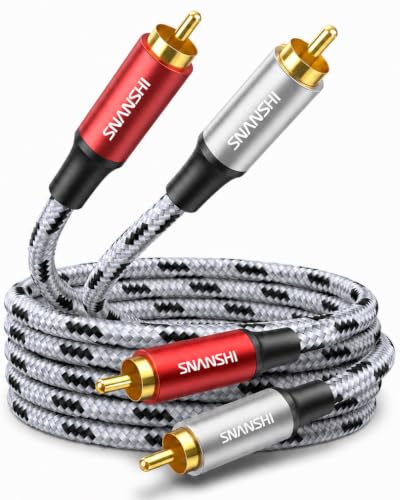
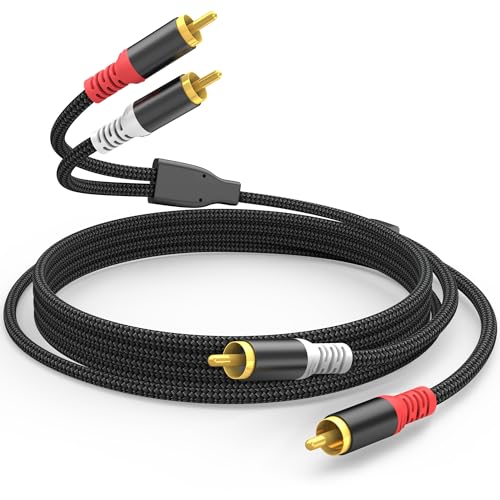
– Cables Needed: To connect your turntable to your home theater system, you’ll need appropriate cables. RCA cables are the most common option, typically featuring red and white connectors for the right and left audio channels. If your turntable has a USB output for digital systems, you may also need a USB cable for a direct connection to your computer or receiver. Always ensure you have the right length of cable to accommodate your setup.
– Phono Preamp: If your turntable doesn’t have a built-in preamp, investing in an external phono preamp is essential. This device amplifies the low-level signal from your turntable to a line-level signal that your receiver can interpret. Some quality options can be found at various price points, and they can significantly enhance sound quality. When shopping for a phono preamp, look for models with good reviews and features that match your audio needs.
Connecting to the Home Theater Receiver
– Using RCA Connections: Once you have the necessary equipment, it’s time to connect your turntable to your home theater receiver. First, plug the RCA cables into the back of your turntable, ensuring the red and white connectors match the corresponding outputs. Next, connect the other end of the RCA cables to the phono input on your receiver. If you are using a phono preamp, connect the turntable to the preamp and then run another set of RCA cables from the preamp to the receiver.
– Alternative Options: If your home theater receiver doesn’t have a dedicated phono input, you can still connect your turntable through an auxiliary (aux) input. In this case, you’ll still need a phono preamp, as it will convert the signal to line level. Simply connect the turntable to the preamp and use RCA cables from the preamp to the aux input on your receiver. This method is effective and provides a great sound experience.
Setting Up the Home Theater System
– Receiver Settings: After connecting your turntable, adjust your receiver settings to optimize sound for vinyl playback. Make sure to select the correct input source on your receiver that corresponds to where you connected your turntable. You may also want to tweak the EQ settings to enhance bass or treble according to your personal taste. Experimenting with these settings can lead to a richer listening experience.
– Speaker Configuration: Proper speaker configuration is vital for achieving the best audio experience. Ensure your speakers are correctly positioned for optimal sound projection. If you have a surround sound system, consider using stereo settings for vinyl playback to create a more authentic listening environment. Position your speakers at ear level and form an equilateral triangle with your listening position for the best sound quality.
Troubleshooting Common Issues
– No Sound or Low Volume: If you’re experiencing no sound or low volume, start by checking all connections to ensure they’re secure. Make sure the receiver is set to the correct input. If you’re using a phono preamp, verify that it’s powered on and connected properly. If the issue persists, check the turntable’s cartridge and stylus for proper installation, and ensure they are functioning correctly.
– Ground Loop Hum: A common issue when connecting turntables is the ground loop hum, which results from electrical interference. This can be resolved by ensuring that your turntable is grounded properly. Most turntables will have a grounding wire that should be connected to the designated ground terminal on your receiver. If you still hear hum, try rearranging cables to minimize interference and consider using a ground loop isolator if necessary.
Enhancing Your Listening Experience
– Speaker Placement: To maximize sound quality, consider the placement of your speakers. Ideally, your front speakers should be placed at least a few feet apart and angled toward your listening position. If you have a subwoofer, place it in a corner or against a wall to enhance bass response. Take the time to experiment with speaker positioning to discover what sounds best in your space.
– Vinyl Care Tips: Maintaining your vinyl records is essential to ensure they produce the best sound possible. Always handle records by the edges to avoid fingerprints, and store them upright in a cool, dry place. Use a carbon fiber brush or a record cleaning solution to remove dust and debris before playback. Regular maintenance will not only preserve your records but also enhance your listening experience.
Incorporating a turntable into your home theater system can transform your audio experience, allowing you to enjoy your favorite records with rich, high-quality sound. By following the steps outlined above, you’ll be able to set up your turntable confidently and troubleshoot any potential issues. Don’t hesitate to experiment with your setup for the best results, and enjoy the unique sound of vinyl! Whether you’re a seasoned audiophile or a newcomer to vinyl, the warmth and depth of analog sound can be a delightful addition to your home theater experience.
Frequently Asked Questions
What equipment do I need to connect my turntable to a home theater system?
To successfully connect a turntable to your home theater system, you will need a few essential pieces of equipment. Firstly, ensure you have a turntable, an audio receiver (with phono inputs if possible), and speaker cables. If your turntable lacks a built-in phono preamp, you will also need an external phono preamp to boost the signal before sending it to the receiver.
How do I connect a turntable with a built-in preamp to my home theater system?
Connecting a turntable with a built-in preamp to your home theater system is relatively straightforward. Use RCA cables to connect the turntable’s output to any available RCA input on your audio receiver. Make sure to select the appropriate input on your receiver and set the turntable’s preamp switch to “On” if it has one, allowing the signal to pass through without additional amplification.
Why is it important to use a phono preamp when connecting a turntable to a home theater system?
A phono preamp is crucial when connecting a turntable to a home theater system because it amplifies the low-level signal produced by the turntable’s cartridge. This helps prevent distortion and ensures that the audio is at a suitable level for playback through your speakers. Without a phono preamp, the sound may be too quiet or lack clarity, resulting in a subpar listening experience.
What is the best way to troubleshoot if my turntable isn’t producing sound through my home theater system?
If your turntable isn’t producing sound, start by checking all connections to ensure they are secure, including RCA cables and power. Next, verify that the correct input is selected on your audio receiver. Additionally, check if the turntable’s stylus is clean and properly installed, and ensure that the volume on both the turntable and receiver is turned up. If these steps don’t resolve the issue, consider testing the turntable with another speaker system to isolate the problem.
Which type of turntable is best for connecting to a home theater system?
The best type of turntable for connecting to a home theater system is one that either has a built-in phono preamp or allows for easy integration with an external preamp. Look for models that provide RCA outputs and have good build quality for optimal sound fidelity. Additionally, consider a turntable with adjustable tracking force and anti-skate features to enhance playback performance and protect your vinyl records.
References
- Phonograph
- https://www.lifewire.com/how-to-connect-a-turntable-to-a-receiver-3134568
- https://www.technics.com/us/turntables/
- https://www.soundonsound.com/techniques/turntable-setup-guide
- https://www.audioholics.com/how-to-connect-a-turntable-to-an-amplifier
- https://www.cnet.com/how-to/how-to-connect-a-turntable-to-a-receiver/
- National Endowment for the Arts Home Page | National Endowment for the Arts
- https://www.researchgate.net/publication/335546184_Audio_Equipment_Connection_Tips
- https://www.stereophile.com/content/turntable-setup-guide
- https://www.theverge.com/2019/10/31/20932518/how-to-set-up-your-turntable-vinyl-records-analog
