
Setting up a wireless home theater system can transform your audio experience with minimal hassle. By carefully selecting the right components and following a few straightforward steps, you can create an immersive sound environment that elevates your movie-watching and gaming experiences. This guide will walk you through the entire installation process, ensuring you enjoy high-quality sound without the complexities of traditional wired setups.




Choosing the Right Wireless Home Theater Components

The foundation of a successful wireless home theater system lies in choosing the right components. Start with a wireless receiver that meets your specific room size and audio requirements. Look for receivers that support the latest audio formats, such as Dolby Atmos and DTS:X, which provide a more immersive sound experience. Popular brands like Denon, Yamaha, and Sony offer models with varying features and price points to fit your needs.
Next, consider the speakers. The sound quality of your home theater relies heavily on the speakers you choose. Look for wireless speakers that are compatible with your receiver and offer excellent audio fidelity. Brands like Sonos, JBL, and Klipsch have options that deliver rich, clear sound. Ensure that the speakers provide multiple connectivity options, including Bluetooth and Wi-Fi, to maximize compatibility with your devices.
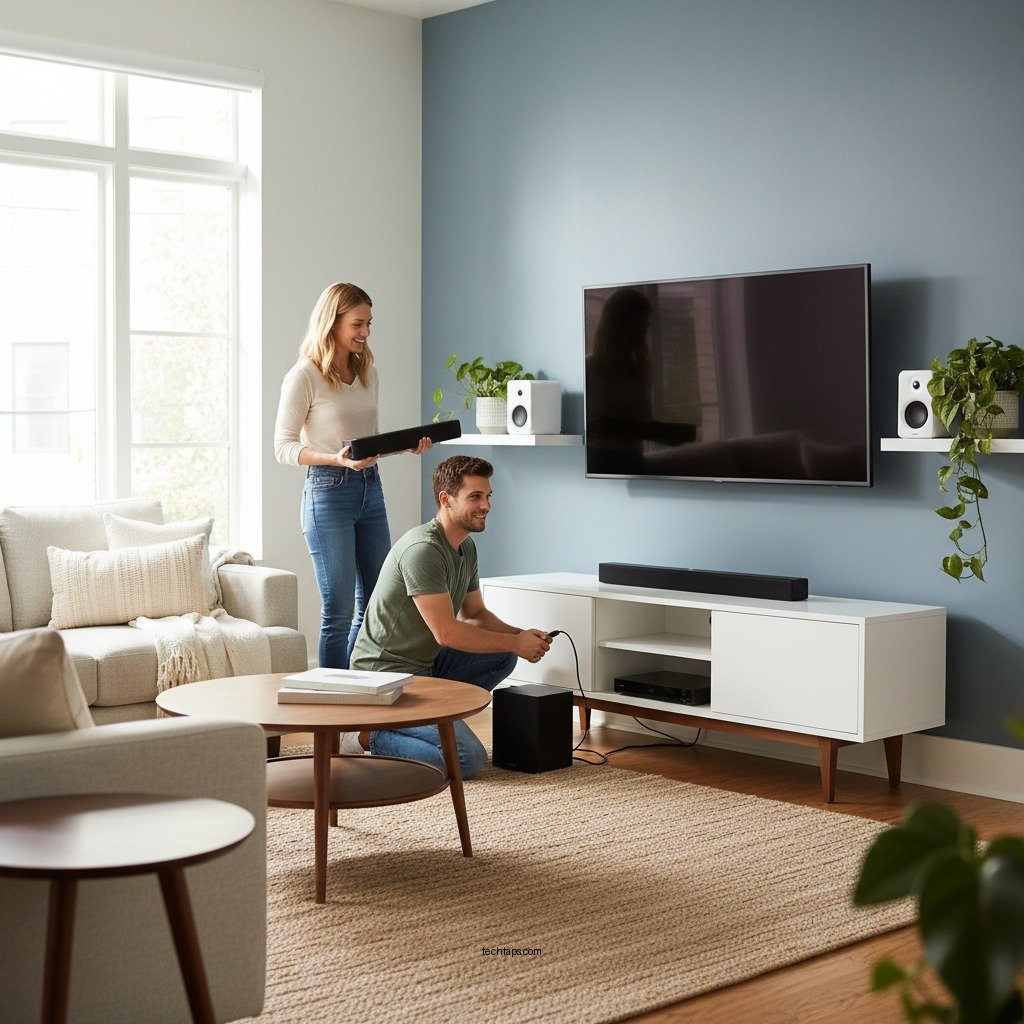
Setting Up Your Home Theater Space
Once you have selected your components, it’s time to set up your home theater space. Identify the optimal location for your wireless speakers to enhance sound distribution. For a surround sound experience, place speakers strategically around the room—front left, front right, center, and rear speakers should be positioned at ear level. If possible, use a sound meter app to determine the best placement for optimal acoustics.
Another crucial factor to consider is minimizing interference from other electronic devices. Position your wireless components away from Wi-Fi routers, microwaves, and Bluetooth devices, as these can disrupt signal strength and audio quality. If your home theater room has multiple devices, consider using a dedicated wireless network for your audio system to ensure a stable connection.
Connecting Your Devices Wirelessly
With your components in place, you can now connect your devices wirelessly. Depending on your system’s capabilities, you may use either Bluetooth or Wi-Fi connections. For Bluetooth, ensure that your speakers and receiver are in pairing mode, then select the speaker from your device’s Bluetooth settings.
For Wi-Fi connections, most modern receivers will have an app or interface that guides you through the setup process. Follow the manufacturer’s guidelines to establish connections between your receiver and speakers. This may involve entering your Wi-Fi credentials and ensuring all devices are on the same network.
Top 7 Wireless Home Theater Systems (2024)
| # | Model | Channels | Audio Formats | Rating | Price |
|---|---|---|---|---|---|
| 1 | Sonos Arc | 5.0.2 | Dolby Atmos, DTS:X | ★★★★☆ | $799 |
| 2 | Yamaha YAS-209 | 2.1 | DTS Virtual:X | ★★★★☆ | $349 |
| 3 | Bose Soundbar 700 | 5.0 | Dolby Digital, DTS | ★★★★★ | $799 |
| 4 | Samsung HW-Q950A | 11.1.4 | Dolby Atmos, DTS:X | ★★★★★ | $1,299 |
| 5 | LG SN11RG | 7.1.4 | Dolby Atmos, DTS:X | ★★★★☆ | $799 |
| 6 | Vizio SB36512-F6 | 5.1.2 | Dolby Atmos, DTS | ★★★★☆ | $349 |
| 7 | Anker Soundcore Motion+ | 2.0 | N/A | ★★★★☆ | $99 |
Configuring Audio Settings
After successfully connecting your devices, the next step is to configure the audio settings. Most wireless receivers come with an automatic calibration feature that uses a microphone to analyze your room’s acoustics and optimize sound output. Follow the instructions provided by the manufacturer to perform this calibration.
Once calibrated, you can manually adjust the sound settings on your receiver for optimal audio performance. Experiment with bass and treble levels to suit your preferences. Additionally, test different audio modes—such as movie, music, and night modes—to find the one that best enhances your viewing experience.
Troubleshooting Common Issues
While wireless systems provide a more streamlined setup, they can also come with their share of challenges. If you experience connectivity issues, start by checking the signal strength between your receiver and speakers. Ensure that your speakers are powered on and properly connected to the network.
If problems persist, resetting your devices can often resolve connectivity issues. Most receivers and speakers have a factory reset option in their settings menu. For specific troubleshooting steps, always consult the user manual that came with your equipment, as manufacturers may have unique solutions for their products.
Enhancing Your Wireless Home Theater Experience
To take your wireless home theater system to the next level, explore additional features that modern systems offer. Many receivers now support smart home integration, allowing you to control your audio system through voice commands or mobile apps. This can significantly enhance your convenience and user experience.
Additionally, consider optimizing your surround sound settings for a more immersive experience. Many systems allow you to adjust speaker distances and levels to create a custom audio profile that suits your room layout. Lastly, regularly check for firmware updates for your devices, as these can improve performance and introduce new features.
Your journey to a seamless wireless home theater experience starts with careful planning and execution. By following the outlined steps, you can enjoy a high-quality audio experience in no time. Don’t hesitate to reach out for professional help if needed, and embrace the immersive sound that a wireless setup offers!
Frequently Asked Questions
How do I choose the best wireless home theater system for my needs?
When selecting a wireless home theater system, consider factors such as room size, audio quality preferences, and connectivity options. Look for systems that offer features like Dolby Atmos support, multi-room audio capabilities, and compatibility with your existing devices. Reading user reviews and comparing specifications can also help ensure you find a system that meets your specific audio needs.
What are the essential steps to install a wireless home theater system?
To install a wireless home theater system, begin by arranging your speakers and components in your desired layout, ensuring they are within range of your Wi-Fi network. Next, connect the main unit to your television using HDMI or optical cables, then power on the system and follow the manufacturer’s app or setup wizard to connect each speaker and configure audio settings for optimal performance.
Why is my wireless home theater system experiencing audio lag, and how can I fix it?
Audio lag in a wireless home theater system can stem from network congestion or distance from the router. To fix this issue, ensure your system is connected to a strong Wi-Fi signal, consider using a Wi-Fi extender, or switch to a wired connection for certain components if possible. Additionally, adjusting the audio delay settings in your system’s menu may help synchronize the sound with the video.
Which wireless home theater systems provide the best audio quality?
Some of the top wireless home theater systems known for excellent audio quality include Sonos Arc, Bose Soundbar 700, and Samsung HW-Q950A. These systems utilize advanced sound technologies, such as Dolby Atmos and high-resolution audio, to deliver an immersive listening experience. Researching specifications and listening to in-store demos can help you find the best option for your audio preferences.
How can I troubleshoot common issues with my wireless home theater system?
Common issues with wireless home theater systems can include connectivity problems, audio distortion, or speaker pairing failures. To troubleshoot, start by ensuring all components are powered on and connected to the same Wi-Fi network. Restarting your devices, checking for firmware updates, and consulting the user manual for specific error codes can also resolve many issues efficiently.
References
- https://www.lifewire.com/how-to-set-up-wireless-home-theater-systems-1846350
https://www.lifewire.com/how-to-set-up-wireless-home-theater-systems-1846350 - https://www.scholar.google.com/scholar?q=How+to+Install+a+Wireless+Home+Theater+System Google Scholar
https://www.scholar.google.com/scholar?q=How+to+Install+a+Wireless+Home+Theater+System - https://www.scholar.google.com/scholar?q=Wireless+Home+Theater+System+Setup Google Scholar
https://www.scholar.google.com/scholar?q=Wireless+Home+Theater+System+Setup - https://www.scholar.google.com/scholar?q=Home+Theater+Audio+Installation Google Scholar
https://www.scholar.google.com/scholar?q=Home+Theater+Audio+Installation - https://www.bbc.com/news/technology-51599463
https://www.bbc.com/news/technology-51599463 - Google Scholar Google Scholar
https://scholar.google.com/scholar?q=How+to+Install+a+Wireless+Home+Theater+System+for+Effortless+Audio - How to Install a Wireless Home Theater System for Effortless Audio – Search results
https://en.wikipedia.org/wiki/Special:Search?search=How+to+Install+a+Wireless+Home+Theater+System+for+Effortless+Audio - https://www.ncbi.nlm.nih.gov/search/research-articles/?term=How+to+Install+a+Wireless+Home+Theater+System+for+Effortless+Audio
https://www.ncbi.nlm.nih.gov/search/research-articles/?term=How+to+Install+a+Wireless+Home+Theater+System+for+Effortless+Audio
