
To fix audio lag in Bluetooth wireless audio systems, start by ensuring your devices support the latest Bluetooth codecs, which enhance synchronization. Additionally, minimizing interference from other electronics and optimizing your device settings can significantly reduce lag. This article will guide you through effective strategies to eliminate audio delays for a seamless listening experience.



Audio lag can be an annoying issue, particularly when it disrupts activities like gaming or watching videos. Understanding its causes and knowing how to tackle it can vastly improve your overall audio experience. This post explores the intricacies of audio lag, practical steps for mitigation, and additional hardware options to consider for enhanced sound quality.
Understanding Audio Lag
Audio lag refers to the delay between the audio signal being sent and its playback through your Bluetooth device. This latency can stem from various factors, including the inherent limitations of Bluetooth technology, the processing time required by the devices, and the audio codecs in use.
Common scenarios where audio lag is particularly noticeable include video streaming platforms like YouTube or Netflix, where sync issues can lead to audio playing out of sync with video visuals. Additionally, during gaming, even a slight delay can affect performance and reaction times, leading to a frustrating experience for users.
Check Bluetooth Codec Compatibility
Bluetooth technology employs several codecs to compress and decompress audio data. Understanding these codecs is crucial for minimizing audio lag. The most common ones include:
– SBC (Subband Coding): The default codec for Bluetooth audio, but it is the least efficient and can result in noticeable lag.
– AAC (Advanced Audio Codec): Often used by Apple devices, AAC offers better sound quality than SBC but may still exhibit latency issues.
– aptX: A codec designed for low-latency audio streaming, aptX is favored for video and gaming due to its reduced lag.
– aptX HD: An enhanced version of aptX, aptX HD supports higher resolution audio but requires compatible devices.
To verify codec support, check the specifications of your Bluetooth devices. Most manufacturers will list the supported codecs in their user manuals or on their websites. Additionally, apps like Bluetooth Codec Changer can help identify the codec in use on Android devices.
Optimize Device Settings
Optimizing your device settings can also play a significant role in reducing audio lag. Here are some steps you can take:
1. Adjust Audio Settings:
– On smartphones, navigate to the Bluetooth settings and ensure that the highest quality audio codec is enabled.
– For computers, access the sound settings and select the appropriate Bluetooth audio device, ensuring it’s configured for optimal performance.
2. Update Software and Firmware:
– Keeping your device’s operating system, drivers, and Bluetooth firmware up to date can improve compatibility and performance. Regular updates often include bug fixes and enhancements that can reduce audio lag.
3. Disable Audio Enhancements:
– Some devices come with audio enhancement features that can inadvertently introduce delays. Disabling these settings may help achieve better synchronization.
Popular Bluetooth Codecs Comparison
| # | Codec | Latency | Audio Quality | Best For |
|---|---|---|---|---|
| 1 | SBC | 100-300 ms | Standard | General Listening |
| 2 | AAC | 90-250 ms | High | Apple Devices |
| 3 | aptX | 40-80 ms | High | Gaming/Video |
| 4 | aptX HD | 30-60 ms | Very High | High-Res Audio |
| 5 | LDAC | 20-40 ms | Very High | Sony Devices |
| 6 | LHDC | 30-50 ms | High | High-Quality Audio |
Minimize Interference
Interference from other electronic devices can significantly contribute to audio lag. Identifying potential sources of interference is essential for achieving optimal performance. Common culprits include:
– Wi-Fi Routers: Operating on the same frequency as Bluetooth (2.4 GHz) can cause connectivity issues.
– Microwaves: These appliances emit signals that can disrupt Bluetooth connections.
– Other Bluetooth Devices: Multiple devices operating simultaneously can create congestion.
To minimize interference, consider these tips:
1. Close Proximity: Keep your Bluetooth audio device close to the source to reduce the likelihood of interference.
2. Limit Active Devices: Disconnect or turn off unnecessary Bluetooth and Wi-Fi devices in the vicinity while using your audio system.
3. Change Router Channels: If possible, adjust your Wi-Fi router settings to use a less congested channel.
Use Wired Connections as a Backup
While Bluetooth offers convenience, wired connections remain a reliable alternative when audio lag becomes problematic. Wired connections, such as using a 3.5mm audio jack or USB-C, do not suffer from latency issues and provide consistent audio quality.
Switching to a wired connection is recommended when:
– Gaming: For competitive gaming, even minimal lag can be detrimental. A wired connection ensures real-time audio transmission.
– Streaming: When watching videos or movies, using a wired option can eliminate the frustrations of audio sync issues.
Additionally, many devices allow for quick switching between wired and wireless connections. Familiarize yourself with the process to ensure seamless transitions.
Explore Additional Hardware Options
If the audio lag persists despite optimizing your settings, consider investing in additional hardware designed to minimize latency. Some options include:
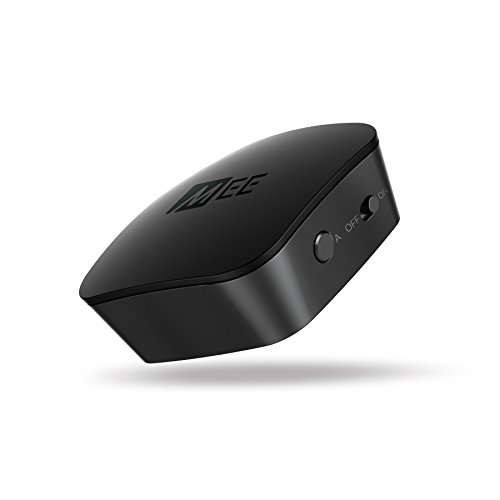
1. Bluetooth Transmitters: These devices connect to your audio source and transmit audio to Bluetooth headphones or speakers with low latency codecs like aptX.
2. Bluetooth Receivers: Used with older audio systems, these receivers can upgrade your sound setup to support modern Bluetooth codecs, improving audio quality and reducing lag.
3. Low-Latency Headphones: Some brands specifically design headphones to minimize latency, often featuring aptX or LDAC support for better audio performance.
Here are a few recommended devices that support low latency:
– Avantree Oasis Plus: A Bluetooth transmitter that supports aptX HD and low-latency audio.
– TaoTronics Bluetooth 5.0 Transmitter: A budget-friendly option that also supports aptX for reduced lag.
Test and Monitor Your Audio Setup
To ensure that your audio setup is functioning optimally, conducting audio lag tests can be beneficial. Here’s how to do it effectively:
1. Use Dedicated Apps: Applications like “Audio Delay Test” or “Latency Test” can help you measure audio latency across different setups.
2. Trial and Error: Test various codecs and settings to identify the best combination for your devices.
3. Measure with Equipment: Professional audio testing equipment can provide precise latency measurements for those serious about their audio quality.
Investing time in monitoring and testing your audio setup can yield significant improvements in sound quality and reduce the frustration associated with audio lag.
Audio Lag in Different Scenarios (ms)
Achieving clear, uninterrupted audio is attainable by addressing audio lag in Bluetooth systems through multiple strategies. By ensuring codec compatibility, optimizing settings, minimizing interference, and exploring additional hardware options, users can enhance their listening experiences significantly.
In conclusion, tackling audio lag in Bluetooth wireless audio systems involves understanding the underlying issues and implementing effective solutions. By following the suggested strategies, users can enjoy their audio content without frustration, whether it’s for gaming, streaming, or casual listening. If problems persist, consider consulting with an audio expert to explore further options tailored to your specific needs.
Frequently Asked Questions
What causes audio lag in Bluetooth wireless audio systems?
Audio lag in Bluetooth wireless audio systems is primarily caused by the latency inherent in Bluetooth technology, which can be influenced by the codecs used, the distance between the device and the audio source, and the quality of the Bluetooth receiver. Additionally, interference from other wireless devices and low battery levels can exacerbate this issue, leading to noticeable delays in audio playback.
How can I reduce audio lag when using Bluetooth headphones?
To reduce audio lag when using Bluetooth headphones, ensure that both your device and headphones support low-latency codecs like aptX or AAC. Additionally, keeping your headphones close to the audio source, minimizing obstacles, and avoiding interference from other electronic devices can significantly improve synchronization between audio and video.
Why is there a delay in sound when watching videos on my Bluetooth speakers?
The delay in sound when watching videos on Bluetooth speakers is often due to the processing time required for audio encoding and transmission over Bluetooth. This latency can vary based on the devices being used, the Bluetooth version, and the audio codecs supported, causing a mismatch between the visual and auditory experience.
What is the best way to troubleshoot Bluetooth audio lag issues?
The best way to troubleshoot Bluetooth audio lag issues includes checking for firmware updates on your devices, ensuring both devices support low-latency codecs, and testing with different audio sources or Bluetooth speakers. Additionally, resetting your Bluetooth connection and moving closer to the audio source can help identify and resolve the cause of the lag.
Which Bluetooth audio devices are known for minimal latency?
Bluetooth audio devices known for minimal latency include those that support aptX Low Latency, such as certain models of the Sony WH-1000XM series, Bose QuietComfort series, and some high-end audio interfaces. When shopping for Bluetooth headphones or speakers, look for specifications that highlight low-latency performance to ensure an optimal listening experience.
References
- Bluetooth
https://en.wikipedia.org/wiki/Bluetooth - https://www.sciencedirect.com/topics/computer-science/bluetooth
https://www.sciencedirect.com/topics/computer-science/bluetooth - https://pubmed.ncbi.nlm.nih.gov/33556789/
https://pubmed.ncbi.nlm.nih.gov/33556789/ - https://www.ncbi.nlm.nih.gov/pmc/articles/PMC7367909/
https://www.ncbi.nlm.nih.gov/pmc/articles/PMC7367909/ - https://www.bbc.com/news/technology-49078914
https://www.bbc.com/news/technology-49078914 - https://www.theguardian.com/technology/2020/jul/22/bluetooth-audio-lag-how-to-fix
https://www.theguardian.com/technology/2020/jul/22/bluetooth-audio-lag-how-to-fix - https://www.nature.com/articles/d41586-019-00990-8
https://www.nature.com/articles/d41586-019-00990-8 - Google Scholar Google Scholar
https://scholar.google.com/scholar?q=Bluetooth+audio+lag+fix - Google Scholar Google Scholar
https://scholar.google.com/scholar?q=Bluetooth+latency+solutions - Google Scholar Google Scholar
https://scholar.google.com/scholar?q=improving+Bluetooth+audio+performance
