
Rebooting your home audio system after a power failure is essential to ensure its longevity and optimal performance. By following the appropriate steps, you can minimize the risk of damage to your equipment. This guide will walk you through the necessary steps to safely reboot your system, ensuring it functions optimally after a power outage.


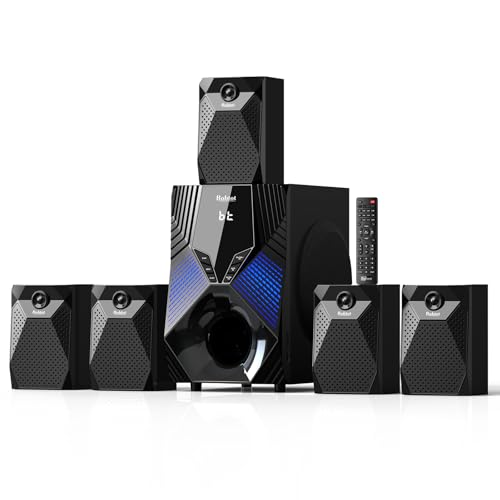

Understanding Power Failures and Their Impact
Power failures can manifest in various forms, including blackouts, brownouts, and surges, each posing different risks to your audio equipment. Fluctuations in power can lead to voltage spikes, potentially damaging sensitive components such as amplifiers, receivers, and digital interfaces. Understanding how your system components interact is crucial, as improper rebooting can cause cascading failures. For instance, turning on a high-powered amplifier before ensuring that the speakers are ready can lead to speaker damage. Thus, being aware of the sequence in which you power on your system is vital for preserving your audio equipment’s integrity.
Preparing for Reboot
Before rebooting your audio system, it’s crucial to prepare adequately to avoid any potential damage. Start by unplugging all audio components from the power supply. This step is essential to prevent any electrical surges when power is restored. Next, inspect each component for visible damage. Look for any frayed wires, burnt smells, or any signs of overheating that might indicate prior damage. Taking this precaution can save you from further issues down the line. After ensuring that everything is in order, you can proceed with the reboot process.

Step-by-Step Reboot Process
Rebooting your audio system should be a methodical process to ensure all components are powered correctly. Below are the steps to follow:
1. Start with the Main Amplifier or Receiver: This is the heart of your audio system. Switch it on first to allow it to initialize correctly.
2. Gradually Power On Other Components: After the amplifier is on, proceed to turn on your speakers. If you have a subwoofer, wait a few moments after powering the speakers before turning it on. Lastly, power on any media players or digital interfaces. This gradual approach helps to avoid sudden power surges that could damage your equipment.
3. Allow Time for Components to Stabilize: After powering on each component, give them a moment to stabilize before proceeding to the next. This ensures that all components are functioning correctly before you start using them.
Common Audio System Components and Their Restart Order
| # | Component | Power On Order | Purpose |
|---|---|---|---|
| 1 | Main Amplifier | First | Core amplification |
| 2 | Speakers | Second | Audio output |
| 3 | Subwoofer | Third | Low frequencies |
| 4 | Media Player | Last | Content source |
Testing Your System After Reboot
Once you have rebooted your audio system, it’s time to test it to ensure everything is functioning correctly. Start by playing a familiar audio track. This will allow you to gauge sound quality and balance. Pay attention to the clarity and depth of the sound to ensure that no components are malfunctioning. Additionally, listen for any unusual noises such as buzzing or distortion, which could indicate underlying issues that need to be addressed. If you notice any discrepancies in sound quality or performance, it may warrant further troubleshooting.
Troubleshooting Common Issues
If you encounter problems such as no sound or distorted audio after rebooting, follow these troubleshooting steps:
– Check Connections: Ensure that all cables are securely connected. Loose connections can lead to issues with sound output.
– Verify Settings: Confirm that the correct input source is selected on your amplifier or receiver. If your system has multiple input options, ensure you’re on the right one.
– Look for Error Messages: If your system features a digital interface, check for any error messages displayed. Refer to the user manual for guidance on troubleshooting specific error codes.
– Inspect Components: If issues persist, consider checking individual components for faults. Testing each piece of equipment independently can help identify any faulty components.
Maintaining Your Audio System
Regular maintenance is crucial for the longevity of your audio system. Here are some best practices:
– Firmware Updates: Regularly check for firmware updates for your components. Manufacturers often release updates that enhance performance and fix bugs.
– Use Surge Protectors: Consider investing in high-quality surge protectors to safeguard your equipment against future power issues. This can help prevent damage from sudden spikes in voltage.
– Clean Components: Routinely clean the exterior of your components to prevent dust and debris buildup, which can lead to overheating and performance issues.
– Schedule Professional Inspections: Periodically, it may be beneficial to have a professional inspect your audio system, especially if you notice any unusual performance.
Your home audio system can be safely rebooted with a few simple steps following a power failure. By understanding the reboot process and taking preventive measures, you can enjoy your favorite music and movies without worry. Make sure to review these steps regularly and keep your system maintained for optimal performance. Following these guidelines will not only protect your investment but also enhance your overall listening experience.
Frequently Asked Questions
What steps should I take to safely reboot my home audio system after a power failure?
To safely reboot your home audio system, first, unplug all devices from the power source. Wait for at least 10 seconds to ensure that any residual power has dissipated. Then, reconnect the devices starting with the amplifier and then the speakers, followed by other components like the receiver or streaming device. This sequence helps prevent electrical surges that can damage your equipment.
How can I prevent damage to my audio system during power failures?
To prevent damage during power failures, consider using a surge protector or an uninterruptible power supply (UPS) for your audio system. These devices help manage voltage spikes and provide backup power, ensuring that your system is protected from sudden outages. Regularly check and maintain these protective devices to ensure they function correctly.
Why is it important to wait before rebooting my home audio system after a power outage?
Waiting before rebooting your home audio system is crucial because it allows capacitors within the devices to discharge completely, reducing the risk of electrical surges when power resumes. Restarting devices too quickly can lead to potential damage or malfunction, so a brief pause ensures a safer reboot process.
What is the best way to check if my audio system is functioning properly after a power failure?
The best way to check if your audio system is functioning properly after a power failure is to perform a systematic test of each component. Start with visual inspections for any signs of damage, then test the power, audio output, and connectivity of each device. Listening for any unusual sounds or distortion during playback can also indicate whether the system is operating correctly.
Which components of my home audio system are most vulnerable to power failures?
The components most vulnerable to power failures in a home audio system include amplifiers, receivers, and digital streaming devices. These devices often have sensitive electronic circuits that can be damaged by sudden power loss or surges. Using protective equipment like surge protectors can significantly mitigate these risks and prolong the life of your audio system.
References
- Home cinema
https://en.wikipedia.org/wiki/Home_theater - https://www.edn.com/how-to-restart-an-audio-system-after-a-power-failure/
https://www.edn.com/how-to-restart-an-audio-system-after-a-power-failure/ - https://www.lifewire.com/how-to-reboot-your-audio-system-3269409
https://www.lifewire.com/how-to-reboot-your-audio-system-3269409 - Google Scholar Google Scholar
https://scholar.google.com/scholar?q=safely+reboot+home+audio+system+power+failures - Google Scholar Google Scholar
https://scholar.google.com/scholar?q=rebooting+audio+equipment+after+power+failure - https://www.bbc.com/future/article/20200420-how-to-fix-your-broken-electronics
https://www.bbc.com/future/article/20200420-how-to-fix-your-broken-electronics - https://www.nytimes.com/2020/03/20/technology/personaltech/rebooting-technology.html
https://www.nytimes.com/2020/03/20/technology/personaltech/rebooting-technology.html - https://pubmed.ncbi.nlm.nih.gov/29276002/
https://pubmed.ncbi.nlm.nih.gov/29276002/ - Google Scholar Google Scholar
https://scholar.google.com/scholar?q=How+to+Safely+Reboot+Your+Home+Audio+System+After+Power+Failures - How to Safely Reboot Your Home Audio System After Power Failures – Search results
https://en.wikipedia.org/wiki/Special:Search?search=How+to+Safely+Reboot+Your+Home+Audio+System+After+Power+Failures
