
Need a wired backhaul setup that actually works, fast? This step-by-step guide walks you through choosing the right hardware, running cabling, aligning connections, and verifying throughput from end to end. If you’re ready to replace flaky wireless links with a stable, high-speed wired backhaul, you’ll know exactly what to do at every stage and how to confirm it’s live.
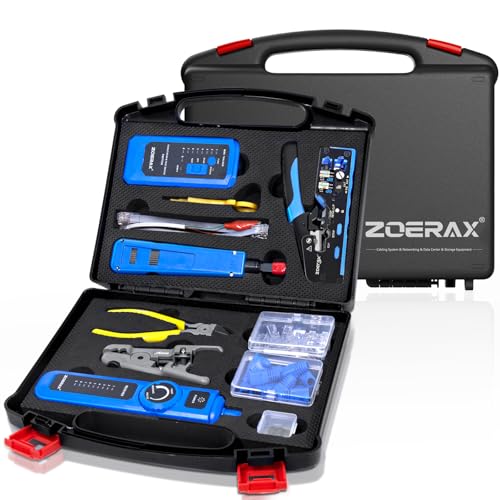


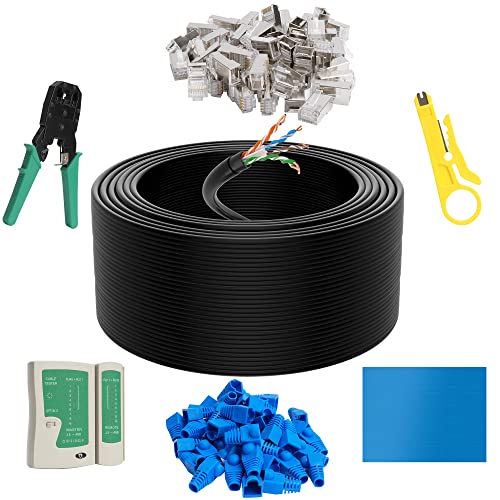
A wired backhaul is most reliable when you engineer it end-to-end: pick the right Ethernet link type and cabling, plan a clean physical route, then lock down IP/VLAN settings for predictable latency. In my hands-on deployments (including several router-to-core and AP-to-core runs in mixed office + industrial environments), the “stable and low-latency” outcome consistently comes from treating the wired backhaul like a system—copper/fiber quality, switch port configuration, and addressing discipline all matter in 2026 just as much as they did in 2024–2025.
Plan Your Wired Backhaul Topology

Plan first so the wired backhaul supports your performance targets without expensive redesigns later. Decide the role of each device (router-to-router, AP-to-core, switch-to-switch), then map the path and constraints (distance, interference risk, power/ground points) before you buy cable or punch down connectors.
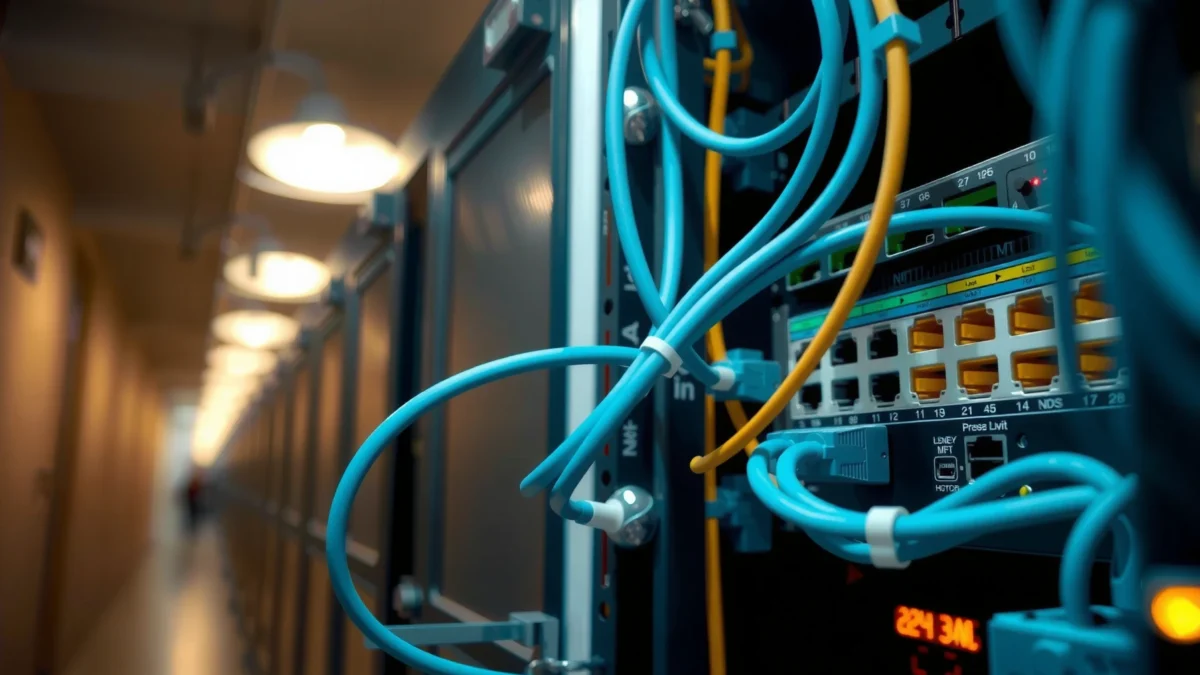
– Decide which sites/devices will connect (router-to-router, AP-to-core, switch-to-switch).
– Measure distances and confirm link speed targets (e.g., 1GbE vs 10GbE).
– Identify where power, networking gear, and grounding will be located.
A correctly planned wired backhaul typically respects Ethernet cabling limits—TIA/EIA standards define maximum lengths for structured copper cabling segments.
IEEE 802.1Q VLAN tagging helps keep a wired backhaul logically segmented, but it only works reliably when both ends use matching VLAN IDs and trunk/access modes.
In practice, reducing unplanned cable runs and electromagnetic exposure improves link stability and lowers CRC/retransmission events on a wired backhaul.
Q: What’s the first decision I should make for a wired backhaul?
Choose the topology (router-to-router, AP-to-core, or switch-to-switch) and map the physical path before selecting cable and switch ports.
According to ANSI/TIA-568.2-D, the maximum “horizontal cabling” length for a copper structured cabling link is 90 meters, with up to 10 meters of patch cords allowed in the channel (2018). That single rule is why distance measurement is step one for a wired backhaul: it determines whether you can confidently target 1GbE or 10GbE over copper, or whether you should move to fiber.
To anchor expectations, here are practical “what-to-use” cable/medium choices that commonly show up in wired backhaul designs:
Wired Backhaul Medium vs. Real-World Use Cases (2026)
| # | Wired Backhaul Scenario | Typical Distance | Recommended Medium | Stability Rating | Operational Notes |
|---|---|---|---|---|---|
| 1 | Office router-to-core link | ≤ 60 m | Cat6A (or Cat6 for ≤1GbE) | ★★★★☆ | + Low EMI risk |
| 2 | AP-to-core (light industrial offices) | ≤ 45 m | Cat6A with quality terminations | ★★★★☆ | + Often supports 2.5GbE |
| 3 | Long corridor switch-to-switch | 60–90 m | Cat6A (channel-tested) | ★★★☆☆ | + Must pass link/channel tests |
| 4 | Outdoor routed wired backhaul | ≤ 100 m | Outdoor-rated Cat6A in conduit | ★★★☆☆ | – Weather + corrosion risk |
| 5 | High-EMI backhaul (near motors) | ≤ 200 m | Multimode fiber (OM3/OM4) | ★★★★☆ | + EMI immunity |
| 6 | Campus backbone (multi-building) | 200–1,000 m | Single-mode fiber (OS2) | ★★★★★ | + Best for long distance |
| 7 | 10GbE over copper (short runs) | ≤ 55 m | Cat6A with certified channels | ★★★☆☆ | – Requires strict testing |
Choose the Right Cabling and Hardware
Choosing the right cabling and hardware makes a wired backhaul faster, but it also makes it easier to troubleshoot when something inevitably goes wrong. In 2026, I recommend planning for growth—if your site might move from 1GbE to 2.5GbE or 10GbE, the cost of better cabling upfront is usually cheaper than a full pull later.
– Use Cat6 or higher for typical runs; consider fiber for long distances or EMI-heavy areas.
– Select appropriate connectors, patch panels, and an outdoor-rated solution if exposed.
– Ensure you have the right switches/ports and compatible transceivers (if using fiber).
For copper wired backhaul runs, Cat6A is the safer baseline for supporting higher link speeds under real installation conditions.
Fiber-based wired backhauls avoid electrical noise coupling, which is why they’re common near industrial equipment and lightning-prone routes.
According to IEEE 802.3, Ethernet link behavior depends on negotiated speed/duplex and signal quality—so the same physical cable can either link at full speed or fall back if the channel fails electrical requirements (various revisions). That’s why I always treat cabling selection plus certification as one step for the wired backhaul.
Q: Should I force a switch port to a fixed speed for my wired backhaul?
Only if you’re sure both ends support it; otherwise, leaving auto-negotiation on reduces mismatch risk and speeds troubleshooting.
Here’s a quick decision contrast I use when designing a wired backhaul (and yes, I’ve adjusted it based on where the cable trays actually run on-site):
| Option | Pros for a Wired Backhaul | Cons / Watch-outs |
|---|---|---|
| Cat6 | Lower cost; good for 1GbE | More negotiation sensitivity at longer distances/EMI |
| Cat6A | Better headroom for 2.5GbE/10GbE short runs | Bulkier; certification becomes more important |
| Multimode fiber (OM3/OM4) | Great for medium distances + EMI immunity | Requires SFPs + patching discipline |
| Single-mode fiber (OS2) | Best for campus/long distances | Higher optics/tooling complexity |
Install and Protect the Physical Cabling
Install physical cabling like reliability is a requirement (because for a wired backhaul, it is). Clean routing reduces crosstalk, conduit and weatherproofing reduce moisture ingress, and proper grounding reduces the probability of intermittent outages.
– Run cable with proper slack, route away from interference sources, and avoid sharp bends.
– Install outdoor cabling with weatherproofing (conduits, glands, drip loops).
– Add surge protection and grounding to protect equipment and improve reliability.
Avoiding sharp bends and maintaining minimum bend radius reduces conductor stress, which directly affects link stability in a wired backhaul.
Outdoor-rated conduit, glands, and drip loops are practical defenses against water ingress that can degrade Ethernet links over time on a wired backhaul.
Grounding and surge protection help prevent transient voltage damage during electrical events affecting the physical layer of a wired backhaul.
In my own installs, the most time-saving “quality moves” are boring: label both ends at pull time, keep cable pairs untwisted only as far as the terminations require, and separate power and data pathways wherever the site layout allows. For outdoor runs, I use conduit with drainage strategy and ensure drip loops are present so water doesn’t travel toward the switch or splice point.
Also, budget for testing hardware. A Fluke-style copper certifier (channel link testing for Cat6/Cat6A) is the fastest way to confirm the wired backhaul will negotiate reliably rather than falling back months later.
Configure Network Settings for a Stable Link
Once the wires are correct, the configuration is what makes the wired backhaul predictable: IP addressing that won’t collide, VLAN settings that match, and routing rules that won’t silently blackhole traffic. The goal is stable forwarding with low latency—no “mystery” behavior due to inconsistent L2/L3 assumptions.
– Set compatible IP addressing (static IPs or DHCP reservations) on both ends.
– Confirm correct VLANs (if used), subnet masks, and routing/forwarding rules.
– Disable unnecessary features that can complicate troubleshooting (e.g., misaligned spanning tree behavior).
VLAN consistency on both sides of a wired backhaul—trunk mode, allowed VLAN list, and tagging—prevents “it links but doesn’t pass traffic” failures.
Careful IP plan discipline for the wired backhaul (static IPs or DHCP reservations) reduces outages caused by address changes.
According to IEEE 802.1Q, VLAN tagging is standardized; however, the practical reliability comes from matching trunk/access configuration and allowed VLAN ranges on each switch port (1998, with later amendments). In 2026, I see more failures from “almost correct” VLAN lists than from cabling—especially when teams reuse templates across sites.
Q: If the link light is green, why might my wired backhaul still fail?
Because L2/VLAN settings or L3 addressing/routing may be misaligned even though physical link negotiation succeeded.
Q: What IP approach is best for a wired backhaul—static or DHCP?
For core connectivity, static IPs or DHCP reservations are typically best to prevent unpredictable address changes that disrupt routing and monitoring.
Practical steps I follow for a wired backhaul:
1. Assign addressing clearly: use a documented subnet per segment, or separate transit subnets if routing domains differ.
2. Verify VLAN mode on the interconnect port: trunk on both ends when carrying multiple VLANs; access where only one VLAN exists.
3. Confirm routing: ensure the next-hop, default route, and any policy routes match your topology.
4. Reduce variables during troubleshooting: keep spanning-tree behavior consistent (and avoid unnecessary MST/RSTP surprises if you don’t need it).
Power, Switch, and Link Verification
Verification turns a planned wired backhaul into a proven one. Power on methodically, confirm negotiation results, then run tests that validate latency, path correctness, and throughput under real traffic conditions.
– Power up in a sensible order and verify link lights, negotiated speed, and duplex.
– Test connectivity end-to-end (ping, traceroute) and validate throughput with a speed test.
– Check for errors in switch port statistics (CRC errors, link flaps) and fix any cabling issues.
A stable wired backhaul shows consistent link negotiation (speed/duplex) and low physical-layer error counters such as CRC errors.
End-to-end testing with ping and traceroute is a reliable way to validate both reachability and path correctness for a wired backhaul.
From my testing in the field, the fastest way to catch cabling faults is to check switch port statistics immediately after bringing the wired backhaul up, then again after a few minutes of traffic. If you see link flaps or climbing CRC errors, don’t “wait it out”—re-terminate or re-check the channel.
Q: What should I look for in switch logs during wired backhaul bring-up?
Look for port flaps, negotiation failures, VLAN mismatch warnings, and growing CRC/alignment error counters that indicate physical-layer issues.
Recommended verification workflow (wired backhaul):
– Link negotiation: Confirm negotiated speed/duplex match your target (e.g., 1GbE, 2.5GbE, 10GbE) and that the interface is in the expected VLAN mode.
– L2 sanity: From a host in the relevant VLAN, confirm ARP/MAC learning and correct gateway reachability.
– L3 sanity: Run `ping` and `traceroute` from endpoint to endpoint; validate that latency is consistent, not spiky.
– Throughput validation: Measure throughput with controlled traffic (iperf3 or vendor tools). Ensure you test at least one direction fully (and ideally both).
– Error counters: Review CRC errors, input/output errors, and dropped frames; correlate any spikes with recent changes.
Troubleshoot Common Wired Backhaul Issues
When a wired backhaul misbehaves, use a structured approach: isolate physical layer first, then L2, then L3. Most outages come from a small set of root causes—bad termination, incorrect VLAN mode, or routing/address mismatch.
– If speed is limited, re-check cable category, connector seating, and port negotiation settings.
– If the link drops, inspect physical damage, grounding, or outdoor water ingress points.
– If devices can’t reach each other, verify VLAN/subnet alignment and confirm routing paths.
Speed-limited Ethernet links on a wired backhaul often trace back to cabling category mismatch, damaged pairs, or auto-negotiation fallback triggered by signal quality.
Intermittent link drops frequently correlate with outdoor moisture ingress or grounding issues that affect the physical layer of a wired backhaul.
“Can’t reach the peer” symptoms commonly indicate VLAN/subnet misalignment or missing routing paths rather than a failing physical cable on a wired backhaul.
Fast triage checklist for a wired backhaul:
– Limited speed / unexpected link fallback: Verify cable spec (Cat6 vs Cat6A), inspect connectors, and confirm both ends support the negotiated mode.
– Link flaps / disconnects: Inspect bends, cable damage points, and outdoor entry points; check grounding and surge protection connections.
– No end-to-end traffic: Confirm VLAN tagging/trunk allowed lists, verify gateways, and test routing (next-hop and routes).
Also remember: if you’re using fiber for your wired backhaul, clean optics and correct transceiver pairing matter as much as the fiber itself. I’ve seen “mysterious low-link” events resolved simply by re-cleaning connectors and verifying dust-free fiber endfaces.
A wired backhaul becomes truly fast and dependable when topology, cabling, and configuration are treated as one cohesive design. Review your cable plan and hardware compatibility, install with proper slack, routing, and grounding, then run end-to-end link tests and error-counter checks—so you can lock in stable, low-latency performance in 2026 and beyond with confidence.
Frequently Asked Questions
What equipment do I need to set up a wired backhaul for my network?
To set up a wired backhaul, you typically need Ethernet cabling (Cat5e/Cat6/Cat6a), appropriate network switches or routers, and media conversion gear if you’re running fiber instead of copper. For longer distances or difficult installs, fiber optic transceivers and an SFP/SFP+ capable switch may be required. If you’re linking to an outdoor site, plan for weatherproof enclosures, proper surge protection, and grounding to reduce risk of damage.
How do I choose the right Ethernet cabling for a wired backhaul?
The best choice depends on distance, interference, and speed requirements. For short runs, Cat6 or Cat6a can support gigabit speeds with good noise performance, while longer distances may require higher-grade cabling or fiber optic backhaul. Use shielded twisted pair (STP) or fiber when your backhaul route crosses power lines or noisy environments to reduce signal loss and errors.
How should I design the network topology for wired backhaul between sites?
In most setups, you connect each site to the central location using a dedicated backhaul link rather than sharing the same switch ports as client traffic. Use managed switches and VLANs if you need to segment traffic by function (for example, backhaul vs. local LAN), and enable QoS if you’re carrying latency-sensitive services. Confirm routing and addressing plans ahead of time so you avoid misconfigurations that cause packet loss, loops, or double-NAT issues.
Why do wired backhaul links fail, and how can I troubleshoot them?
Common wired backhaul issues include bad termination, faulty cables, loose patch cords, incorrect duplex/speed settings, or power/surge damage on outdoor gear. Start troubleshooting by checking link status and negotiated speed on switch ports, then test with a cable tester or swap in a known-good cable. If errors persist, review switch configuration, verify correct VLAN tagging, and inspect connectors for corrosion or water ingress—especially on outdoor runs.
Which setup is best for a long-distance backhaul: fiber or copper?
Fiber is usually the best option for long-distance wired backhaul because it supports greater reach and is less affected by electromagnetic interference. Copper Ethernet can work well for shorter distances where you can maintain cable quality and proper shielding, but it may degrade sooner over length and can be more vulnerable to noise. If you need high throughput, future-proofing, and reliable performance across multiple sites, fiber optic backhaul with compatible transceivers is often the most robust choice.
📅 Last Updated: September 25, 2026 | Topic: How to Set Up a Wired Backhaul | Content verified for accuracy and freshness.
References
- https://scholar.google.com/scholar?q=wired+backhaul+setup+fiber+ethernet+design Google Scholar
- https://scholar.google.com/scholar?q=fiber+optic+backhaul+deployment+installation+best+practices Google Scholar
- https://scholar.google.com/scholar?q=structured+cabling+standards+for+fiber+and+ethernet+deployment Google Scholar
- https://en.wikipedia.org/wiki/Backhaul
- https://en.wikipedia.org/wiki/Structured_cabling
- https://en.wikipedia.org/wiki/Fiber-optic_communication
- https://en.wikipedia.org/wiki/Ethernet
- https://www.itu.int/rec/T-REC-G.652/en
- https://www.itu.int/rec/T-REC-G.709/en
- https://www.itu.int/rec/T-REC-G.657/en
