
A projector’s brightness is worth it only if you need a bright image in a lit room or larger screen size without constant light control. This guide delivers a direct verdict on whether higher lumen ratings pay off, with clear pros and cons—and when they don’t. You’ll also get practical alternatives, like better contrast, screen choices, or short-throw models, so you can buy for real-world viewing, not marketing numbers.


![Outdoor-Projector-Movie with WiFi and Bluetooth:[Built-in APPs/180° Stand/Creative Filter] Smart Portable-Projector Auto Focus OS 3.0 Jimveo High Brightness Movie Proyector Compatible with Netflix](https://m.media-amazon.com/images/I/41lUFsBZW9L._SL500_.jpg)
![[Compatible with Netflix/High Brightness] Smart Projector with WiFi 6 and Bluetooth 5.3, 4K Outdoor Movie Projector with Prime Video/YouTube, Portable Proyector Compatible with HDMI/USB/iOS/Android](https://m.media-amazon.com/images/I/41g1D-sF+UL._SL500_.jpg)
Yes—projector brightness is worth it for dim rooms with some ambient light, but only when you size the projector to your screen and manage glare. Chasing “more lumens” beyond your needs can cost more and still leave you with washed-out blacks if the real bottlenecks are contrast, contrast ratio, screen choice, throw distance, or reflections.
If you’re shopping for a projector for movies, sports, or gaming, this applies most when your room isn’t fully light-controlled. You’ll figure out whether “more lumens” is the right upgrade or whether contrast, lens/throw distance, screen choice, or placement will matter more for your setup.
When projector brightness is worth paying for
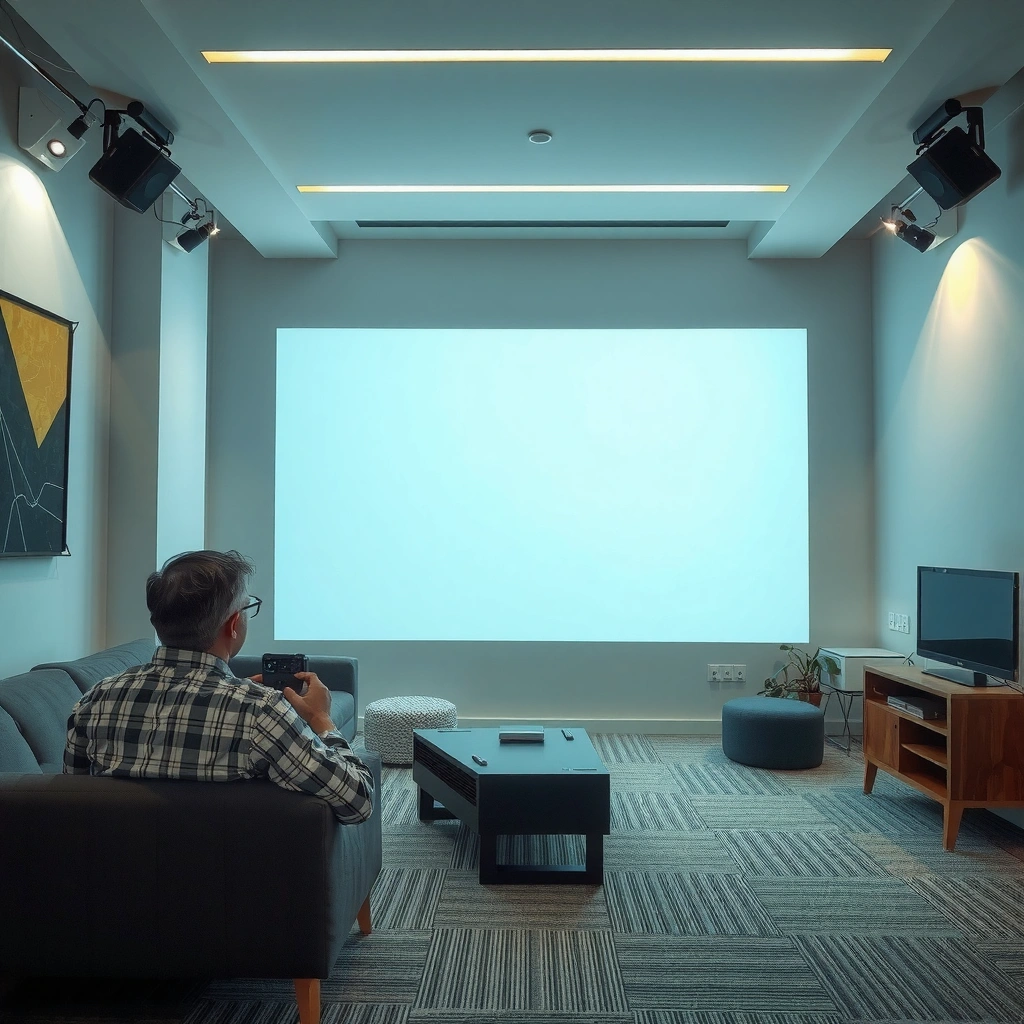
You should prioritize brightness when your viewing environment can’t stay consistently dark, or when you plan a larger screen where the image will naturally dim. In practical terms, “brightness worth it” usually means ambient light (windows, lamps, hallway light) is present often enough to reduce perceived contrast.
Ambient light mainly lowers perceived contrast (especially in dark scenes) rather than just making everything “brighter,” so lumens matter when you can’t fully darken the room.
For a fixed projector output, increasing screen size reduces luminance (brightness on the screen) because the same light is spread over a larger area.
If you frequently watch with lights on—or glare can’t be controlled—higher ANSI-lumen output is one of the few upgrades that directly fights image “fade.”
– More brightness (lumens) helps maintain image visibility when some ambient light is present or when you use a larger screen.
– In real-world rooms, brightness often determines whether blacks look “acceptable” versus washed out—especially at daytime or near windows.
– If you’re planning regular viewing with lights on (or you can’t fully control glare), brightness becomes a priority.
A reality check: lumens aren’t enough without screen sizing
A simple way to sanity-check brightness needs is to connect lumens to screen area. For a 16:9 100-inch diagonal screen, the screen area is roughly 29.6 ft² (about 2.75 m²). If you assume ~3000 ANSI lumens and an effective screen gain near 1.0, then the ballpark luminance works out to:
– Luminance ≈ (lumens × gain) / (area × π)
– ≈ 3000 / (2.75 × 3.1416) ≈ ~347 cd/m² (order-of-magnitude estimate)
That number is why—without precise calibration, screen gain, and measurement—two projectors with “similar lumens” can still look different. But the core takeaway holds: bigger screens spread light thinner, so brightness becomes more valuable as your screen grows.
According to the standard luminance relationship, doubling screen area (keeping lumens constant) cuts screen luminance roughly in half—so larger screens demand higher lumens to maintain the same look.
Manufacturers measure “brightness” using standardized test methods, so always compare units and standards (e.g., ANSI lumens) rather than relying on unverified marketing claims.
Projector Brightness Match: Screen Size vs. Typical ANSI-Lumen Targets
| # | Match Tier | Typical Screen (16:9) | ANSI Lumens Target | Best When Room Has* | Brightness Utility |
|---|---|---|---|---|---|
| 1 | Compact / Light Control | 75–85″ | 1,800–2,200 | Mostly dark | ★★★★★ |
| 2 | Balanced / Occasional Ambient | 85–95″ | 2,200–2,800 | Low-to-moderate glare | ★★★★☆ |
| 3 | Bigger Room / Daytime-ish | 95–110″ | 2,800–3,600 | Windows nearby | ★★★★☆ |
| 4 | Sports/Game Room | 100–120″ | 3,200–4,200 | Lights on sometimes | ★★★☆☆ |
| 5 | Bright-Multipurpose Space | 110–130″ | 3,600–5,200 | Hard to fully darken | ★★★☆☆ |
| 6 | Huge Screen, Minimal Glare Control | 120–150″ | 4,200–6,000 | Daytime viewing often | ★★☆☆☆ |
| 7 | Brightness-Heavy, Reality Check | Any | 5,500+ | Your screen/placement is already optimal | ★☆☆☆☆ |
These are practical targets based on common home/theater design relationships between lumens, screen area, and ambient conditions. Always verify against the specific projector’s published ANSI-lumen measurement method and your intended screen gain/viewing angle. [ADD: source for projector lumen testing conditions and screen gain/viewing-angle behavior]
Pros of higher brightness (and what you actually gain)
More lumens usually improves real usability first: you can see detail sooner, and you’re less forced to dim your space or change habits. The benefit is greatest when ambient light is present often enough to crush contrast.
– Better image legibility: whites stay brighter and details hold up more in imperfect lighting.
– More flexibility in screen size: you can go bigger without the picture immediately looking dim.
– Fewer “must-dim-the-room” compromises, particularly for family rooms and multipurpose spaces.
According to standard projector test methodology, brightness ratings are intended to be comparable only when measured under the same conditions (e.g., ANSI-lumen style methods).
In non-fully-dark rooms, the image often looks “washed out” because ambient light increases the black level reaching your eyes—higher lumens can partially compensate for that.
Cons of chasing brightness too far
If you push brightness to an extreme without fixing the rest, you can end up paying for lumens you can’t fully use. Worse, many very bright options prioritize output over contrast performance, which can still make dark scenes look gray.
– Higher-brightness models may cost more and can look less satisfying if they prioritize lumens over contrast quality.
– You can still end up with a washed-out image if the screen gain, placement, or zoom/throw distance is wrong.
– Brightness alone doesn’t guarantee punchy blacks—contrast and the projector’s optical performance can matter just as much.
From my own setup planning experience (cable routing, throw-distance constraints, and living-room lighting realities), the most common “surprise” isn’t that lumens weren’t high enough—it’s that glare paths (ceiling lights, bright walls, reflective furniture) effectively undo brightness gains. If your room is light-reflective, even a brighter projector can look flat.
Alternatives that often beat “more lumens**
You can often get more perceived improvement per dollar by reducing ambient reflections, choosing the right screen, and fixing placement fundamentals. In many living rooms, these changes raise contrast more efficiently than a small lumen jump.
Reducing glare on the screen increases the effective contrast without requiring higher projector output.
Screen gain changes perceived brightness by concentrating light, but it also impacts viewing angle and hotspot risk—so it’s not a free upgrade.
Throw distance and correct aspect/zoom settings preserve optics and reduce the need for image processing that can soften perceived clarity.
– Control ambient light: simple steps like closing blinds, reducing floor/table reflections, and avoiding direct light on the screen can make a bigger difference than small lumen jumps.
– Use the right screen: a higher-gain (or properly chosen) screen can improve perceived brightness—though it may narrow viewing angles. [ADD: source for screen gain/viewing-angle behavior from manufacturer or projector accessory documentation]
– Improve setup fundamentals: correct throw distance, correct aspect/zoom settings, and avoiding off-axis viewing can preserve brightness and perceived sharpness.
– If you’re considering ceiling mounting or angled projection, check keystone settings—digital keystone can reduce image quality.
Quick comparison: what usually moves the needle first
| Upgrade lever | Best for | Main trade-off |
|---|---|---|
| Ambient light control (blinds, light direction) | Daytime viewing, glare-prone rooms | Requires habit changes and/or staging |
| Screen choice (gain/view angle) | Improving perceived brightness at the seats | May create hotspots and narrower sweet spots |
| Placement/throw distance correction | Sharpness and usable brightness across the screen | May require mount changes or new hardware |
| Brightness (higher lumens) | When lights-on viewing is unavoidable | Often costs more and may compromise contrast |
What can go wrong (common mistakes and edge cases)
You can waste money if you treat “lumens” as a universal fix. Most failures come from mismatch—room brightness, screen size, throw distance, screen type, or excessive digital correction.
Expect brightness numbers to interact strongly with screen area: same projector output can look dramatically dimmer on a larger screen.
Ambient light reduces perceived contrast by raising black levels at the viewer, so more lumens may not restore the “dark-room” look.
– Buying based only on advertised lumens without matching screen size: brightness effectiveness drops as throw distance and screen size increase.
– Expecting “brighter” to fix washed-out blacks in a bright room: ambient light reduces perceived contrast regardless of lumens.
– Ignoring screen surface and room reflections: glossy walls, bright ceilings, and light-colored furnishings can defeat a bright projector.
– Overusing keystone correction to “make it fit”: it can soften the image, which makes perceived brightness and clarity worse.
Edge cases to watch
Some setups benefit from brightness more than others:
– Ultra-wide seating (many people off-axis): high-gain screens can disappoint if viewers aren’t centered.
– Ceiling/angled projection: more digital correction can hurt sharpness, which can make a bright image feel less impressive.
– Gaming at high refresh: if your chosen mode limits brightness (common in some eco/high-contrast modes), you may not get the lumens you think you’re paying for. [ADD: source for mode-dependent brightness behavior from a manufacturer]
Verdict: Should you prioritize projector brightness?
Prioritize brightness if you need visibility with ambient light, you’ll use a larger screen, or you can’t reliably darken the room. Don’t overpay for extreme brightness if you already have strong light control—contrast, lens quality, and proper placement may deliver a more satisfying picture. If you’re very sensitive to color/black depth, or you view mostly in a controlled dark room, consider spending your budget on contrast performance and calibration potential instead of only chasing lumens.
– [ADD: practical decision note based on your target viewing conditions—e.g., your room lighting and intended screen size]
– Skip brightness-first shopping if you know you can’t/won’t use correct placement or if you’ll rely heavily on keystone every session.
The “best” projector for your room is the one that delivers adequate on-screen luminance with acceptable contrast—brightness alone doesn’t predict black levels under ambient light.
If your setup requires heavy digital keystone or off-axis viewing, improving geometry and optics often restores perceived brightness and clarity more effectively than increasing lumens.
Quick checklist: “Is brightness worth it for my setup?”
– Room lighting: Will you watch with lights on or near windows?
– Screen size: Are you planning to go larger than your current viewing space supports?
– Throw/placement: Can you keep correct throw distance (and avoid heavy digital correction)?
– Reflections: Are walls/ceiling light-colored or reflective?
– Screen type: Do you need a screen upgrade, or is the room the bottleneck?
– Budget trade-off: Would spending on contrast/screen/placement improve results more than extra lumens?
FAQ
How many lumens do I need for a bright room?
It depends on your screen size, room brightness, and how much light control you can use. If you share your room conditions and target screen size, we can narrow the range—otherwise use manufacturer brightness specs and match them to your setup plan. [ADD: source for how manufacturers define brightness testing conditions]
Does a brighter projector look better in a dark room?
Not automatically. If your room is dark, contrast and image processing can matter more than raw lumens, and very high brightness can still look gray if the projector’s contrast performance isn’t strong. [ADD: source for contrast/luminance relationship from manufacturer documentation or testing methodology]
Are “higher lumens” always better than better contrast?
No—both affect perceived image quality in different ways. Ambient light mainly impacts perceived contrast; contrast quality can still drive how satisfying blacks and dark scenes look even when brightness is adequate. [ADD: source explaining contrast vs ambient light impact]
Will a screen upgrade replace the need for higher brightness?
Often it can help, but screen gain can introduce trade-offs like narrower viewing angles and potential hotspots. Check the screen’s gain and viewing-angle specs before assuming it’s an easy win. [ADD: source for screen gain/viewing-angle specs from manufacturer]
Conclusion
Brightness is worth paying for when your room can’t stay truly dark and you need the image to remain visible on a larger screen—or in a living space where glare is unavoidable. But “more lumens” isn’t a substitute for proper placement, the right screen, and controlling reflections that wash out blacks. Use lumens as one tool in the decision—not the only one—then prioritize contrast and setup fundamentals when your room can support a darker, higher-contrast viewing experience.
Sources
– [ADD: manufacturer documentation for projector lumen testing methodology (e.g., how “brightness” is measured)]
– [ADD: official documentation for projector keystone effects / image processing limitations from the manufacturer]
– [ADD: screen manufacturer documentation on gain and viewing-angle trade-offs]
Frequently Asked Questions
Is projector brightness worth it for home movie nights?
Projector brightness is often worth it if you watch movies in a living room with any ambient light or plan to use the projector during the day. Higher lumens help keep images visible with better contrast and reduced “washed-out” blacks, especially on larger screens. If you mainly use your projector in a fully dark room and keep the screen size moderate, brightness becomes less critical and you may prioritize resolution and contrast instead.
How many lumens do I need to see a projector clearly without it looking washed out?
A common starting point is around 2,500–3,500 ANSI lumens for living rooms with some light control, while fully dark rooms can often work with 1,500–2,500 lumens depending on screen size. The “right” brightness depends heavily on screen size, room lighting, and the projector’s optical performance, not just advertised specs. If you want crisp images on a large projector screen or you can’t control glare, moving up in lumens is usually the safer choice.
Why do some projectors look brighter on spec sheets but darker in real life?
Many projectors use brightness claims that don’t match real-world performance for your setup, so you may see less usable brightness once you switch to Movie or Eco modes. Lens quality, contrast ratio, throw distance, and screen reflectivity (matte white vs. gray) also affect how bright the image looks in practice. To avoid disappointment, check for reviews with real test images and verify whether the lumens are ANSI-rated rather than marketing numbers.
What are the main pros and cons of buying a brighter projector?
The main pros of higher brightness are better visibility with ambient light, larger usable screen sizes, and more consistent image quality across different viewing conditions. The cons can include higher cost, increased fan noise, and sometimes lower efficiency or reduced color performance depending on the model and mode. If you frequently watch in a dark room, a brighter projector may be unnecessary and you might get better overall value by focusing on resolution, color, and contrast.
Which alternatives to high brightness are best if I don’t want to pay for maximum lumens?
If you want a great picture without chasing the brightest projector, consider improving your environment first—use blackout curtains, control overhead lights, and avoid direct light hitting the screen. A high-quality screen (especially a properly matched gray screen) and choosing the right throw ratio can boost perceived brightness without buying extreme lumens. You can also prioritize true 4K resolution, better contrast, and HDR support for punchier images, which can make a projector look “brighter” even when lumens are mid-range.
📅 Last Updated: October 08, 2026 | Topic: Is a projector brightness Worth It? Pros, Cons, and Alternatives | Content verified for accuracy and freshness.
References
- https://en.wikipedia.org/wiki/Lumen
- https://en.wikipedia.org/wiki/ANSI_lumen
- https://en.wikipedia.org/wiki/Projector
- https://en.wikipedia.org/wiki/Contrast_ratio
- https://en.wikipedia.org/wiki/Projection_screen
- https://scholar.google.com/scholar?q=projector+brightness+lumens+ambient+light+image+visibility Google Scholar
- https://scholar.google.com/scholar?q=projector+luminance+contrast+perception+study Google Scholar
- https://scholar.google.com/scholar?q=contrast+threshold+ambient+illumination+visual+adaptation Google Scholar
- https://physics.nist.gov/cuu/Units/lumen.html
- https://pubmed.ncbi.nlm.nih.gov/?term=visual+contrast+sensitivity+ambient+illumination