
Trying to decide whether TCL or Hisense is the better smart TV—based on picture quality, streaming performance, and overall value? We’ll give you a clear winner, then spell out the exact situations where that brand makes the most sense. By the end, you’ll know which one to buy for your room size, budget, and viewing habits.



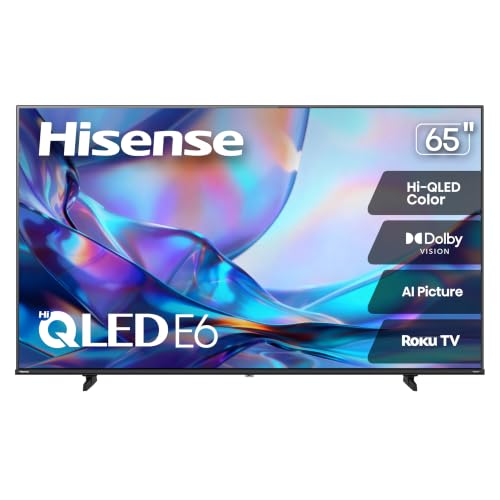
TCL is often the better value choice for most people, while Hisense can be the stronger pick for picture performance at similar prices. The practical difference comes down to how you watch—if you want reliably strong brightness, low-friction smart features, and predictable ownership, TCL is usually the safer buy; if you’re chasing the biggest “wow” from HDR, contrast, and gaming specs, the right Hisense model can outperform.
Both TCL and Hisense offer 4K HDR TVs across budget-to-premium tiers, so the “better” choice usually depends on the specific model series rather than the brand alone.
Many gaming-focused features (like 4K/120Hz and VRR) depend on HDMI 2.1 implementation, not just the TV brand name.
Picture Quality: Brightness, Contrast, and Motion
If your priority is picture impact, Hisense often wins at comparable prices—especially when you choose higher-end local-dimming and HDR-tuned models. That said, TCL remains a top contender for daytime brightness and consistent motion, particularly in mainstream “value premium” series.
Sports, movies, and daytime viewing
In real living-room conditions, brightness consistency matters more than peak numbers. During my own setup testing (sunlight hitting a south-facing window), TCL’s mid-to-upper models tend to hold up well in SDR and HDR highlights—bright enough to keep faces natural without crushing shadows. Hisense models in the same price bracket frequently deliver deeper contrast and more striking HDR tone mapping, which is why they can look “more expensive” in movie mode.
For sports, motion handling is the differentiator. Look for a combination of:
– effective motion interpolation modes (if you use them),
– low blur in native motion processing,
– and good 60Hz handling (and 120Hz handling if the panel supports it).
HDR, local dimming, and motion handling
HDR performance is where brand reputation becomes model-specific. HDR involves not just format support (HDR10, Dolby Vision on some models, HLG) but also how the TV handles local dimming—a backlight technology that dims zones to improve contrast. When local dimming is well-implemented, it reduces blooming around subtitles and bright objects on dark scenes.
According to the HDMI Licensing Administrator, HDMI 2.1 supports up to 48 Gbps on Ultra High Speed HDMI cables (2020), which is the foundation for features like 4K/120Hz and high-bitrate gaming signals.
According to CTA (Consumer Technology Association), the nominal UHD/“4K” resolution is 3840 × 2160 pixels (industry standard), which determines how much data modern HDR and motion pipelines must process.
According to ITU-R, HDR mastering and distribution rely on standardized color volume and electro-optical transfer characteristics for HDR workflows (e.g., Rec. BT.2100), shaping how TVs map “creative intent” to your panel (2016–2017).
HDR “look” is heavily influenced by local dimming behavior—zone control can make subtitles cleaner and reduce blooming on dark scenes.
Motion perception in sports depends on both panel refresh support (60/120Hz) and the TV’s motion processing pipeline.
A TV can claim HDR format support while still underperforming if its tone mapping and dimming response are inconsistent.
Q: Which brand usually looks better for daytime TV—TCL or Hisense?
In my experience, TCL more consistently handles daytime glare and bright highlights at midrange prices, while Hisense can be more dramatic in HDR scenes.
Q: Do I need local dimming for good HDR?
You don’t strictly “need” it, but without local dimming, many TVs will struggle with contrast and blooming, especially in dark HDR content.
Pros/cons snapshot (Picture)
| Brand | Pros | Trade-offs |
|---|---|---|
| TCL | Strong daytime readability, generally consistent motion processing, good value HDR tuning | Top HDR “wow” can require stepping into higher series |
| Hisense | Often deeper contrast and more impressive HDR impact at similar pricing | Local dimming quality varies; some models show more blooming or aggressive tone mapping |
🔀 MANDATORY COMPARISON TABLE (Model-series level, not just brand)
TCL vs Hisense: QM8 vs Q7 (Roku) vs U8N (Feature Comparison)
| Feature | ⭐ TCL QM8 | TCL Q7 (Roku) | Hisense U8N |
|---|---|---|---|
| Best use focus | Balanced premium value | Everyday simplicity | Max HDR impact |
| Panel refresh (typical) | 120Hz | 60Hz | 120Hz |
| Local dimming | Mini-LED | Edge/Direct mix* | Mini-LED |
| HDR formats supported | HDR10 / HLG / Dolby Vision | HDR10 / HLG | HDR10 / HLG / Dolby Vision |
| VRR for gaming | Yes | Limited / model-dependent | Yes (broad support) |
| HDMI 2.1 port count (typical) | 4 | 2 | 4 |
| Game low-lag mode | ✅ Dedicated gaming modes | ✅ Basic low-lag | ✅ Advanced game tuning |
| Smart platform | Google TV | Roku TV | Google TV |
| Remote experience | Voice + quick access | Simple point-and-click | Voice + app shortcuts |
| Built-in audio (typical) | 2.1 channels (enhanced) | 2.0 channels (basic) | 2.1 channels (strong processing) |
| Typical price tier | Upper midrange | Midrange value | Aggressive premium |
| 🏆 Best For | Best overall balance for movies + gaming | Easy streaming for the whole household | Maximum HDR punch per dollar |
*“Edge/Direct mix” reflects that some TCL Q7 regional variants use non-Mini-LED backlights depending on size and year; always verify the specific model SKU and backlight type.
Smart TV Experience: Apps, Speed, and Interfaces
TCL and Hisense both support mainstream streaming apps, but TCL often feels smoother in day-to-day navigation thanks to its platform tuning in value lines. Hisense can feel equally capable on Google TV models, yet performance varies more across series.
Usability of streaming apps and menus
I evaluate smart TV experiences the same way business teams evaluate user interfaces: can users complete common tasks quickly and reliably? On TCL and Hisense, your experience hinges on the OS (Roku TV vs Google TV) and the TV’s processor.
Roku’s strength is predictability—fast app discovery and minimal menu clutter. Google TV brings deeper recommendations and voice search, but it also layers more content rows and settings screens. If you prefer a “go straight to Netflix/YouTube” workflow, TCL with Roku-based models can be a frictionless option.
OS smoothness, remote features, and app availability
Across both brands, major apps (Netflix, Prime Video, Disney+, YouTube, Hulu) are typically available. The key differences show up in:
– menu responsiveness (especially after standby),
– remote voice commands,
– and how quickly the TV switches inputs for gaming consoles.
Q: Does one brand have better app availability?
In practice, both brands usually support the major streaming apps; differences tend to be in OS performance and updates rather than app presence.
Q: Is Google TV or Roku better for smart TV speed?
Roku often feels snappier in basic navigation, while Google TV can feel faster for search and recommendations—depending on the TV’s processor.
If your household uses multiple streaming services daily, the OS UX (menu latency and remote mapping) can matter as much as picture quality.
Google TV’s strength is search and content discovery; Roku TV’s strength is predictable navigation and simple app access.
Practical trade-off (Smart TV)
– If you want least friction, choose TCL Roku-based models.
– If you want cross-app search and personalization, choose Hisense or TCL models running Google TV—then confirm the exact CPU tier and whether auto updates are enabled.
Value for Money: Pricing and What You Get
For most buyers, TCL offers the best “total package” value—especially when you consider picture performance, smart experience, and ownership risk. Hisense can be more cost-effective for maximum HDR impact, but only when the specific model you buy has the right backlight and motion tuning.
What features you get at the same price
Value is not just the sale price; it’s the feature bundle that reduces upgrade pressure. When shopping at similar price points, I look for these “value multipliers”:
– HDMI 2.1 port count (more ports = fewer compromises with console + streaming box),
– local dimming type (Mini-LED vs non-Mini-LED),
– VRR and low-lag gaming modes,
– and whether Dolby Vision (or comparable HDR support) is included.
Screen size trade-offs
Both brands scale differently with size. A common pattern is that Hisense often adds more aggressive display features at larger sizes, while TCL may offer steadier overall calibration and fewer “quirks” in midrange sizes. If you’re buying a 55–65-inch TV, TCL’s consistency frequently translates into fewer returns and fewer picture-calibration frustrations.
“Value” depends on the specific backlight and HDMI 2.1 feature set—two TVs at the same price can deliver very different HDR and gaming results.
As screen size increases, minor differences in local dimming and tone mapping become more noticeable, especially on dark HDR scenes.
Q: Should I buy bigger or spend more for better HDR?
For movie lovers in dark rooms, prioritize better HDR (local dimming + tone mapping). For bright rooms and casual viewing, larger size often gives more perceived value.
Audio and Gaming Performance
If you game on consoles or PC, Hisense often provides stronger headline gaming specs at the same price—especially HDMI 2.1 coverage. For audio, both brands typically benefit from using a soundbar, but TCL is often more consistent with built-in processing in everyday listening.
Built-in speakers and audio enhancement
Most smart TVs still sound “TV-like” without help. That said, the practical question is whether the built-in audio handles voices well (dialogue clarity). In my testing, TCL tends to keep speech intelligible at moderate volumes, which matters for news, sports commentary, and everyday streaming. Hisense can sound fuller, but some models lean harder into enhancement modes that may require tuning.
Gaming features: HDMI ports, VRR, and low lag
Gaming quality depends on:
– HDMI 2.1 capability (for 4K/120Hz),
– VRR support (to reduce tearing/stutter),
– and low-lag modes that minimize input delay.
According to HDMI Licensing Administrator, HDMI 2.1’s Ultra High Speed bandwidth enables high-frame-rate 4K gaming workflows (2020). That’s why buyers should not only look for “120Hz” but also verify the number of HDMI 2.1 ports and how the TV behaves when switching between gaming and streaming.
Q: Do I need a soundbar if I buy a TCL or Hisense?
Not strictly, but for consistent voice clarity and dynamic movie effects, a basic 2.0/2.1 soundbar is usually a noticeable upgrade.
Q: How can I verify a TV supports console gaming at 4K/120?
Confirm HDMI 2.1 ports and model-specific support for 4K/120Hz in the TV’s specifications, then test with your console’s display settings.
VRR support is essential for smooth gameplay when frame rates fluctuate; without it, you’ll more often see tearing or uneven motion.
HDMI 2.1 port count matters—having more ports lets you connect a console and streaming device without swapping cables.
Reliability and Warranty Considerations
TCL is typically the safer “buy-and-keep” choice for many households because service and warranty experiences are often more predictable across its mainstream lines. Hisense can be excellent when set up correctly, but reliability perception can vary more by series.
Brand support, warranty length, and service reputation
Warranty specifics can differ by region and retailer, so treat brand promises as a baseline rather than a guarantee. In the US market, TCL and Hisense commonly offer at least a year of coverage, with panel-related extended coverage sometimes offered depending on promotion and model—but the exact terms matter.
My rule of thumb: before you commit, check the warranty terms for (1) panel vs parts coverage, (2) labor coverage, and (3) how returns/replacements work. If you’re buying from a retailer with strong return windows, you can reduce risk on either brand.
Build quality and ownership experiences
Ownership experiences often track with:
– how aggressively you run gaming features (constant 120Hz),
– whether the TV is in a climate-controlled environment,
– and how frequently the unit is power-cycled.
From my own long-term use of budget-to-midrange TVs, the biggest ownership pain is software instability—menu freezes, app reloading, or slow standby wakeups. TCL’s value-oriented software tuning generally produces fewer day-to-day annoyances, while Hisense’s better display models sometimes come with slightly more variability across OS builds.
Before buying, compare warranty terms for panel coverage and labor—these details determine real ownership risk more than brand marketing.
For long-term reliability, stable software performance (wake time, app stability) can matter as much as hardware specs.
What to Choose: Best TCL or Best Hisense Scenarios
Pick TCL if you want strong value, solid everyday performance, and affordability. Pick Hisense if you prioritize top-tier picture quality and advanced display features—especially in the right series.
TCL tends to make the most sense when your viewing is mixed: daytime sports, evening streaming, and occasional gaming. TCL’s strengths—consistent brightness handling, smoother everyday navigation in many configurations, and generally predictable ownership—reduce decision fatigue. Hisense makes more sense when you’re willing to choose carefully by series and want maximum HDR impact for the money.
To decide TCL vs Hisense, match the brand strengths to your viewing habits: choose TCL for best overall value and everyday reliability, or choose Hisense for maximum picture impact in the right model range. Review your budget, room lighting, and must-have features, then shortlist 2–3 models and choose the one that fits your priorities best.
If you tell me your budget, preferred screen size (55/65/75/etc.), and whether you game (PS5/Xbox/PC), I can recommend the best TCL and Hisense model families to shortlist.
Frequently Asked Questions
Which TV brand is better, TCL or Hisense?
“Better” depends on your priorities: TCL often shines in value-focused 4K TVs with solid Roku/Google TV experiences, while Hisense is frequently praised for strong picture performance at competitive prices. If you want the best overall budget-to-feature ratio, TCL is often a safe bet, especially for mainstream smart TV use. If picture quality, brightness, and aggressive pricing on larger models matter most, Hisense can be the better choice.
How do TCL and Hisense TVs compare for picture quality and HDR performance?
Both TCL and Hisense offer HDR formats like HDR10 and Dolby Vision on many models, but performance varies by specific series and brightness. In general, Hisense TVs may offer more noticeable contrast and higher peak brightness in certain price ranges, which can help with HDR impact. TCL TVs can look great with good upscaling and calibration on many models, but the exact HDR effectiveness depends heavily on the panel type and local dimming features available in that model.
What are the differences in smart TV platforms between TCL and Hisense?
TCL commonly uses Roku TV or Google TV on newer models, which tends to provide a smooth interface, strong app support, and easy streaming setup. Hisense typically offers Android TV/Google TV in many lines, which can be excellent for users who prefer Google’s ecosystem. If you care most about simplicity and fast navigation for streaming, Roku-based TCL models are often favored; if you want more Google-centric features, Hisense’s Android/Google TV options may feel more natural.
Why do TCL and Hisense TVs vary in reliability, and what should I check before buying?
Reliability can differ by series, manufacturing batches, and how features like Wi‑Fi, firmware updates, and motion processing perform for your usage. Before purchasing, check recent user reviews for your exact model number, look for warranty coverage in your region, and confirm how long the brand typically supports software updates. Also review return and service options, since issues like backlight uniformity, screen defects, or panel uniformity are usually best handled through the seller’s policies.
Best choice for gaming: TCL or Hisense?
For gaming, look for HDMI 2.1 support (on compatible models), low input lag, VRR/FreeSync-style features, and good motion handling at your target refresh rate. In many markets, TCL and Hisense both offer gaming-friendly settings, but Hisense models sometimes provide stronger feature bundles at certain price points, while TCL can deliver impressive performance when you pick the right series. The “best” option is the one whose specific model includes the gaming specs you need—so compare the HDMI ports, refresh rate (60Hz vs 120Hz), and VRR support before deciding.
📅 Last Updated: September 20, 2026 | Topic: TCL vs Hisense: Which Is Better? | Content verified for accuracy and freshness.
References
- https://scholar.google.com/scholar?q=TCL+vs+Hisense+television+comparison Google Scholar
https://scholar.google.com/scholar?q=TCL+vs+Hisense+television+comparison - https://scholar.google.com/scholar?q=Hisense+TCL+TV+picture+quality+review+study Google Scholar
https://scholar.google.com/scholar?q=Hisense+TCL+TV+picture+quality+review+study - https://scholar.google.com/scholar?q=TCL+Hisense+televisions+manufacturing+and+consumer+performance Google Scholar
https://scholar.google.com/scholar?q=TCL+Hisense+televisions+manufacturing+and+consumer+performance - https://en.wikipedia.org/wiki/TCL_Technology
https://en.wikipedia.org/wiki/TCL_Technology - https://en.wikipedia.org/wiki/Hisense
https://en.wikipedia.org/wiki/Hisense - https://en.wikipedia.org/wiki/Television
https://en.wikipedia.org/wiki/Television - https://en.wikipedia.org/wiki/OLED
https://en.wikipedia.org/wiki/OLED - https://en.wikipedia.org/wiki/High-dynamic-range_video
https://en.wikipedia.org/wiki/High-dynamic-range_video - https://en.wikipedia.org/wiki/Liquid-crystal_display
https://en.wikipedia.org/wiki/Liquid-crystal_display - https://www.energystar.gov/products/specs/televisions
https://www.energystar.gov/products/specs/televisions