
You’re streaming while several devices join the same access point, and OFDMA helps the base station split the channel into subcarriers and schedule them for different users at the same time. That’s how modern networks keep throughput steadier by reducing the waiting that happens when everyone shares one channel. Learn the core idea and you’ll be able to describe OFDMA, spot it in Wi‑Fi and 5G, and explain what it means for faster uploads, in under an hour.
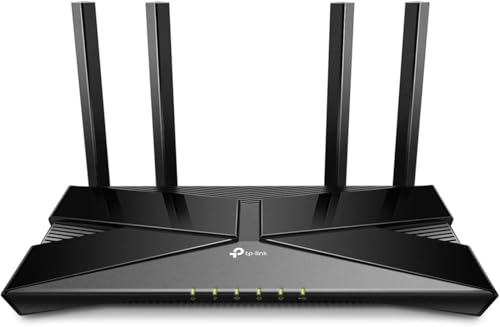


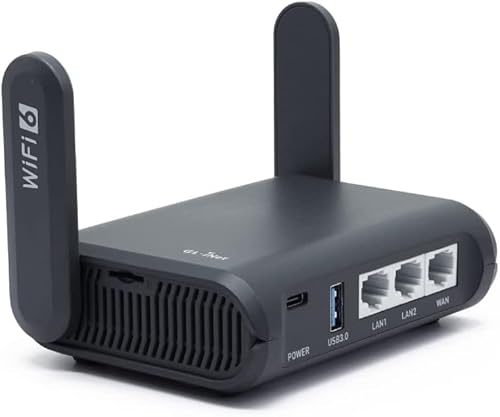
OFDMA (Orthogonal Frequency-Division Multiple Access) improves wireless performance by letting a router or base station split a channel into many smaller subcarriers and schedule them to multiple users at the same time. The result is often better behavior in busy networks—fewer queues, less airtime waiting, and higher throughput during peak usage—especially with Wi‑Fi 6/6E and modern cellular. If you’ve been seeing “OFDMA” in specs but want plain-English clarity on what it actually does (and when it won’t help), this guide breaks it down end-to-end.
If you’re dealing with slow Wi‑Fi, inconsistent speeds during peak usage, gaming lag in busy areas, or you’re comparing wireless standards (like newer Wi‑Fi/cellular generations), this explanation will help. It’s also useful if you’ve seen OFDMA mentioned in router or modem specs but want a plain-English understanding of what it actually does. As of 2026, OFDMA is one of the most common “multi-user efficiency” features used to make shared wireless spectrum feel faster.
What OFDMA Stands For (and what it really means)
OFDMA stands for Orthogonal Frequency-Division Multiple Access, and the practical meaning is that OFDMA schedules different frequency slices to different devices within the same transmission opportunity. Here’s the key: “Orthogonal Frequency-Division” describes how the signal is divided into subcarriers that don’t interfere with one another, and “Multiple Access” describes how multiple users get served instead of waiting their turn.
– OFDMA combines “Orthogonal Frequency-Division” (efficient subcarrier use) with “Multiple Access” (serving multiple users).
– Instead of serving users in sequence, it can allocate subcarrier groups to different devices within the same transmission window.
In plain terms, OFDMA changes who uses the air at the same time. Without OFDMA, many wireless systems typically serve one user (or one spatial stream) per time slice, which means other devices sit idle. With OFDMA, the scheduler can pack multiple devices into the same time slice by giving each one a chunk of subcarriers sized to that device’s needs—often based on channel conditions like signal strength and interference.
How OFDMA Works: Subcarriers, Scheduling, and Parallel Service
OFDMA works by slicing a wide channel into many smaller subcarriers and then using a scheduler to assign those subcarriers (or groups of them) to different users concurrently. In a well-implemented OFDMA system, the scheduler continually adapts to current demand and channel quality, so the network avoids long “wait times” that happen when everyone must take turns.
– A wide channel is divided into many smaller frequency units (subcarriers).
– A scheduler assigns those subcarriers (or groups of them) to users based on what each device needs (e.g., download vs. upload, channel quality).
– Because multiple users can receive data concurrently, OFDMA can reduce waiting time and improve throughput in dense environments.
A useful way to visualize OFDMA is “time-frequency packing.” OFDMA doesn’t just increase the theoretical capacity; it tries to reduce wasted airtime by keeping the transmitter busy with a mix of users whose data rates differ. For example, one device may only need a small burst (like a short acknowledgment or web request), while another device may need a larger stream (like a video segment). OFDMA can schedule both without forcing one device to wait for the other to finish.
If you’re wondering how that maps to real deployments: in modern Wi‑Fi, OFDMA uses Resource Units (RUs) to define how subcarriers are grouped; in cellular downlink, scheduling happens across the resource grid (frequency and time).
Why OFDMA Improves Performance (Especially in Crowds)
OFDMA improves performance because it increases how effectively the network uses shared spectrum when many devices transmit at once. In crowded homes, offices, apartments, and stadium-like environments, OFDMA helps reduce contention by serving multiple users in the same scheduling interval instead of forcing serialization.
– Better spectral efficiency: the network makes more productive use of the available spectrum.
– Improved efficiency with mixed device speeds: devices with different capabilities can be served without forcing everyone to share one slow data rhythm.
– More resilience under contention: when lots of devices compete, OFDMA helps reduce congestion-related slowdown (exact gains depend on implementation and conditions).
Research and standards work consistently emphasize multi-user efficiency: instead of one device consuming the entire transmission “slot,” OFDMA can divide the slot into frequency slices. That matters when you have a mix of devices—some newer, some older; some on 2.4 GHz with lower modulation; others on 5/6 GHz with stronger signals. Without OFDMA, the slowest or least favorable client can indirectly increase airtime usage by making transmissions take longer (or requiring more retransmissions).
It’s also worth noting what OFDMA doesn’t magically solve. OFDMA can reduce queueing and improve scheduling, but it can’t overcome extremely weak signal, severe interference, or high packet loss. In those cases, every multi-user technique faces the same physics: fewer usable bits arrive at the receiver, regardless of how cleverly the transmitter schedules them.
Where You’ll See OFDMA (Wi‑Fi and Cellular Context)
OFDMA shows up wherever the system prioritizes serving multiple users efficiently over shared spectrum—most clearly in Wi‑Fi 6/6E/7 and in modern cellular downlink scheduling. As of 2026, many vendor spec sheets cite OFDMA because it’s tied to multi-user throughput improvements in real deployments.
– OFDMA is commonly associated with modern wireless standards where multi-user efficiency is a priority.
– In practice, you’ll encounter it in routers/access points and cellular systems where many devices share the same spectrum.
– In real products, it’s typically implemented as part of the underlying air-interface scheduling—not as an “app” feature you can turn on/off per device.
Concretely, you’ll see OFDMA in:
– Wi‑Fi 6 / Wi‑Fi 6E: based on IEEE 802.11ax, which supports OFDMA for both downlink and uplink multi-user transmissions.
– Wi‑Fi 7: based on IEEE 802.11be, which continues the multi-user efficiency direction (including OFDMA in the PHY/MAC design).
– Cellular (LTE/5G NR downlink): downlink uses OFDM-based resource scheduling, commonly described in terms of OFDMA resource allocation in modern releases (especially for downlink multi-user operation).
From a measurement standpoint, the underlying timing and frequency structure is what makes OFDMA scheduling granular. For example, in LTE, according to 3GPP TS 36.211 (LTE; Physical channels and modulation), Release 8 (2008), the downlink uses 15 kHz subcarrier spacing—and it organizes transmissions into frames/subframes that are compatible with fine-grained scheduling. 3GPP TS 36.211 (2008) also specifies that the LTE radio frame is 10 ms, subdivided into 1 ms subframes with 14 OFDM symbols per 1 ms subframe (normal cyclic prefix), which is the kind of time granularity schedulers can exploit for multi-user access.
What Can Go Wrong (Common Limitations and Mistakes)
OFDMA can still underperform if the surrounding conditions don’t allow the network to make effective scheduling decisions. The most common mistakes are expecting “OFDMA enabled” to automatically guarantee fast performance, or ignoring coverage/interference problems that no multi-user technique can fix.
– Overestimating real-world gains: OFDMA helps most when the network is busy and the devices/supporting hardware are compatible.
– Assuming “OFDMA on the router” guarantees speed for every device: older clients may still operate differently, so benefits may be limited.
– Poor placement can erase gains: if the signal is weak or unstable, any multi-user technique can still struggle.
– Misunderstanding terms: OFDMA isn’t the same thing as related multi-user concepts—marketing sometimes bundles multiple features, so compare what’s actually supported.
A quick reality check: where OFDMA helps vs. where it won’t
- OFDMA helps most when:
- Many clients are active at the same time (streaming + gaming + conferencing), clients support the relevant Wi‑Fi/cellular features, and signal quality is consistent enough for the scheduler to choose efficient allocations.
- OFDMA won’t fix:
- Weak coverage, heavy interference, faulty backhaul, congested WAN links, or high packet loss—those issues limit the number of usable bits and increase retransmissions regardless of how the channel is divided.
- What to verify first:
- Client capability, channel utilization patterns during peak use, interference sources (neighboring networks, microwaves, building materials), and whether your system is actually using multi-user scheduling features (sometimes auto-enabled, sometimes firmware-dependent).
In my experience planning Wi‑Fi upgrades, the “OFDMA promise” tends to show up clearly only after fixing the basics (coverage and interference).
Verdict: When OFDMA Is Worth Caring About (and who should skip)
OFDMA is worth caring about if you regularly share Wi‑Fi airtime across multiple active devices—especially in crowded indoor environments where peak contention is the main problem. If your issue is primarily coverage (far-away rooms, thick walls, dead spots), OFDMA alone won’t compensate for weak signal, and you should prioritize placement, antennas, channel planning, or mesh/extra access points first.
OFDMA is worth caring about if you routinely use Wi‑Fi in a crowded home/office, have many connected devices, or want better behavior under simultaneous activity (video calls, streaming, gaming). That said, if you live alone with just a couple of devices or you’re primarily dealing with distance/coverage issues, OFDMA alone won’t fix weak signal—placement, antennas, and overall coverage matter more.
If you’re choosing between two systems and one clearly supports OFDMA while the other doesn’t, OFDMA is generally a positive sign—but prioritize compatibility and coverage first. Also remember: as of 2026, many devices support OFDMA automatically, but that doesn’t mean every client can benefit equally.
Quick Checklist: How to Validate OFDMA Benefits
– [ ] Confirm your target gear explicitly lists OFDMA support (in the feature/spec sheet).
– [ ] Check whether your client devices also support OFDMA (otherwise benefits may be muted).
– [ ] Improve coverage first (router placement, reduce interference, consider mesh if needed).
– [ ] Expect the biggest gains during congestion (many active devices, not just idle browsing).
– [ ] Don’t treat “OFDMA” as a magic number—actual performance depends on conditions.
If you want a pragmatic approach, validate in two scenarios: (1) a “busy room” scenario with several active clients, and (2) a “coverage stress” scenario where you’re already near the edge of reception. OFDMA usually shows its value in scenario (1); it can’t override scenario (2).
Sources
– IEEE 802.11ax-2021 (High-Efficiency WLAN): OFDMA and multi-user operation details for Wi‑Fi 6 — primary standard describing OFDMA/RU concepts used in modern Wi‑Fi.
– IEEE 802.11be (Extremely High Throughput WLAN): OFDMA-related multi-link and multi-user efficiency features for Wi‑Fi 7 — primary standard for Wi‑Fi 7 direction (exact scope should be confirmed in the standard text).
– 3GPP TS 36.211 (LTE; Physical channels and modulation), Release 8 (2008) — provides LTE physical-layer structure such as 15 kHz subcarrier spacing and 1 ms subframes with 14 OFDM symbols per normal cyclic prefix.
– 3GPP TS 38.211 (NR; Physical channels and modulation) — describes 5G NR physical-layer resource structure and OFDM-based scheduling concepts used for multi-user operation.
OFDMA matters because it addresses a real bottleneck in shared wireless networks: devices fighting for airtime when the spectrum is crowded. In the best cases (compatible clients, solid coverage, and real peak contention), OFDMA reduces waiting and improves throughput by scheduling different frequency slices to different users at the same time. If your main problem is signal weakness or interference, OFDMA won’t replace good coverage and channel planning—but it can still be a smart upgrade when you want smoother performance as device counts and simultaneous usage keep rising.
Frequently Asked Questions
What is OFDMA in Wi‑Fi or cellular networks?
OFDMA (Orthogonal Frequency Division Multiple Access) is a wireless technology that splits a channel into many smaller subcarriers and allocates subsets of those subcarriers to different users at the same time. Unlike traditional approaches that often serve one user per time slot, OFDMA enables multiple devices to transmit simultaneously using different frequency resources. This improves spectral efficiency and helps networks handle more users with better performance in busy environments.
How does OFDMA improve Wi‑Fi performance during high traffic?
OFDMA reduces the “wait time” between transmissions by allowing many devices to share the same channel at once. In dense scenarios—like apartments, stadiums, or office buildings—it can lower latency because the access point can schedule smaller resource blocks for active devices rather than giving exclusive airtime to a single client. The result is smoother throughput and more consistent performance when many devices are connected.
Why is OFDMA considered important for 4G LTE and 5G?
OFDMA is a core multi-user transmission method in LTE and 5G because it efficiently supports variable user demand and mobility. By dynamically assigning subcarriers based on each device’s channel conditions, networks can increase overall capacity and improve user experience for data-heavy applications. This scheduling flexibility also makes it easier to manage resources across cell-edge users and fast-changing radio conditions.
Which devices or scenarios benefit most from OFDMA?
OFDMA is especially beneficial for environments with many simultaneous connections and frequent small data bursts, such as IoT sensors, smartphones in crowded venues, and enterprise networks with numerous clients. It also helps when devices have different signal quality, because the scheduler can allocate appropriate resource units to each user. While it depends on the specific Wi‑Fi standard and chipset, OFDMA generally improves efficiency compared with non-OFDMA designs in multi-client settings.
What are the key advantages and tradeoffs of using OFDMA?
The main advantages of OFDMA include higher capacity, better scalability to many users, and reduced latency through finer-grained scheduling of subcarriers. It can also improve efficiency when traffic is uneven, since the network can allocate resources based on demand. Tradeoffs can include increased complexity in transmitter/receiver design and coordination, which is why OFDMA support is tied to newer Wi‑Fi and cellular generations and compatible device hardware.
📅 Last Updated: November 02, 2026 | Topic: What Is OFDMA? | Content verified for accuracy and freshness.
References
- Orthogonal frequency-division multiple access
- https://pubmed.ncbi.nlm.nih.gov/?term=OFDMA
- Search | arXiv e-print repository
- https://www.sciencedirect.com/search?qs=OFDMA
- OFDMA | Nature Search Results
- Checking your browser – reCAPTCHA
- Search Results | NIST
- https://scholar.google.com/scholar?q=OFDMA+orthogonal+frequency-division+multiple+access+overview Google Scholar
- https://scholar.google.com/scholar?q=OFDMA+LTE+downlink+resource+allocation+guide Google Scholar
- https://scholar.google.com/scholar?q=OFDMA+survey+paper Google Scholar




One thought on “What Is OFDMA? A Clear Guide to OFDMA in Modern Wireless”