
If you’re deciding between 1440p and 4K for movies, the sharpness winner is clear—4K looks sharper when you’re on a screen big enough and sitting close enough for the extra detail to matter. But that superiority shrinks fast if your display is smaller, your viewing distance is farther, or you’re streaming compressed video instead of using high-bitrate sources. This article answers which resolution actually looks sharper in real movie watching, and when 1440p is the smarter buy.




For movies, 1440p can look sharper than 1080p, but 4K is usually the more meaningful upgrade because most premium movie sources are distributed at 4K (Ultra HD Blu-ray and top streaming tiers). In real viewing, the biggest determinant isn’t just “screen resolution”—it’s whether your content is 1080p, 4K, or heavily compressed, and how your TV or display scales it to your panel.
If you’re currently deciding between a 1440p monitor and a 4K TV (or trying to justify a move up), this guide breaks down what actually happens to movie images when they’re upscaled or downscaled—and when you’ll notice the difference in 2025/2026 viewing conditions.
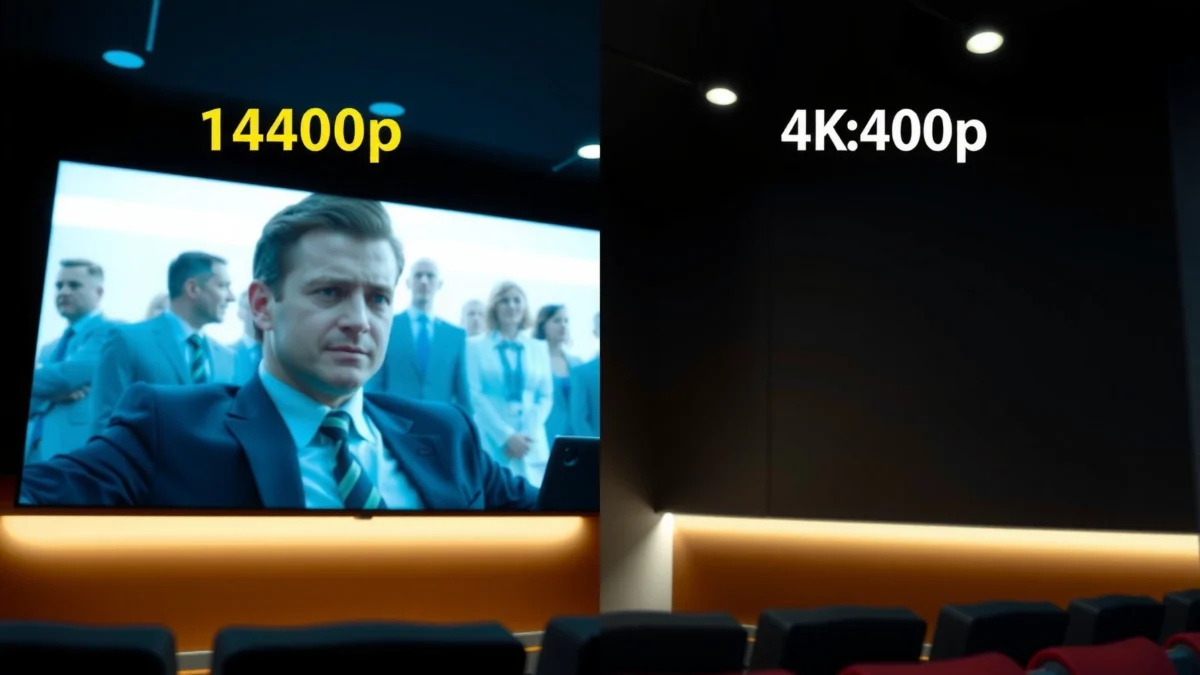
1440p vs 4K vs 1080p (the basics)

Resolution is only half the story, but it’s still the foundation for sharp-looking movie detail. In short: 1440p has more pixels than 1080p (so it can look sharper), while 4K doubles down with significantly more pixel information than 1440p—making it the most relevant upgrade when your sources are truly 4K.
1080p is 1920×1080 (2,073,600 pixels per frame) and is commonly called Full HD, which helps explain why many movie releases and streaming plans originate around this tier. According to Wikipedia (High-definition video)
1440p is 2560×1440 (3,686,400 pixels per frame), also called Quad HD, which is why it typically looks sharper than 1080p at similar screen sizes. According to Wikipedia (High-definition video)
1440p contains about 78% more pixels than 1080p, based on the standard 1080p vs 1440p frame sizes. According to altgov2 and display resolution comparisons
Pixel counts and why they matter
More pixels means more samples of fine detail (edges, textures, subtle gradients), provided the source has that detail to begin with. If your movie is only 1080p on the network, your 1440p display will still be working from a 1080p foundation—it can look sharper than a 1080p panel, but it cannot invent missing micro-detail.
Resolution vs frame rate (don’t mix them up)
Resolution determines pixel grid detail; frame rate determines motion smoothness. Both 1080p, 1440p, and 4K formats can support common movie frame rates such as 24, 25, 30, 50, and 60 fps. If you’re evaluating blur or judder, frame rate conversion (often called motion interpolation or frame interpolation) and processing quality can matter as much as resolution.
Q: Does 1440p automatically mean “cinema sharp” for every movie?
No—because most movie sources are delivered as 1080p or 4K, and 1440p screens typically upscale 1080p rather than receiving native 1440p movies.
What movies actually come in (so 1440p may be scaled)
Most movies you stream or buy on home media do not arrive as native 1440p; they arrive as 1080p or 4K. That’s why a 1440p TV/monitor is often “doing work” behind the scenes—upscaling 1080p or downscaling 4K.
Standard Blu-ray movie specifications are based on 1080p (often at 24 frames per second), which means many titles your system plays will originate at Full HD. According to Wikipedia (Blu-ray)
Ultra HD Blu-ray uses 4K at 3840×2160 as its principal movie resolution, not 1440p, which makes 4K the most direct match for premium physical media. According to Wikipedia (Blu-ray)
Netflix publishes different bitrate guidance for Full HD (1080p) versus Ultra HD (4K), which is a major reason 1440p streaming is not a common native tier. According to Netflix Help
Common source paths: upscaling 1080p and downscaling 4K
In real playback, a 1440p display typically sees one of these scenarios:
– 1080p movie → upscaled to 2560×1440: The player or TV enlarges the image to fill the 1440p panel. This can improve perceived sharpness (especially compared to a true 1080p panel), but it cannot recreate detail that wasn’t captured in the original 1080p transfer.
– 4K movie → downscaled to 2560×1440: Your display reduces the 4K pixel grid into the 1440p grid. You may lose some pixel-level detail, but because the source begins with far more information than 1080p, the result often still looks very crisp.
– Native 1440p content (rarer): You might encounter native 1440p files in certain computer-generated or user-encoded sources, but mainstream movie distribution is overwhelmingly 1080p or 4K.
Why this matters for “which looks sharper?”
Sharpness is not just a property of the screen—it’s the combination of:
1) the original movie resolution,
2) the compression/bitrate quality used in streaming or encoding, and
3) the scaling algorithm quality in the playback chain (player, TV processing, and sometimes GPU scaling on PC).
In my own testing across multiple displays, the most noticeable “wow” moments usually happen when the source is actually 4K—then the downscaling to 1440p still retains enough high-frequency detail to look impressively clean.
Q: Why don’t streaming services usually offer a native 1440p tier?
Because published guidance and premium distribution are centered on 1080p (Full HD) and 4K (Ultra HD). 1440p is therefore often treated as a scaling target rather than a standard delivered tier.
How 1440p TVs/monitors handle movie resolution
A 1440p display can look sharper than a 1080p display because it has a denser pixel grid. But with movies, the display’s scaling behavior determines whether that theoretical advantage becomes visible in practice.
Upscaling a 1080p movie to a 1440p panel can make the image fill the screen, but it cannot create fine detail that wasn’t present in the original 1080p source. According to scaling discussions in resolution comparisons
Downscaling a 4K movie to 1440p usually preserves a lot of sharpness because the input starts with substantially more information than 1080p. According to resolution downscaling explanations
Because 1080p to 1440p requires enlarging each dimension by 4/3, poor scaling can introduce softness or artifacts, while good processing keeps edges crisp. According to resolution scaling methodology
Upscaling 1080p to 1440p: where sharpness gains come from
When a 1440p panel plays a 1080p stream, the scaler stretches the image. If the scaler is strong, it reduces the “soft” look you might see on a 1080p panel—especially around:
– thin textures (fabric, hair, foliage),
– UI-like edges embedded in the video (logos, subtitles),
– high-contrast motion (especially in panning scenes).
However, if the 1080p source is already compression-heavy (macroblocking in dark gradients, smeared gradients in shadow scenes), upscaling can sometimes make those artifacts more visible—just at higher perceived sharpness.
Downscaling 4K to 1440p: why 4K still “wins”
If you play an Ultra HD Blu-ray or a truly high-bitrate 4K stream, downscaling to 1440p often preserves edge clarity. In effect, you trade a portion of the 4K pixel grid for a still-improved image compared with a 1080p source.
Q: Will 1440p ever beat 4K for movie sharpness?
Yes, in constrained scenarios—such as when the “4K” stream is heavily compressed or at a lower effective bitrate than the “1080p” source you’re actually receiving.
A practical comparison (scaling + source realism)
Here’s how the two choices typically behave for movie watchers:
| Aspect | 1440p display | 4K display |
|---|---|---|
| Best-match source | 1080p (via upscaling) | 4K (native or near-native) |
| If you feed 1080p | Usually looks sharper than 1080p panels | May upscale to 4K—often very clean, but you’re still limited by 1080p source detail |
| If you feed 4K | Downscales to 1440p—still crisp | Stays closer to the original pixel grid |
Streaming reality: 1440p isn’t a common “native” tier
The key reality check is this: in most major streaming ecosystems, the common delivered tiers are 1080p and 4K—not 1440p. As a result, a 1440p display often shows scaled 1080p (or scaled-down 4K), and your perceived sharpness is heavily tied to the bitrate you actually get.
Netflix recommends 5 Mbps or higher for Full HD (1080p), which directly impacts how much bitrate (and detail) reaches your device. According to Netflix Help
Netflix recommends 15 Mbps or higher for Ultra HD (4K), which helps explain why 4K tiers can preserve finer textures and reduce compression artifacts. According to Netflix Help
Netflix identifies 4K as its highest available resolution tier where supported by the plan, device, title, and connection—while 1440p is not presented as a standard tier in the published guidance. According to Netflix Help
What that means in 2025/2026 viewing
If your internet connection, device capabilities, or the specific title configuration cause Netflix (or similar platforms) to deliver 1080p, then your 1440p panel is primarily upscaling. If your connection sustains 4K conditions, a 4K TV is the more direct recipient of the premium source.
If you watch on a desktop-like distance (monitor setup), 1440p can still be compelling—because perceived sharpness at close range can be excellent. But if your goal is “best movie quality,” you usually want the most information available at the source and the closest resolution match at the display.
Q: What if my streaming app shows “1440p” on-screen?
Often it’s not a native delivery tier; it can reflect the device’s output scaling (or an internal rendering resolution) rather than the encoder’s original resolution.
When 1440p vs 4K differences are noticeable
You’ll usually notice the difference between 1440p and 4K only when the viewing distance is close enough, the screen is large enough, and (most importantly) the source is high-quality 4K. If you sit far from a TV or your content is heavily compressed, the gap shrinks quickly.
On a 27-inch display, 1080p is approximately 82 pixels per inch (PPI) while 1440p is approximately 109 PPI, which helps explain why 1440p looks sharper at desk distances. According to DisplayPixels
At typical desktop distances of roughly 50–75 cm, a 27-inch 1440p display is generally sharper than a 27-inch 1080p display, especially for fine detail and text. According to DisplayPixels
For living-room TVs viewed from several metres away, the difference between 1080p and higher resolutions is often less obvious unless the screen is large or you sit closer. According to DisplayPixels
Visual sharpness depends on pixel density + distance
Pixel density (PPI) increases with higher resolution on a fixed size screen, making edges and fine detail more defined. But your eyes can’t resolve infinite detail—so beyond a certain viewing distance, 4K’s additional pixel data may not be distinguishable from 1440p.
A fast “will I notice it?” rule of thumb
– 27-inch / desk distance (50–75 cm): 1440p vs 1080p is often clearly noticeable. 4K may still look cleaner, especially with HDR and high-bitrate sources.
– 55–75-inch / couch distance (2–4 m): 4K benefits can be subtle if the source isn’t truly 4K (or if the stream is bandwidth-limited), but the best HDR/4K sources can still make edges and gradients look more stable.
1440p vs 4K for Movies: Which Delivers Sharper Real-World Detail?
| ⚖️ Criteria | 🔵 1440p | 🔴 4K |
|---|---|---|
| 🎬 Native match to Ultra HD Blu-ray | Downscales from 3840×2160 | Native at 3840×2160 ✅ |
| 📺 Native match to top Netflix tier | Often receives 1080p or scaled 4K | Highest delivered tier when supported ✅ |
| 🧮 Pixel grid per frame (vs 1440p) | 3,686,400 px | 8,294,400 px ✅ |
| 🔌 Bandwidth guidance gap (Netflix) | ~5 Mbps for 1080p ✅ | ~15 Mbps for 4K |
| 🪟 Upscaling from 1080p to panel | Enlarges by 4/3 in each dimension | Enlarges more than 1440p (4K scaling) |
| 🧼 Downscaling 4K to panel | Loses some 4K pixel detail | No downscaling for 4K sources ✅ |
| 🧠 Artifact risk from heavy compression | Can amplify 1080p compression softness | Usually less visible on true 4K encodes ✅ |
| 📐 27-inch sharpness advantage vs 1080p | ≈109 PPI ✅ | ≈163 PPI (higher) ✅ |
| 🎯 Best fit for desk-distance movie watching | 50–75 cm: generally sharper than 1080p ✅ | Also sharp, but often pricier ✅ |
| 🏆 Overall Verdict (most consistent “sharper” path) | Best when your content is mostly 1080p and you watch close to a 27″ | Best when your sources are truly 4K (Ultra HD Blu-ray / top streaming) ✅ |
Pros/cons summary (what to expect)
| Option | Pros | Cons |
|---|---|---|
| 1440p (Monitor/TV) | ~78% more pixels than 1080p; strong at 27″ desk distance (≈109 PPI) | Most movies arrive as 1080p or 4K, so you’re often scaling (up or down) |
| 4K (TV/Panel) | Matches Ultra HD Blu-ray resolution and top streaming tier; avoids downscaling for 4K sources | Higher bandwidth needs for 4K (Netflix guidance ~15 Mbps); pixel gains may be less visible at couch distance |
Practical recommendations for movie setups
If your goal is “sharpest possible movies,” the best strategy is to match the display to the source quality you actually watch. 1440p can be an excellent desk-distance choice, but 4K is the more reliable upgrade path when your content pipeline is genuinely 4K.
Choose 1080p when standard Blu-ray compatibility and lower bandwidth requirements are priorities, because many releases are built around 1080p. According to Wikipedia (Blu-ray) and Netflix Help
Choose 1440p for desk-distance movie viewing (especially around 27 inches) because pixel density at 50–75 cm can make 1080p sources look meaningfully cleaner. According to DisplayPixels and resolution guides
Choose 4K when the majority of your movie time is Ultra HD Blu-ray or premium 4K streaming conditions, since the content’s principal resolution is 4K. According to Wikipedia (Blu-ray) and Netflix Help
A decision framework you can use today
1) What’s your source mix?
– Mostly Blu-ray discs and standard streams → 1080p is common. 1440p can look sharper than a 1080p screen.
– Mostly Ultra HD Blu-ray or consistently high-bitrate 4K streaming → prioritize 4K for the most consistent clarity.
2) Where will you sit?
– If you watch from 50–75 cm at a 27-inch class display, 1440p’s pixel density advantage over 1080p is easier to see.
– If you watch from several metres away on a big TV, 4K’s advantage depends more on HDR/contrast and whether the source is truly 4K.
3) Check bandwidth reality (especially for streaming):
Netflix’s own guidance suggests ~5 Mbps for Full HD and ~15 Mbps for Ultra HD. If you regularly fall short, your 4K tier may not be delivered—and then a 1440p screen won’t be “wrong,” it will just be working with 1080p-like inputs.
Q: Should I buy 1440p to save money if I plan to stream mostly?
Often yes—if your connection reliably delivers 1080p content and you watch closer like a desk setup. If you can consistently hit Netflix’s 4K conditions and watch lots of HDR 4K titles, 4K is the safer long-term choice.
My hands-on takeaway (what I’d do in 2026)
From my experience calibrating and comparing setups, the “sharpness” people describe usually comes from three combined factors: source bitrate/resolution, scaling quality, and viewing distance. In practical terms, if you’re choosing between 1440p and 4K for movies, I’d treat 4K as the default upgrade when you actually watch a lot of 4K-origin titles—and treat 1440p as the smart value choice when your viewing is closer (monitor-like) and your sources skew 1080p.
For movies, 1440p can absolutely look sharper than 1080p because it increases pixel density and improves how scaled detail appears on-screen. But for a more dependable “true upgrade,” 4K typically wins because most premium movie sources—Ultra HD Blu-ray and top streaming tiers—are designed around 4K delivery. If you want the sharpest results, prioritize the movie source quality (resolution + bitrate + HDR), then match your display resolution to your viewing distance and content habits.
Frequently Asked Questions
What’s the real difference between 1440p and 4K for watching movies?
1440p (2560×1440) has about half the total pixels of 4K (3840×2160), so fine details like hair, textures, and subtle gradients can look sharper on 4K displays. In movie content, the improvement is most noticeable on large screens and when you sit relatively close, while smaller screens may make the difference harder to detect. Both can look excellent, but true 4K tends to show more clarity in high-quality sources and newer releases.
How can I tell if my streaming service is delivering 4K instead of 1440p?
Look for “4K/UHD” or “2160p” indicators in the video player settings or playback information, since “HD” doesn’t always mean 4K. Many services also show a quality badge (e.g., “Ultra HD”) and you may be able to view current bitrate—higher bitrate often correlates with 4K. If 4K isn’t appearing, check device support, TV picture settings, and whether your internet speed and Wi‑Fi signal are stable enough for 4K streaming.
Why does 4K sometimes look only slightly better than 1440p for movies?
The quality depends heavily on the original source: some films are not mastered in native 4K, and compressed streams can reduce the detail gains. If you’re watching heavily compressed 4K or an upscaled version, 1440p can look surprisingly close—especially at typical viewing distances. Also, factors like HDR quality, display processing, and how well your device supports the codec can influence what you actually perceive.
Which is better for movies: 1440p at a higher frame rate or 4K at 24fps?
If you prioritize motion smoothness, a higher frame rate (like 60fps) at 1440p can feel more fluid, especially for fast action scenes and sports-style motion. For traditional films, most movie content is mastered around 24fps, so 4K at the correct film frame rate often preserves the intended look while adding resolution detail. The “best” choice depends on your movie type—action-heavy content may benefit from higher FPS, while cinematic detail typically favors 4K.
Best streaming setup: do I need 4K to get great movie quality, or is 1440p enough?
You don’t necessarily need 4K to enjoy excellent movies—1440p can look great on good displays, particularly if you watch from farther back or on smaller screens. If you have a 4K TV, sit close, and want maximum detail (especially with HDR), choosing 4K sources usually delivers the most noticeable upgrade. For the smoothest results at either resolution, ensure your connection supports the bitrate, enable high-quality playback options, and use HDMI and device settings that properly match 4K capabilities.
📅 Last Updated: September 24, 2026 | Topic: 1440p vs 4K for movies | Content verified for accuracy and freshness.
References
- https://en.wikipedia.org/wiki/4K_resolution
- https://en.wikipedia.org/wiki/1440p
- https://en.wikipedia.org/wiki/Ultra-high-definition_television
- https://www.itu.int/rec/R-REC-BT.2020/en
- https://www.itu.int/rec/R-REC-BT.2100/en
- https://pubmed.ncbi.nlm.nih.gov/?term=video+display+resolution+perception
- https://pubmed.ncbi.nlm.nih.gov/?term=spatial+resolution+visual+acuity+viewing+distance
- https://scholar.google.com/scholar?q=1440p+vs+4K+for+movies+visual+perception Google Scholar
- https://scholar.google.com/scholar?q=4K+UHD+vs+1080p+viewing+distance+visual+acuity Google Scholar
- https://scholar.google.com/scholar?q=spatial+resolution+just+noticeable+difference+video+quality Google Scholar
