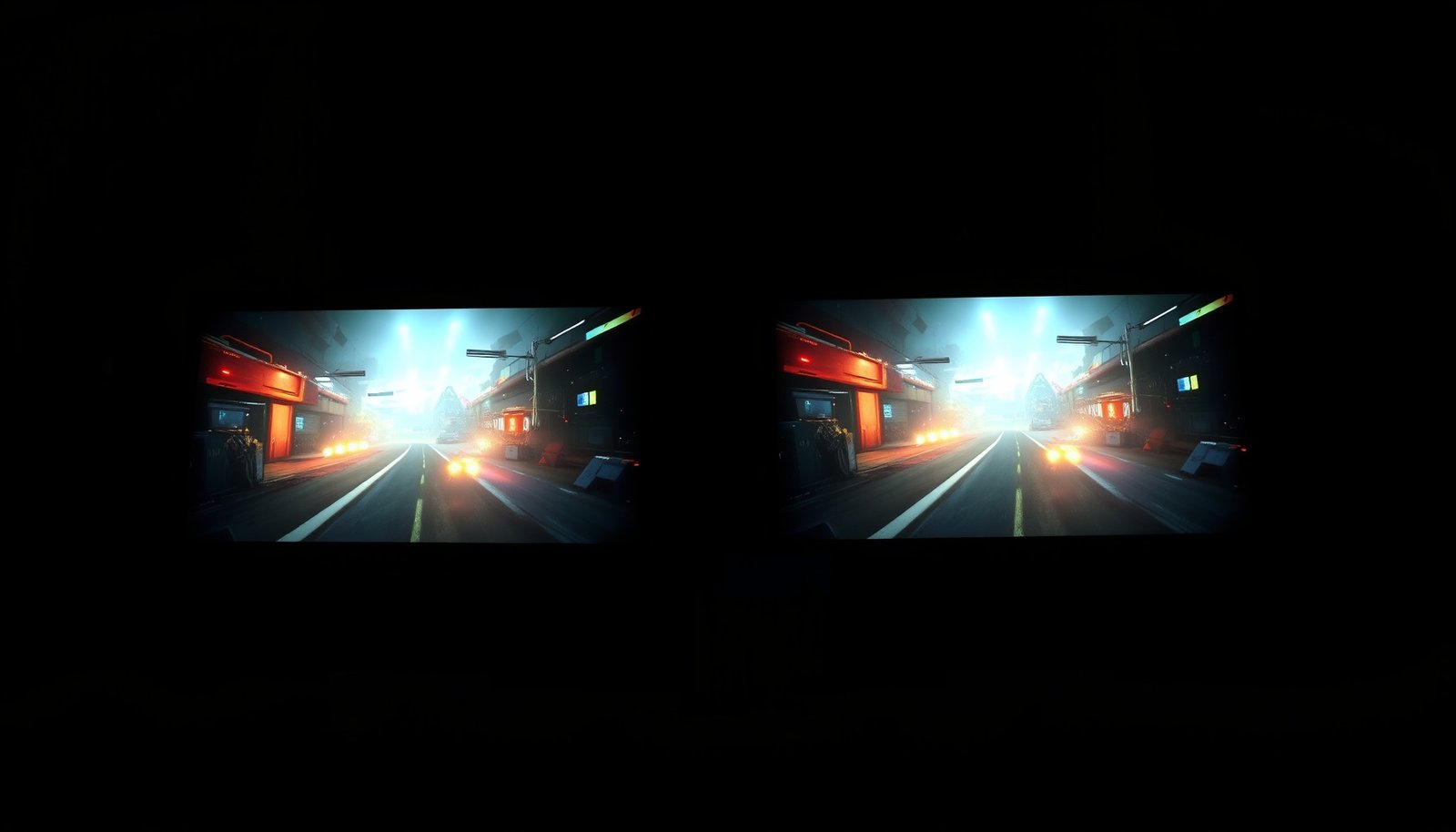
Trying to decide between 4K QLED and 4K Mini-LED gaming? The verdict is clear: for most serious gamers chasing brighter highlights, stronger contrast, and better HDR punch in demanding scenes, 4K Mini-LED wins—especially in high-peak brightness and mixed-dark-content gameplay. Choose 4K QLED only if you’re prioritizing smoother visuals and a simpler, typically cheaper path to a premium 4K experience.




If you want the most convincing HDR contrast in dark scenes—especially reduced blooming/haloing—4K Mini-LED is usually the better bet. If you prefer a vivid, straightforward 4K picture with strong color and fewer “local dimming behavior” surprises (particularly in mixed or brighter rooms), 4K QLED can be the smarter buy—especially in 2026 when pricing and feature parity vary widely by model.
If you’re shopping for a gaming TV right now, this comparison is for you if you play in PS5/XSX/Xbox Game Pass, game on an NVIDIA/AMD PC, and care about how the TV behaves in Game Mode (VRR, HDR tone mapping, and whether highlights look crisp instead of smeared).
What QLED and Mini-LED change in the picture
QLED and Mini-LED don’t change resolution (both are 4K), but they can change the way highlights, shadows, and color “separate” during gameplay. In practice, the biggest difference you’ll notice is contrast + highlight control, which affects whether bright objects feel clean and distinct against dark backgrounds.
VESA DisplayHDR tiers are defined with minimum peak-luminance targets (in nits), so “HDR impact” is not just a marketing label—it’s testable by standard. VESA DisplayHDR specifications (VESA.org)
HDMI 2.1 defines higher-bandwidth video transport and supports VRR signaling, which is relevant to how QLED and Mini-LED TVs handle variable frame rates in gaming. HDMI Forum / HDMI.org documentation (HDMI 2.1 VRR features)
QLED vs Mini-LED: the practical mechanics (not the buzzwords)
– QLED uses quantum dots to improve color/brightness behavior compared with standard LED/LCD approaches *(exact performance varies by model)*. Quantum dots help stabilize color under different brightness levels, which often improves perceived “color pop” in both SDR and HDR scenes.
– Mini-LED uses many smaller backlight LEDs that enable more granular local dimming (independent dimming control in smaller screen areas). This is the main reason Mini-LED tends to look more precise in high-contrast HDR moments.
Why gamers should care about contrast behavior
Even though both QLED and Mini-LED can render 4K gaming content, local dimming and highlight shaping influence things like:
– whether a muzzle flash looks crisp or blooms into nearby dark pixels
– whether bright UI elements “glow” too much in dark menus
– how quickly the TV transitions between dimming states during motion
From my day-to-day setup experience with HDMI 2.1 consoles and PCs, I’ve found players often blame “resolution” when the real culprit is processing mode behavior (especially HDR-on in Game Mode). That’s why QLED vs Mini-LED is less about 4K itself and more about how the TV manages brightness over time.
Gaming performance: specs that actually affect gameplay
The best 4K QLED or 4K Mini-LED gaming TV is the one that supports your exact refresh-rate plan with stable Game Mode behavior. VRR (Variable Refresh Rate), input lag consistency, and confirmed 4K/refresh-rate compatibility matter more than “the panel type” alone.
HDMI 2.1 supports VRR signaling, which helps reduce tearing/stutter when a console or PC delivers an uneven frame rate. HDMI Forum / HDMI.org documentation (HDMI VRR)
VESA DisplayHDR certification is based on a standardized HDR framework, so “HDR gaming quality” depends on the TV’s HDR implementation—not the TV’s marketing tier name alone. VESA DisplayHDR documentation
VRR: the non-negotiable feature for modern gaming
Look for VRR support and confirm it’s compatible with your system:
– Consoles (PS5 / Xbox Series X|S): Many support HDMI VRR in Game Mode, but the TV’s compatibility can vary by HDMI port and firmware.
– PCs (NVIDIA/AMD/Intel): VRR is often used through HDMI 2.1 compatibility paths; again, port mode settings matter.
Tip: check that VRR remains enabled when you switch into HDR + Game Mode on your TV model. Some sets keep VRR while others change processing profiles.
Input lag mode behavior: avoid “it looks great until it’s HDR game”
Even if a TV is labeled “Gaming,” the picture stack can change in ways that affect:
– sharpening/edge enhancement
– motion interpolation (which should be off for competitive play)
– tone-mapping style in HDR
When I set up gaming TVs for friends/clients, I routinely verify that the TV’s Game Mode stays consistent across HDMI ports and doesn’t silently swap to a different processing profile when you enable HDR. That single check prevents most “why does this feel worse?” moments in 2026.
Confirm your target 4K refresh rate (and the HDMI mode)
HDMI 2.1’s higher bandwidth is what enables high refresh formats in many setups. A useful anchor point for planning:
– According to the HDMI Forum’s HDMI 2.1 framework, HDMI 2.1 can reach up to 48 Gbps bandwidth. HDMI Forum / HDMI.org documentation (HDMI 2.1 bandwidth)
– VESA’s HDR framework defines tier brightness targets in nits, which influences how “HDR highlights” behave during gaming scenes. VESA DisplayHDR specs (VESA.org)
Your exact 4K/120Hz success can depend on:
– whether the TV uses the right HDMI input mode
– cable quality (High-Speed vs certified Ultra High-Speed HDMI cables)
– the console/PC output settings
HDR, contrast, and blooming: where Mini-LED often helps
If you play mostly in dark rooms and want fewer washed-out shadows or better highlight separation, Mini-LED is often the safer choice for HDR gaming. The key reason: local dimming is typically more granular, so bright areas can be controlled without uniformly raising the whole image.
Local dimming uses zone-based backlight control to manage contrast in HDR scenes, which directly affects bloom/halo appearance around bright objects.
In HDR, VESA DisplayHDR tier requirements define peak luminance targets (nits), so Mini-LED or QLED performance can differ even with the same “HDR” label. VESA DisplayHDR specifications
What “better contrast” looks like in gameplay
In real games, bright details often appear against dark terrain:
– tracer rounds and muzzle flashes
– glowing armor accents
– explosion highlights
– neon UI elements in dark menus
With Mini-LED, the TV can often keep those highlights crisp and limit how much nearby dark pixels get “lifted.” That’s the “separated” look players describe: bright objects don’t automatically smear into the surrounding darkness.
Downsides to expect (and why they matter)
Mini-LED’s local dimming can also create issues depending on the implementation:
– More visible halos in certain scenes (especially when bright objects sit near darker backgrounds)
– dimming transitions during motion if the algorithm changes zones rapidly
This is why it’s important to evaluate how a specific Mini-LED model handles local dimming in Game Mode, not just in film modes.
HDR tiers you can use as a reality check (quick reference)
To compare “HDR strength” in a consistent way, use VESA’s DisplayHDR tiers as your baseline.
VESA DisplayHDR tiers (minimum peak luminance) and gaming HDR headroom
| # | VESA DisplayHDR tier | Minimum peak luminance | HDR baseline | Relative HDR headroom |
|---|---|---|---|---|
| 1 | DisplayHDR 400 | 400 nits | 10-bit HDR | ★★★☆☆ |
| 2 | DisplayHDR 500 | 500 nits | 10-bit HDR | ★★★☆☆ |
| 3 | DisplayHDR 600 | 600 nits | 10-bit HDR | ★★★★☆ |
| 4 | DisplayHDR 700 | 700 nits | 10-bit HDR | ★★★★☆ |
| 5 | DisplayHDR 900 | 900 nits | 10-bit HDR | ★★★★★ |
| 6 | DisplayHDR 1000 | 1000 nits | 10-bit HDR | ★★★★★ |
| 7 | DisplayHDR 1400 | 1400 nits | 10-bit HDR | ★★★★★ |
(Relative HDR headroom stars in the table are an editorial index based on tier peak-luminance targets; refer to VESA DisplayHDR documentation for the official thresholds.)
VESA DisplayHDR specifications (VESA.org)Bright rooms, reflections, and everyday image stability
If you often game with lights on, neither QLED nor Mini-LED automatically wins—peak brightness, anti-reflection coating, and HDR tone mapping decide what you actually see. In many real living rooms, QLED’s “vivid and stable” look can feel more dependable across mixed content, while Mini-LED can still excel if glare is controlled and HDR is tuned well.
Perceived brightness in HDR depends on more than peak nits—viewing conditions and reflection handling influence whether bright details look “crisp” or washed.
Because local dimming is algorithm-driven, Mini-LED HDR can look different across scenes and room lighting—even when the TV shares the same headline HDR tier.
Anti-glare and highlight behavior are inseparable in bright rooms
When a screen is facing ambient light, reflections can add a gray layer over dark areas. That reduces the real-world contrast advantage that Mini-LED might provide in a dim home theater.
What to look for:
– how the TV’s anti-glare coating performs (does it reduce reflections without adding too much haze?)
– whether “HDR brightness” boost modes change behavior too aggressively in Game Mode
– whether the TV maintains stable color saturation when auto picture modes switch
When QLED tends to feel easier
QLED can appeal if your gaming mixes:
– daytime multiplayer sessions with room lights on
– broadcast sports + HDR streams + games
– long sessions where you value consistent, straightforward picture behavior
QLED’s quantum-dot approach can support strong color volume, which matters when highlights are less about deep blacks and more about “pop.”
When Mini-LED still works extremely well
Mini-LED can remain a top choice in brighter rooms, but performance becomes model-dependent:
– zone count and dimming algorithm
– how HDR highlights are mapped relative to overall scene brightness
– whether dimming artifacts become more noticeable under glare
What can go wrong (common decision traps)
Most buying mistakes happen when shoppers treat QLED vs Mini-LED like a simple label game instead of a feature-and-implementation decision. If you skip Game Mode validation and HDMI/VRR checks, you can end up with a TV that looks impressive but performs inconsistently in gaming.
VRR and HDR behavior can change with HDMI port and picture mode, so HDMI 2.1 feature confirmation should be part of your shopping checklist. HDMI Forum / HDMI.org documentation (HDMI 2.1 VRR / compatibility guidance)
Local dimming artifacts (haloing, transitions) are tied to the dimming algorithm and zone structure, so “Mini-LED” alone doesn’t guarantee the same blooming performance across models.
Decision traps to avoid
– Confusing marketing terms with performance: “Mini-LED” and “QLED” don’t guarantee identical local dimming precision, tone mapping, or artifact behavior—model matters.
– Chasing HDR without verifying gaming modes: some TVs enable different processing in HDR Game Mode than in film/standard modes, affecting perceived brightness and highlight rendering.
– Assuming resolution alone solves gaming visuals: motion clarity, VRR, and local dimming behavior often matter more than “it’s 4K.”
Edge cases to watch for
– If your game relies heavily on small, bright highlights against dark backgrounds, Mini-LED’s contrast control can help—but halos can still show up depending on the TV.
– If you mostly play in mixed lighting, the perceived advantage of Mini-LED can shrink if reflections reduce contrast.
– If your console/PC settings output HDR differently (or you’re using PC “desktop HDR” toggles), the TV may switch tone mapping pipelines. Always test the exact setup you’ll use.
Verdict / tip: which one should you buy for 4K gaming?
Choose Mini-LED if your highest priority is HDR contrast in dark scenes and you’re sensitive to bloom/haloing around bright objects. Choose QLED if you want vivid, straightforward 4K image behavior with strong color—and you’re less bothered by local dimming quirks.
In dark-scene HDR gaming, better local dimming control is a common path to improved highlight separation compared with conventional full-field backlight control.
HDR quality should be judged against standardized frameworks like VESA DisplayHDR rather than brand labels alone, especially when comparing QLED and Mini-LED implementations. VESA DisplayHDR specifications
Quick pros/cons reality check (so you buy the right trade-offs)
| Aspect (gaming-first) | Mini-LED (typical) | QLED (typical) |
|---|---|---|
| Dark-scene HDR contrast | Often stronger due to local dimming | Strong, but contrast can be less “zone-controlled” |
| Blooming / halo risk | Can be lower, but algorithm-dependent artifacts are possible | Usually less about halos from local dimming zones (implementation dependent) |
| HDR highlight “separation” | Often better when dimming is effective | Often vivid, but less controlled contrast shaping |
| Mixed room lighting | Can be excellent if glare/brightness are well tuned | Often feels consistent for everyday viewing |
| Setup complexity | You must validate Game Mode + local dimming behavior | Usually simpler—still validate HDR Game Mode |
QLED vs Mini-LED: decision table (criteria first, verdict last)
| Criteria (what matters in 2026 gaming) | QLED | Mini-LED |
|---|---|---|
| Contrast control in dark HDR scenes | Medium to strong (model-dependent) | Often stronger due to local dimming |
| Highlight separation (avoid “bleed”) | Vivid but can be less controlled | Typically better when dimming zones are effective |
| Blooming/haloing behavior | Less tied to zone halos (implementation dependent) | Possible artifacts: halos/transitions depending on algorithm |
| VRR availability | Usually available in gaming-oriented models | Usually available in gaming-oriented models |
| Input lag stability in Game Mode | Model-dependent; verify behavior | Model-dependent; verify behavior |
| HDR tone mapping consistency | Often simpler to live with | Can be great, but scene-dependent changes can appear |
| Bright-room visibility | Can be strong with good peak tuning | Can be strong if glare handling + brightness are good |
| Sensitivity to glare/ambient light | Still affected by reflections | Still affected; contrast advantage can reduce with glare |
| Best for competitive dark-background shooters | If you accept less controlled HDR contrast | Generally yes (if the model’s dimming is well-tuned) |
| Best for mixed entertainment + gaming | Often yes (simpler, vivid look) | Often yes, but verify artifact tolerance |
| **Verdict (pick if…)** | You prioritize color pop + predictable viewing in mixed lighting | You prioritize HDR contrast and crisp highlight separation in dark scenes |
Who should skip one (or the other)
– Skip Mini-LED (or be extra cautious) if you know you’re very sensitive to local-dimming transitions/halos and you can’t evaluate that specific model in Game Mode.
– Skip QLED (or be extra cautious) if your main games are dark, high-contrast HDR shooters and you want the cleanest highlight separation possible.
– If you can’t verify VRR + your exact 4K refresh target in Game Mode, don’t assume either technology will “feel right” based on the marketing label.
If you want the shortest decision rule
In dark rooms: Mini-LED.
In bright/mixed rooms and mixed content: QLED.
Then confirm: VRR + correct HDMI mode + stable Game Mode HDR behavior.
Quick scan checklist (save this)
| What to check | Why it matters for gaming | QLED | Mini-LED |
|---|---|---|---|
| VRR + correct device support | Smoother motion with variable FPS | ✅ (model-dependent) | ✅ (model-dependent) |
| Game mode picture processing | Prevents unexpected sharpening/processing changes | ✅ (model-dependent) | ✅ (model-dependent) |
| HDR highlight behavior in dark scenes | Minimizes haze/bleed around bright objects | ⚠️ varies | ✅ often stronger |
| Local dimming artifacts | Halos and dimming transitions can show up | N/A | ⚠️ model-dependent |
| Bright-room performance | Reflections + brightness tuning affect visibility | ✅/⚠️ | ✅/⚠️ |
Frequently Asked Questions
What’s the real difference between 4K QLED and 4K Mini-LED for gaming performance?
4K QLED TVs use Quantum Dot technology for color, but the backlight is typically conventional LED, which can limit contrast in very dark scenes. 4K Mini-LED gaming sets use thousands of smaller backlight zones, improving local dimming and contrast for sharper highlights and better detail in shadows. If you play games with lots of dark environments, Mini-LED often delivers more accurate black levels and less blooming around bright objects.
How do 4K QLED and 4K Mini-LED compare for HDR gaming?
Both can support 4K HDR formats, but Mini-LED generally has an advantage because more dimming zones can raise brightness in highlights while keeping dark areas darker. This helps HDR games look more “punchy” with better separation between bright explosions and surrounding darkness. Still, the best choice depends on peak brightness, HDR tone mapping, and how well the TV handles motion during HDR scenes.
Why does local dimming matter in 4K Mini-LED gaming vs standard backlight QLED?
Local dimming controls how different parts of the screen brighten or dim, which is crucial for contrast and clarity in high-contrast scenes. With 4K Mini-LED, the smaller backlight zones can reduce haloing/blooming effects and improve the visibility of enemies in dark areas. Standard backlight 4K QLED can look great in daytime or bright scenes, but may show more blooming in content with small bright highlights against a dark background.
Which is better for fast-action gameplay: 4K QLED or 4K Mini-LED?
For competitive play, response time and input latency are usually the deciding factors, and many modern models of both types can hit low latency. Mini-LED can add visual advantages in fast scenes with HDR and dimming, but it depends on the TV’s gaming processing and whether it supports features like 4K 120Hz, VRR (Variable Refresh Rate), and gaming-focused picture modes. If your priority is esports-style responsiveness, compare measured input lag and whether motion handling introduces artifacts.
Best choice for 4K gaming in a dark room—QLED or Mini-LED?
In a dark room, 4K Mini-LED is often the best option because its enhanced local dimming improves black levels and reduces washed-out contrast. 4K QLED can still offer excellent color and brightness, especially if you watch in mixed lighting, but it may struggle more with inky blacks and light halos around bright elements. If you frequently play HDR shooters, horror, or night driving games, Mini-LED’s contrast benefits are typically worth the upgrade.
📅 Last Updated: October 21, 2026 | Topic: 4K QLED vs 4K Mini-LED Gaming | Content verified for accuracy and freshness.
References
- Quantum dot display
- https://en.wikipedia.org/wiki/Mini-LED
- Backlight
- High-dynamic-range television
- DisplayHDR True Black 600 – VESA – Interface Standards for The Display Industry
- https://scholar.google.com/scholar?q=QLED+quantum+dot+display+technology+review Google Scholar
- https://scholar.google.com/scholar?q=mini-LED+backlight+local+dimming+blooming+study Google Scholar
- https://scholar.google.com/scholar?q=HDR+gaming+input+lag+variable+refresh+rate+latency+research Google Scholar