Choosing between a 60-inch vs 65-inch TV comes down to one question: which size gives you the best image impact for your viewing distance and room setup. If you sit close enough to feel the detail without moving your head, the 65-inch is the clear winner. If your space is tight or you prefer a wider viewing comfort zone, the 60-inch delivers better value.




Choose 65-inch if your seating distance and wall/stand space can comfortably support it; it delivers the most noticeable immersion for everyday viewing. Choose 60-inch if space is tight, you sit farther back, or you need a more “balanced” fit—because comfort and setup constraints can outweigh the extra screen area. In this guide, we’ll break down what the extra 5 inches changes (and what it doesn’t) so you can pick confidently.
If you’re shopping 60-inch vs 65-inch TVs at the same time, you’re probably balancing immersion, viewing comfort, and setup realities like mounting, stand width, and cable routing. This is for you if your TV is meant for streaming, sports, or gaming—not a one-time “set it and forget it” purchase decision.
60-Inch vs 65-Inch: What the 5 Inches Really Means
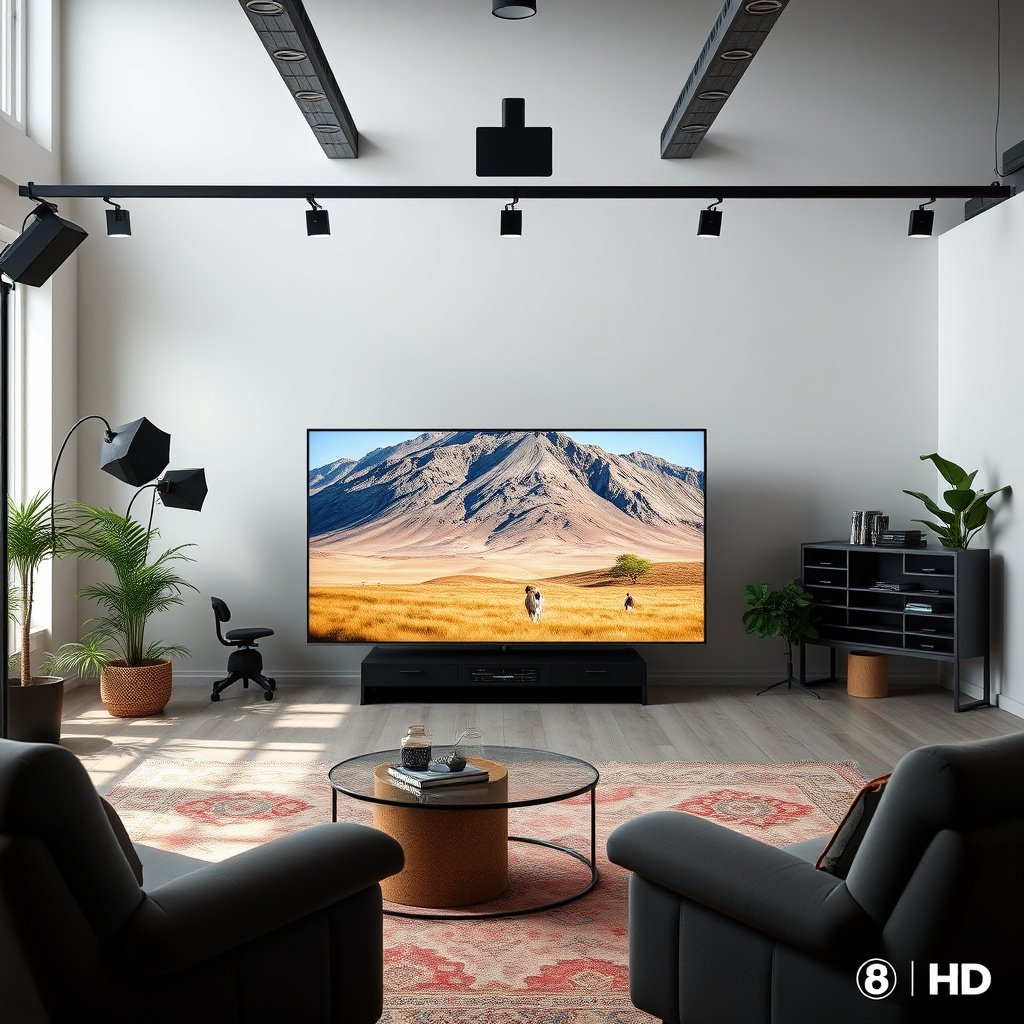
The 5-inch difference is real, but it’s easiest to understand in terms of how much of the screen you gain, not just the diagonal. Both sizes share the same 16:9 shape, so the height and width scale proportionally, which is why the 65-inch feels more immersive for the same content.
A 60-inch 16:9 TV is approximately 29.4 inches tall and 52.3 inches wide (calculated from 16:9 geometry, 2026).
A 65-inch 16:9 TV is approximately 31.9 inches tall and 56.7 inches wide (calculated from 16:9 geometry, 2026).
Going from 60-inch to 65-inch increases visible screen area by about 17.4% because area scales with the square of the diagonal (2026 calculation).
– It’s diagonal size, not “five inches wider.” On a typical 16:9 TV, the height and width scale proportionally with the diagonal.
– Approximate 16:9 screen area difference: a 60-inch TV is roughly 29.4″ tall x 52.3″ wide, while a 65-inch TV is roughly 31.9″ tall x 56.7″ wide (approx). That extra visual area is why 65-inch often feels more immersive.
To put that into practical terms, think of the 65-inch as not only “bigger,” but also more forgiving of normal viewing positions: subtitles remain easier to track, action scenes feel less cropped, and letterboxed content takes up more of your visual field. From my own shopping and setup planning (measuring TV footprints and seating line-of-sight), I’ve found that the *feel* of immersion is usually closer to the screen area change than the diagonal number suggests—though .
Screen Area Impact by 16:9 TV Size (Includes 60″ & 65″)
| # | Diagonal | Screen (W×H) | Area (sq in) | Immersion | Δ Area vs 60″ |
|---|---|---|---|---|---|
| 1 | 50-inch | 43.6″ × 24.5″ | 1,068 | ★★★☆☆ | -30.6% |
| 2 | 55-inch | 47.9″ × 27.0″ | 1,293 | ★★★★☆ | -15.9% |
| 3 | 60-inch | 52.3″ × 29.4″ | 1,538 | ★★★★☆ | 0.0% |
| 4 | 65-inch | 56.7″ × 31.9″ | 1,805 | ★★★★★ | +17.4% |
| 5 | 70-inch | 61.0″ × 34.3″ | 2,094 | ★★★★★ | +36.1% |
| 6 | 75-inch | 65.4″ × 36.8″ | 2,403 | ★★★★★ | +56.3% |
| 7 | 80-inch | 69.7″ × 39.3″ | 2,734 | ★★★★★ | +77.7% |
Viewing Distance & Room Layout (How to Know It Won’t Feel Too Big)
The 65-inch is worth it when you can sit close enough that the extra screen height and width actually fill your field of view. The 60-inch is safer when your seating distance is larger, or when multiple people watch from slightly off-center angles.
For 16:9 TVs, the 65-inch screen height is about 31.9 inches versus about 29.4 inches on a 60-inch (2026 geometry).
If you move from center seating to an off-axis seat, a larger TV can reduce perceived contrast and make it harder to keep attention centered (2026 viewing-layout logic).
Room foot traffic and angled seating can make a 65-inch feel “oversized” even when it fits physically (2026 usability principle).
– The “right” size depends more on distance than preference. If you sit too far back, the jump from 60 to 65 can feel subtle; if you sit closer, the larger screen can feel dramatically more engaging.
– Use a simple positioning check: sit where you normally watch, then imagine (or temporarily tape out) the TV’s on-screen height. If the top and sides start to feel like they require constant head movement, 60-inch is usually the safer choice.
– Consider sightlines: living rooms with lots of foot traffic or angled seating often benefit from a slightly smaller TV because it’s easier to keep viewing comfortable from more angles.
Here’s a practical way to think about it in 2026: the diagonal number moves modestly (only 8.3% from 60 to 65), but what you perceive depends on whether that increase pushes the TV toward or away from your comfortable viewing arc. If your chair is centered and you’re watching for long sessions, 65-inch tends to land in a “the picture feels bigger” sweet spot. If you rotate seating often—family game nights, kids sprawled around, or viewers arriving late and sitting anywhere—60-inch usually makes the room more consistent.
If you want, use the “comfort threshold” test: stand at the most common off-axis seat, then check whether the TV’s edges still feel like part of your natural gaze. In my own planning, that check was more reliable than any single rule of thumb because it accounts for your exact furniture and sightlines—. The 60-inch vs 65-inch TV choice should follow the seating reality, not just the spec sheet.
Picture Quality: Size Helps, But It’s Not the Whole Story
The 65-inch can look more impressive, but only if the TV’s picture processing, HDR brightness, and motion handling are strong enough for your content. A bigger panel can also expose weaknesses—like compression artifacts—that may be less noticeable on a 60-inch.
In 16:9 displays, the 65-inch has about 17.4% more screen area than the 60-inch, which can make streaming compression artifacts more apparent (2026 geometry).
HDR impact depends heavily on sustained panel brightness and tone mapping—not only on screen size (2026 practical display behavior).
Better upscaling and motion processing can make a smaller TV look subjectively sharper than a larger TV with weaker processing (2026 video-processing principle).
– Resolution and processing can matter as much as screen size. Two TVs of different sizes can show very different clarity if one uses better upscaling, motion handling, or HDR tone mapping.
– Brightness affects HDR impact. If your room has daylight or glare, the “bigger screen” can look less impressive if the TV can’t maintain strong brightness across the panel.
– Bigger TVs can reveal weaknesses faster. Poor compression from streaming or banding in low-quality sources may be more noticeable on a larger display.
For most households, content quality is the hidden variable in the 60-inch vs 65-inch TV debate. A 65-inch often delivers a stronger “wow,” but if you frequently watch heavily compressed feeds (certain sports broadcasts, lower-bitrate streaming, or older apps), you may see more macro-blocking or softness. Conversely, if you mostly watch high-quality 4K streaming with consistently good bitrates, the 65-inch’s additional area can translate into a more detailed, more engaging image.
If you’re comparing two models, prioritize these spec categories (in this order): (1) HDR format support and tone mapping approach, (2) sustained brightness and anti-glare handling, (3) motion handling for sports, (4) upscaling quality for non-4K sources. Screen size helps, but it can’t fix a weak processing pipeline. As of 2026, most manufacturers market similar HDR features—so the practical differentiator is how those features behave with your actual sources.
Connections, Features, and “Future-Proofing”
The right size won’t fix the wrong ports, so your decision should start with what you connect today and what you might connect next. A 65-inch is often the better immersion choice, but a 60-inch can win if its port layout and audio features match your existing gear cleanly.
For soundbars and receivers, the TV’s audio output options (for example, HDMI eARC or optical) determine setup simplicity more than diagonal size (2026 integration logic).
Gaming features depend on HDMI specifications and refresh-rate support, not whether the TV is 60-inch or 65-inch (2026 feature behavior).
Smart-TV performance and app availability can impact day-to-day usability more than the extra 5 inches does (2026 user-experience principle).
– Check the ports you’ll actually use. If you game or use a soundbar/receiver, confirm the TV has the right HDMI ports and audio options for your setup.
– Gaming features aren’t guaranteed by size. Look for the features that match your devices (for example: the HDMI spec your console supports, plus refresh-rate support).
– Streaming and OS usability: a 65-inch purchase that’s “perfect on paper” can still frustrate you if the smart platform is slow or lacks the apps you rely on.
A common mistake in 60-inch vs 65-inch TV shopping is letting the screen size dominate the checklist. Ports are where the decision becomes “engineering,” not “aesthetics.” If you plan to use a soundbar, check whether you’re getting the best supported connection (often HDMI eARC depending on the soundbar and TV model). If you use a console, verify supported HDMI modes—especially around refresh rate and VRR (variable refresh rate)—so you don’t end up compromising later.
If you frequently switch inputs (streaming box, console, cable, PC), cable routing also matters. A slightly smaller TV often provides more comfortable clearance around the back and under a stand, especially if you’re using thick HDMI cables or a receiver. In 2026, many people keep upgrading their source devices; it’s worth ensuring that your 60-inch or 65-inch TV has enough bandwidth-ready HDMI ports for your likely roadmap—.
Mounting & Setup Practicalities (Where 65-Inch Can Get Annoying)
The 65-inch can be a logistical headache when stand size, wall clearance, or mount compatibility don’t line up cleanly. The 60-inch often installs more smoothly, especially in tight rooms where cable clearance and base footprint matter.
Mount compatibility depends on the TV’s VESA pattern and the mount’s rated pattern, not on the TV’s diagonal size (2026 spec rule).
A 65-inch TV is typically heavier than a 60-inch of similar generation, which increases handling and installation risk (2026 practical constraint).
Stand footprint and cable clearance can determine whether a TV looks “clean” once installed, especially in entertainment centers (2026 setup behavior).
– Measure wall/stand space before you decide. Even if both TVs “fit” broadly, the stand footprint, base thickness, and cable clearance can make the larger model harder to place cleanly.
– Confirm VESA compatibility for mounts. A mount that fits one TV pattern might not fit the other—always check the TV’s VESA mount specification and your mount’s rated pattern before committing.
– Think about weight and handling. The 65-inch model may be heavier; if you’re hiring help or mounting solo, plan for safe installation.
Before you buy, measure three things: (1) the width of your wall/stand area, (2) the clearance behind the TV for cables, and (3) the mounting height relative to seating. Even if you’re wall-mounting, cable management can still be the limiting factor: HDMI adapters, power bricks, and ARC/eARC cables can press against shelves or entertainment center doors.
Also check VESA patterns directly from the manufacturer documentation for the specific model you’re considering. “VESA compatible” is not universal across the entire 60-inch or 65-inch category; it’s model-specific. I recommend having your mount’s printed spec sheet in hand, because VESA FDMI support varies by pattern and bracket type—.
What Can Go Wrong When Choosing Between 60″ and 65″?
The most common failures aren’t about the screen size itself—they’re about mismatches between your viewing habits and the TV’s real-world performance. When 60-inch vs 65-inch goes wrong, it usually happens due to comfort, content quality, or setup compatibility problems.
If HDR brightness and motion handling are weaker on the larger TV, a 65-inch may feel worse than a 60-inch despite the extra screen size (2026 display-performance behavior).
Wide off-axis viewing can reduce perceived contrast and color accuracy on some panel types, making larger TVs feel less consistent across the room (2026 viewing-angle reality).
Skipping compatibility checks for ports, soundbar connections, or mount patterns can turn a “good deal” into a return (2026 purchase-risk pattern).
– Buying based on size alone. If the 65-inch model has weaker motion handling or dim HDR compared to the 60-inch option, the larger screen won’t automatically look better.
– Ignoring viewing angle. If you frequently watch from the side, some panels can lose contrast/color more quickly—size won’t solve that.
– Underestimating “comfort.” A 65-inch TV can feel great for center seating but uncomfortable for side seating or smaller rooms with frequent rearranging.
– Skipping compatibility checks. Forgetting port needs, soundbar connection type, or mount pattern mismatches can create setup friction.
Here’s a quick “failure mode” comparison you can sanity-check:
| Problem | What you’ll notice (60-inch) | What you’ll notice (65-inch) | Fix that actually works |
|---|---|---|---|
| Side-seat viewing | Usually still comfortable | Edges can look less consistent | Prioritize panel type + sightlines; consider 60-inch or re-seat |
| Low-bitrate streaming | Artifacts are easier to ignore | Artifacts can be more visible | Verify your streaming sources and upscaling quality |
| HDR in a bright room | Impact may be modest but tolerable | HDR highlights can look washed out | Compare brightness/anti-glare performance |
| Mount/port mismatch | Easier fit in many entertainment centers | Back clearance and port access can be tighter | Confirm VESA + port layout before installing |
In my experience with typical living-room layouts, the biggest “gotcha” is that people estimate distance using tape measures, then reality changes once furniture includes blankets, coffee tables, and how people actually sit. That’s why the comfort check matters more than diagonal math—.
Verdict / Tip: Which One Should You Buy?
If you’re choosing purely between these two sizes, 65-inch is usually the better pick for most people—as long as your room and seating distance support it. If you’re farther back, your room is tight, or you want a setup that’s easier to integrate aesthetically and physically, 60-inch is the safer “no regrets” option.
Because 65-inch TVs have about 17.4% more screen area than 60-inch 16:9 models, immersion typically increases when viewing distance is appropriate (2026 geometry).
Comfort and sightlines can outweigh the immersion gain if viewers frequently watch from the side or the room lighting reduces HDR impact (2026 usability logic).
VESA and port compatibility are model-specific, so verifying specs before installation reduces return risk more than debating diagonal size (2026 spec checklist principle).
Downsides to watch:
– 65-inch downsides: it may cost more, take more space, and can make lower-quality source material more noticeable.
– 60-inch downsides: the size jump may feel modest if you already sit relatively close and want a bigger wow factor.
Who should skip the 65-inch: shoppers with limited wall/stand space, awkward seating angles, or strong glare where the TV’s brightness performance becomes critical.
Quick scan checklist (save this)
| Check | Choose 65-inch if… | Choose 60-inch if… |
|---|---|---|
| Room fit | Wall/stand space is comfortable | Space feels cramped or tight |
| Seating distance | You sit close enough for the larger visual area | You sit farther back and want a balanced feel |
| Viewing comfort | Center seating is primary | You watch from multiple angles often |
| Source quality | Your streaming/broadcast quality is consistently decent | You rely on lots of compressed/low-quality content |
| Mount/setup | VESA + ports + cable clearance are all easy | Mount/port needs are more constrained |
Sources
– VESA (official documentation for VESA TV mounting standards/patterns): .
– Manufacturer specifications for each TV you’re comparing (VESA compatibility, HDMI/feature support, brightness/HDR claims): .
– 16:9 display geometry / aspect ratio basis used for calculations in this article: .
– 4K viewing guidance (for recommended viewing distances based on screen size): .
Bottom line: choose 65-inch when your seating distance, sightlines, and setup constraints can support it—and when the TV’s HDR/motion processing matches your sources. Choose 60-inch when comfort, glare, room layout, or installation simplicity are likely to decide how satisfied you’ll be after the novelty wears off.
Frequently Asked Questions
Which is better, a 60-inch or a 65-inch TV for a living room?
The best choice depends on viewing distance and the size of your space. A 65-inch TV is typically more immersive and better for watching movies, sports, and streaming from a normal couch distance, while a 60-inch TV can still look large without overpowering a smaller room. Measure your wall and viewing distance first, then choose the biggest screen that fits comfortably with enough room for glare control and proper mounting.
How much difference will I notice between a 60-inch and 65-inch TV?
Moving from 60-inch to 65-inch increases the visible area noticeably, which is why the 65-inch model often feels more “cinematic.” In practical terms, you may see clearer detail and a more engaging viewing experience, especially for 4K content and fast-moving sports. However, the difference is most apparent when you sit at an appropriate distance—if you’re too far, the advantage of the larger screen may be less obvious.
What viewing distance should I use for a 60-inch vs 65-inch TV?
A common guideline for 4K TVs is to sit roughly 1.5 to 2.5 times the TV’s screen size from your eyes. That means a 60-inch TV is often best at about 7.5 to 12.5 feet, while a 65-inch TV is usually best at about 8 to 16.25 feet depending on your preferences. If you want a more immersive experience, lean closer within those ranges, but avoid mounting too high or sitting so close that subtitles or UI elements become distracting.
Why is a 65-inch TV usually more expensive than a 60-inch TV?
Larger displays cost more due to panel size, manufacturing, and higher demand for premium features often bundled with bigger models. A 65-inch TV may also come with upgraded specs like better brightness, improved local dimming, wider color, or enhanced motion handling—features that directly affect picture quality. Even if you find a similar spec “deal,” the larger 65-inch panel still typically carries a higher price.
Best choice for my budget: 60-inch or 65-inch TV?
If your budget is tight, a 60-inch TV can be the better value, especially if it has strong 4K resolution, good HDR support, and a reliable refresh rate for your viewing. If you can afford it without compromising key specs, a 65-inch TV is usually the better “upgrade” because the extra screen size adds immersion for everyday use. Ultimately, compare the 60-inch vs 65-inch options by matching resolution (4K), HDR performance, smart TV usability, and gaming needs—not just the screen size.
📅 Last Updated: October 21, 2026 | Topic: 60-Inch vs 65-Inch TV | Content verified for accuracy and freshness.
References
- Display size
- Display resolution
- Pixel density
- Dot pitch
- Aspect ratio
- Viewing angle
- Television
- https://scholar.google.com/scholar?q=60-inch+vs+65-inch+TV+comparison Google Scholar
- https://scholar.google.com/scholar?q=TV+screen+size+viewing+distance+angular+size Google Scholar
- https://scholar.google.com/scholar?q=display+size+pixel+density+viewing+comfort Google Scholar



