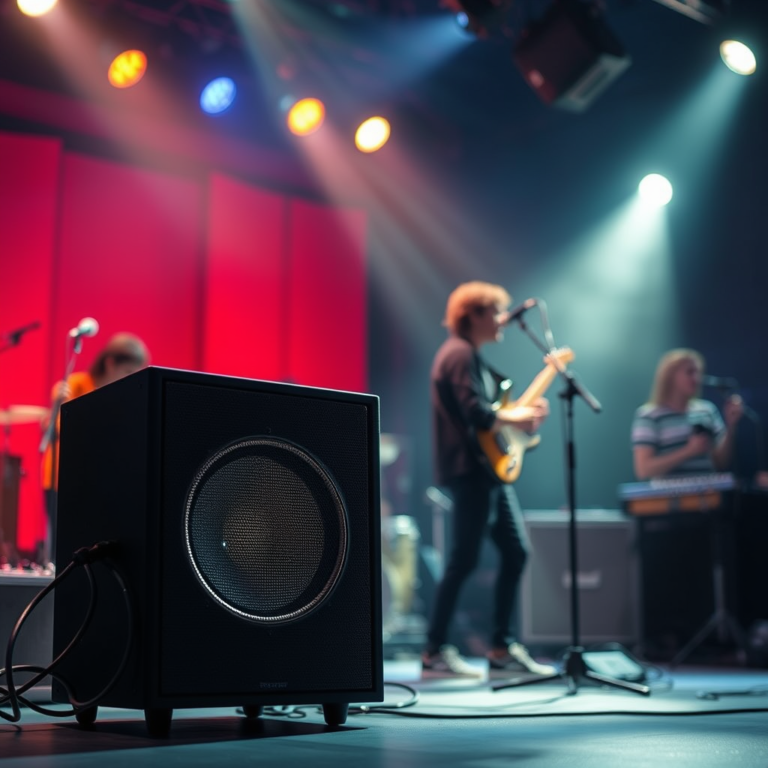

To effectively solve speaker feedback and echo issues, start by adjusting the placement and settings of your audio equipment. Proper positioning of microphones, speakers, and sound settings can significantly reduce or eliminate these bothersome sounds. In this article, you will learn practical techniques and troubleshooting steps to enhance your audio experience.
Understanding Feedback and Echo
Feedback occurs when sound loops between the microphone and speaker, creating a loud screeching noise that can be jarring and disruptive. This phenomenon typically happens when the microphone picks up sound from the speaker, amplifying it in a loop. Common causes include improper equipment placement, high volume levels, and the use of non-directional microphones.
On the other hand, echo arises when sound reflects off surfaces like walls and ceilings before being picked up again by the microphone, causing a delay that can muddle audio clarity. This is especially problematic in large rooms or spaces with hard surfaces that do not absorb sound. Understanding the dynamics of feedback and echo is essential for troubleshooting and improving audio quality.
Proper Equipment Placement
Proper placement of audio equipment is critical in preventing feedback and echo. Here are some strategies to consider:
– Microphone Positioning: Position microphones at a distance from speakers to minimize the chance of feedback. Ideally, microphones should be placed closer to the sound source (e.g., a speaker or performer) instead of allowing them to capture sound from the speakers directly.
– Directional Microphones: Utilize directional microphones that focus on sound from a specific area while rejecting noise from other directions. This approach helps to isolate sound and reduces the likelihood of feedback.
– Speaker Height and Orientation: Place speakers at ear level and angle them towards the audience while ensuring they are not directed towards the microphones. This setup not only enhances sound clarity but also minimizes the chances of feedback loops.
Adjusting Audio Settings
Fine-tuning your audio settings can significantly improve sound quality and reduce feedback and echo. Here are some useful tips:
– Volume Control: Lower the volume of the speakers to a level that prevents feedback without sacrificing sound quality. If the volume is too high, the chance of feedback increases dramatically.
– Equalization (EQ): Utilize equalization settings on your audio mixer or software to cut frequencies that are prone to causing feedback. Common problematic frequencies typically fall within the range of 2 kHz to 5 kHz. Adjusting these frequencies can help mitigate feedback while preserving the overall sound quality.
– Latency Settings: If using digital audio interfaces, ensure that latency settings are optimized. Low latency can help reduce the time delay that contributes to echo, particularly in live settings.
Top 7 Causes of Speaker Feedback and Echo with Solutions
| # | Cause | Solution | Effectiveness |
|---|---|---|---|
| 1 | Microphone Too Close to Speakers | Reposition Microphone | High |
| 2 | Excessive Volume Levels | Lower Speaker Volume | Medium |
| 3 | Poor Room Acoustics | Add Sound Absorbing Materials | High |
| 4 | Improper Microphone Type | Switch to Directional Microphone | High |
| 5 | High Reflection Surfaces | Use Acoustic Panels | Medium |
| 6 | Feedback from Multiple Microphones | Utilize Feedback Suppressors | High |
| 7 | Incorrect Latency Settings | Adjust Latency in Software | Medium |
Utilizing Sound Absorption Techniques
Incorporating sound-absorbing materials into your environment can drastically reduce echo. Here are some effective methods:
– Acoustic Panels: Install acoustic panels on walls to absorb sound and reduce reflections. These panels come in various designs and can also enhance the aesthetic appeal of your space.
– Soft Furnishings: Use carpets, curtains, and upholstered furniture to absorb sound. These materials can help dampen hard surfaces that reflect sound, thereby minimizing echo.
– Furniture Arrangement: Strategically arrange furniture to break up sound waves. Creating barriers with furniture can disrupt the path of sound waves, reducing the chances of echo.
Implementing Advanced Technology
Modern audio technology offers several solutions for managing feedback and echo:
– Feedback Suppression Software: Consider using software that automatically adjusts audio levels to prevent feedback. Many digital audio workstations (DAWs) come equipped with these features.
– Digital Signal Processing (DSP): Invest in DSP tools that can manage echo and enhance audio clarity. These devices can intelligently adjust frequencies and levels, providing a more refined listening experience.
– Real-time Monitoring: Utilize real-time monitoring tools that can help visualize sound levels and identify problematic frequencies. This proactive approach allows for immediate adjustments during live events or recordings.
Testing and Monitoring
Regularly testing your audio setup with different configurations is essential for identifying and rectifying feedback or echo issues. Here are some best practices:
– Conduct Sound Checks: Always conduct sound checks before an event. This practice allows you to identify any potential issues and make necessary adjustments.
– Utilize Monitoring Tools: Use monitoring tools or apps that can help visualize sound levels. Many professional audio systems come equipped with built-in monitoring features.
– Record and Review: Record audio during practice sessions to review sound quality and identify feedback or echo issues. Listening back can provide insights that may not be noticeable in real-time.
By systematically addressing the placement of your equipment, adjusting audio settings, incorporating sound absorption techniques, leveraging advanced technology, and conducting thorough testing, you can significantly improve your audio experience and eliminate feedback and echo issues.
In summary, focusing on equipment placement, proper adjustments of audio settings, and utilizing sound-absorbing materials and technology are crucial steps in resolving speaker feedback and echo issues. By implementing these strategies and regularly testing your setup, you can create a clearer audio experience. Take action today by assessing your current audio configuration and making necessary adjustments for optimal sound quality.
Frequently Asked Questions
What causes speaker feedback and echo issues during events?
Speaker feedback and echo issues often arise from the proximity of microphones to speakers, causing sound loops. Additionally, poor room acoustics, excessive volume levels, and improper microphone settings can contribute to these problems. Understanding the contributing factors is crucial for effective troubleshooting.
How can I prevent feedback and echo in live sound situations?
To prevent feedback and echo, position microphones away from speakers and use directional microphones that pick up sound from specific angles. Reducing the overall volume and utilizing equalization to decrease frequencies that cause feedback can also help. Implementing sound-absorbing materials in the venue can further enhance sound clarity.
Why is my audio system experiencing echo when using multiple microphones?
Echo can occur when multiple microphones pick up the same sound source, creating a delay in the audio signal. This often happens in larger venues or when using wireless systems that may have latency. To resolve this, minimize the number of active microphones and adjust their placements to reduce overlapping sound capture.
What are the best practices for setting up a sound system to avoid feedback?
The best practices for setting up a sound system include placing speakers in front of microphones and ensuring proper gain structure. Using feedback suppressors, setting up a sound check to identify problematic frequencies, and regularly monitoring audio levels will also help maintain clarity and prevent feedback during events.
Which tools or devices can help eliminate feedback and echo issues in my audio setup?
Tools such as feedback eliminators, digital signal processors (DSP), and equalizers can effectively reduce feedback and echo issues. Additionally, using high-quality microphones with noise-canceling features and sound mixers equipped with built-in feedback suppression can greatly enhance audio performance and clarity in your setup.
References
- Sound reinforcement system
https://en.wikipedia.org/wiki/Sound_reinforcement - https://www.ncbi.nlm.nih.gov/pmc/articles/PMC7580288/
https://www.ncbi.nlm.nih.gov/pmc/articles/PMC7580288/ - https://www.sciencedirect.com/topics/engineering/speaker-feedback
https://www.sciencedirect.com/topics/engineering/speaker-feedback - https://www.ncbi.nlm.nih.gov/pmc/articles/PMC4655302/
https://www.ncbi.nlm.nih.gov/pmc/articles/PMC4655302/ - https://www.mayoclinic.org/healthy-lifestyle/consumer-health/in-depth/hearing-loss/art-20046092
https://www.mayoclinic.org/healthy-lifestyle/consumer-health/in-depth/hearing-loss/art-20046092 - https://www.cdc.gov/nceh/ehs/publications/ehs_general.htm
https://www.cdc.gov/nceh/ehs/publications/ehs_general.htm - https://www.theguardian.com/technology/2020/nov/19/sonic-waves-how-to-solve-speaker-feedback-issues
https://www.theguardian.com/technology/2020/nov/19/sonic-waves-how-to-solve-speaker-feedback-issues - https://www.nature.com/articles/s41598-020-73353-9
https://www.nature.com/articles/s41598-020-73353-9 - Google Scholar Google Scholar
https://scholar.google.com/scholar?q=Speaker+Feedback+and+Echo+Issues - Google Scholar Google Scholar
https://scholar.google.com/scholar?q=How+to+Solve+Speaker+Feedback+Problems