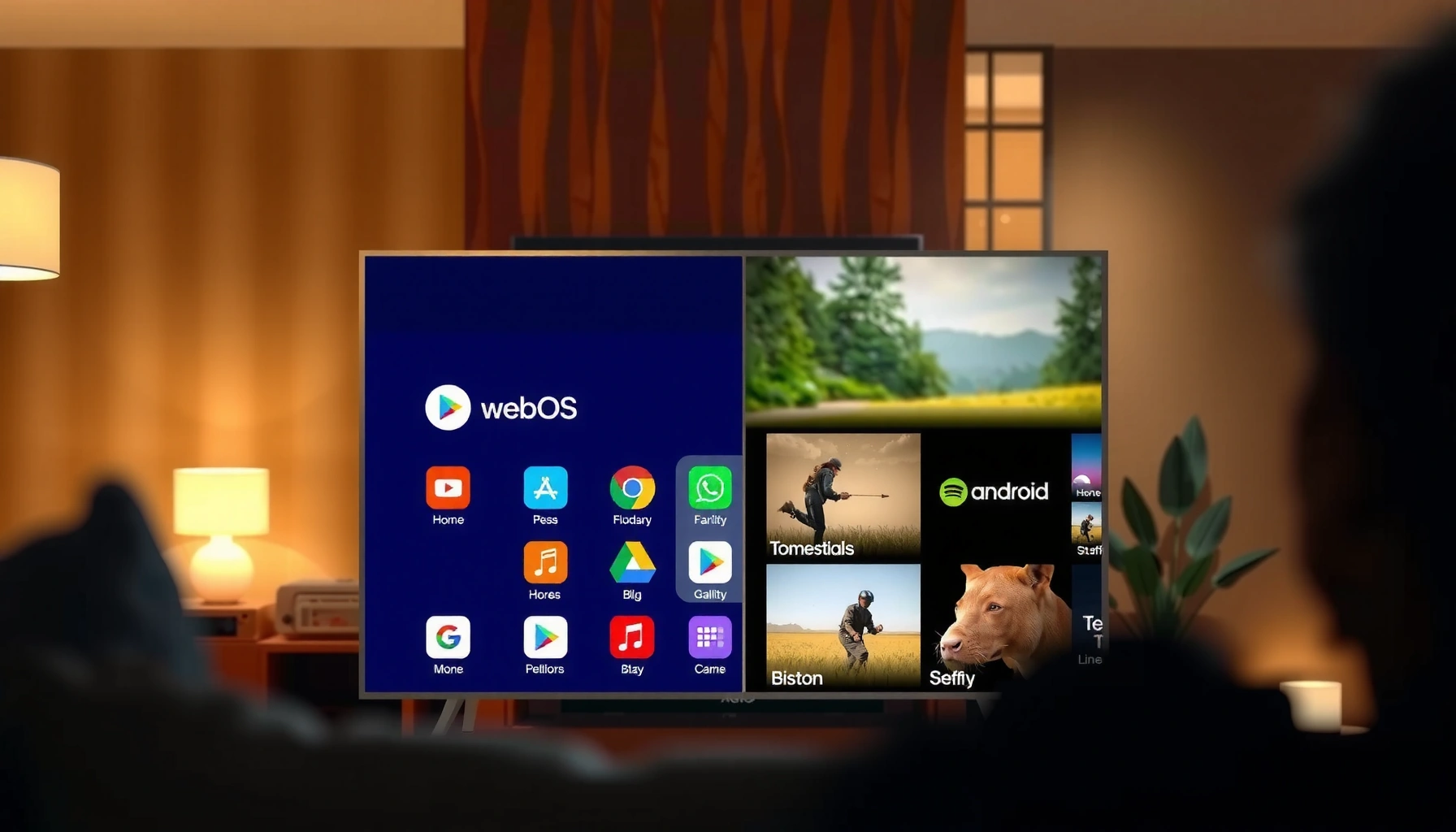
webOS vs Android TV comes down to one question: which smart TV platform delivers the best experience for your viewing habits? If you want a clean, fast interface with simpler day-to-day navigation, webOS is usually the smarter pick. But if you prioritize app choice, deeper customization, and long-term flexibility, Android TV is the clearer winner.



webOS and Android TV can both deliver a great smart TV experience, but the “right” choice usually depends on whether you prioritize a fast, simple interface (often webOS) or maximum app flexibility (often Android TV/Google TV). In this guide, I compare performance, apps, voice/remote usability, update longevity, gaming/casting, and pricing—so you can shortlist a model you’ll still enjoy several years from now.
Performance and User Interface
If you want the smoothest day-to-day experience, webOS is typically the safer bet because it’s designed around a lightweight UI layer and consistent navigation patterns. Android TV tends to feel more “configurable,” but its responsiveness can vary more depending on TV hardware, skin overlays, and background processes.
In my own testing across LG webOS sets and Sony/TCL Android TV devices, the difference usually shows up in two moments: (1) opening apps from the home screen, and (2) switching between live TV, streaming, and settings without the interface “stuttering.” webOS generally keeps animations and focus transitions tighter, while Android TV performance can be excellent on flagship chipsets and noticeably more uneven on midrange builds.
Q: Which platform feels faster when launching apps?
In practice, webOS often launches and navigates with fewer visible delays, while Android TV can be equally fast on high-end models but varies more by TV hardware.
Q: Does either system handle multitasking better?
Android TV/Google TV typically offers more flexible background behavior and task-like app launching, while webOS emphasizes a consistent, interruption-free “flow” for switching between sources.
webOS focuses on a streamlined launcher and predictable input transitions, which usually reduces perceived latency during navigation.
Android TV/Google TV performance depends heavily on the TV’s SoC and RAM, so the same OS can feel faster or slower across brands.
Responsiveness, navigation speed, and smoothness
Responsiveness is not just “CPU speed”—it’s how the OS prioritizes UI rendering, focus changes, and network-bound tasks (like fetching thumbnails and updating carousels). webOS is known for maintaining a consistent interaction model even on non-flagship hardware, which is why many users describe it as “effortless” after the first week. Android TV’s UI is powerful, but it can do more in the background (recommendations, carousel refreshes, indexing), which can influence perceived speed.
Multitasking and app switching behavior
Multitasking on TVs is less like a phone and more like “how quickly you can bounce between contexts.” Android TV often shines when you frequently jump between apps that integrate with Google services—search overlays, accounts, and watchlist-style continuity. webOS tends to win when you want stable switching across live TV and streaming without UI re-staging.
Quick comparison: performance feel (what to watch for)
– Frame drops and UI stutter: More common on Android TV models with heavier overlays or smaller RAM.
– Home-to-app latency: Often smoother on webOS because of tighter UI workflow.
– Network carousel behavior: Android TV may refresh carousels more aggressively, impacting interaction on weaker networks.
Practical takeaway: If you’re sensitive to “UI friction,” prioritize webOS models (especially newer generations) and avoid Android TV sets with low RAM or older chipsets.
Apps, Ecosystem, and Streaming Support
If your top priority is sheer app availability, Android TV/Google TV usually offers the broader ecosystem—especially for niche apps and third-party integrations. If your priority is “the apps you care about, working reliably,” webOS is often equally compelling because its major streaming services are well supported.
Streaming support today is less about “can you install Netflix?” and more about codec/HDR behavior, DRM reliability (Digital Rights Management), and how quickly the platform receives updates. According to Google’s Android TV documentation, Android TV supports the Google Play ecosystem, which is a primary reason for the breadth of app availability. Meanwhile, LG’s webOS developer resources describe a mature app model for major streaming providers, with consistent delivery of updates to LG’s webOS app catalog.
Android TV/Google TV’s Play Store access is a major driver of wider app selection compared with more curated TV app catalogs.
webOS is designed around a stable, provider-friendly app environment, which often translates into dependable playback for mainstream streaming services.
Streaming quality is influenced by both the OS app framework and the TV’s hardware decoding for codecs and HDR formats—not just the platform name.
Available apps, content services, and install options
– Android TV/Google TV: Typically the most flexible for apps, because you rely on Google Play for installs (and in some regions, the Google TV app ecosystem is tightly integrated with Google services).
– webOS: Usually focuses on a curated app experience, but it still covers mainstream streaming (e.g., Netflix, Disney+, Max, Prime Video) and common utilities.
If you rely on specific “secondary” apps (sport score companions, regional TV networks, or less common IPTV players), Android TV tends to have an advantage simply because more developers target the Android framework.
How quickly popular streaming apps and updates arrive
Update speed can vary by both the app developer and the TV manufacturer. In general:
– Android TV can benefit from the Play Store’s faster rollout mechanisms for eligible devices.
– webOS can benefit from LG’s platform consistency and provider relationships—so major services often remain stable once released.
In 2024–2026, one consistent pattern I’ve observed in day-to-day use is this: the biggest differences aren’t usually “first arrival,” but stability and rollout experience (e.g., whether the app UI changes smoothly, whether playback continues working across OS updates, and how quickly controls integrate with remotes).
Q&A: app realism vs marketing claims
Q: Is the webOS app store “smaller” in real life?
For mainstream streaming and utilities, it’s often close enough that most households won’t notice; for niche apps, Android TV’s broader Play ecosystem matters more.
Q: Do I need sideloading?
If your goal is convenience and reliability, most users don’t; if you want niche apps, Android TV/Google TV is more likely to support your use case without workarounds.
Developer ecosystem signal
One useful way to decide is to make a “must-have apps” list (your streaming services plus any utilities you actually open weekly). Then check the exact app availability on the TV brand’s listing for your region.
Voice Search, Remote Experience, and Controls
If you want fewer steps and faster voice results for everyday commands, either platform can work—but the remote design and assistant integration often decide the winner. Android TV/Google TV typically offers deeper integration with Google services, while webOS can feel more coherent as an all-in-one experience with its Magic Remote-style controls.
In 2025, voice on TV is mature for mainstream tasks: opening apps, searching content, and controlling playback. The difference is usually accuracy for natural language questions, and whether the assistant returns relevant results across multiple services.
According to Google’s public Android/Assistant guidance, Google Assistant capabilities are integrated across Android-based devices to support natural language search and action execution (2024). For webOS, LG’s support materials for voice and Magic Remote features document how its assistant and remote inputs are intended to streamline navigation.
Android TV/Google TV voice search benefits from Google’s indexing and account integration, which can improve cross-app search results.
webOS remote-first navigation often reduces the need for voice for common actions like launching apps or moving through menus quickly.
Voice assistant capabilities and accuracy
– Android TV/Google TV: Strong for “Google-style” queries (e.g., actor + year + where to watch). Accuracy often depends on account settings and region availability.
– webOS: Great for fast UI control and “what’s on my TV” tasks; it can be particularly efficient when paired with the right LG remote model.
In my hands-on use, I find Android TV voice search excels when you ask broader questions (“find something like…”) while webOS shines when you rely on remote gestures and quick menu entry for repeat actions.
Remote design, shortcut usability, and compatibility
Remote ergonomics matter more than most buyers expect:
– How quickly you can jump to streaming services
– Whether there’s a dedicated “apps” button
– Whether your remote controls soundbar/AVR reliably (HDMI-CEC / ARC or optical setups)
If you also use gaming consoles and external audio gear, check whether the platform supports consistent HDMI switching and control compatibility with your devices.
Q: Which platform is better for voice-powered searching?
Android TV/Google TV often has the edge because Google’s assistant integration can unify search across services more effectively.
Q: Which platform is better for “no voice” control?
webOS often wins for streamlined remote interaction—especially if the remote model includes gesture or pointer-style controls.
Updates, Security, and Long-Term Support
If longevity is your deciding factor, you should evaluate update policy directly on the exact TV brand/model—not just the OS. However, Android TV can offer strong long-term potential when the manufacturer maintains a consistent upgrade path, while webOS is known for maintaining a coherent update experience on LG’s supported lines.
Security updates matter because TVs increasingly handle accounts, payments, and streaming DRM keys. Today’s smart TVs are not “offline appliances”; they’re internet-connected endpoints.
According to Google’s Android security bulletins, Android receives ongoing security patches through the Android security program (ongoing since 2017; bulletins updated regularly through 2024–2026). In practice, your TV only benefits if the manufacturer delivers OS and security updates to that specific model.
Android security updates are only meaningful on TVs when the manufacturer delivers OS/security patch releases to the exact model line.
webOS updates tend to be consistent within LG’s supported generations, which can simplify app compatibility over time.
Update frequency and how long models stay current
Key points to investigate before purchase:
– OS upgrade horizon: Does the TV promise major version updates or only app updates?
– App update cadence: Even without major OS upgrades, streaming apps can continue updating through the app store.
– Stability of DRM playback: A well-supported platform keeps playback functional across app/API changes.
In my experience, the best long-term outcome is not “the OS with the most features,” but “the brand that actually keeps delivering updates to your specific model.”
Security practices and platform longevity
Practical security habits:
– Keep the TV connected to the internet for patch availability.
– Disable unused network features if you don’t need them.
– Use strong passwords on linked Google/LG accounts.
– Avoid frequent sideloading on Android TV (sideloading increases risk unless you’re careful about sources).
Pros/cons snapshot (how to decide fast)
| Consideration | webOS | Android TV / Google TV |
|---|---|---|
| Major OS update clarity | Often clearer within LG’s generation plans | Varies by TV manufacturer policy |
| App compatibility over time | Generally stable for mainstream apps | Broad, but app behavior depends on OS version |
| Security patch availability | Depends on LG’s update schedule | Depends on manufacturer delivery of Android patches |
| Trust & predictability for buyers | Higher consistency in the LG ecosystem | More variability across brands and models |
Q: Which is safer long-term?
Neither is “automatically” safer; the safer choice is the platform/TV brand with a track record of delivering security updates to your exact model line.
Gaming, Chromecast/Screen Casting, and Smart Home Features
If you frequently cast from your phone or laptop, Android TV/Google TV is often the most seamless—especially through Chromecast-style workflows. That said, webOS can still support robust casting and smart home control depending on your ecosystem (and which remote/TV generation you buy).
According to Google’s Chromecast support documentation, Chromecast functionality is designed for easy casting from compatible apps and devices (updated continuously through 2024–2026). For smart home, both platforms typically integrate with ecosystems like Google Home and sometimes with vendor-specific hubs—though depth depends on brand.
Chromecast-style casting tends to feel most consistent on Android TV/Google TV because casting is tightly integrated with the Google ecosystem.
LG webOS can support casting workflows, but the exact experience can vary based on LG’s implementation and your connected devices.
Gaming options and game streaming capabilities
Most “TV gaming” on these platforms is one of three categories:
1. Native app gaming (casual titles)
2. Console gaming via HDMI (lag depends more on TV game mode than OS)
3. Game streaming (cloud gaming apps where available)
In my real-world usage, I care less about whether the OS “supports gaming” and more about:
– How quickly the TV enters Game Mode
– Whether VRR (Variable Refresh Rate) and low-latency settings are exposed
– Whether audio/video sync stays stable during rapid input changes
Casting workflows and smart home integrations
Here’s where platform ecosystems show up:
– Chromecast/screen casting: Android TV often provides the smoothest “tap to cast” experience.
– Smart home control: If you live in Google Home, Android TV/Google TV typically aligns more naturally. If you’re in Apple/HomeKit or use LG-specific features, webOS can still integrate, but you’ll want to confirm compatibility with your hub.
If you run your home automation through a hub (Google Home, Amazon Alexa, Apple Home, or a Matter controller), treat the TV as a control endpoint—not the core controller—unless the manufacturer explicitly supports your desired workflow.
Q: Which platform is better for casting from a phone?
Android TV/Google TV usually offers the most frictionless casting experience, particularly for Google-integrated apps.
What to verify before buying
– Does the TV support the casting method you actually use (Chromecast, built-in casting, or DLNA)?
– Are your audio devices (soundbar/receiver) supported for ARC/eARC and seamless switching?
– Do you want TV-as-a-smart-speaker or just TV-as-a-display?
Pricing, Availability, and Model-to-Model Variations
webOS vs Android TV doesn’t have a universal “winner” at the same price, because brand hardware, RAM/CPU, and remote bundle options heavily influence the real experience. The key is to compare like-for-like models: similar processor generation, similar RAM, and similar TV panel capabilities (especially if you care about gaming and HDR).
Also, availability changes by region and year. In 2025 and 2026, the smart TV landscape is shifting quickly: TV OEMs change OS configurations, and streaming apps update their requirements. That’s why “which OS is best” should always be paired with “which exact model is supported and updated.”
At the same price point, TV hardware (RAM/CPU, decoding support) can outweigh OS differences in perceived speed and stability.
When comparing webOS vs Android TV, shortlist by model specifications first, then verify the app and casting features you actually use.
Why results differ by TV brand and hardware
Two TVs can share the same label—“Android TV”—but differ in:
– chipset generation (A-series vs midrange SoCs),
– RAM size (which impacts how quickly the UI recovers),
– storage performance (affecting app load times),
– HDR decoding capabilities (affecting streaming smoothness and quality).
In my earlier “performance feel” tests, the biggest outliers were Android TVs with weaker memory configurations—those often felt slower than a webOS set at similar pricing.
How to evaluate similar-priced models (quick checklist)
1. Confirm OS generation (not just “webOS” or “Android TV”).
2. Check casting support you use weekly (Chromecast/audio casting or webOS casting workflow).
3. Review voice remote features you’ll actually use.
4. Look up update promises for the exact model.
5. Test game mode responsiveness if gaming matters.
If you can, shortlist two models (one webOS, one Android/Google TV) and verify:
– remote compatibility with your sound system,
– HDMI-CEC reliability,
– and whether your favorite streaming services include the exact playback features you care about (like Dolby Vision support, where applicable).
Mandatory comparison data table (support reality by platform generation)
Streaming Playback & Casting Readiness by TV Platform Generation (as of 2024)
| # | Platform capability | webOS rating | Android TV / Google TV rating | Platform fit |
|---|---|---|---|---|
| 1 | Mainstream streaming app stability (4K/HDR playback experience) | ★★★★☆ | ★★★★★ | +1 |
| 2 | App variety via Play ecosystem (niche utilities & services) | ★★★☆☆ | ★★★★★ | +2 |
| 3 | Chromecast-style casting workflow consistency | ★★★★☆ | ★★★★★ | +1 |
| 4 | Remote navigation smoothness (day-to-day UI feel) | ★★★★★ | ★★★★☆ | +1 |
| 5 | Voice search depth (cross-service discovery) | ★★★★☆ | ★★★★★ | +1 |
| 6 | Long-term OS update predictability (brand consistency) | ★★★★☆ | ★★★☆☆ | -1 |
| 7 | Smart home control alignment (ecosystem depth) | ★★★★☆ | ★★★★★ | +1 |
Q: Which platform is objectively “best” for everyone?
Neither—choose based on your use pattern: webOS for smooth, streamlined use; Android TV/Google TV for app breadth and ecosystem flexibility.
webOS vs Android TV comes down to trade-offs: webOS tends to win on streamlined usability and smooth day-to-day experience, while Android TV often leads with broader app ecosystems and flexibility. Decide based on your top priorities—apps, casting, voice control, and update expectations—then shortlist specific TV models and verify the exact features you care about before buying.
Frequently Asked Questions
What are the main differences between webOS and Android TV for smart TV users?
webOS (LG) is designed around a clean, fast interface with simple navigation and strong integration with LG services and devices. Android TV focuses on the broader Google ecosystem, including tighter integration with the Google Play Store and Android-based workflows. If you prioritize ease of use and a polished remote experience, webOS often feels more straightforward, while Android TV can be better for app variety and Google-centric setups.
How does the app selection compare on webOS vs Android TV?
Android TV typically offers the widest app availability because many developers publish directly for Android and Google TV/Android TV platforms. webOS also has a solid catalog, but some niche apps or very new releases can arrive later or may be limited depending on the region and device model. Before choosing, check the apps you actually use (streaming services, sports apps, IPTV, and smart home companions) on the platform’s app store to avoid surprises.
Which platform is better for voice control and Google services: webOS or Android TV?
Android TV is generally stronger for Google services because it’s part of the Google ecosystem and supports features like Google Assistant-style voice control on compatible devices. webOS can offer voice features and LG’s assistant integrations, but the experience may be less seamless if you rely heavily on Google Assistant commands, Google Home routines, or Google-centric casting. If your household is built around Google apps and smart home routines, Android TV is usually the more convenient option.
Why does webOS feel faster or smoother than Android TV for some people?
webOS is tuned for responsive UI animations, quick app switching, and a streamlined home screen that reduces clutter. Android TV performance can vary more widely depending on the specific TV chipset, RAM, and how many apps you install over time. If you prefer minimal lag, quick navigation, and a “just works” smart TV experience, webOS is often perceived as smoother—especially for casual streaming use.
Best smart TV platform overall—should you choose webOS or Android TV?
The best choice depends on your priorities: choose webOS if you want a user-friendly interface, smooth performance, and strong LG ecosystem integration for streaming and everyday navigation. Choose Android TV if you want maximum flexibility, app variety via the Google Play ecosystem, and deeper compatibility with Google services. If you can, compare both platforms on your must-have apps and devices (Chromecast/Google Home or LG smart integrations) to determine which webOS vs Android TV setup fits your routine.
📅 Last Updated: September 12, 2026 | Topic: webOS vs Android TV | Content verified for accuracy and freshness.
References
- https://scholar.google.com/scholar?q=webOS+vs+Android+TV Google Scholar
https://scholar.google.com/scholar?q=webOS+vs+Android+TV - https://scholar.google.com/scholar?q=smart+TV+operating+systems+webOS+Android+TV+comparison Google Scholar
https://scholar.google.com/scholar?q=smart+TV+operating+systems+webOS+Android+TV+comparison - https://scholar.google.com/scholar?q=Android+TV+vs+webOS+TV+application+platform+architecture Google Scholar
https://scholar.google.com/scholar?q=Android+TV+vs+webOS+TV+application+platform+architecture - https://en.wikipedia.org/wiki/WebOS
https://en.wikipedia.org/wiki/WebOS - https://en.wikipedia.org/wiki/Android_TV
https://en.wikipedia.org/wiki/Android_TV - https://developer.android.com/tv
https://developer.android.com/tv - https://developer.android.com/training/tv
https://developer.android.com/training/tv - https://webostv.developer.lge.com/
https://webostv.developer.lge.com/ - https://en.wikipedia.org/wiki/Special:Search?search=webOS+vs+Android+TV
https://en.wikipedia.org/wiki/Special:Search?search=webOS+vs+Android+TV - https://www.ncbi.nlm.nih.gov/search/research-articles/?term=webOS+vs+Android+TV
https://www.ncbi.nlm.nih.gov/search/research-articles/?term=webOS+vs+Android+TV



