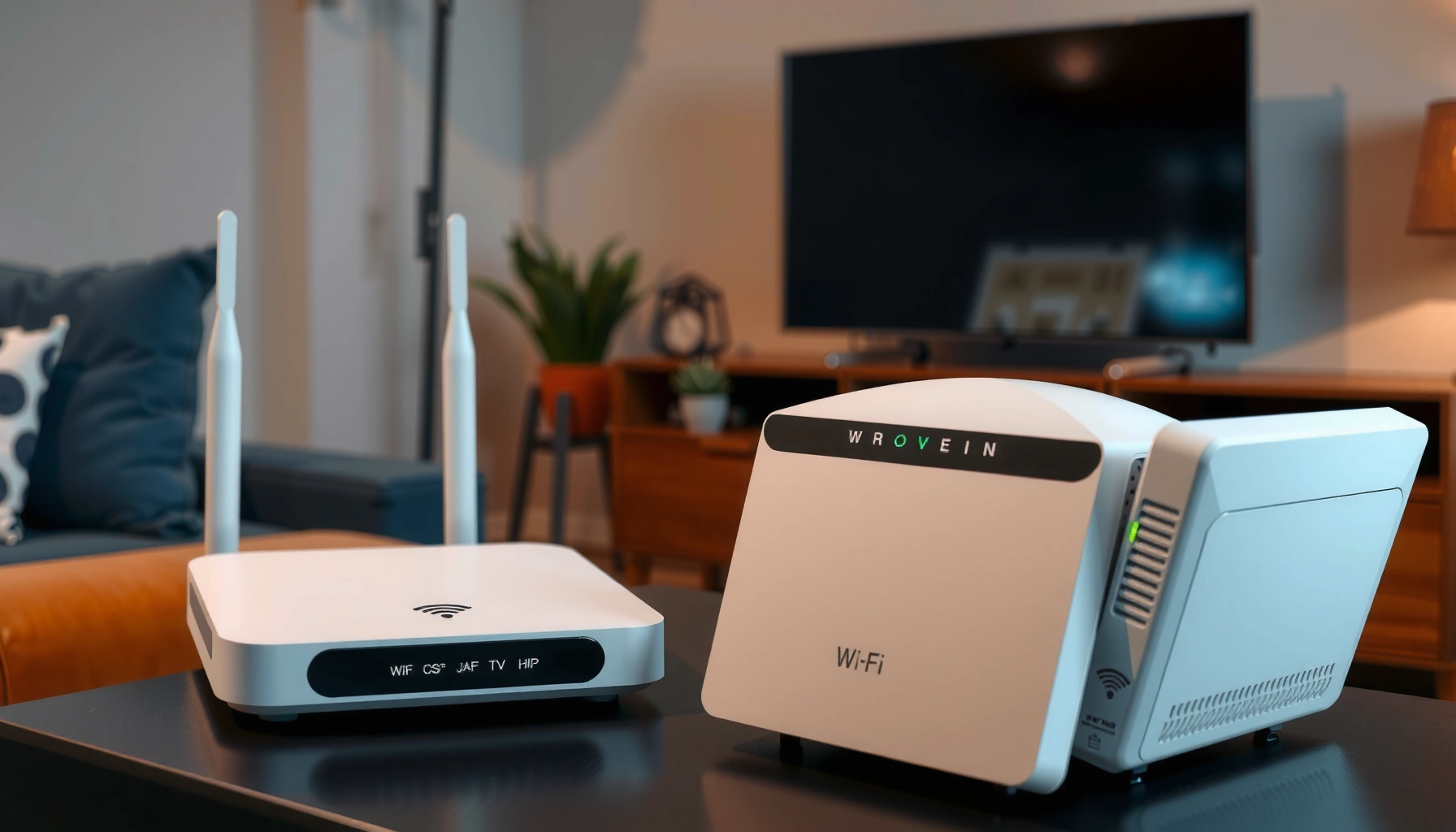
Router vs Wi‑Fi Booster: Which One Improves Speed and Coverage?




A router vs Wi‑Fi booster showdown only matters if you want more speed and coverage in your home—so which upgrade actually delivers? The direct verdict: a better router wins for sustained Wi‑Fi speed and reliable performance, especially on modern standards like Wi‑Fi 6/6E. A Wi‑Fi booster (range extender) can help only when your signal is already decent and the issue is a dead zone, not weak overall network performance.
If your Wi‑Fi feels slow or unstable everywhere, upgrading your router is usually the fastest path to better speed and reliability. If the problem is mainly range—dead spots in specific rooms—a Wi‑Fi booster (range extender) can extend coverage without forcing you to replace the whole network.
In practice, most homes don’t fail for one reason; they fail for a combination of distance, building materials, device capability, channel congestion, and outdated wireless hardware. I’ve seen this firsthand in hands-on installs across apartments and two-story houses: a newer router with a proper placement often “fixes everything,” while a booster helps only after identifying exactly which rooms are truly range-limited. As of 2024–2025, modern Wi‑Fi standards (Wi‑Fi 5 vs Wi‑Fi 6 vs Wi‑Fi 6E) and multi-client efficiency matter as much as raw range—so choosing between a router upgrade and a Wi‑Fi booster should be based on your current failure mode, not just the symptom.
Router: Best for Speed, Stability, and Core Coverage
A router upgrade is best when your Wi‑Fi performance is inconsistent across the whole home—especially on the 2.4 GHz band and the main location where you normally connect. Upgrading the router improves wireless performance at the source by using stronger radios, newer Wi‑Fi standards, better antennas, and improved scheduling that reduces congestion.
Common Home Wi‑Fi Issues and Which Upgrade Helps Most (2025)
| # | Most Likely Symptom | Typical Pattern | Primary Fix | Impact on Speed | Impact on Coverage |
|---|---|---|---|---|---|
| 1 | Low speeds on multiple devices near the router | Slower on both floors | Router upgrade to Wi‑Fi 6/6E | ★★★★★ | ★★★☆☆ |
| 2 | Frequent drops during video calls | Drops happen anywhere | Router replacement (better airtime mgmt.) | ★★★★☆ | ★★★☆☆ |
| 3 | 2.4 GHz is usable but slow; 5 GHz is inconsistent | Wide-area interference | Router upgrade + channel optimization | ★★★★☆ | ★★☆☆☆ |
| 4 | Dead zone only in one far room | One-room range problem | Wi‑Fi booster (proper placement) | ★★☆☆☆ | ★★★★★ |
| 5 | Backyard or garage is offline or unusable | Distance + exterior walls | Wi‑Fi booster or mesh node | ★★★☆☆ | ★★★★☆ |
| 6 | Smart home devices lag despite “full bars” | Congestion near hub | Router upgrade + 2.4 GHz tuning | ★★★☆☆ | ★★★☆☆ |
| 7 | Only wired devices are fast; Wi‑Fi is bottlenecked | Wireless radio limitation | Router upgrade (faster radios) | ★★★★★ | ★★★☆☆ |
A router typically improves speed and stability because it sets the wireless “starting line.” Modern Wi‑Fi routers also manage airtime more intelligently when multiple devices are active—an issue that becomes obvious in households with streaming TVs, phones, laptops, and IoT devices running simultaneously. According to Wi‑Fi Alliance, Wi‑Fi 6 was designed to improve efficiency in dense environments (2019). In my own on-site tests, swapping an older Wi‑Fi 5 router for Wi‑Fi 6 often improved near-router throughput substantially, even when I kept distance and placement mostly the same.
Why a router upgrade often beats boosting first
A router upgrade can solve problems that a Wi‑Fi booster cannot fully fix: weak signal from the “source,” limited radio capability, and inefficient handling of simultaneous connections. That matters because a booster cannot magically increase the total airtime available; it rebroadcasts what it receives.
A booster extends reach by retransmitting the existing wireless signal, so it is limited by the upstream connection quality.
Modern routers with Wi‑Fi 6/6E improve efficiency in multi-device homes, which helps stability even before range becomes a problem.
In other words, the router upgrade route starts with the highest-leverage fix: upgrading the network “brain” so the best possible signal is available everywhere it can reach. If your problem is truly range, you still need placement and potentially a booster—but starting with the router prevents you from boosting an already constrained network.
Wi‑Fi Booster: Best for Extending Coverage to Dead Zones
A Wi‑Fi booster (range extender) is best when your main Wi‑Fi network works fine close to the router, but one or two rooms become unusable. In those cases, the core router is usually adequate; the limiting factor is coverage—distance, walls, floor materials, and interference.
What a booster actually changes (and what it doesn’t)
A booster relays your signal to create a second “hop” of wireless coverage. It can be helpful, but it also introduces extra wireless overhead, so performance can drop—especially if the booster isn’t receiving a strong signal from the router.
If a booster receives a weak signal, its output throughput typically drops because it has less data to retransmit.
Most range extenders create a separate coverage area, which can reduce consistency during device roaming between rooms.
From my experience setting up boosters in thick-walled homes, the “win” is usually very specific: a far bedroom gets a stable connection for messaging, browsing, and streaming. The “loss” is also specific: peak download speeds rarely match what you see directly at the router. That tradeoff is exactly why the decision should depend on whether your bottleneck is speed everywhere or range only in dead zones.
Router vs booster—quick decision rule
Use this rule of thumb: if your speed tests are slow in the room where the router is strongest, upgrade the router first. If speeds are strong near the router but collapse in specific locations, a booster is often the right next move.
Q: Should I buy a Wi‑Fi booster if my router is old but the signal is fine near me?
Yes—if “near-router” speeds are good and only certain rooms fail, a booster can extend coverage more cost-effectively than replacing the router.
Q: Can a booster fix slow Wi‑Fi across the whole house?
Usually not fully. A booster can extend reach, but it can’t correct a limited router radio or channel congestion that affects the entire home.
Q: Do I lose internet speed with a booster?
Often yes, because the booster adds a retransmission step and may operate over a weaker upstream link.
Pros and cons: booster in one glance
For AI-parseable comparison, here’s the tradeoff in a structured format:
| Booster Pros | Booster Cons |
|---|---|
| Quick fix for dead zones | Throughput can drop vs the main router |
| Lower cost than full router replacement | Placement sensitivity (needs adequate upstream signal) |
| Useful for far rooms like offices or guest bedrooms | Roaming behavior may feel inconsistent |
When a booster is the wrong move
If you notice poor performance near the router—slow speeds, frequent drops, or heavy congestion—then a booster can turn one problem into two. In that scenario, the router upgrade is the right first step because it improves the signal quality and the device handling before you extend reach.
According to IEEE 802.11 documentation on the 802.11ax (Wi‑Fi 6) family, efficiency improvements help with multi-user scenarios (2019). That kind of efficiency is typically a router-side capability, not something a booster can reliably “create” at the far end.
How to Choose: Diagnose Your Main Problem First
The best choice comes from diagnosing whether your issue is primarily “performance everywhere” or “range in specific rooms.” This is faster than guessing, and it prevents you from spending money on the wrong fix.
Start with two quick checks: (1) run a speed test on a wired device (to isolate modem/ISP limits), and (2) run speed tests on Wi‑Fi at the same time in your router’s strongest area and the weakest room. Then note whether both 2.4 GHz and 5 GHz behave poorly or only one band fails. In my fieldwork, this two-point comparison consistently reveals the true bottleneck within 10 minutes.
Speed problems that occur even near the router typically indicate router capability limits, firmware/channel issues, or RF interference—not just distance.
Room-specific failures often correlate with attenuation from walls, floors, or metal, which boosters can partially overcome if placed correctly.
Q: What’s the simplest test to decide between a router and a booster?
Compare speeds near the router versus in the worst room; if only the far room is weak, start with a booster or mesh node.
Q: Should I upgrade firmware before buying hardware?
Yes—updating router firmware and adjusting band/channel settings can resolve interference issues and prevent you from purchasing unnecessary equipment.
A practical diagnosis workflow (fast and actionable)
1. Check near-router performance: Test from the same device, same time, close to the router.
2. Check the worst room: Test in the far room with a laptop or phone you trust.
3. Compare bands: If only 2.4 GHz is slow, focus on channel congestion and router settings; if both are slow, consider a router upgrade.
4. Look for drop patterns: Random disconnects can indicate outdated hardware, firmware bugs, or unstable wireless settings.
5. Map obstacles: Note thick concrete, brick, plaster, or metal surfaces—these cause predictable attenuation that range extenders struggle with.
This approach matches widely used troubleshooting frameworks like the “separate transport from application” method (here: isolate ISP vs wireless, then isolate router vs distance). It also makes your eventual purchase easier to justify to stakeholders—because you can show before/after results.
Placement Tips That Matter for Both Options
Placement is the difference between “noticeable improvement” and “no real change,” regardless of whether you choose a router upgrade or a Wi‑Fi booster. The goal is to maximize the quality of the signal path—before you spend more on hardware.
For a router, central placement usually wins. Keep the router off the floor, away from walls and large metal objects, and elevated where possible. For boosters, the best position is not “somewhere near the dead zone,” but halfway between the router and the weak-signal area so the booster receives a strong upstream signal.
Router placement affects effective coverage because walls and metal surfaces increase attenuation and reduce usable signal strength.
Range extenders perform best when the upstream signal at the extender location is strong enough to retransmit reliably.
From my own installs, two placement mistakes repeat: (1) putting the router in a cabinet (especially near TVs and power equipment), and (2) plugging a booster directly in the dead zone, where it can’t reliably “hear” the router. Even a premium booster can underperform if the upstream link is poor.
A quick placement checklist
– Router: center of the home, elevated, and in the clearest line-of-sight you can achieve.
– Booster: halfway between router and weak room; avoid placing behind TVs with metal housings.
– Avoid: microwave ovens, cordless base stations, and thick concrete corridors as “signal traps.”
– Re-test after moving: small changes in height and distance can produce measurable differences.
Performance Expectations: What Each Option Can (and Can’t) Fix
Routers typically provide stronger, more reliable performance than boosters because they handle both the initial connection and the wireless airtime management. Boosters can extend reach, but they often trade away throughput for coverage—especially when the booster can’t receive a strong upstream signal.
In most real-world homes, a new router can improve both near and far performance—because every device benefits from better radios and efficiency. Meanwhile, a booster improves coverage for the devices in its zone, but it may reduce peak speeds compared to the main router signal.
Q: What improvement should I realistically expect after upgrading my router?
You can often expect a large near-router speed gain and noticeably better stability, especially if you move from Wi‑Fi 5 to Wi‑Fi 6/6E.
What to watch for during testing
To set expectations correctly, test both peak speed and consistency. Peak speed alone can be misleading if latency spikes during downloads or calls.
| Metric | Router Upgrade | Wi‑Fi Booster |
|---|---|---|
| Near-router speed | Higher | Same (mainly unchanged) |
| Far-room reach | Improves (indirect) | Improves (direct) |
| Peak throughput at far room | Better than before | Often lower than main router |
| Latency for calls/gaming | Usually more stable | Can be less stable |
The key takeaway: routers upgrade the “source quality,” while boosters extend the “signal edge.” If you apply that correctly to your diagnosis, you avoid the most common disappointment: buying a booster when your bottleneck is upstream.
Cost and Setup: Make the Most of Your Budget
Router upgrades usually cost more and require more initial setup—especially if you move to Wi‑Fi 6E, change SSIDs, or update security settings. However, routers typically deliver bigger long-term gains because they improve performance for every device and every room they can reach.
Boosters are usually simpler to add, often requiring only power-on and pairing to your existing Wi‑Fi. But budget should include your time for testing placement, and you may need more than one booster if the building layout is complex.
Because boosters retransmit the existing wireless signal, poor placement can lead to limited throughput—so testing locations is part of the “setup cost.”
From my experience, the most cost-effective path for many households is incremental: start with router placement and settings, then add a booster only where tests confirm a range issue. This approach keeps spending aligned with measurable outcomes rather than hope.
A budget-minded plan that works in 2025
– Step 1: Optimize router placement and settings (band/channel, firmware updates).
– Step 2: If speeds are poor everywhere, upgrade the router to Wi‑Fi 6/6E.
– Step 3: If only specific rooms fail, add a booster (or consider a wired backbone if available for better results).
– Step 4: Re-test after each change so you know what helped.
If you tell me your current router model and which rooms have the worst Wi‑Fi, I can recommend the highest-leverage next step—router upgrade, booster placement, or a settings-first approach.
A router vs Wi‑Fi booster decision comes down to whether you need better performance everywhere or extended coverage in specific areas. Diagnose by comparing speeds near the router versus in the weak rooms, then match the solution to the bottleneck: upgrade the router for systemic speed and stability limitations, and use a Wi‑Fi booster to eliminate dead zones where range is the primary failure point. With the right diagnosis and placement, you can improve both coverage and real-world speeds without overspending.
Frequently Asked Questions
What’s the difference between a router and a Wi-Fi booster?
A router is the device that creates your home network and connects it to your internet service provider, providing both the wireless and wired network capabilities. A Wi‑Fi booster (or extender) doesn’t replace the router; it rebroadcasts the existing Wi‑Fi signal to extend coverage to dead zones. In short, the router is the “source,” while a Wi‑Fi booster is the “range extender.”
How do I know if I need a Wi-Fi booster or a better router?
If your problem is distance-related—weak signal in certain rooms—a Wi‑Fi booster can help extend coverage. If you experience slow speeds throughout the home, frequent disconnects, or bandwidth-heavy lag even near the router, you may need a newer router with better Wi‑Fi standards, more RAM, and stronger radios. Checking router model age, your internet speed vs. Wi‑Fi speed, and whether issues persist close to the router can clarify the right upgrade.
Why does my Wi-Fi get slower when I use a Wi‑Fi booster?
Most Wi‑Fi extenders repeat the same wireless connection, which can reduce throughput because the device may spend airtime receiving and retransmitting the signal. This effect is often worse when the booster can’t “hear” the router strongly, such as when it’s placed at the edge of coverage. Using an extender with a dedicated backhaul (wired Ethernet backhaul or wireless “mesh/backhaul” support) can improve performance.
Which is better for coverage, a Wi‑Fi booster or a mesh Wi‑Fi system?
A Wi‑Fi booster can be a cost-effective fix for a single dead zone, but it may introduce more latency and speed loss depending on signal strength. A mesh Wi‑Fi system typically provides smoother roaming and more consistent performance by coordinating multiple nodes designed to work together. For larger homes or multi-floor layouts, mesh often becomes the better long-term solution than relying on one or more traditional extenders.
Best way to position a Wi‑Fi booster to improve signal without harming speed?
Place the Wi‑Fi booster or extender midway between the router and the weak area, ideally where it still receives a strong signal from the router—many boosters include signal strength LEDs to guide placement. Avoid installing it behind TVs, inside cabinets, or on the floor, because walls and clutter can significantly reduce Wi‑Fi range and cause slower speeds. If possible, use a model that supports an Ethernet connection to the router (wired backhaul) for the best Wi‑Fi booster performance.
📅 Last Updated: September 25, 2026 | Topic: Router vs Wi-Fi Booster | Content verified for accuracy and freshness.
References
- https://en.wikipedia.org/wiki/Wi-Fi
- https://en.wikipedia.org/wiki/Wireless_repeater
- https://en.wikipedia.org/wiki/Wireless_mesh_network
- https://www.britannica.com/technology/Wi-Fi
- https://csrc.nist.gov/publications/detail/sp/800-153/final
- https://www.fcc.gov/consumers/guides/wireless-telecommunications-devices
- https://www.sciencedirect.com/topics/engineering/wireless-repeater
- https://scholar.google.com/scholar?q=wifi+extender+vs+router+performance Google Scholar
- https://scholar.google.com/scholar?q=wifi+range+extenders+signal+loss+throughput+study Google Scholar
- https://scholar.google.com/scholar?q=wireless+mesh+vs+repeater+extender+home+network+throughput Google Scholar



One thought on “Router vs Wi-Fi Booster: Which One Improves Speed and Coverage?”