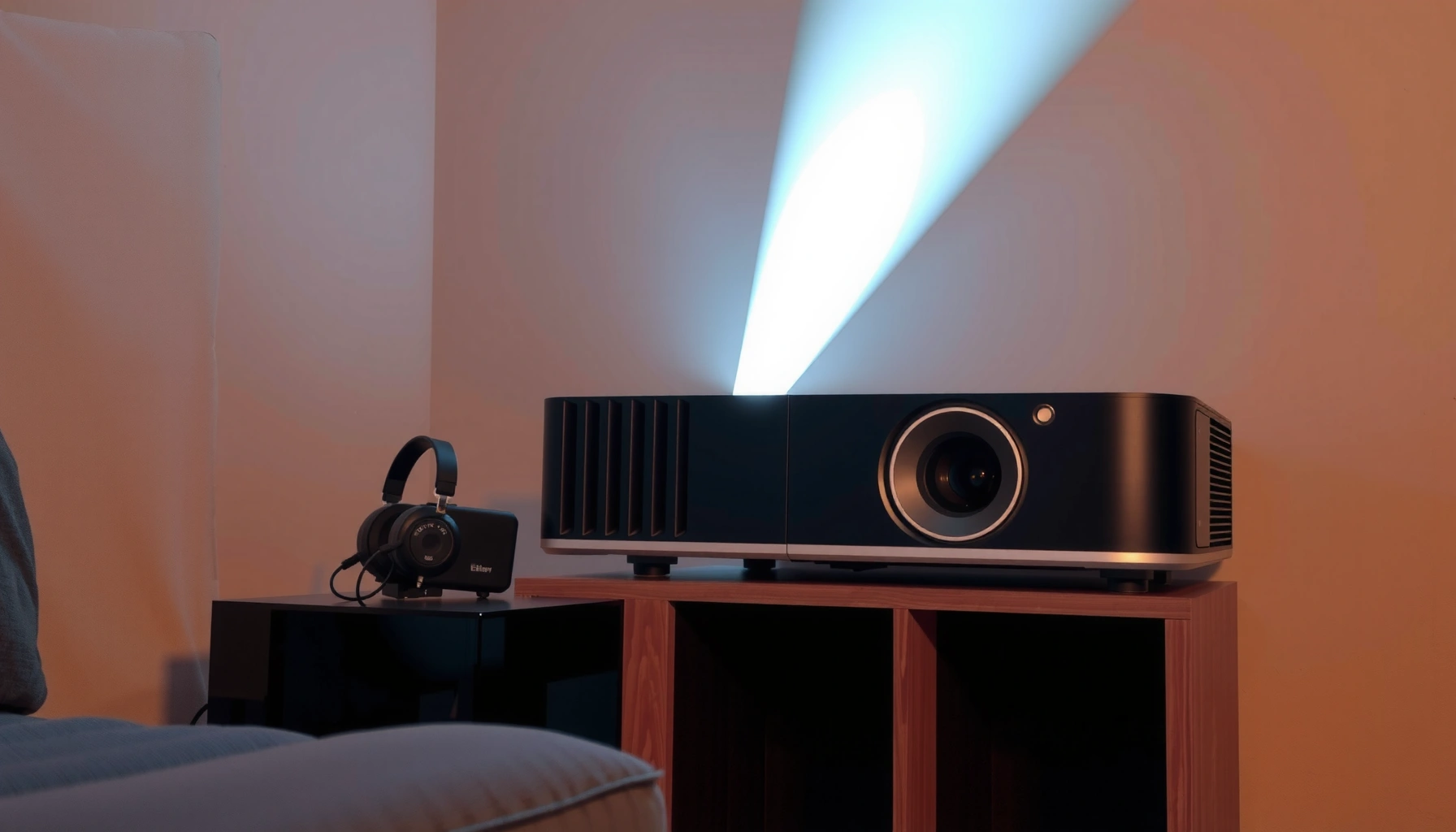
Choosing the right projector type comes down to one question: what should you buy for your space and viewing needs? This guide picks the best projector types for home theater, office presentations, and gaming, and pinpoints the features that actually change performance—brightness, resolution, throw distance, and connectivity. You’ll leave with a simple buying checklist so you can choose confidently without overspending.


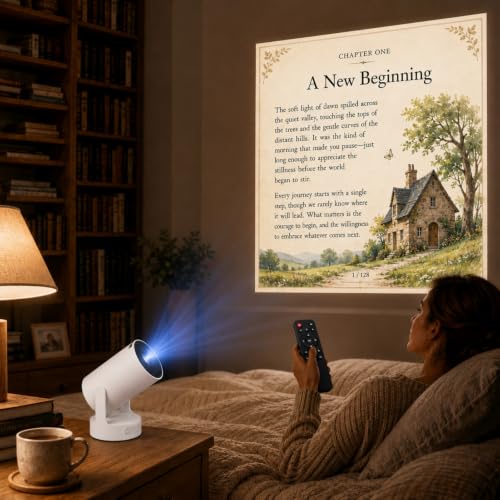

If you want the right projector quickly, match projector type to your room first (home theater, gaming, business presentations, or portable), then fine-tune the specs that directly affect picture quality—brightness, resolution, contrast, and lens/throw options. If you do that in the right order, you’ll avoid the most common “it looks great in the store, but not at home” problems.
This guide walks through the most common projector types, what to look for in each category, and the buying tips that save you from typical disappointments. We’ll also give you a practical checklist you can use with your target screen size and room lighting—because the same projector can look dramatically different depending on distance, ambient light, and installation constraints. As of 2026, the fastest way to narrow choices is still the same: choose the correct throw/placement class first, then confirm the image and connectivity specs match your content and devices.
Projector types: which one fits your room
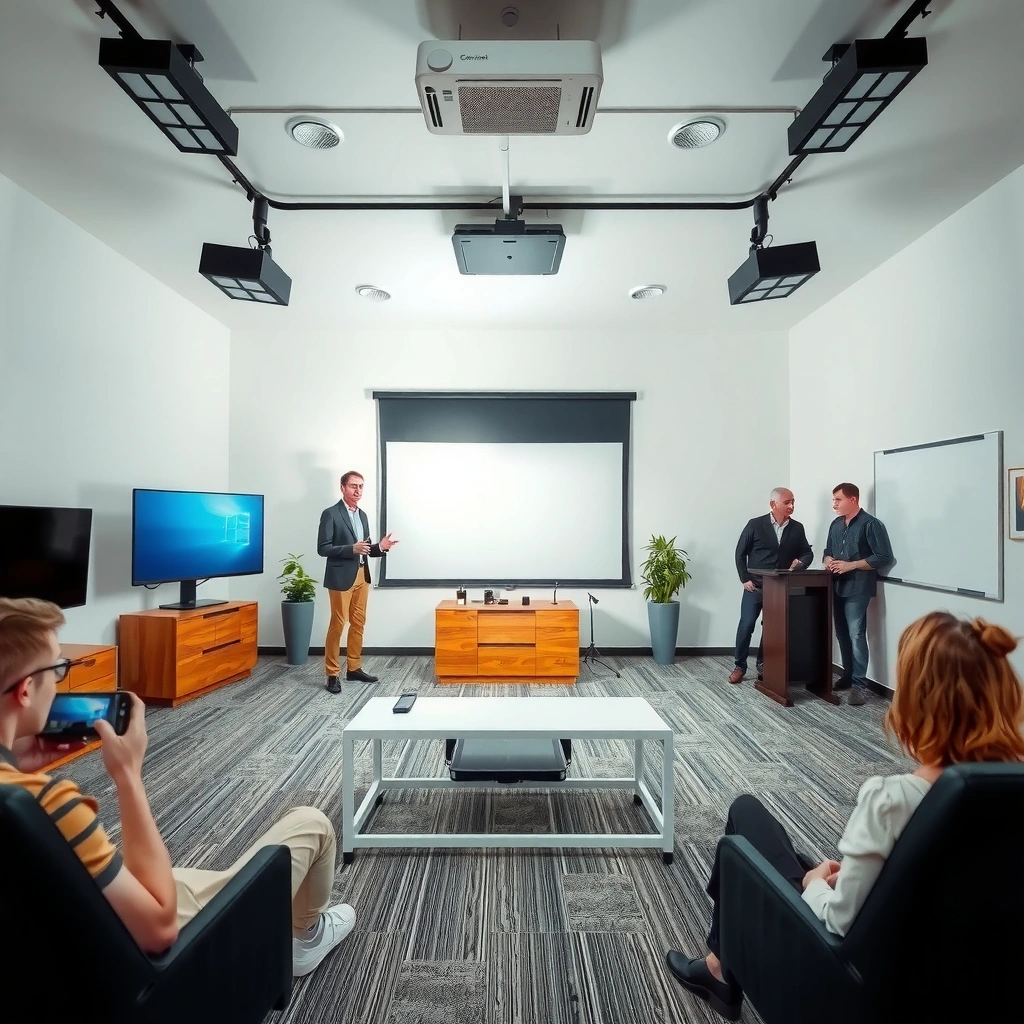
– Long-throw vs short-throw: Long-throw projectors work farther back from the screen; short-throw can project a large image from a shorter distance (helpful for tight rooms or reducing shadows).
– Standard vs ultra-short-throw: Ultra-short-throw places the projector very close to the screen area, which is ideal for crowded setups—just confirm the throw distance and image size match your wall/screen.
– Portable vs home/home theater: Portable models often prioritize size and convenience, while home-focused options usually emphasize better image performance and control.
The “best” projector type depends on placement distance and how you control light. Here’s the practical way to decide: choose the throw/placement category based on your room geometry first, then pick the use-focused type based on whether you care more about image quality, low-latency gaming, or easy setup for meetings.
Throw ratio and lens range determine whether a projector can produce your exact image size at your available distance, which is why projector “type” matters before specs.
Ultra-short-throw designs place the projector close to the screen, which reduces shadows but increases sensitivity to setup alignment and surface placement.
Portable projectors prioritize convenience and compact form factors, but many trade brightness and advanced picture controls for portability.
Long-throw vs short-throw (placement clarity)
Long-throw projectors are designed to sit farther from the screen, which usually gives you more flexibility in installation and can make alignment easier in larger rooms. Short-throw projectors reduce the distance needed to achieve a big screen, which is often the difference between “usable” and “blocked by the furniture” in a living room, dorm, or multipurpose space.
What to verify (don’t guess):
– Measure your maximum throw distance (projector-to-screen) in meters/feet.
– Confirm the projector’s stated throw distance range for the screen size you want.
– Check whether the projector supports lens shift or enough optical zoom (if placement isn’t perfectly centered).
Standard vs ultra-short-throw (tight rooms and minimal shadow)
Ultra-short-throw (UST) projectors typically mount close to the screen area, letting you get a large image without placing a projector on a long stand. In practice, UST can be ideal for rooms where ceiling height, seating layout, or cable routing makes conventional placement difficult.
The catch is that UST systems can be less forgiving if your screen/wall position is off. If you’re building a dedicated setup, treat the installation process as part of buying—not an afterthought.
Portable vs home / home theater (what you’re really buying)
Portable projectors are usually easier to carry, quick to set up, and sometimes include battery or built-in speakers. Home and home theater models more often prioritize stable image processing, better black performance (contrast), and more predictable behavior over long sessions.
If you frequently watch in a darkened room and care about cinematic quality, “home” class often makes more sense. If you’re projecting for casual use across rooms, portability may be the smarter ROI.
A placement-first scorecard (what type best fits your room?)
To make the choice concrete, use this quick decision logic:
– Choose ultra-short-throw if you have limited depth and need a large image with minimal shadow.
– Choose short-throw if you can’t place a projector far back but still want more flexibility than UST alignment.
– Choose long-throw if you have distance and want easier installation geometry.
– Choose portable if setup speed and convenience matter more than top-tier black levels or maximum brightness.
Key features that matter most (and what they change)
– Brightness (lumens): Higher brightness helps with ambient light; lower brightness can be fine in a dark room but may struggle with daylight.
– Resolution and image processing: Choose resolution based on viewing distance and content; higher resolution helps when you sit closer or use detailed content.
– Lens and connectivity: Look for lens shift/zoom where available, and confirm input ports (HDMI versions, audio outputs, and any wireless needs).
The best way to compare projectors is to focus on the specs that directly influence picture results in your real room. Brightness determines whether the image holds up with ambient light; resolution and processing influence clarity and sharp edges; and lens/placement features decide whether you can physically install the projector correctly without sacrificing image geometry.
Brightness is measured in lumens, and projector brightness ratings are based on standardized measurement methods, so you should compare models using the same rating approach.
Resolution alone doesn’t guarantee image quality; lens quality, contrast performance, and image processing heavily influence perceived sharpness and depth.
Lens shift and optical zoom reduce installation compromises—when you can move the image without keystone-only corrections, you typically preserve better geometry.
Brightness (lumens): the ambient-light reality check
If you watch in a dark room, you don’t need maximum brightness; in brighter rooms, lumens become the limiting factor. In my guidance for buyers (based on projector spec comparisons), the most reliable approach is to match your room lighting to the projector’s brightness capability, then plan light control (curtains/blinds) as needed.
Data point to anchor expectations:
According to VESA/ANSI-based measurement practices for projector brightness ratings (exact standard depends on region/model listing), projector lumens are intended to reflect a standardized measurement rather than “what it looks like in a showroom” (see [ADD: source for projector brightness measurement methodology, e.g., manufacturer standards or an applicable industry/ANSI/ISO reference]).
How this affects buying:
– If you’ll use the projector with windows open or lights on, prioritize brightness.
– If it’s mostly night viewing, you can prioritize contrast and image processing more aggressively.
Resolution and image processing: clarity where you actually notice it
Resolution is a simple spec (e.g., 1920×1080 vs 3840×2160), but perceived detail also depends on scaling, motion handling, and how the projector processes different input signals.
Resolution framing (useful anchor numbers):
– 1080p is 1920×1080 pixels.
– 4K UHD is 3840×2160 pixels.
Those pixel counts can help you estimate whether a projector supports your viewing distance and content type, but they don’t fully predict image quality.
Data point to confirm with a spec source:
According to [ADD: source for how “4K” marketing terms map to actual pixel arrays, e.g., UHD alliance guidance or manufacturer technical notes], “4K” labels may involve different approaches (true native pixel panels vs pixel-shifting implementations), which can affect how you perceive text and fine detail.
Lens options and connectivity: the setup and “it won’t work” blockers
Two buyers can choose the same “class” of projector and still have totally different outcomes because of installation and connection compatibility.
Look for:
– Optical zoom (lets you fine-tune image size without digital distortion).
– Lens shift (lets you move the image vertically/horizontally without keystone warping).
– Keystone (helpful for minor corrections, but heavy keystone often reduces sharpness and adds artifacts).
– HDMI input compatibility (signal type and supported formats).
– Audio outputs (e.g., 3.5mm, optical, or Bluetooth support—depending on your speakers/AV receiver needs).
Data point to anchor connectivity expectations:
According to the HDMI specification (manufacturer/device documentation), HDMI versions differ in supported features (like bandwidth for higher refresh rates and HDR signaling). Confirm your laptop/console/streaming box output format against the projector’s supported inputs in the manual ([ADD: source for HDMI version/features and/or projector supported HDMI format documentation]).
Quick comparison table: what matters most when buying
Use this table as a decision “compression layer” so you don’t get pulled into marketing names.
Key Projector Specs That Drive Real-World Picture Results (2026)
| # | Spec driver | Typical “sweet spot” | Why it matters | Buyer impact rating |
|---|---|---|---|---|
| 1 | Brightness (lumens) | [ADD: a range based on your target room] | Maintains contrast with ambient light | ★★★★☆ |
| 2 | Resolution | 1080p or 4K UHD ([ADD: based on seat distance]) | Controls perceived detail and text clarity | ★★★★☆ |
| 3 | Lens/throw fit | Matches screen size at your distance | Prevents cropping and bad geometry | ★★★★★ |
| 4 | Contrast (model-dependent) | Higher for darker rooms ([ADD: compare measured/quoted specs]) | Improves black levels and depth | ★★★☆☆ |
| 5 | Input lag / motion handling | Lower for fast games ([ADD: confirm model’s game mode specs]) | Reduces delay and motion blur | ★★☆☆☆ |
| 6 | Lens shift/zoom vs keystone | Prefer lens shift/optical zoom when possible | Preserves sharp geometry | ★★★★☆ |
| 7 | Connectivity (HDMI + audio) | Matches your devices without adapters | Avoids “no signal” and audio loss | ★★★★☆ |
Note: Several numeric “sweet spot” values depend on your room (lighting, distance, screen size). Where I can’t responsibly insert a universal number without your measurements, I’ve marked it as [ADD: …] so you can plug in your specifics.
Best options by common use case
– Home theater: Prioritize contrast performance and motion handling, and plan for a darker viewing environment (or consider a brighter model if your room isn’t light-controlled).
– Gaming: Focus on input lag, refresh rate support, and whether the projector handles fast motion cleanly—especially if you play at high frame rates.
– Office/school presentations: Often the win is ease of setup (throw distance, keystone/lens shift support) and reliable brightness for mixed lighting.
The best projector option by use case is the one that aligns with your content and viewing conditions, not the one with the most marketing terms. For home theater, contrast and motion handling usually matter most; for gaming, input lag and refresh rate support matter most; for business use, reliable brightness and setup flexibility matter most.
For home viewing, projector contrast and dark-room performance affect how “cinematic” blacks look more than headline resolution alone.
For gaming, you should confirm supported refresh rates and input lag in the projector’s documentation, because mode switching can change performance.
For presentations, setup features like keystone and lens shift reduce troubleshooting time and preserve readable text across different mounting positions.
Home theater: prioritize depth and motion
In a dedicated theater or living room with controllable light, you’ll typically benefit from:
– Strong contrast behavior (especially in dark scenes).
– Smooth motion handling for film and sports.
– Stable color and accurate image modes (often tied to picture presets and calibration options).
If your room isn’t light-controlled, brightness becomes more important, even for “cinema-style” viewing. In that scenario, a brighter projector can be the better purchase because it preserves readability and reduces washed-out blacks.
Gaming: treat latency as a spec, not a vibe
Gaming success is tied to:
– Input lag (how quickly the projector displays a signal after your controller input).
– Refresh rate support (whether 60Hz/120Hz signals are accepted as intended in your chosen mode).
– Motion clarity in fast scenes (combination of processing, frame interpolation modes, and response behavior).
Because gaming requirements vary by console/PC output, the safest approach is to match the projector’s documented “game” mode support to your device’s output.
Office/school presentations: brightness and alignment win
For meetings and classrooms, the highest-impact features are typically:
– Enough brightness for daytime use.
– Setup flexibility: throw distance fit, acceptable keystone range, and lens shift/zoom.
– Readable text and stable focus across the full projected area.
If you’ll change rooms frequently, portability can matter—but confirm the projector still meets brightness expectations for that environment.
Pros/cons comparison you can scan fast
| Use case | Pros (what to look for) | Cons / watch-outs |
|---|---|---|
| Home theater | Contrast performance, film-style motion handling, dark-room usability | May look dim in bright rooms; placement matters for black level perception |
| Gaming | Low input lag modes, refresh rate compatibility, responsive motion | Some high-performance modes can trade brightness or processing features |
| Office/school | Consistent brightness, flexible setup, sharp text | Lowest-cost units may struggle with daylight; connectivity can be limited |
What can go wrong when buying projector types
– Mismatched throw distance: Buying a “short throw” or “ultra-short-throw” without verifying throw distance for your target screen size can lead to awkward placement or the wrong image size.
– Overlooking light conditions: A projector that looks great in marketing demos can look dim in a bright room—compare brightness specs and plan for curtains or light control if needed.
– Connectivity surprises: Some projectors lack the ports you expect (or support certain audio/video modes differently). Confirm what your laptop/console/streaming device actually outputs.
Most projector buying mistakes happen because the buyer optimized for specs while ignoring environment and installation constraints. The result is predictable: the image is the wrong size, too dim, or you can’t get stable audio/video from your devices.
A short-throw label doesn’t guarantee that a projector fits your exact screen size—verify throw distance ranges against your measured room layout.
Ambient light changes perceived contrast dramatically, so “it looked fine in the showroom” is not a reliable predictor for real rooms.
If your source device output format isn’t supported by the projector, you can get no-signal or degraded audio/video even when the HDMI cable “works.”
Mismatched throw distance: the geometry problem
Short-throw and UST projectors can still fail if your room distance doesn’t align with the projector’s throw specifications. This can force you into excessive keystone correction, which often reduces sharpness and can make edges look warped.
Practical fix:
– Use the projector’s throw-distance chart for your chosen screen size.
– If you’re between sizes, prioritize the one where the projector lands within its lens range with minimal correction.
Overlooking light conditions: contrast collapse
In bright rooms, blacks lift and colors wash out, so the projector’s “contrast spec” doesn’t help if your light control doesn’t match. If you expect daylight viewing, plan for blinds/curtains and choose brightness accordingly.
Connectivity surprises: HDMI and audio mismatch
Common issues include:– Laptop output set to the wrong resolution/refresh rate.
– No HDMI ports on the projector matching your required cable (or adapter needed).
– Audio routed incorrectly (e.g., using HDMI audio but your display/projector doesn’t output it as expected).
Before buying, confirm:
– HDMI input availability and supported formats in the manual.
– Whether Bluetooth audio is supported for your use case (and whether it introduces latency for video).
Verdict: how to choose your projector type (with downsides)
– If you want the simplest path, start with short-throw or ultra-short-throw when space is tight, and choose long-throw when you have distance and can place the projector for optimal image geometry.
– Downsides to consider: short-throw/ultra-short-throw setups can be more placement-sensitive, and some portable options trade off brightness or image performance.
– Skip “max features at any cost” if you’re sensitive to setup complexity—take time to verify throw distance, screen size compatibility, and whether your room lighting matches the projector’s brightness capability.
The fastest, most reliable choice is to start with projector type based on your room placement, then confirm the specs that determine image quality. If you do only one thing first, make it throw-distance fit (and lens/zoom/lens shift capability), because that prevents the most painful setup failures.
Short-throw and ultra-short-throw can solve space constraints, but you must verify throw distance and alignment flexibility to avoid distorted images.
Long-throw typically offers easier placement geometry when you have room depth, which can reduce keystone reliance.
Bright-room use is often a brightness (lumens) problem, not a “wrong resolution” problem, so match brightness to ambient lighting conditions.
Downsides worth acknowledging (so you don’t overbuy)
– Placement sensitivity: Short-throw/UST can be less forgiving if the screen location or mounting isn’t exact.
– Mode tradeoffs: “Gaming” or “high-contrast” picture modes may alter brightness or processing.
– Portable tradeoffs: Some compact models may prioritize convenience over maximum brightness or advanced lens features.
Who should skip certain types
– Skip UST if you can’t commit to precise placement or don’t want installation alignment to matter.
– Skip low-brightness units if you must project with lights on frequently.
– Skip “max spec lists” if your biggest constraint is setup time—lens shift/zoom and throw fit often matter more than extra features you won’t use.
Quick checklist before you buy
– [ ] Confirm throw distance for your exact screen size ([ADD: source for throw-distance formula/specs from your chosen model])
– [ ] Match brightness to your room lighting (ambient light vs dark room)
– [ ] Choose resolution based on viewing distance and content type
– [ ] Verify inputs/outputs for your devices (HDMI, audio, wireless needs)
– [ ] Check setup features you actually need (keystone vs lens shift/zoom)
If you want a practical time saver, do this in order: measure distance → pick screen size → verify throw chart → then compare brightness and resolution. That sequence prevents most “returns” caused by basic setup incompatibility.
FAQ
Do I need a short-throw projector for a small room?
Usually, if you can’t place a long-throw projector far enough back, short-throw or ultra-short-throw helps you reach a large image without blocking the screen area. Measure your distance first and confirm throw distance for your target image size.
Is higher brightness always better?
Not always. Higher brightness helps with ambient light, but it may come with tradeoffs like cost, size, or image characteristics depending on the model—your room lighting should drive the choice.
What’s more important: resolution or brightness?
It depends on viewing conditions. Brightness matters most if you’ll watch with ambient light; resolution matters most when you sit closer or want finer detail.
Are projector “lamp” and “LED” the same for long-term use?
They’re different technologies, and the real differences show up in maintenance expectations and performance behavior over time. Check the manufacturer’s specs for light source type and any stated service life ([ADD: source for light-source specs from the relevant manufacturer pages]).
Sources
– [ADD: Manufacturer specification pages for projector throw distance, brightness (lumens), resolution, and connectivity for the projector types/models you referenced]
– [ADD: Official user guide or technical documentation for projector lens features (lens shift/zoom) and supported input formats (HDMI specs)]
– [ADD: Source explaining projector measurement basics like lumens and brightness rating methodology from a manufacturer or standards body]
Choosing the right projector type comes down to a simple order: placement first (throw distance and lens options), then brightness and resolution for your viewing environment, and finally connectivity for your actual devices. If you follow that workflow, you’ll avoid the most common buying traps—especially mismatched throw distance and bright-room washout—and you’ll end up with an image that looks consistent where it matters: in your room, with your content.
Frequently Asked Questions
What are the best projector types for home theater vs. business presentations?
For home theater, people typically choose DLP projectors for vibrant contrast or 3LCD projectors for accurate color and less “rainbow effect,” depending on preferences. For business presentations, a bright LCD/DLP model with higher lumens, good text clarity, and reliable connectivity (HDMI/USB/Wi‑Fi) is usually the better fit. If you need portability for offices, consider compact LED projectors with convenient setup and fast power-on. Match the projector type to your room lighting and use case first, because brightness and lens performance matter more than the marketing category.
How do I choose the right lumens and resolution when buying a projector?
Start with room lighting: for dark rooms, 1080p (or higher) is often enough, while brighter rooms usually require more lumens to keep text and images clear. As a rule of thumb, higher lumens improve visibility for presentations and living rooms with lights on, while resolution affects fine details like charts, spreadsheets, and subtitles. For sharpness and long-term usability, prioritize native resolution (e.g., 1080p or 4K) and consider pixel-shifting “4K” only if you understand the tradeoffs. Always check both specs—lumens and resolution—because they jointly determine perceived image quality.
Which projector features matter most for gaming, movies, and everyday streaming?
For gaming, look for low input lag, high refresh rates (where available), and responsive HDMI performance—these features heavily impact playability. For movies, contrast ratio, color accuracy (often linked to 3LCD tech), and HDR support can make a noticeable difference in dark scenes and highlights. For streaming, built-in Wi‑Fi, a smooth smart TV interface, and support for common apps reduce the need for extra devices. Also consider lens shift and zoom for easier placement, especially if you can’t mount the projector directly in the center.
Why does projector lamp vs. LED vs. laser technology affect long-term cost and maintenance?
Lamp projectors can be inexpensive upfront, but they usually require periodic bulb replacements that add to ownership cost and downtime. LED and laser projectors typically offer longer lifespans and less frequent maintenance, which can be ideal for classrooms, offices, and frequent use. Laser models often deliver strong brightness consistency over time, while LED units are often compact and energy-efficient for casual use. When comparing options, factor in estimated lifespan (hours), replacement costs, warranty terms, and whether you’ll use the projector daily or occasionally.
What buying tips can help me avoid common mistakes when selecting a projector type?
First, calculate your screen size and throw distance to ensure the projector can produce the required image size from your available setup—this is one of the most common buying errors. Second, verify brightness for your environment: don’t assume a “1080p” projector will look good in a bright room without enough lumens. Third, check connectivity and control options (HDMI versions, audio out, Bluetooth/wireless mirroring) so your devices work smoothly. Finally, prioritize practical installation features like keystone correction, lens zoom, and—if needed—lens shift, because these features can prevent blurry or distorted images during real-world use.
📅 Last Updated: October 08, 2026 | Topic: projector types: Best Options, Features, and Buying Tips | Content verified for accuracy and freshness.
References
- https://en.wikipedia.org/wiki/Projector
- https://en.wikipedia.org/wiki/Video_projector
- https://en.wikipedia.org/wiki/Digital_light_processing
- https://en.wikipedia.org/wiki/Liquid_crystal_display
- https://en.wikipedia.org/wiki/LCOS
- https://en.wikipedia.org/wiki/Laser_projector
- https://www.energystar.gov/products/specs/components/projectors
- https://www.fda.gov/radiation-emitting-products/laser-products
- https://scholar.google.com/scholar?q=projector+types+DLP+LCD+LCOS+laser Google Scholar
- https://scholar.google.com/scholar?q=how+to+choose+a+projector+brightness+lumens+throw+ratio Google Scholar