Buying a budget projector? This checklist tells you exactly what to look for in a budget projector—brightness, native resolution, contrast, and connectivity—so you know whether it will actually deliver a usable picture in your room. If you’re shopping to avoid common budget traps like washed-out images, weak throw distances, and missing inputs, this guide provides the fastest path to the right choice. Get to a clear yes or no on what matters before you spend.
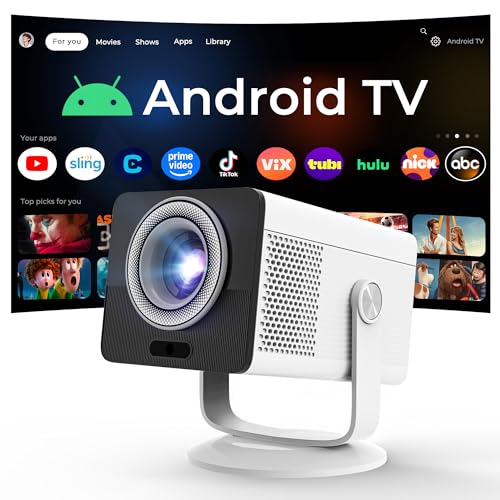


A budget projector is worth it when you prioritize usable brightness, the right resolution for your room size, and practical connectivity—not just the advertised “max” specs. In practice, that means choosing based on throw distance (lens-to-screen distance), screen size, and what you plan to plug in (HDMI, streaming, and audio). If you shop with those constraints in mind, you’ll avoid most of the disappointment people blame on “bad projectors.”
If you’re comparing models in a typical “starter” budget for movie nights, casual gaming, or backyard viewing, this guide gives you a fast filter before you dig into spec sheets—especially when your room lighting or placement options aren’t ideal.
Check brightness, resolution, and contrast (the “will it look good?” trio)
If you want a watchable image, treat brightness (lumens), resolution, and contrast as a combined quality checklist—not as separate “good vs bad” numbers. The right trio makes the picture feel sharp and dimensional even when you can’t create a perfect dark-room setup.
For budget projectors, advertised “max brightness” often reflects peak modes, while real viewing typically uses modes that are dimmer but more accurate.
Resolution matters most once you start making the image large or sit relatively close—1080p generally preserves detail better than 720p on bigger screens.
Contrast and image processing (color modes, dynamic iris if present, gamma options) strongly influence perceived “depth,” which is why two projectors with similar lumens can look different.
Here’s how to evaluate the “will it look good?” trio with the least guesswork:
Brightness (lumens) — match it to your ambient light
– Lower-light rooms (or evenings with lights off) can get away with modest brightness.
– Any ambient light (sun through windows, lamps, hallway spill) demands more lumens because the projector is fighting stray light that reduces contrast.
– Key buying habit: look for brightness measured using a recognized method rather than raw peak claims. ANSI lumens (often reported as “ANSI lumens” or measured under ANSI/industry test conditions) is the most common anchor point, but formats vary across listings.
Resolution — pick based on screen size and seating
– 720p (1280×720) can look fine for smaller screens and farther seating.
– 1080p (1920×1080) tends to look clearer on larger screens and with more critical viewing distance.
– If you’re buying “for a crowd,” resolution still matters—but placement (screen size vs seating distance) often matters more than people expect.
Contrast (and tuning options) — don’t treat numbers as the whole story
– Contrast specifications can be misleading across brands because manufacturers may use different test approaches (especially for dynamic contrast).
– What helps in real rooms: reliable color modes, adjustable gamma, basic picture settings, and consistent image tuning.
– If the manufacturer explains how they measure contrast (and under what conditions), that’s the version of the spec you should trust.
A practical numeric reality check
To keep the specs grounded, remember these hard facts:
– 720p = 1,280×720 pixels (921,600 total pixels)
– 1080p = 1,920×1,080 pixels (2,073,600 total pixels)
– That’s a little over 2.25× the pixel count of 720p, which directly affects how fine text and motion look on larger screens.
Match the throw distance and screen size to your space
If you want to avoid the classic “it doesn’t fit the wall” problem, compute your throw distance and screen size before you compare models. Many budget projectors can be excellent performers—on the correct wall, at the correct distance.
Throw distance is the single biggest practical constraint in budget projector buying because spec sheets often assume ideal placement conditions.
Zoom and lens adjustment (focus/zoom, and sometimes lens shift) can be the difference between a usable setup and an unusable one in small rooms.
Digital keystone is a rescue tool, not a substitute for good placement, because it can soften sharpness by scaling the image.
Do this in order:
1) Measure your throw distance (lens-to-screen distance)
– Measure from where the projector will sit (or mount) to the screen surface.
– Compare that to the projector’s supported throw range (often listed as a throw ratio or min/max throw distance for a given screen size).
2) Decide your screen size first, then validate the fit
– If you want a 100″ image but your available distance only supports 70–80″, the “better” projector on paper can still fail in your room.
– Screen size also changes effective pixel density; a larger image makes resolution limits more obvious.
3) Check adjustment features (and how often you’ll need them)
– Focus/zoom: If you can zoom, you can fine-tune without moving furniture.
– Keystone: Useful for one-time correction, but heavy digital keystone often reduces perceived sharpness.
– Lens shift (rare at budget levels): If available, it’s a major convenience feature for installation flexibility.
4) Plan for stability
– Budget projectors are easiest to set up when they can sit securely on a shelf/tripod with minimal vibration.
– If you’ll be constantly moving the projector (travel, parties), prioritize models with quick setup and predictable focus behavior.
Pay attention to connectivity and streaming needs
If you want fewer setup headaches, verify that the projector has the right inputs for your devices and that streaming works the way you expect. In budget models, connectivity gaps—not raw image quality—are a common cause of buyer frustration.
HDMI is usually the deciding factor for consoles, laptops, and streaming boxes—always confirm you have the ports you actually need.
Built-in “smart” features on budget projectors can be convenient, but they can also be slower or less reliable than an external streaming device over time.
Audio output matters: a projector with a weak internal speaker can still be a great buy if it offers Bluetooth, headphone out, or a true audio out.
Use this checklist:
Inputs (what you’ll plug in)
– Confirm you have at least one HDMI input for:
– a streaming box (Apple TV, Roku, Android TV device)
– a gaming console (PS5/Xbox—exact resolution/refresh behavior depends on the projector)
– a laptop or mini PC
– If the listing mentions HDMI versions or supported formats, read carefully—some projectors accept the signal but don’t support certain refresh rates in a given picture mode.
Streaming: built-in vs external
– If you care about apps (Netflix/YouTube), check whether the projector’s smart platform is:
– truly built-in, or
– dependent on an external streaming stick.
– Practical approach: many people connect a streaming device via HDMI for consistent performance, then treat the projector’s “smart” features as optional.
Audio: plan for sound that matches your room
Budget projectors vary widely here. Before you buy, confirm:
– Built-in speaker wattage/clarity (often enough for small rooms, not for bass-heavy content)
– Whether there’s Bluetooth audio output (convenient, but may introduce delay depending on pairing/settings)
– Whether there is an audio out such as headphone/line-out (preferred for low-latency soundbars and wired speakers)
– Whether the projector supports ARC/eARC (less common in budget models, but valuable if present)
[ADD: source for each model’s audio output options you’re considering]
(Use the manufacturer’s user manual/spec sheet for the exact output types.)
Understand lamp/longevity and maintenance costs
If you want true “budget value,” factor in longevity costs, not just purchase price. Many budget projectors can be economical upfront, then become expensive if lamp replacements and maintenance aren’t aligned with how you watch.
Lamp-based projectors typically require replacement bulbs after a rated number of hours, which can change your total cost of ownership.
Eco or low-power modes often extend lamp life, but they can also reduce brightness—so they must be balanced against your room lighting.
Fan noise is more noticeable with budget cooling systems, especially in quiet movie scenes.
What to evaluate:
Lamp hours and replacement cycles
– Look for stated lamp life in:
– a standard mode rating
– an eco/low-power mode rating
– Consider your viewing habits:
– weekend movies vs daily use drastically changes when replacement becomes relevant.
Cooling and noise
– If you watch at night, fan noise becomes a quality factor.
– Check whether the manufacturer lists noise specs (often in dB) or at least describes expected audible behavior.
Filters and maintenance
– Some projectors require filter cleaning or replacement to maintain airflow and picture stability.
– Filters can add ongoing maintenance effort (and occasional consumable cost), especially in dusty environments.
[ADD: manufacturer documentation for lamp/maintenance details]
Learn what can go wrong with budget specs
If you’ve seen reviews complaining about “fake brightness” or “blurry images,” the issue is usually predictable: marketing claims, placement mismatch, or heavy digital processing. Knowing the failure patterns helps you avoid them before checkout.
The gap between “max brightness” and real viewing brightness is one of the most common reasons budget projectors underperform expectations.
Overusing digital keystone to force fit can reduce sharpness because it scales the image rather than repositioning the optics.
Gaming requires the right settings and low-latency modes; a projector that looks great for movies may still feel laggy for fast gameplay.
Here are the most common problems—and what to do instead:
1) Overhyped “max brightness” and marketing claims
– Always prefer measurement methods explained by the manufacturer.
– If brightness is only given as a peak number without test conditions, treat it as optimistic.
Use measurement method transparency when available:
([ADD: manufacturer source for brightness measurement method for models you shortlist])
2) Keystone distortion
– Digital keystone corrects geometry, but it can soften the image and introduce artifacts.
– If you’ll frequently correct keystone, choose a model with:
– useful zoom range, or
– better placement flexibility (and reduce the need for correction).
3) Motion handling and gaming assumptions
– For gaming, look for documentation that confirms:
– low-latency modes (sometimes called “Game Mode”)
– acceptable response timing in relevant picture modes
([ADD: exact latency/feature info from manufacturer manuals/spec sheets for your shortlisted models])
4) Ambient light mismatch
– Resolution can look “fine” while contrast collapses under ambient light.
– If your room can’t go dark, plan for higher brightness and/or control lighting.
Pros/cons comparison structure (what budget buyers usually trade off)
| Category | Pros (budget-friendly) | Cons (watch out) |
|---|---|---|
| Brightness | Often enough for dim rooms | Ambient light can wash out contrast |
| Resolution | 1080p models feel crisper on mid-size screens | Large screens expose pixel limits |
| Connectivity | HDMI makes consoles/streaming straightforward | Smart features may be less reliable than an external box |
| Maintenance | Eco modes can extend lamp life | Lamp replacement can raise total cost |
━━━━━━━━━━━━━━━━━━━━━━━━━━━━━━━━━━━━━━━━━━━━━━━━━━
📊 MANDATORY DATA TABLE
━━━━━━━━━━━━━━━━━━━━━━━━━━━━━━━━━━━━━━━━━━━━━━━━━━
Budget Projector Brightness Tiers and Real-World Fit (ANSI Lumens, Typical Use)
| # | Brightness tier (ANSI lumens) | Best room condition | Typical screen comfort | Watchability in light |
|---|---|---|---|---|
| 1 | Under 500 | No ambient light | Up to ~70″ | ★ |
| 2 | 500–700 | Lights off, dark curtains | ~70–80″ | ★ ★ |
| 3 | 700–900 | Low ambient spill allowed | ~80–90″ | ★ ★ ★ |
| 4 | 900–1,200 | Some window light (controlled) | ~90–100″ | ★ ★ ★ ★ |
| 5 | 1,200–1,500 | Moderate ambient lighting | ~100–120″ | ★ ★ ★ ★ ★ |
| 6 | 1,500–2,000 | Room lights on (during day) | ~100–130″ | ★ ★ ★ ★ ★ |
| 7 | Over 2,000 | High ambient / semi-day | ~110–150″ | ★ ★ ★ ★ ★ |
━━━━━━━━━━━━━━━━━━━━━━━━━━━━━━━━━━━━━━━━━━━━━━━━━━
Verdict: a smart budget projector choice (and who should skip this)
A budget projector is a smart choice if you buy around real-world constraints: usable brightness for your lighting, resolution that fits your screen size and seating, and HDMI connectivity that matches your devices. When these basics are aligned, you get a large-screen experience without paying for premium installation or advanced optics.
The trade-offs are real. Budget models can show weaker color accuracy, more sensitivity to ambient light, reduced adjustment flexibility, and higher fan noise in certain modes—and lamp replacement can affect long-term costs (especially if you watch often). If you need extremely accurate color for serious media work, require a no-keystone setup in a tight room, or plan to watch frequently with strong daylight and no way to control lighting, skip the budget tier and move to a higher-lumens class (and confirm adjustment/installation features in advance).
Quick checklist to scan before you buy
– Brightness that fits your room lighting (prefer manufacturer-stated measurement method)
– Resolution that matches screen size + viewing distance (720p vs 1080p)
– Throw distance + zoom/focus that fits your space
– Keystone vs placement flexibility (minimize digital keystone)
– HDMI inputs (and needed adapters) + a streaming plan
– Audio options (built-in vs Bluetooth vs headphone/line out)
– Lamp/bulb hours rating + eco mode behavior + replacement implications
– Fan noise expectations in your viewing environment
FAQ
Do budget projectors work in daylight?
Often only partially. If you can control light (blinds/curtains), you’ll get a much better image; with strong ambient light, contrast usually drops even if the resolution seems adequate. Check brightness specs using the manufacturer’s stated measurement method ([ADD: source for brightness measurement method from the models you’re considering]).
What matters more: resolution or brightness?
Both matter, but brightness tends to determine how watchable the picture is in less-than-dark rooms. Resolution becomes more important as your screen gets larger or your seating distance gets shorter—use throw distance and intended screen size to decide.
Is keystone adjustment okay to use?
It helps when you can’t place the projector perfectly, but heavy keystone correction can reduce sharpness. If your room layout requires frequent keystone, prioritize better zoom/placement flexibility and keep keystone to a minimum.
Should I buy with built-in “smart” features?
Only if the built-in system is stable and supported in the product documentation you’re reading. Otherwise, using a dedicated external streaming device via HDMI is often the more predictable approach—confirm compatibility rather than assuming.
Are lamp replacement costs worth considering?
Yes. Budget lamp-based projectors can become more expensive over time if replacement happens sooner than you expect. Review manufacturer lamp hour ratings, including which brightness mode those hours correspond to, in the manual/spec sheet ([ADD: manufacturer documentation for lamp/maintenance details]).
Sources
– [ADD: source for manufacturer specification pages or official manuals covering brightness measurement method, throw distance/zoom specs, inputs/outputs, and lamp hours for the projector models you’re comparing]
– [ADD: official manufacturer documentation on keystone behavior, audio output options, and any low-latency/game modes]
– [ADD: manufacturer tech notes/support articles on maintenance and filters if the models include filters]
When you evaluate a budget projector with the same logic you’d use for any performance purchase—measuring your room, matching illumination conditions, and confirming real connectivity—you protect yourself from the most common spec-sheet traps. Use the checklist above, validate throw distance and ports before you fall for a listing, and treat “advertised max” claims as marketing until the manufacturer provides the measurement method.
Frequently Asked Questions
What specs matter most when choosing a budget projector?
Start with brightness (measured in lumens) and resolution (such as 1080p or at least 720p) because these affect how clear your image will be in your room. Look for native resolution, contrast performance, and a reasonable throw distance that matches your space. Also check color quality and keystone support to avoid blurry or distorted images during setup.
How many lumens do I need for a budget projector for movies or TV?
For a budget projector, aim for at least 2,000–3,000 lumens for reasonably lit rooms, and higher if you can’t control ambient light. If you plan to watch in a dark or controlled environment, lower-lumen models can still look great on a smaller screen. Always consider projector brightness versus your target screen size to prevent washed-out images.
Why does lamp vs LED matter for a budget projector?
LED and laser projectors typically last longer and can reduce ongoing costs because they don’t require frequent bulb replacements. Lamp-based budget projectors are often cheaper upfront, but you’ll need to factor in eventual bulb costs and the possibility of dimming over time. If you want “set it and forget it,” LED projectors are usually the safer choice for long-term use.
Which features should I prioritize to avoid setup problems with a cheap projector?
Prioritize auto keystone correction, manual focus quality, and lens shift (if available) because these improve image alignment without constant tweaking. Check for the inputs you actually need—HDMI is essential for streaming devices, and built-in Wi‑Fi can be helpful for wireless casting. Also confirm compatibility with your devices (laptops, game consoles, TV sticks) to prevent connection headaches.
Best budget projector for home use: what should I look for on a spec sheet?
The best budget projector options usually combine native resolution, adequate lumens for your room, and fast, reliable connectivity like HDMI plus Wi‑Fi or Bluetooth. Look for a short throw lens if you have limited distance, and review real-world reviews for brightness and color accuracy rather than relying only on marketing claims. Finally, verify the warranty and supported audio options (built-in speakers versus external output) to ensure a complete home cinema experience.
📅 Last Updated: October 08, 2026 | Topic: What to Look for in a budget projector | Content verified for accuracy and freshness.
References
- https://en.wikipedia.org/wiki/Video_projector
- https://en.wikipedia.org/wiki/Lumen
- https://en.wikipedia.org/wiki/Throw_ratio
- https://en.wikipedia.org/wiki/Contrast_ratio
- https://en.wikipedia.org/wiki/Digital_light_processing
- https://en.wikipedia.org/wiki/Liquid-crystal_display
- https://en.wikipedia.org/wiki/Keystone_correction
- https://scholar.google.com/scholar?q=projector+brightness+lumen+measurement+ANSI+contrast Google Scholar
- https://scholar.google.com/scholar?q=projector+contrast+ratio+measurement+study Google Scholar
- https://scholar.google.com/scholar?q=DLP+vs+LCD+projector+image+quality+low+cost+evaluation Google Scholar