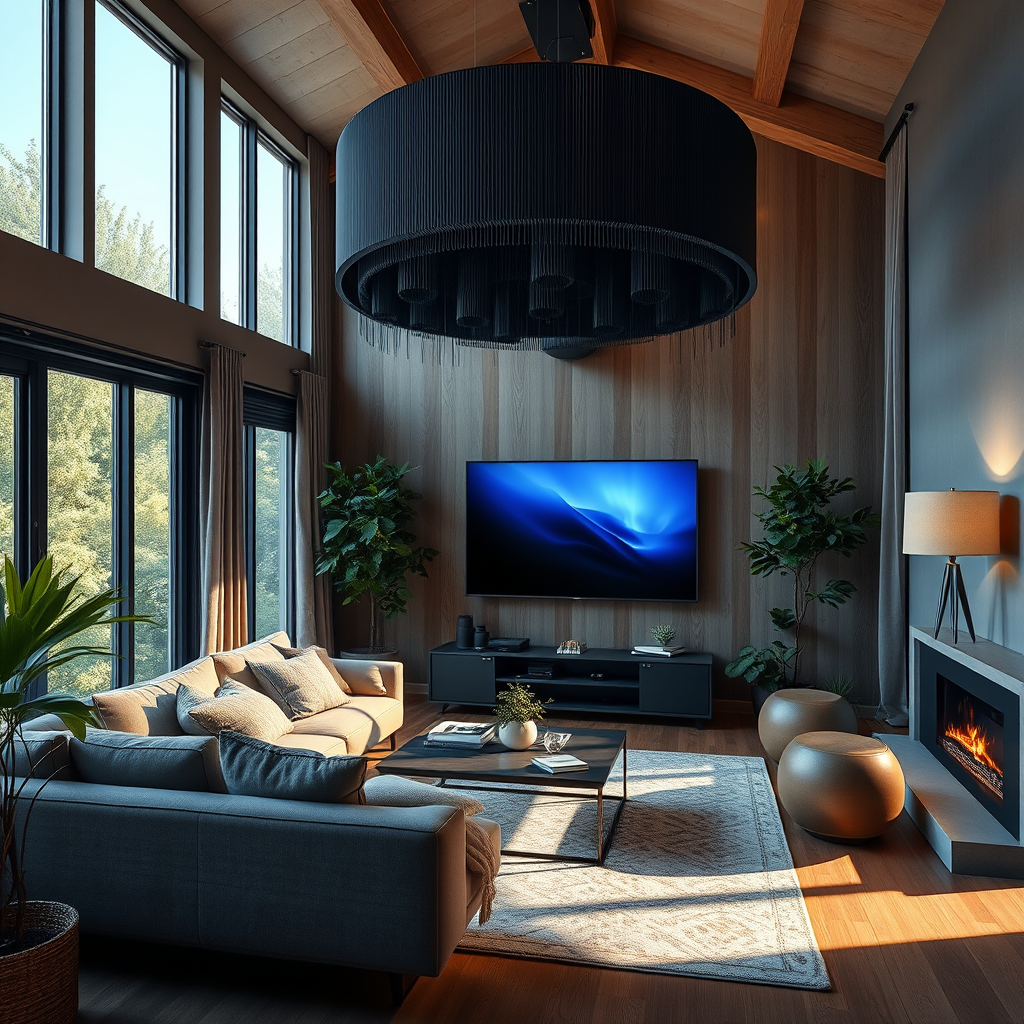
To set up Dolby Atmos at home, you’ll need compatible audio equipment, a compatible TV or projector, and the right media sources. This guide will walk you through the essential steps to create an immersive audio experience that enhances your movies, games, and music. By following these instructions, you can transform your living space into a personal theater, delivering a sound experience that feels as if you’re right in the middle of the action.




Understanding Dolby Atmos Technology
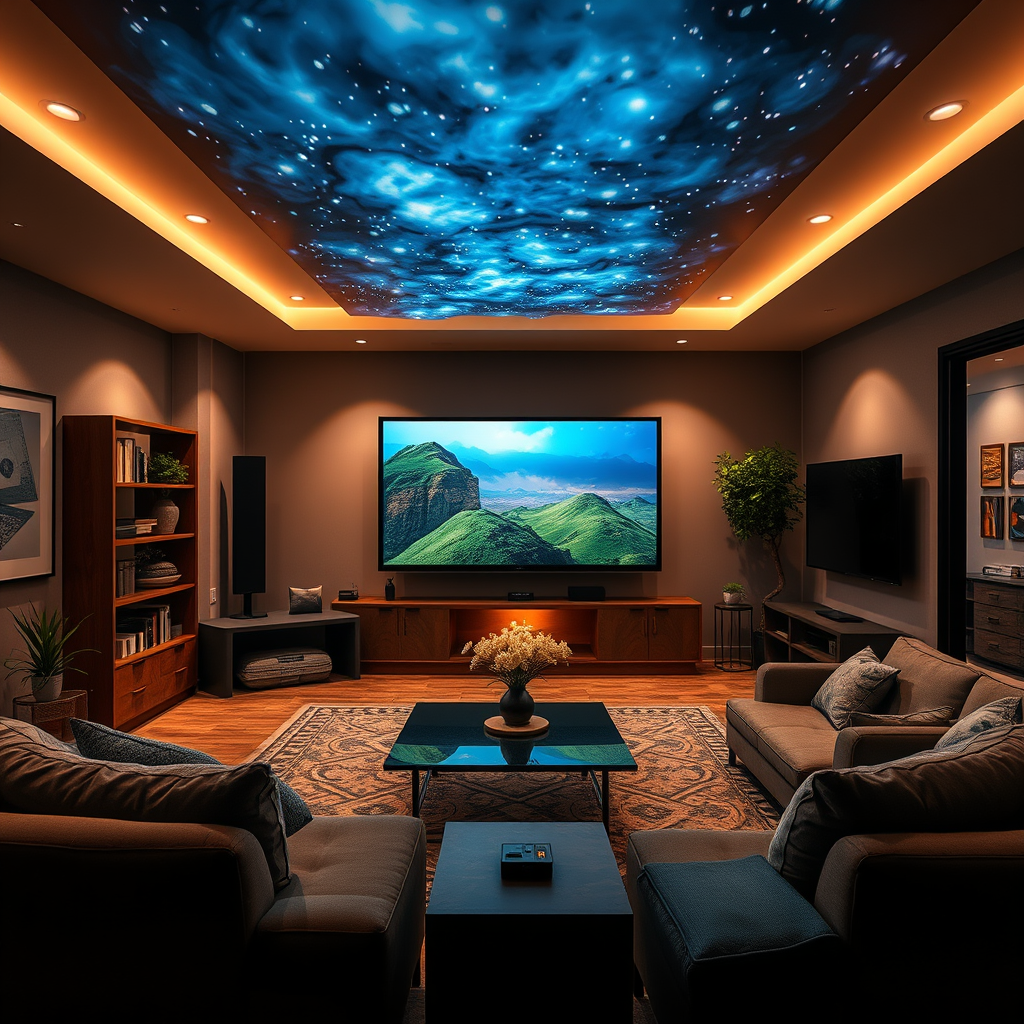
Dolby Atmos is a revolutionary audio technology that goes beyond traditional surround sound to create a three-dimensional sound environment. Unlike standard systems that channel sound through designated speakers, Dolby Atmos allows sound to be precisely placed and moved anywhere in a three-dimensional space, including overhead. This means you can hear sounds coming from above—like a helicopter flying overhead or rain falling from above—adding an incredible layer of immersion to your audio experience.
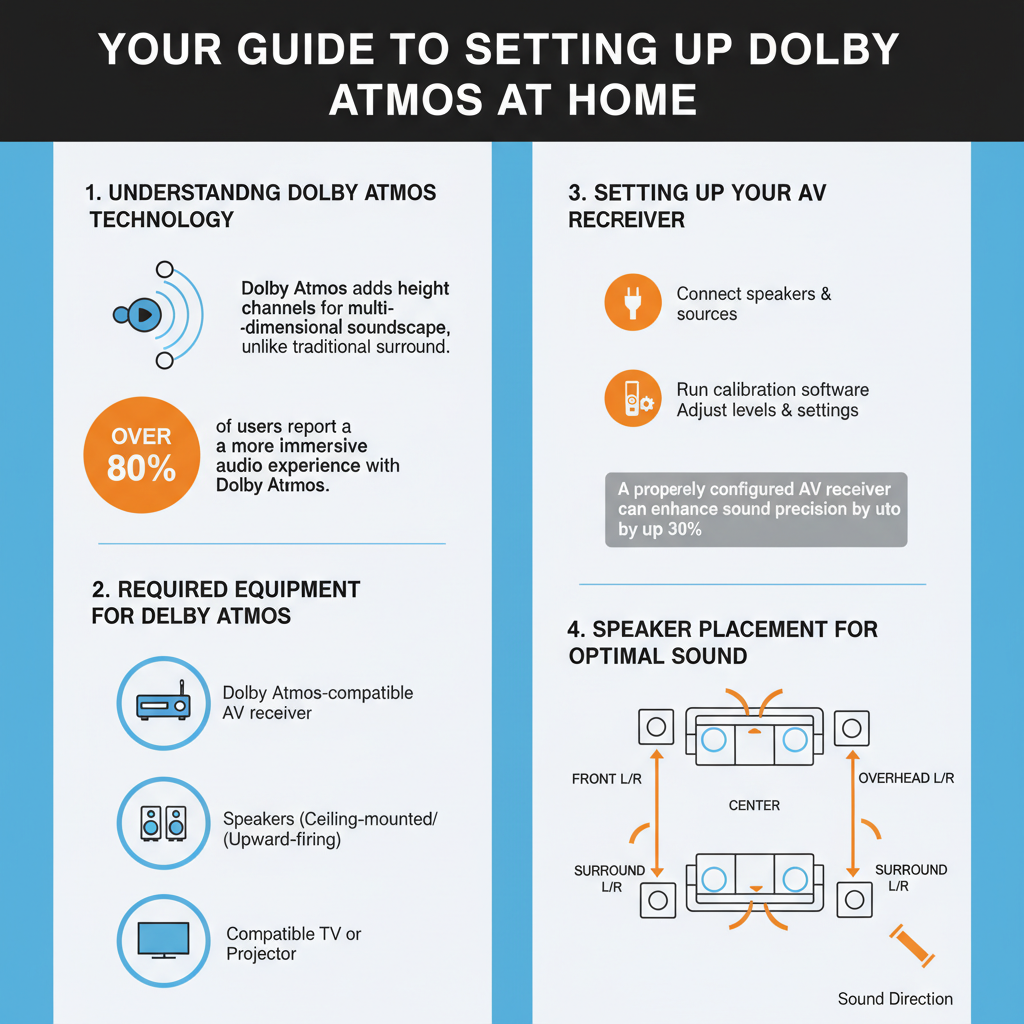
The key difference between traditional surround sound systems and Dolby Atmos setups lies in the additional height channels. For example, a standard 5.1 system includes five speakers and a subwoofer, focusing on horizontal sound placement. In contrast, Dolby Atmos setups can include configurations like 5.1.2, with two overhead speakers that provide the vertical sound dimension. This technological advancement means that you not only hear the sound but feel as if you’re enveloped in it, making movies, games, and music significantly more engaging.
Required Equipment for Dolby Atmos
To set up Dolby Atmos, you need specific equipment that supports this advanced audio technology. The essential components are an AV receiver, speakers, and source devices.
1. AV Receiver: This is the heart of your home theater system. Look for an AV receiver that explicitly supports Dolby Atmos, as it will handle the processing of the audio signals and manage your speaker configuration. Popular brands like Denon, Yamaha, and Onkyo offer models designed for immersive audio experiences.
2. Speakers: You’ll need a minimum of five speakers and a subwoofer for a basic 5.1 setup. However, to truly experience Dolby Atmos, consider adding overhead speakers or upward-firing speakers that can reflect sound off the ceiling. Brands like Klipsch and SVS have excellent options for both traditional and upward-firing speakers.
3. Source Devices: Ensure your Blu-ray player, gaming console, or streaming device supports Dolby Atmos content. Devices like the Xbox Series X, PlayStation 5, and Apple TV 4K are great examples that offer access to Dolby Atmos audio tracks.
It’s crucial to check that all your equipment is compatible with Dolby Atmos formats, as this ensures you can enjoy the full benefits of this immersive technology.
Setting Up Your AV Receiver
Connecting your AV receiver is a straightforward process, but there are essential steps to ensure everything is set up correctly.
1. Connect to Your TV: Use an HDMI cable to connect the HDMI OUT port on your AV receiver to an HDMI input on your TV. Make sure to use an HDMI cable that supports the latest standards to ensure high-quality audio and video.
2. Connect Source Devices: Connect your Blu-ray player, gaming console, or streaming device to the HDMI IN ports on your AV receiver. This allows the receiver to handle audio processing while sending video directly to the TV.
3. Speaker Connections: Connect each speaker to the corresponding speaker outputs on the AV receiver. Follow the manufacturer’s guidelines for placing wires and ensure they are securely connected.
4. Power Up and Configure Settings: Once connected, power up your devices. Use the AV receiver’s setup menu to configure the audio settings. Select the speaker configuration (such as 5.1.2 or 7.1.4) and run the auto-calibration tool, if available, to optimize audio performance based on your room’s acoustics.
By taking the time to properly connect and configure your AV receiver, you set a solid foundation for a stellar Dolby Atmos experience.
Speaker Placement for Optimal Sound
Speaker placement is critical for maximizing the immersive experience that Dolby Atmos provides. For a 5.1.2 configuration, which includes five traditional speakers, a subwoofer, and two overhead speakers, follow these guidelines:
1. Front Speakers (Left, Center, Right): Place the front left and right speakers at an angle of about 22-30 degrees from your listening position. The center speaker should be directly in front, at ear level when seated.
2. Surround Speakers: Position the surround speakers (left and right) slightly behind your listening position and elevated above ear level, ideally mounted on the side walls.
3. Height Speakers: For overhead sound, you can either install height speakers in the ceiling or use upward-firing speakers that reflect sound off the ceiling. If you’re opting for upward-firing speakers, place them on the front left and right speakers for the best effect.
In a 7.1.4 setup, you would follow similar placement rules while adding two more surround speakers for an even more expansive soundstage. Always adjust based on your specific room layout to ensure the best results, and don’t hesitate to experiment with placement to find what sounds best to you.
Configuring Your TV or Projector
Before you can enjoy the full benefits of Dolby Atmos, ensure your TV or projector supports this audio format. Begin by checking the specifications of your device. Most modern TVs and projectors that are 4K capable usually support Dolby Atmos, but it’s good to confirm.
1. Connect via HDMI: Use an HDMI cable to connect your AV receiver to the HDMI ARC port on your TV. This allows audio to pass both ways, enabling seamless communication between devices.
2. Adjust Settings: Access the audio settings on your TV. Ensure that the audio output is set to “Bitstream” or “Passthrough” so that Dolby Atmos signals can pass through to your AV receiver without being compressed or altered.
3. Video Settings: Adjust the video output settings to match the capabilities of your AV receiver and display. This will help ensure that you get the best picture quality alongside your enhanced audio experience.
By configuring your TV or projector correctly, you set the stage for an optimal viewing and listening experience, allowing you to fully enjoy Dolby Atmos content.
Testing Your Dolby Atmos Setup
Now that your equipment is set up, it’s time to test your Dolby Atmos configuration. Start by using specific test tracks and films designed to showcase the capabilities of Dolby Atmos.
1. Test Tracks: Look for audio demo tracks available on platforms like YouTube or streaming services that feature Dolby Atmos demonstrations. These tracks will help you evaluate how well your system reproduces sound from various angles.
2. Films and Games: Popular movies such as “A Quiet Place,” “Dunkirk,” and “Blade Runner 2049” are excellent choices for testing your setup. These films incorporate dynamic sound design that takes full advantage of Dolby Atmos technology. If you’re a gamer, titles like “Spider-Man: Miles Morales” and “Gears 5” also offer immersive audio experiences.
3. Troubleshooting Issues: If you encounter any audio issues, check your connections and settings. Make sure your source device is outputting audio in Dolby Atmos format. If sound is missing from certain speakers, run the calibration tool on your AV receiver again or adjust the speaker settings manually.
Testing your setup is crucial to ensure you’re getting the most out of your Dolby Atmos experience. Take the time to tweak and listen until everything sounds just right.
Enjoying Dolby Atmos Content
With your Dolby Atmos setup complete, it’s time to enjoy a range of content that takes advantage of this incredible audio technology. Streaming services such as Netflix, Amazon Prime Video, Disney+, and Apple TV+ offer a growing library of titles that feature Dolby Atmos soundtracks. Movies like “Black Widow,” “The Mandalorian,” and “The Queen’s Gambit” all utilize Dolby Atmos to enhance their storytelling.
If you prefer physical media, look for Blu-rays labeled “Dolby Atmos” or “Dolby Vision” to ensure you’re receiving the best audio experience. Additionally, many video games now support Dolby Atmos, providing an immersive sound experience that enhances gameplay.
To make the most of your new setup, explore various genres and titles. Whether you’re watching a heart-pounding action film, enjoying a visually stunning documentary, or diving into an epic video game, Dolby Atmos will elevate your audio experience to unprecedented levels.
By following these steps, you can successfully set up Dolby Atmos in your home and enjoy a rich, immersive audio experience. Take the time to fine-tune your equipment and settings for the best results, and don’t hesitate to explore various content options to fully appreciate your new sound system. Embrace the world of Dolby Atmos, and get ready to experience your favorite media like never before!
Frequently Asked Questions
What equipment do I need to set up Dolby Atmos at home?
To set up Dolby Atmos at home, you’ll need a compatible AV receiver or soundbar that supports Dolby Atmos decoding, active speakers (or a sound system) that can reproduce height channels, and a source device like a Blu-ray player, streaming device, or game console that outputs Dolby Atmos audio. Additionally, ensure your TV or projector supports HDMI ARC or eARC to facilitate high-quality audio transmission.
How do I properly position speakers for a Dolby Atmos setup?
For an optimal Dolby Atmos experience, position your speakers in a way that enhances the immersive sound field. Place your main speakers at ear level, typically 3 to 4 feet off the ground, with the height speakers installed on the ceiling or as upward-firing modules on top of your front speakers. A typical setup includes a 5.1.2 configuration, which means five surround speakers, one subwoofer, and two height speakers for the best surround sound experience.
Why is Dolby Atmos worth the investment for home theater enthusiasts?
Investing in Dolby Atmos significantly enhances the audio quality of your home theater, offering a three-dimensional sound experience that traditional surround sound systems can’t match. It creates a more immersive environment by allowing sound to move freely around you, making movies, music, and gaming more engaging. This advanced audio technology is increasingly supported by streaming services and Blu-ray discs, ensuring you’ll have access to a wide range of high-quality content.
What are the best sources of Dolby Atmos content for home viewing?
The best sources of Dolby Atmos content include streaming services like Netflix, Amazon Prime Video, and Disney+, which offer a growing library of movies and shows featuring Dolby Atmos audio. Additionally, physical media such as 4K Ultra HD Blu-ray discs often come with Dolby Atmos tracks, allowing for superior sound quality. Many gaming consoles, such as the Xbox Series X and PlayStation 5, also support Dolby Atmos, providing an immersive gaming experience.
Which settings should I adjust to optimize my Dolby Atmos experience?
To optimize your Dolby Atmos experience, adjust your AV receiver or soundbar settings to enable Dolby Atmos decoding and configure the speaker layout according to your room’s dimensions. Fine-tune settings like speaker distance, volume levels, and crossover frequencies for your subwoofer to achieve balanced sound. Additionally, ensure your source device is set to output the highest audio quality available, which can often be done in the audio settings menu.
References
- Dolby Atmos
- https://www.cnet.com/home-theater/how-to-set-up-dolby-atmos/
- https://www.techhive.com/article/3286638/how-to-set-up-dolby-atmos.html
- https://www.tomsguide.com/how-to/how-to-set-up-dolby-atmos
- https://www.whathifi.com/advice/how-to-set-up-dolby-atmos
- https://www.soundandvision.com/content/how-set-dolby-atmos-home-theater
- https://www.digitaltrends.com/home-theater/how-to-set-up-dolby-atmos/
- https://www.engadget.com/how-to-set-up-dolby-atmos-home-theater-140023327.html



