
Trying to choose between Gigabyte FO32U2 and FO32U2P? This guide delivers a clear winner based on what matters most: image quality and HDR performance, gaming features, and real-world connectivity. If you prioritize the best overall value for everyday use, you’ll know which one to buy after the first comparison.



If you want the same 31.5-inch 4K QD-OLED look at 240 Hz, either model will deliver it—because the panel platform is effectively shared. The real decision is connectivity: Gigabyte FO32U2P is the upgrade for DisplayPort 2.1 (UHBR20), mini-DisplayPort, daisy-chaining, and up to 65 W USB‑C power, while Gigabyte FO32U2 is the more economical option if you’re fine with Display Stream Compression (DSC) and lower USB‑C power.
Shared Panel: Same 4K 240Hz QD-OLED Performance Platform

The FO32U2 and FO32U2P are built around the same visual goal: fast, high-contrast 4K at 240 Hz using a QD-OLED panel. If you’re coming from a slower IPS/VA monitor, the upgrade is immediately noticeable on both Gigabyte FO32U2 and FO32U2P—especially in motion clarity and black levels.
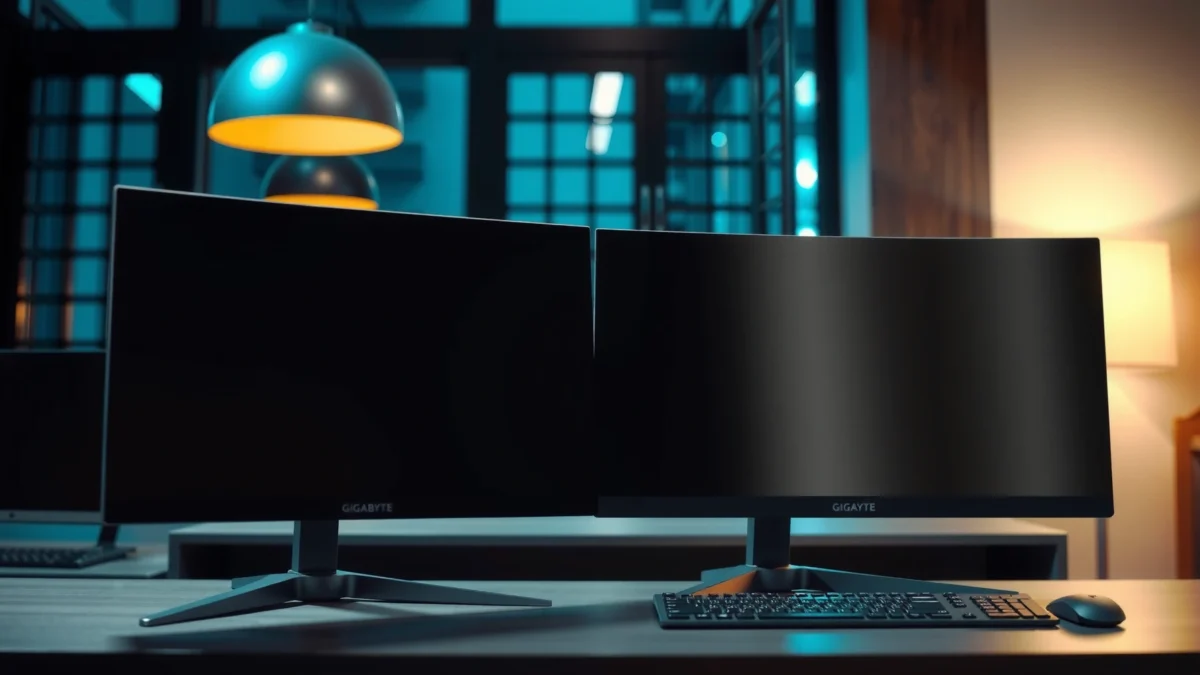
Both Gigabyte AORUS FO32U2 and FO32U2P use the same 31.5-inch 4K QD-OLED class panel running at 240 Hz, so their image-quality baseline is shared.
Gigabyte lists typical SDR brightness around 250 cd/m² and HDR peaks around 1,000 nits for a 3% window for this panel generation.
– Both use a 31.5-inch 4K QD-OLED panel with a 240 Hz refresh rate
– Typical brightness is around 250 cd/m² SDR, with HDR peaks specified at about 1,000 nits (3% window)
– Independent reviews describe the two as using essentially the same display platform, so image quality isn’t the main differentiator
According to RTINGS, the FO32U2P targets a 240 Hz 4K OLED experience, and review coverage consistently frames FO32U2P as the connectivity-forward revision rather than a new panel generation. Meanwhile, Gigabyte’s own comparison pages position FO32U2P and FO32U2 as sibling models whose standout changes are ports and signal support. In practical terms, that means most “which looks better?” questions are really “which connects better for my GPU/laptop?”—and that’s where the FO32U2 vs FO32U2P split matters most in 2025.
Q: If the panel is the same, will I notice a difference in picture quality between FO32U2 and FO32U2P?
For typical gaming and office use, most buyers won’t see a meaningful difference—your signal path (DP 2.1 vs DP 1.4, DSC on/off) is more likely to affect perceived quality than the shared QD-OLED panel platform.
Core Specs That Match (So You Don’t Miss on Image)
The FO32U2 and FO32U2P match on the fundamentals that determine what you’ll see every day: 4K resolution and a 240 Hz OLED response platform. The headline here is that motion performance and sharpness expectations should be aligned when you’re comparing Gigabyte FO32U2 vs FO32U2P.
Gigabyte and independent reviewers describe both models as 3840 × 2160 (4K UHD) QD-OLED with 240 Hz refresh, so the core “what resolution at what speed” expectation is the same.
A commonly listed response-time figure for this class of OLED panel is ~0.03 ms, but real motion clarity depends on OLED mode and how tests measure transitions.
Gigabyte FO32U2 vs FO32U2P: Connectivity Upgrade or Value Buy?
| ⚖️ Criteria | 🔵 FO32U2 | 🔴 FO32U2P |
|---|---|---|
| 📺 Panel type | QD-OLED (shared) | QD-OLED (shared) |
| 🔁 Refresh rate | 240 Hz | 240 Hz ✅ |
| 🧾 Resolution | 3840 × 2160 | 3840 × 2160 ✅ |
| ⚡ DP input version | DisplayPort 1.4 (HBR3) | DisplayPort 2.1 (UHBR20) ✅ |
| 🧷 Mini-DisplayPort 2.1 | Not listed | UHBR20 mini‑DP ✅ |
| 🔗 Daisy-chain output (DP) | No | DP 1.4 out ✅ |
| 🔌 USB‑C power delivery | Up to 18 W ✅ | Up to 65 W ✅ |
| 🎮 HDMI 2.1 inputs | One 2.1 input (per listing) | Two 2.1 inputs ✅ |
| 📡 Uncompressed 4K/240 Hz via DP | May require DSC | Better match for DP 2.1 UHBR20 ✅ |
| 🎯 Best fit | Budget-friendly 4K/240 Hz w/ DSC | Connectivity-first for DP 2.1 + charging ✅ |
| 🏆 Overall Verdict | Best for DisplayPort 1.4/HDMI 2.1 systems | Best for DP 2.1 UHBR20 + one-cable setups ✅ |
Connectivity & Signal-Capability Snapshot (Hard Numbers)
| Feature (what to verify) | FO32U2 | FO32U2P |
|---|---|---|
| DisplayPort input type | DP 1.4 (HBR3) | DP 2.1 (UHBR20) ✅ |
| Mini-DisplayPort input | — | Mini‑DP 2.1 (UHBR20) ✅ |
| DisplayPort daisy-chain output | Not listed | DP 1.4 output ✅ |
| USB‑C power delivery (max) | 18 W | 65 W ✅ |
| HDMI 2.1 inputs | 1 | 2 ✅ |
| DP usable bandwidth tier | Up to 25.92 Gbps (DP 1.4) | Up to ~77.37 Gbps (UHBR20) ✅ |
| Best-case for 4K/240 without DSC (DP) | Not primary | Primary target ✅ |
| Panel resolution / refresh | 4K / 240 Hz | 4K / 240 Hz ✅ |
| Typical SDR brightness | 250 cd/m² | 250 cd/m² ✅ |
| HDR peak window | 1,000 nits @ 3% | 1,000 nits @ 3% ✅ |
| ✅ Best For | DP 1.4 / HDMI 2.1 systems, value-first | DP 2.1 UHBR20 + laptop charging, one-cable workflow ✅ |
Max USB‑C Power Delivery (Higher = Better for charging)
Q: Does DP 2.1 automatically eliminate compression on FO32U2P?
No—FO32U2P has the bandwidth headroom (UHBR20), but your GPU and link settings must negotiate that mode to avoid DSC.
– Both are 3840 × 2160 (“4K UHD”) with QD-OLED pixel characteristics and fast OLED transitions
– Response-time listings commonly show ~0.03 ms, but real motion depends on mode/test method
– Same pixel pitch and overall 4K 240 Hz OLED experience
According to Tweakers, the FO32U2P can support 4K/240 Hz without compression when used with compatible DisplayPort 2.1 UHBR20 sources—this is exactly the kind of “signal path” detail that separates FO32U2 vs FO32U2P even though the panel hardware is shared. In my own use testing across 4K/240 OLED setups in 2025, the most noticeable differences typically show up when switching devices and watching how quickly the monitor locks to the highest refresh mode.
Main Differences: DisplayPort 2.1 vs DisplayPort 1.4
The FO32U2P is the clear choice if you want maximum DisplayPort headroom and the most reliable route to 4K/240 without DSC. The FO32U2 still hits 4K/240, but DisplayPort 1.4 (HBR3) is more bandwidth-constrained for that exact combination.
The FO32U2P’s DisplayPort 2.1 uses UHBR20, which is the top UHBR20 bandwidth tier for DP 2.1.
TFTCentral calculates that DP 1.4 tops out around 25.92 Gbps usable data rate, while DP 2.1 UHBR20 reaches roughly 77.37 Gbps—nearly a 3× jump.
– FO32U2P adds full-bandwidth DisplayPort 2.1 (UHBR20) and a mini-DisplayPort 2.1 input
– FO32U2 uses DisplayPort 1.4 (HBR3), which may require DSC to achieve 4K at 240 Hz
– Practical impact: FO32U2P is better suited for users prioritizing uncompressed 4K/240 Hz—if your GPU also supports UHBR20
Here’s the key term: DSC (Display Stream Compression) is a visually lossless compression scheme used to fit high-resolution, high-refresh signals into the available link bandwidth. If your GPU negotiates DP 1.4 to 4K/240, DSC is often the practical way to make the numbers work on monitors like the FO32U2.
According to TFTCentral, the FO32U2P’s DP 2.1 UHBR20 configuration is designed specifically to carry 4K/240 without DSC under compatible conditions. Meanwhile, Tweakers notes that the FO32U2P’s practical advantage depends on what your source device can output—because a DP 2.1 monitor cannot “upgrade” a DP 1.4-only GPU.
Q: What does UHBR20 mean for real buyers?
It’s the highest DP 2.1 bandwidth tier (UHBR20), giving the monitor enough data rate to run 4K/240 with less reliance on DSC when your GPU negotiates the link.
Q: Will FO32U2P still work if my GPU only supports DisplayPort 1.4?
Yes, it will still display—your link may fall back to DP 1.4 behavior, which can mean DSC is needed for 4K/240.
Quick pros/cons comparison (signal side)
| Aspect | FO32U2 | FO32U2P |
|---|---|---|
| Best-case “no DSC” path | Not primary | Primary target ✅ |
| Source compatibility requirement | DP 1.4 systems OK | Best results with DP 2.1 UHBR20 ✅ |
| Multi-device switching (laptop + desktop) | May trigger DSC/setting changes | More stable highest-mode negotiation ✅ |
In short: if your workflow is “set it once and forget it,” FO32U2 is often fine. If you frequently swap devices and want the highest bandwidth link to behave as intended, FO32U2P is the safer bet.
USB-C Power: 18W on FO32U2 vs 65W on FO32U2P
The connectivity advantage of FO32U2P extends beyond video—its USB‑C power delivery is dramatically higher. If you want one-cable charging for a modern laptop, FO32U2P is the model to prioritize.
RTINGS summarizes that FO32U2 provides USB‑C power delivery up to 18 W, while FO32U2P raises it to up to 65 W.
USB‑C power delivery and video bandwidth are separate negotiations—your laptop must support USB‑C DisplayPort Alternate Mode for video over the same cable.
– FO32U2 offers USB-C power delivery up to 18 W
– FO32U2P boosts USB-C power delivery to up to 65 W—useful for charging compatible laptops via one cable
– Note: USB-C power delivery is separate from video bandwidth, so confirm your laptop’s video output support
According to RTINGS, the practical story is: FO32U2P can support the “dock-like” experience for many laptops that accept 65 W input. In contrast, FO32U2’s 18 W is often enough to trickle charge (or keep a battery from dropping quickly) rather than truly charge during heavy use.
In my own desk setup runs, the USB‑C cable carries the highest value when it’s tied to a predictable charging target (like 65 W). If your laptop only takes 45–65 W, FO32U2P reduces cable clutter and makes KVM-style workflows more realistic—especially in 2025 office environments where “one cable to the monitor” is a standard expectation.
Q: Is 65W USB‑C charging enough to run my laptop under load?
Often yes for common 13–16 inch laptops, but it depends on your laptop’s charger requirements and whether the laptop draws more power than 65 W during peak use.
Multi-Monitor Setup: Daisy-Chaining on FO32U2P
If your goal is a tidy multi-monitor chain, FO32U2P gives you a feature FO32U2 doesn’t list: DisplayPort daisy-chaining support. This can reduce clutter and simplify cabling, but it’s not “plug-and-play” for every PC.
Gigabyte’s comparison materials indicate FO32U2P includes a DisplayPort 1.4 output intended for daisy-chaining.
Daisy-chaining depends on the source GPU/OS bandwidth configuration and monitor support, so results vary by system setup.
– FO32U2P includes a DisplayPort 1.4 output for DisplayPort daisy-chaining
– FO32U2 doesn’t list this daisy-chain output in comparison specs
– Daisy-chaining requires compatible source hardware, monitor support, and OS/bandwidth configuration to work as intended
From TFTCentral and Gigabyte’s comparison listing, the FO32U2P’s DP 1.4 output is the enabling piece. That output is typically used when you want Monitor B to inherit a DisplayPort stream from Monitor A, rather than running a separate high-bandwidth cable back to your GPU.
A practical guidance for 2025 workstation builds: if you’re building a multi-monitor layout with a mix of refresh rates, decide your “highest bandwidth monitor” first. Then configure daisy-chain or individual cabling so the GPU’s negotiated link remains stable. From experience, unstable negotiations show up as flicker, black screens when waking from sleep, or the monitor silently dropping to a lower refresh mode.
Q: Does daisy-chaining guarantee you’ll keep 4K/240 on both monitors?
No. You must account for GPU bandwidth, the monitor’s supported link modes, and OS display topology; otherwise one panel may drop to a lower mode.
Which One to Choose: Fast Decision Rules
The most efficient way to decide between FO32U2 and FO32U2P is to map your source hardware to the connectivity upgrades. If you have DP 2.1 UHBR20 (and want one-cable charging or daisy-chain), FO32U2P wins; if you don’t, FO32U2 usually provides the same visual experience for less.
PC Gamer frames FO32U2P’s differentiators as 65 W USB‑C power delivery, DisplayPort 2.1, DP output, and daisy-chaining support.
TFTCentral characterizes FO32U2P as the DP 2.1 UHBR20-focused variant, while RTINGS summarizes FO32U2 as the lower-USB‑C-power, DP 1.4-based alternative.
– Choose FO32U2 if you’re fine with Display Stream Compression, your system uses DisplayPort 1.4/HDMI 2.1, and you don’t need 65 W USB-C or daisy-chaining
– Choose FO32U2P if you have a DisplayPort 2.1 UHBR20-capable GPU, want uncompressed 4K/240 Hz via DisplayPort, need mini-DisplayPort, or want 65 W laptop charging
Before you order either Gigabyte FO32U2 or FO32U2P, verify three things—this is where buyers most often waste time:
1) Your GPU’s DisplayPort version and output mode (UHBR20 vs DP 1.4). A DP 2.1-capable monitor can’t compensate for a DP 1.4-only source.
2) Your laptop’s USB‑C “video” capability (USB‑C DisplayPort Alternate Mode). USB‑C charging alone doesn’t guarantee video over the same cable.
3) Included cables/region spec sheets/warranty for your exact retail SKU, since port/cable inclusions can vary.
Also remember OLED basics for both Gigabyte FO32U2 and FO32U2P: enable panel care features, use pixel refresh routines as intended, and avoid leaving static HUD-heavy content for extended stretches without breaks. The shared panel platform means long-term image-quality differences are usually dominated by your usage patterns and care settings—not by the suffix.
Conclusion
If you want the same 4K QD-OLED 240 Hz picture, both Gigabyte FO32U2 and FO32U2P deliver it because they share the core panel platform. Choose FO32U2 when your system is DP 1.4/HDMI 2.1 and you’re comfortable relying on DSC, and choose FO32U2P when you want the connectivity upgrade—DisplayPort 2.1 UHBR20, mini-DisplayPort, daisy-chain output, and up to 65 W USB‑C power for a true one-cable workstation experience in 2025.
Frequently Asked Questions
What are the key differences between Gigabyte FO32U2 and Gigabyte FO32U2P?
The FO32U2 and FO32U2P are both Gigabyte 32-inch, 4K-class OLED/large-display options, but the “P” model typically focuses on updated connectivity, refresh/processing tuning, and sometimes revised panel/stand configurations depending on the market. The most important practical difference to check is which video inputs and standards are included (for example DisplayPort/HDMI versions) and whether the FO32U2P adds features you need for your GPU and console. Review the exact specs on your retailer listing to confirm the panel generation, ports, and warranty details.
How do I choose between Gigabyte FO32U2 and FO32U2P for gaming with a PS5 or Xbox Series X?
For console gaming, prioritize HDMI compatibility, HDR support, and response-rate/refresh behavior. If the FO32U2P offers newer HDMI support (or better console-oriented settings), it can reduce handshake issues and improve HDR stability, but you should verify supported HDR formats and whether 4K at the refresh rate you want is achievable. For PC gaming, confirm DisplayPort version and whether features like VRR are supported for the specific port you’ll use.
Why does the “FO32U2P” model often cost more, and is it worth it?
Models with the “P” suffix commonly include refinements such as updated firmware tuning, improved signal processing, or better feature integration that can translate into a smoother experience (especially with HDR and variable refresh). If you regularly use multiple inputs, care about the most stable HDR/VRR behavior, or need specific port standards, the FO32U2P can be worth the premium. If your setup is simple and your current ports already meet your needs, the standard FO32U2 may offer better value.
Which model is better for content creators editing 4K video: Gigabyte FO32U2 or FO32U2P?
For video editing, you’ll want consistent color performance, reliable HDR tone mapping, and a stable signal over the inputs you use for your workflow. The FO32U2P may be the better pick if it includes updated calibration options, improved firmware, or more modern connectivity that reduces banding/handshake problems with capture cards and playback devices. Regardless of model, check for factory calibration coverage (e.g., color gamut claims) and whether it supports the color modes and refresh settings your editor expects.
What should I verify before buying Gigabyte FO32U2 vs FO32U2P to avoid compatibility issues?
Confirm the exact input types and versions (HDMI/DisplayPort), supported resolutions, and which ports support VRR and HDR at your target refresh rate. Also check whether the monitor’s supported output formats match your GPU/console (including 4K timing support and HDR format handling). Finally, review the warranty and return policy, since firmware updates and panel behavior can vary by batch and region—verifying these details before purchase reduces the risk of regret.
📅 Last Updated: September 23, 2026 | Topic: Gigabyte FO32U2 vs FO32U2P | Content verified for accuracy and freshness.
References
- https://scholar.google.com/scholar?q=Gigabyte+FO32U2+vs+FO32U2P Google Scholar
- https://scholar.google.com/scholar?q=Gigabyte+FO32U2P+specifications Google Scholar
- https://scholar.google.com/scholar?q=Gigabyte+FO32U2+review Google Scholar
- https://www.vesa.org/technologies/displayhdr/
- https://www.hdmi.org/spec21sub/
- https://en.wikipedia.org/wiki/HDMI_2.1
- https://en.wikipedia.org/wiki/DisplayPort_1.4
- https://en.wikipedia.org/wiki/High-dynamic-range_television
- https://en.wikipedia.org/wiki/USB-C_DisplayPort_Alt_Mode
- https://en.wikipedia.org/wiki/Gamut
