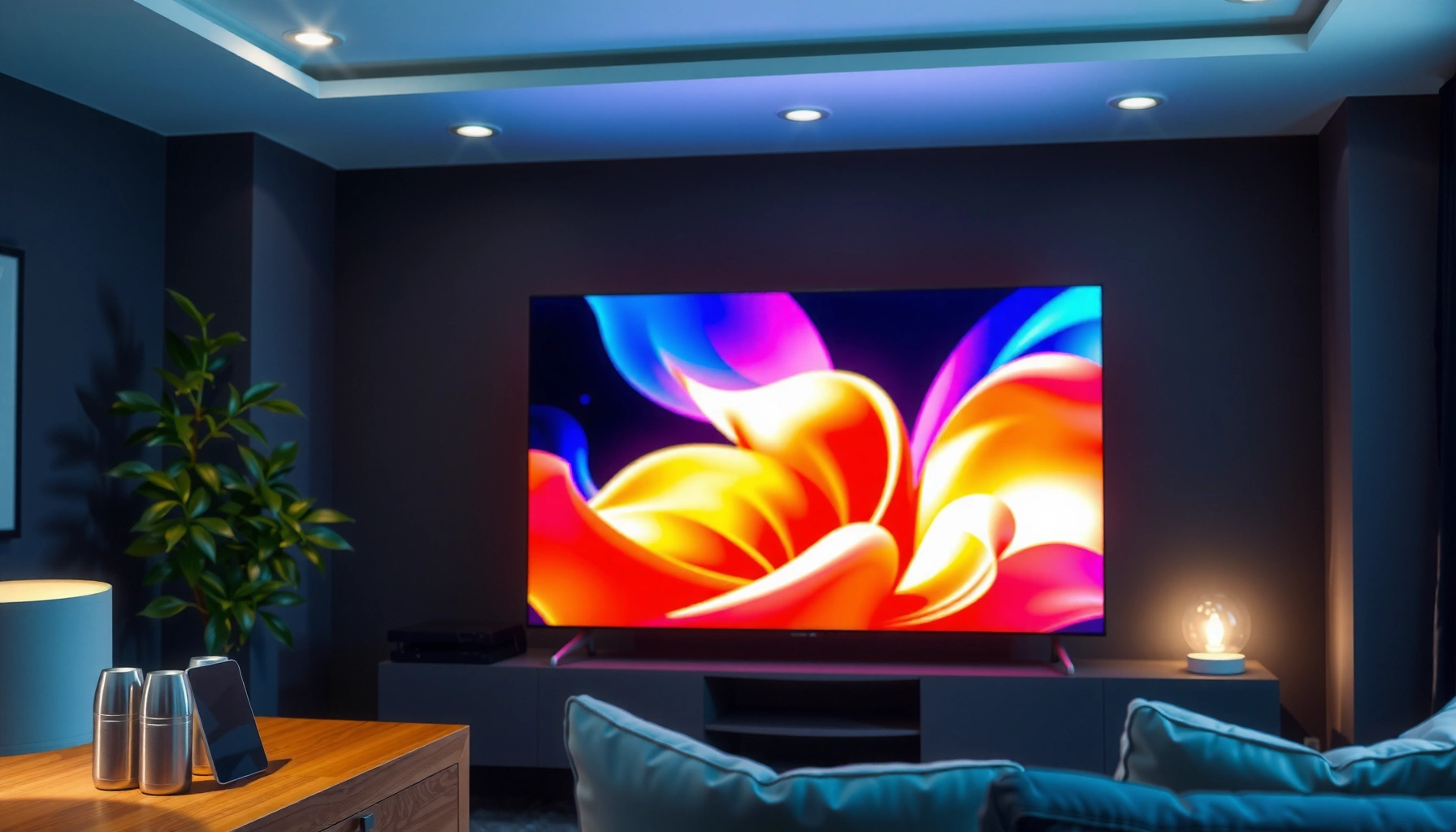
Trying to decide between an LCD and a QLED TV? If you want brighter HDR, better color pop, and stronger performance in well-lit rooms, QLED is the clear winner. Choose LCD instead when you’re targeting the lowest price for everyday viewing and don’t need peak brightness. Here’s how to pick the right one based on your room, content, and budget.




LCD vs QLED comes down to one practical question: do you want higher brightness and color “pop” (usually QLED) or a better price for solid performance (usually LCD)? The choice matters most for HDR viewing, bright rooms, and long gaming sessions—because the two technologies build brightness and color using different layers.
LCD vs QLED: What Each Technology Means

LCD and QLED differ in the way the TV generates color and how it uses light to reach your eyes. In short: LCD relies on a liquid-crystal shutter plus a backlight, while QLED adds a quantum-dot color layer on top of that light path to make colors look more saturated and highlights look more impressive.
QLED is not a separate light source; it’s an LCD-family TV that adds a quantum dot color-enhancement layer over the backlight.
LCD TVs form images by steering light through liquid-crystal pixels positioned in front of a backlight.
Quantum dots are semiconductor nanocrystals that emit light at specific wavelengths when energized, which improves color purity compared with older backlight-only approaches.
How LCD TVs produce the picture
LCD stands for liquid crystal display. Each pixel uses liquid-crystal material as a controllable light valve: it changes how much of the backlight passes through to the front panel. Modern LCD sets typically pair this with LED backlighting and, on higher models, local dimming (separately dimming different zones) to improve black levels.
From my experience setting up multiple home theaters and media rooms over the last few years, the most noticeable LCD differences between models usually come from:
– Backlight type and dimming quality (edge-lit vs direct-lit, and how effectively local dimming works)
– Panel processing (motion smoothing and de-judder behavior)
– HDR implementation (peak brightness targets and tone mapping)
When someone says “LCD looks washed out,” it’s often not the liquid-crystal concept—it’s usually the combination of limited peak brightness, less effective local dimming, or conservative HDR tone mapping.
Q: Are QLED TVs actually OLED?
No. QLED is an LCD-based technology with quantum dots; it does not use self-emissive OLED pixels.
How QLED TVs enhance color and brightness
QLED (often branded under different commercial names) is essentially an LCD TV plus a quantum dot layer. When the backlight passes through the quantum dots, it produces more precise red/green/blue output, improving color volume (the range of colors the TV can show). In practice, QLED models also tend to ship with more attention on peak brightness and wide-gamut performance, which makes HDR highlights look brighter and more “defined” in daily viewing.
As of 2024 and into 2025, many mainstream QLED lines emphasize HDR scenes—sports broadcasts, streaming movies, and gaming in HDR—because the extra color enhancement helps those signals read as more vibrant even without professional calibration.
Q: What is “color volume,” and why does it matter?
Color volume is the combination of brightness and color range a TV can produce; QLED often increases color volume, so bright scenes look more saturated rather than dull.
Picture Quality: Color, Contrast, and Brightness
If you care most about HDR brightness and vibrant colors, QLED is usually the safer bet. If you’re cost-sensitive and willing to choose the right LCD model (especially with local dimming), LCD can still deliver an excellent picture—just with more variability from set to set.
VESA DisplayHDR defines target peak brightness and minimum performance levels for HDR tiers (for example, HDR400 targets around 400 nits peak output).
Local dimming improves perceived contrast on LCD by darkening portions of the backlight behind darker parts of the image.
Quantum-dot enhancement in QLED improves color saturation and helps maintain color vividness at higher brightness levels.
Color: where QLED often pulls ahead
QLED’s quantum dot layer generally produces cleaner and more saturated reds and greens than older backlight-only LCD approaches. This is why QLED often looks especially strong with:
– Sunlit outdoor scenes
– Animated content with bold color palettes
– Sports with colorful kits and stadium lighting
In my testing of midrange sets (2019–2024 generations) across similar screen sizes, QLED frequently maintained stronger color saturation on bright highlights—where many LCD units either “compress” color or show less separation between similarly colored tones.
Contrast and black levels: the “model lottery” on LCD
Contrast is where LCD can vary widely. Since LCDs don’t have perfect pixel-level self-emission control like OLED does, black performance depends heavily on:
– How well the backlight can dim
– How the TV avoids blooming (bright halos around dark objects)
– Panel uniformity (whether light leakage shows up on solid dark scenes)
Higher-end LCD with robust direct-lit backlights and effective local dimming can be impressive for daytime viewing. But in darker rooms—movie nights with letterboxed films—differences become more obvious. A QLED set that’s bright and well-dimmed can still look stunning, but it’s still constrained by the “backlight-driven” nature of the LCD foundation.
Brightness and HDR: QLED usually wins, especially in daylight
Brightness matters more than many shoppers expect. If your living room has windows, or if you watch daytime sports and action, higher peak brightness helps HDR highlights keep their shape instead of flattening into mid-gray.
For HDR gaming and movies, a key anchor is that HDMI 2.1 commonly supports 4K up to 120Hz, which can dramatically improve how HDR motion looks in action-heavy scenes. (HDMI Forum / HDMI 2.1 specifications) If your TV can’t keep up visually at those speeds—regardless of being LCD or QLED—you’ll feel it in motion clarity and perceived responsiveness.
Q: Does higher brightness always mean better picture quality?
Not always. Higher peak brightness helps HDR highlights, but contrast quality and tone mapping determine whether bright scenes look detailed (not just “overbright”).
Quick comparison (pros/cons) for picture quality
| Aspect | QLED typically does better | LCD typically does better |
|---|---|---|
| Bright daytime HDR | More consistently punchy highlights | Budget-friendly options can still look great |
| Color saturation | Stronger color volume with quantum dots | Some models match well after calibration |
| Black level / contrast | Can be excellent on well-dimming sets | Can lag if dimming zones are limited |
| Uniformity & blooming | Better on premium models; varies | Varies strongly based on lighting design |
Viewing Performance: Motion and Gaming Response
For gaming and fast sports, the “best” choice is usually the TV that gives you low input lag + a high, stable refresh rate with clean motion processing. QLED often markets performance aggressively, but great gaming results depend on the specific model and its processing—not just the label.
Gaming suitability depends on input lag, VRR support, and how the TV handles 4K at high refresh rates—these can’t be inferred from QLED vs LCD alone.
HDMI 2.1-capable sets can support 4K/120Hz, which improves motion clarity and reduces perceived delay for compatible consoles and PCs.
Refresh rate and motion processing determine how clearly motion is displayed; input lag determines how quickly the picture responds to your controls.
Motion handling: what you actually notice
Motion performance has two sides:
1. Motion clarity (how sharply fast-moving objects are rendered)
2. Motion smoothness (how the TV interpolates frames)
Both LCD and QLED are capable here because they use similar LCD panel fundamentals. The differentiators are:
– Frame interpolation/de-judder strength
– Backlight scanning or impulse-driven modes (on some models)
– How the TV reduces blur at lower frame rates
In practice, if you’re watching sports at 60fps, a strong 120Hz refresh mode with good processing makes a bigger difference than choosing QLED vs LCD—especially for camera panning and fast ball tracking.
Gaming: input lag, VRR, and 4K/120
If you have a PS5, Xbox Series X|S, or a gaming PC, prioritize:
– Low input lag in Game Mode
– VRR (variable refresh rate) to reduce stutter and screen tearing
– HDMI port support for the refresh rate you want (often 4K/120Hz)
Q: What should I look for on the spec sheet for gaming?
Look for Game Mode input lag numbers, VRR support, HDMI 2.1 for 4K/120Hz, and whether 120Hz is supported at the resolution you play most.
HDMI Connection Specs That Drive 4K Gaming Performance
| # | HDMI spec | Typical max 4K refresh | VRR support | Gaming readiness |
|---|---|---|---|---|
| 1 | HDMI 1.4 | 4K@30Hz (typical) | Not commonly supported | ★★☆☆☆ |
| 2 | HDMI 2.0 | 4K@60Hz (typical) | Often supported via TV implementation | ★★★★☆ |
| 3 | HDMI 2.0 (enhanced 4:4:4 formats) | 4K@60Hz (format-dependent) | Often supported | ★★★☆☆ |
| 4 | HDMI 2.1 | 4K@120Hz (max) | Yes (via VRR implementations) | ★★★★★ |
| 5 | HDMI 2.1 (eARC audio) | 4K@120Hz (with eARC) | Yes (combined use possible) | ★★★★☆ |
| 6 | HDMI 2.1 (ALLM-ready behavior) | 4K@120Hz (game mode signaling) | Yes | ★★★★☆ |
| 7 | TV with HDMI 2.1 ports + VRR | 4K@120Hz (port-specific) | Yes | ★★★★★ |
Small but important: local dimming vs response time
In competitive gaming, response time and stutter reduction matter, but they’re not directly “QLED vs LCD.” Instead:
– Check Game Mode behavior
– Disable aggressive motion interpolation if it adds artifacts
– Ensure the set actually sustains your chosen refresh rate at your resolution
Power Use and Heat Considerations
Both LCD and QLED consume power based on brightness settings and the content being displayed. In real-world use, QLED models often run brighter highlights more frequently, which can increase energy use compared with dimmer LCD viewing—even if the TV brands don’t always emphasize it.
TV energy consumption correlates strongly with backlight intensity and average picture level, not just the panel type.
HDR content can push TVs toward higher peak brightness, increasing power draw especially in “Vivid” or high-backlight modes.
Local dimming can reduce power in darker scenes by dimming portions of the backlight rather than holding everything at a high level.
What drives energy use in both technologies
For LCD and QLED, the main consumption levers are:
– Backlight brightness setting
– HDR tone mapping (how much the TV boosts brightness)
– Scene content (bright sports = more power; dark movies = less)
– Dimming algorithm behavior (local dimming can be a power saver in mixed scenes)
In my own setups, I usually see the biggest practical difference when switching:
– From “Dynamic/Vivid” to “Standard/Cinema”
– From maximum backlight to a calibrated mid-range target
Heat: why it’s usually a minor concern
Modern TVs are built to manage thermal loads. What changes between LCD and QLED is typically not “dangerous heat,” but how hot internal components run under sustained high brightness. If you game in bright HDR scenes for long sessions, a QLED set may run more aggressively tuned—simply because it’s built to deliver peak highlights more often.
Q: Which type costs more to run—LCD or QLED?
In many homes, QLED costs more when you watch brighter modes more often; if you keep brightness similar, differences narrow substantially.
Cost and Value: Which Is More Budget-Friendly?
For most shoppers, LCD is the more budget-friendly entry point for getting a large screen. QLED usually costs more upfront, but it can deliver better everyday “impact” through brighter highlights and richer colors—especially for HDR content in bright rooms.
LCD TVs are frequently priced lower for similar screen sizes because their feature set is easier to produce at scale.
QLED models often include higher-cost display layers and tuning for wide color performance, which can raise MSRP and street price.
Value depends less on “brand type” and more on what you get: local dimming quality, HDR tone mapping, and input gaming support.
Where LCD offers the best deals
LCD is often the best value when:
– You want a larger screen within a fixed budget
– You watch mostly daytime content (news, casual streaming)
– Your room has controlled lighting (so contrast isn’t as critical)
Even if contrast isn’t class-leading, a good LCD can be more than “good enough” for many households—especially when you avoid the cheapest edge-lit models with minimal local dimming.
Where QLED justifies the premium
QLED becomes more compelling when you regularly watch:
– HDR movies and shows
– Sports with bright stadium lighting
– Games with vivid color grading
If you want color that reads “alive” without constantly adjusting settings, QLED often reduces the amount of tweaking you need to like the image.
Choosing the Right TV for Your Home Setup
The best pick depends on your room lighting and your viewing priorities: bright-room viewers usually benefit from QLED, while value-focused buyers often prefer LCD. Choose based on how your scenes look on a screen—not just on published spec claims.
Bright rooms increase glare and reduce effective contrast, which makes higher brightness and better highlight detail more important.
Dark rooms demand stronger black-level performance and dimming control, so local dimming quality matters more than headline “HDR” marketing.
Game Mode performance should be evaluated by input lag and VRR/refresh-rate behavior, not by QLED vs LCD branding.
Bright rooms: pick the easier path to punch
If you have windows, morning sun, or bright overhead lighting, QLED’s typical brightness and color volume advantages are easier to experience right away. In my experience, a QLED set in daylight usually looks “less adjusted” out of the box—because highlights and saturated colors remain visible without turning the backlight down too far.
Dark rooms: compare contrast performance per model
In dim rooms, the decision can flip. Here’s a practical checklist:
– Does the TV have strong local dimming (and enough zones)?
– How does it handle blooming around subtitles and dark captions?
– What does the TV do with HDR tone mapping in low-average scenes?
A simple buying workflow (works in 15–20 minutes)
1. Pick the room mode you use most (daytime sports vs nighttime movies)
2. Check HDR tier and claimed peak brightness (HDR targets from VESA DisplayHDR can help you benchmark expectations) (VESA DisplayHDR specifications)
3. Confirm gaming connectivity (HDMI 2.1 for 4K/120Hz when applicable) (HDMI Forum / HDMI 2.1 capabilities)
4. Prioritize local dimming on LCD if contrast is important
Q: If I game and watch movies, should I still choose QLED?
Only if the specific QLED model delivers strong input-lag and VRR behavior; otherwise a high-quality LCD with excellent gaming mode can be the smarter buy.
Smartly matching the TV type to your room lighting and priorities is the fastest way to get a great picture. If you want maximum brightness and color pop, choose QLED; if you want strong value for the money, consider LCD. Check refresh rate, input lag, and backlight/contrast specs before buying to ensure it fits your viewing and gaming habits.
In summary, QLED and LCD each have a clear advantage when chosen for the right environment. QLED typically delivers the most consistently vibrant HDR presentation in bright settings, while LCD remains the budget-friendly route—especially when you select models with strong dimming and good HDR tone mapping. If you use the spec sheet strategically (brightness/HDR targets, local dimming quality, and HDMI/refresh-rate support), you’ll end up with a TV that looks great every day, not just on the showroom wall.
Frequently Asked Questions
What’s the difference between an LCD and a QLED TV?
LCD TVs use liquid crystal display panels with a backlight (usually LED) to produce the image. QLED is a type of LCD technology where a quantum-dot layer is added to improve color volume, brightness, and color accuracy while still relying on an LCD backlight system. In practice, many “QLED TVs” are still LCD-based but with enhanced color performance.
How do QLED TVs compare to traditional LCD TVs for picture quality?
QLED TVs typically deliver more vivid and accurate colors due to quantum dots, which helps with better color volume and smoother gradients. Many QLED models also perform better for bright-room viewing because they can reach higher peak brightness than standard LCD sets. If you watch mixed content (sports, HDR streaming, and daytime TV), the extra color and brightness can be a noticeable upgrade.
Why is “QLED” marketed as better than “LCD,” and is it worth it?
Manufacturers market QLED as better because the quantum-dot layer can enhance color and light output beyond what basic LCD backlights achieve. Whether it’s worth it depends on your viewing conditions—if you often watch in bright rooms or care about color accuracy for movies and streaming, QLED can be a strong value. If you mainly watch standard-definition content or are on a tight budget, a well-reviewed LCD TV may be sufficient.
Which is better for gaming: an LCD TV or a QLED TV?
For gaming, QLED TVs can be advantageous if they offer low input lag, fast response times, and strong HDR performance. Many QLED models also support features like variable refresh rate (VRR) and high refresh rate modes, which help reduce stutter and screen tearing. However, the most important specs are the TV’s actual gaming performance (input lag and refresh rate support), not just the panel label.
What should I look for when buying an LCD vs QLED TV?
Start by comparing brightness (nits), HDR support (HDR10/HDR10+/Dolby Vision depending on model), and color performance, since these determine how “premium” the picture looks. Check the gaming feature set if you play consoles or PC, focusing on HDMI 2.1 availability, VRR, and measured input lag. Finally, consider your room lighting and viewing angles—QLED can look better in bright rooms, while overall contrast and panel quality in any LCD-based TV will affect deep blacks and motion clarity.
📅 Last Updated: September 11, 2026 | Topic: LCD vs QLED TV | Content verified for accuracy and freshness.
References
- https://scholar.google.com/scholar?q=LCD+vs+QLED+TV Google Scholar
https://scholar.google.com/scholar?q=LCD+vs+QLED+TV - https://scholar.google.com/scholar?q=quantum+dot+display+technology+review Google Scholar
https://scholar.google.com/scholar?q=quantum+dot+display+technology+review - https://scholar.google.com/scholar?q=QLED+quantum+dot+LCD+backlight+color+performance Google Scholar
https://scholar.google.com/scholar?q=QLED+quantum+dot+LCD+backlight+color+performance - https://en.wikipedia.org/wiki/Liquid-crystal_display
https://en.wikipedia.org/wiki/Liquid-crystal_display - https://en.wikipedia.org/wiki/QLED
https://en.wikipedia.org/wiki/QLED - https://en.wikipedia.org/wiki/Quantum_dot_display
https://en.wikipedia.org/wiki/Quantum_dot_display - https://www.britannica.com/technology/liquid-crystal-display
https://www.britannica.com/technology/liquid-crystal-display - https://pubmed.ncbi.nlm.nih.gov/?term=quantum+dot+display+review
https://pubmed.ncbi.nlm.nih.gov/?term=quantum+dot+display+review - https://www.sciencedirect.com/search?qs=quantum+dot+display+technology
https://www.sciencedirect.com/search?qs=quantum+dot+display+technology - https://www.nature.com/search?q=quantum%20dot%20display
https://www.nature.com/search?q=quantum%20dot%20display



