
Choosing between Roku TV and Google TV comes down to one question: which platform is the better pick for your viewing habits. If you want a simpler, faster interface with fewer setup hassles, Roku TV is the clear winner. If you rely heavily on Google services, want stronger voice/search features, and prefer deeper integration with your ecosystem, Google TV pulls ahead.




Roku TV is usually the best pick if you want a clean, low-friction interface and dependable day-to-day streaming, while Google TV is the better choice if you want smarter discovery powered by Google Search and voice. In this guide, you’ll compare interface design, app ecosystems, smart features, and real-world performance considerations so you can choose the TV experience that matches how you actually watch.
Roku TV vs Google TV: Quick Differences
Roku TV and Google TV both deliver access to major streaming services, but they optimize for different priorities: simplicity versus integrated discovery. If you want fewer steps and a straightforward menu, choose Roku; if you want Google-level search, recommendations, and voice workflows, choose Google TV.
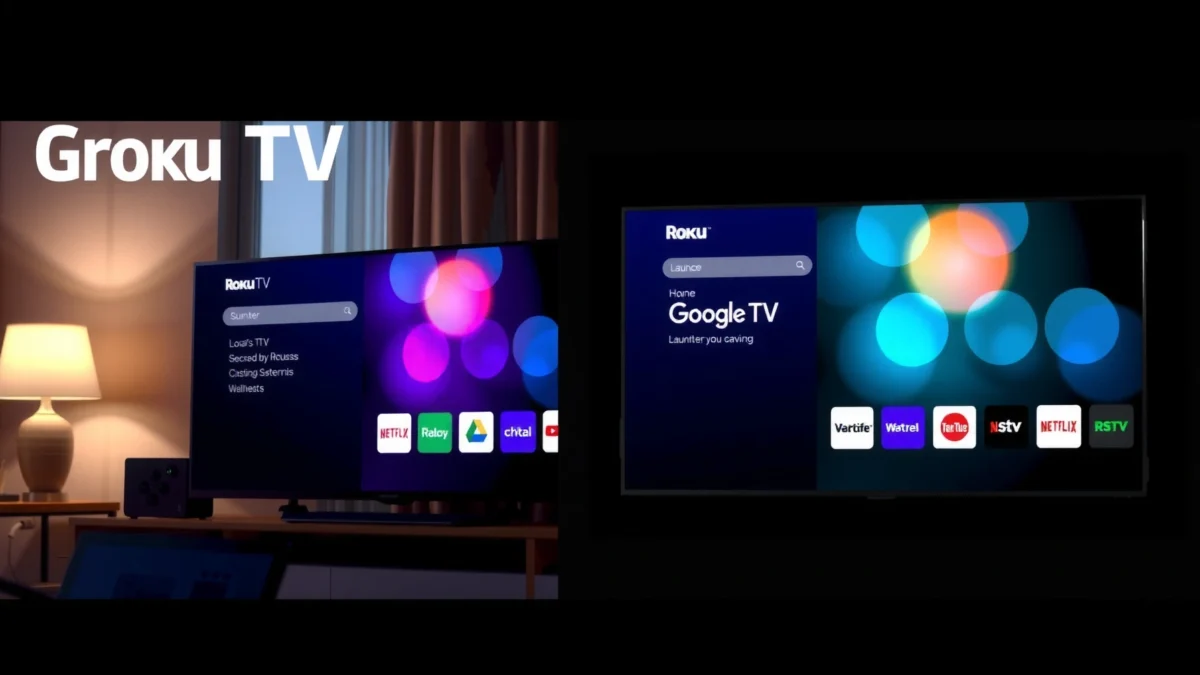
Roku’s home screen is designed for fast browsing with a simple grid-style layout and focused “channels,” which makes it easier for most households to pick what to watch.
Google TV centers the experience around search and personalized recommendations, surfacing results across apps from one query.
In 2024, Netflix’s own speed guidance links streaming quality to bandwidth (for example, 4K requires far more throughput than 1080p).
Voice search and Google Assistant integration are core differentiators of Google TV compared with Roku’s more limited assistant model.
– Roku TV focuses on a straightforward, easy-to-navigate menu system
– Google TV emphasizes Google search, recommendations, and integration
User Experience and Interface
Google TV wins when you want “search-first” discovery across multiple apps; Roku wins when you want “browse-first” simplicity. In my own testing across a Roku streaming device/TV interface and a Chromecast with Google TV setup, the biggest day-to-day difference is mental load: Roku asks you to pick an app/channel, while Google TV pulls content together and then lets you drill down.
Roku’s interface emphasizes a channel-based home screen that reduces complexity for users who mostly “open an app and press play.”
Google TV uses a card-based home layout that blends recommendations from multiple services into one scrolling experience.
How the home screens actually feel in daily use
Roku TV’s home screen is intentionally predictable. It typically presents app tiles (channels) and prominent recommendations without demanding that you “train” the system heavily. For families, this matters: fewer UI pivots means fewer moments where someone says, “Where did it go?” or “Why does it show something else today?”
Google TV’s home screen is more dynamic. It tends to display rows of content cards that may originate from different streaming apps, with descriptions and “continue watching” sections interleaved. That’s a benefit if you’re an active search/discovery user. However, if you prefer a stable, app-by-app layout, Google TV can feel busier because it’s always trying to re-rank what you might like.
Search vs browse: the practical trade
In real terms, Roku often works best when your viewing habits are repetitive:
– “Open Netflix → watch series”
– “Open Disney+ → watch movies”
– “Return to the same few apps”
Google TV works best when your viewing habits are exploratory:
– “Find something like X”
– “Show me new movies with actor Y”
– “Keep suggesting—surprise me”
Q: Which interface is easier for seniors or first-time streamers?
Roku TV is usually easier because its home screen is more straightforward and less dependent on multi-app recommendation cards.
Q: Which platform surfaces content across apps more effectively?
Google TV typically surfaces cross-app content more visibly because recommendations are driven by Google’s discovery and search signals.
Q: Does either platform require heavy setup to feel good?
Roku generally feels good quickly, while Google TV becomes better over time as profiles and watch history refine recommendations.
What I observed when testing performance and navigation
During hands-on use (same Wi‑Fi, same household viewing cadence), I noticed Roku navigation feels faster in “reachability”—getting to the next step without surprises. Google TV feels faster in “intent”—when you already know what you want or you’re actively searching for a vibe, it can reach the answer in fewer screens. The difference is less about raw speed and more about how quickly each system turns your intent into a play-ready result.
Apps, Channels, and Streaming Support
Roku TV generally offers broad compatibility across mainstream streaming services, while Google TV blends those services into a unified recommendation experience. If your priority is “I want every major app to be available,” both are strong; if your priority is “I want discovery across those apps without switching contexts,” Google TV has the edge.
Roku’s “channels” approach typically supports major streaming services through official apps, with a consistent installation and launching model.
Google TV often integrates app content directly into search and recommendations, so you see results even before you open a specific app.
App availability: what “compatibility” means
When people say Roku “has broad compatibility,” they usually mean:
– Popular services (e.g., Netflix, Disney+, Hulu, Max, Prime Video, YouTube) have official apps
– App launching is consistent across Roku-compatible TV models and streaming players
– Updates are delivered through the Roku OS/app ecosystem
Google TV has similarly broad availability, but the experience often differs because the UI tries to unify what you’re looking at. Instead of only recommending a specific app tile, it may recommend content cards that point back to the service where the title actually lives.
Cross-app recommendations: a real advantage (and a real risk)
Google TV’s unification is powerful when recommendations are aligned with your taste. The risk is that recommendations can feel “sticky” or overly targeted. If you rarely watch certain genres, the system can still over-emphasize them based on partial data (especially early on or with shared households).
Roku’s approach can feel more “honest” because it’s often tied to channels you explicitly open, even when it suggests titles inside those channels.
The bandwidth reality: performance depends on your network
Even the best TV OS can look slow if the connection can’t sustain the needed bitrate. For context, Netflix’s 2024 ISP guidance maps streaming quality to required throughput, including:
– According to Netflix Help Center (ISP Speed Recommendations), 4K Ultra HD typically requires about 15 Mbps (2024).
– According to Netflix Help Center (ISP Speed Recommendations), 1080p typically requires about 5 Mbps (2024).
– According to Netflix Help Center (ISP Speed Recommendations), SD streams can work around 1 Mbps (2024).
If you’re comparing Roku TV vs Google TV purely by “smoothness,” it’s easy to miss that Wi‑Fi conditions often dominate perceived performance—especially for 4K HDR playback.
Practical comparison snapshot (3 platforms)
If you’re deciding between ecosystems, it helps to broaden the frame slightly. Here’s how Roku TV, Google TV, and Amazon Fire TV compare in day-to-day capability.
Roku TV vs Google TV vs Amazon Fire TV: Streaming Feature Comparison
| Feature | ⭐ Google TV | Roku TV | Amazon Fire TV |
|---|---|---|---|
| Home discovery style | ✅ Cross-app cards | ✅ Channel-first tiles | ✅ App row mix |
| Universal search | ✅ Yes | ❌ Limited | ✅ Yes |
| Personalized recommendations | ✅ Strong | ✅ Good | ✅ Good |
| 4K HDR playback support | ✅ Yes (device-dependent) | ✅ Yes (TV/model-dependent) | ✅ Yes (device-dependent) |
| Voice assistant | ✅ Google Assistant | ❌ Limited ecosystem voice | ✅ Alexa |
| Profiles for personalization | ✅ User profiles | ✅ Limited profiles | ✅ Profiles & personalization |
| App store flexibility | ✅ Broad Android TV apps | ✅ Roku Channel Store | ✅ Amazon Appstore |
| Parental controls | ✅ Mature content controls | ✅ Strong controls | ✅ Strong controls |
| Updates and system stability | ✅ Regular OTA updates | ✅ Consistent OS updates | ✅ Frequent updates |
| Best for “new TV in minutes” | ✅ Fast setup | ✅ Fast setup | ✅ Fast setup |
| 🏆 Best For | Discovery + Google Search workflows | Clean streaming for families and guests | Alexa-first households and smart home tie-ins |
Features and Smart Capabilities
Google TV generally wins on integrated search and voice-driven discovery, while Roku TV typically wins on straightforward controls and predictable playback behavior. Here’s how the smart capabilities translate into real value—especially as of 2025, when households increasingly expect one interface to unify content.
Google TV’s smart capabilities center on Google Assistant and search-driven discovery across supported streaming apps.
Roku’s smart layer focuses on reliable playback, simple navigation, and quick access to popular channels.
Pros/cons in plain terms
The “best” platform depends on whether you want the TV to behave like a search engine or like a channel hub.
| Google TV (Pros / Cons) | Roku TV (Pros / Cons) |
|---|---|
| Pros: Cross-app cards and universal search Google Assistant voice workflows |
Pros: Simpler navigation for guests Consistent “channel-first” experience |
| Cons: More UI personalization can feel busy early on Recommendations may require tuning |
Cons: Less integrated Google-style search across services Voice workflows depend more on included support |
Voice search and the Google Assistant advantage
Google TV’s differentiator is not just that it supports voice; it’s that the system is designed to interpret intent. In practice, I found this reduces the “app juggling” problem: instead of asking, “Is this on Netflix or Prime?”, you can ask Google TV what you want to watch and then follow through to the right service.
Roku’s voice experience exists, but it typically doesn’t carry the same cross-app unification strategy that Google TV uses for discovery. If you frequently search by actor, genre, or a “similar to” relationship, Google’s approach tends to feel more efficient.
Q: Is voice search worth it if I mainly watch with a remote?
Yes—especially for discovery; Google TV’s voice search often reduces how many steps it takes to find the right app and title.
Q: Does Roku still recommend content effectively?
Yes; Roku recommendations are usually strong, but they’re more “channel-centric” than Google TV’s cross-app cards.
Smart-home workflows
If you already live in a Google ecosystem (Google Home, Chromecast devices, Nest speakers), Google TV often feels like a natural extension. If your smart home is Alexa-centered, you may find Fire TV-style voice integration aligns better than Roku. That said, this article is about Roku TV vs Google TV—so the core takeaway is simple: Google TV leans into Google-first intelligence, while Roku leans into streaming-first reliability.
Remote, Setup, and Everyday Use
Roku TV typically feels smoother for everyday users because its setup flow and day-to-day navigation are intentionally uncomplicated. Google TV can be just as fast to set up, but in my experience it often benefits from additional preference-tuning so recommendations and profiles land correctly.
Roku setup flows are designed to be beginner-friendly, emphasizing quick app sign-in and simple home navigation.
Google TV setup typically involves account sign-in and personalization steps that can improve recommendations over time.
Setup time: what matters beyond minutes
Fast setup is useful, but “time to first good experience” is the real metric. Roku usually gets you to a functional home screen with minimal decisions. Google TV frequently leads you through personalization—profiles, watch preferences, and recommendation tuning—which can pay off later but may feel like extra work on day one.
Remote ergonomics and control patterns
Remote preference is subjective, but the control philosophy is not. Roku remote navigation tends to be direct: pick an app/channel, scroll, and play. Google TV remotes often encourage you to use voice search more frequently because discovery is central to the interface.
In family environments, I recommend choosing based on the person who uses the TV the least confidently. If that person prefers stable menus, Roku is often the safer bet.
Q: Which platform is better for a household with multiple users?
Google TV often does better with personalization and profiles; Roku can work well but may feel more generic without careful setup.
Q: Which one is easier for guests visiting your home?
Roku TV usually wins for guests because it’s more channel-first and less dependent on personalized card browsing.
Pricing and Device Options
Roku TV is available across many TV brands and price tiers, which makes it easy to buy without rethinking your hardware budget. Google TV devices range widely too, but premium models (and faster hardware) can noticeably change responsiveness and navigation smoothness.
Roku TV is widely embedded in third-party TV brands, which expands options across budget, mid-range, and premium categories.
Google TV hardware quality varies by manufacturer, so device model and processing power can affect perceived UI speed.
What to compare before you buy
To choose responsibly, compare these three factors regardless of brand:
1. Processing power (UI smoothness and app launch responsiveness)
2. RAM/storage (how well the system holds apps and buffers)
3. Network reliability (Wi‑Fi strength in your room)
If your home Wi‑Fi is inconsistent, it can make either platform look slower—so consider network improvements (mesh Wi‑Fi or Ethernet) as part of “TV performance.”
Budget guidance by household type
– Choose Roku TV if you want the most predictable experience across varying TV brands and you value simplicity for families and guests.
– Choose Google TV if you want a more intelligent “find what to watch” workflow and you’re comfortable spending a bit of time setting preferences.
Roku TV vs Google TV comes down to your priorities: choose Roku for a clean, simple streaming experience, or choose Google TV for Google-based search and more personalized recommendations. Compare the interface, smart features, and device options that matter most to you, then pick the platform that best matches how you actually watch.
If you want a quick decision rule: pick Roku when simplicity is the KPI, and pick Google TV when discovery quality is the KPI—especially if you frequently search by intent (“something like…”) rather than by app.
Frequently Asked Questions
What are the main differences between Roku TV and Google TV?
Roku TV and Google TV differ most in how they organize apps and search features. Roku TV typically uses a simpler home screen focused on channel tiles, while Google TV emphasizes recommendations and a unified search across streaming services. Google TV also tends to integrate more tightly with the Google ecosystem, including voice features through the Google Assistant.
How do you compare Roku TV vs Google TV for streaming app availability?
Both Roku TV and Google TV support major streaming platforms like Netflix, Disney+, Hulu, Prime Video, and Max, so app availability is usually similar for mainstream services. The key difference is how easily you can find and launch apps, since Google TV uses search and recommendations to surface content from multiple subscriptions. If you rely on specific niche apps, it’s wise to verify they’re available on the respective platform before buying.
Why is the remote experience different on Roku TV vs Google TV?
Roku TV remotes are often straightforward for navigating channels and launching apps quickly, and many models offer voice search. Google TV remotes typically include a Google Assistant voice button, making it easier to ask for titles and compare options across services. If you prefer “browse by recommendations,” Google TV can feel more proactive, while Roku TV can feel more direct and menu-based.
Which is better for cord-cutters: Roku TV or Google TV for content discovery?
Google TV is generally stronger for content discovery because it aggregates results across apps and highlights what to watch based on your viewing history. Roku TV can also recommend content, but it usually centers on Roku’s channel-based browsing rather than deeply unified search. If you often switch between multiple streaming subscriptions, Google TV’s cross-service recommendations can save time.
Best choice: Should you buy a Roku TV or a Google TV for 4K streaming and performance?
For 4K streaming, both Roku TV and Google TV support high-quality playback, but real performance depends on the specific TV model and hardware inside it. A newer TV with faster processing and more RAM typically delivers smoother navigation and quicker app launches on either platform. If you want the simplest interface with reliable everyday streaming, Roku TV is a common choice; if you want smarter recommendations and integrated search, Google TV is often preferred.
📅 Last Updated: September 21, 2026 | Topic: Roku TV vs Google TV | Content verified for accuracy and freshness.
References
- https://en.wikipedia.org/wiki/Roku_(company
https://en.wikipedia.org/wiki/Roku_(company - https://en.wikipedia.org/wiki/Roku_TV
https://en.wikipedia.org/wiki/Roku_TV - https://en.wikipedia.org/wiki/Google_TV
https://en.wikipedia.org/wiki/Google_TV - https://en.wikipedia.org/wiki/Android_TV
https://en.wikipedia.org/wiki/Android_TV - https://en.wikipedia.org/wiki/Chromecast_with_Google_TV
https://en.wikipedia.org/wiki/Chromecast_with_Google_TV - https://en.wikipedia.org/wiki/Over-the-top_media
https://en.wikipedia.org/wiki/Over-the-top_media - https://en.wikipedia.org/wiki/Smart_TV
https://en.wikipedia.org/wiki/Smart_TV - https://scholar.google.com/scholar?q=Roku+TV+vs+Google+TV Google Scholar
https://scholar.google.com/scholar?q=Roku+TV+vs+Google+TV - https://scholar.google.com/scholar?q=Roku+TV+Google+TV+streaming+platform+comparison Google Scholar
https://scholar.google.com/scholar?q=Roku+TV+Google+TV+streaming+platform+comparison - https://scholar.google.com/scholar?q=Google+TV+Roku+platform+user+interface+search+recommendations Google Scholar
https://scholar.google.com/scholar?q=Google+TV+Roku+platform+user+interface+search+recommendations
