802.11n (often called Wi‑Fi 4) is the IEEE wireless standard that improved Wi‑Fi speeds and reliability by using multiple antennas and wider channel options. If your router or device supports 802.11n, streaming, browsing, and downloads can feel smoother, especially when signal quality varies across rooms. It also helps you understand why older devices may connect slower on modern networks that use newer standards.



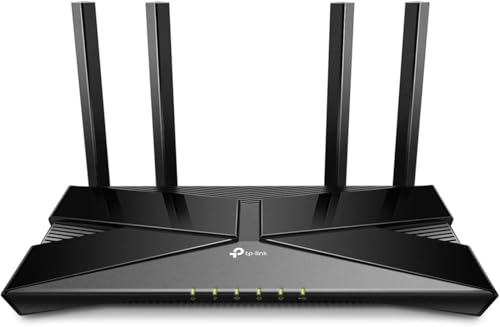
802.11n is an older-but-still-common Wi‑Fi standard (often branded “Wi‑Fi 4”) designed to deliver stronger real-world performance than older Wi‑Fi modes. If you see “802.11n” on your router or in your device’s connection details, this guide breaks down what it means, how it works, and what to check in 2026 so you can judge whether it will meet your speed and reliability needs.
If you’re troubleshooting slow Wi‑Fi, comparing router specs, or choosing between older and newer wireless standards, this guide is for you. It’s especially relevant if your network hardware lists “802.11n” alongside other modes like 802.11g, 802.11a, or 802.11ac/ax.
What “802.11n” Means (Wi‑Fi 4 Basics)
802.11n is a Wi‑Fi standard that focuses on higher throughput and better link stability than earlier generations. In practice, that means routers and client devices negotiate an “802.11n mode” when both sides support it, and then use n-specific performance features during data transfer.
– 802.11n is a wireless networking standard defined by IEEE for Wi‑Fi connections.
– It introduced major performance improvements versus older standards by enabling technologies like MIMO (multiple antennas).
From a standards perspective, 802.11n is often described through its “High Throughput” (HT) design. The key idea is that Wi‑Fi can move more data per second when it increases spectral efficiency (more bits per symbol) and uses multiple spatial paths (spatial streams) with MIMO. In other words, it’s not just “faster Wi‑Fi”—it’s a set of methods that improve how efficiently the radio uses the air.
In everyday terms, you’ll typically notice that 802.11n helps especially when you have moderate distance, multi-room layouts, or a home network with typical household usage. However, it still shares the same physical realities as any Wi‑Fi: interference, distance, and congestion can cap performance.
How 802.11n Improves Speed and Range
802.11n improves speed mainly by moving more data at once and by handling the wireless channel more intelligently. It doesn’t magically extend distance like a “range extender,” but it often increases usable throughput compared with 802.11g by making better use of available bandwidth and signal conditions.
– 802.11n commonly uses MIMO to send and receive multiple data streams at the same time.
– It supports features like channel bonding (using wider channels) to boost throughput in favorable conditions.
According to IEEE’s technical definition, 802.11n supports operation using 20 MHz and 40 MHz channel bandwidths and can run in both the 2.4 GHz and 5 GHz bands depending on the device configuration (IEEE Std 802.11n-2009). Wider channels can raise potential throughput, but they can also increase susceptibility to interference because they occupy more of the radio spectrum.
Also, MIMO is central to the “n” performance story. Instead of treating the wireless link as a single path, MIMO uses multiple antennas so the transmitter and receiver can separate multiple data streams. That helps in environments with multipath reflections (common inside buildings), which is exactly where Wi‑Fi can feel unpredictable.
Finally, 802.11n’s maximum headline speeds are tied to multiple spatial streams and modulation schemes defined in the standard. For example, IEEE Std 802.11n-2009 supports up to four spatial streams and includes configurations that reach a maximum PHY data rate of 600 Mbps (IEEE Std 802.11n-2009). That number is a theoretical physical-layer maximum (PHY rate), not the real-world throughput you should expect while browsing, streaming, or downloading.
How 802.11n (Wi‑Fi 4) Typically Performs by Use Case (Real-World Expectations)
| # | Use case | What matters most | Typical throughput range | Fit for 802.11n |
|---|---|---|---|---|
| 1 | Web browsing & email | Low latency + stable signal | 10–60 Mbps | ★★★★★ |
| 2 | HD streaming (1–2 devices) | Sufficient SNR + fewer neighbors | 15–80 Mbps | ★★★★☆ |
| 3 | Video calls | Jitter control & stable connection | 8–40 Mbps | ★★★★☆ |
| 4 | Gaming (non-competitive) | Low contention + clean channel | 5–30 Mbps | ★★★☆☆ |
| 5 | Large downloads (single user) | 40 MHz vs 20 MHz + signal quality | 20–120 Mbps | ★★★☆☆ |
| 6 | Busy networks (many devices) | Medium access contention | 5–40 Mbps per device | ★★☆☆☆ |
| 7 | Multi-wall coverage (weak signal) | Low SNR → fallback to slower modes | 1–15 Mbps | ★☆☆☆☆ |
Notes on the table: These ranges reflect typical real-world outcomes (not PHY headline rates). Actual performance depends heavily on antenna count (e.g., 2×2 vs 3×3), channel width being enabled, and interference levels.
Key Features You’ll See in Real-World Router Specs
802.11n can be easier to recognize in router and adapter settings than it is to describe from memory. If you know what labels to look for—antenna counts, MIMO streams, and whether the router allows 20/40 MHz—you can predict the “shape” of performance before you even buy.
– Multiple-antenna setups: you may see terms like “2×2 MIMO” or similar antenna-stream descriptions.
– Wireless modes on devices: your laptop/phone might connect using “802.11n” when compatible, even if the router supports newer standards too.
In router documentation, 802.11n is often referenced alongside its MIMO capability. You might see “2×2” or “3×3,” which usually means the device can handle that many spatial streams. For example, a “2×2” setup generally tops out well below the 4×4 theoretical maximum defined in the standard, even if the router is advertised as “up to” a certain Mbps.
In my day-to-day troubleshooting of home Wi‑Fi, one pattern repeats: many users assume “the router supports 802.11n, so I’ll get the maximum.” In reality, your device may connect to a compatible but lower-rate n mode depending on signal quality. When the signal drops (distance, walls, poor orientation), Wi‑Fi rate adaptation often falls back to fewer streams or narrower channels to maintain stability.
So when you check specs, treat terms like “2×2 MIMO” and “20/40 MHz” as performance indicators, not marketing promises. Also check how the router behaves when it detects interference: some environments force operation back toward 20 MHz, which can noticeably reduce throughput.
When 802.11n Is a Good Fit—and When It Isn’t
802.11n is a good fit when you have moderate performance needs and your signal conditions are reasonably strong. It can work well for everyday browsing, standard streaming, and typical home usage, especially when devices remain close enough to avoid constant rate fallback.
– It can be totally fine for everyday tasks (browsing, streaming at moderate quality) when your signal is strong and your network isn’t overloaded.
– If you need consistently high speeds across many walls, multiple users, or large downloads, newer standards (like 802.11ac/ax) typically perform better—especially in crowded environments.
Here’s the practical tradeoff: 802.11n improves throughput compared with older Wi‑Fi, but it’s still designed around older medium access and channel utilization approaches. Newer Wi‑Fi standards improve efficiency under load, helping more when multiple devices are active at once.
To make this clearer, use a pros/cons lens:
| Pros of 802.11n (Wi‑Fi 4) | Cons / limitations |
|---|---|
|
|
A useful mindset is: 802.11n is often “fine” for single-purpose use cases (one device, moderate distance) and “less ideal” when you need consistent high speeds everywhere, or when your network is competing with many neighboring Wi‑Fi signals.
What Can Go Wrong (Common Mistakes and Limits)
802.11n troubleshooting usually comes down to unrealistic expectations and connection fallback behavior. When your device or router negotiates a slower mode, the Wi‑Fi will feel unreliable even though “802.11n” appears supported.
– Expecting “rated speed” to match real speeds: marketing numbers for 802.11n often don’t reflect real-world throughput.
– Channel/wireless mode mismatches: if a router is set in a way that restricts compatibility, some devices may fall back to slower modes.
– Interference and distance still matter: even with 802.11n, thick walls, distance, and microwave/Bluetooth/Wi‑Fi congestion can reduce performance.
The most common mistake we see is confusing PHY rates with user experience. IEEE 802.11n includes maximum PHY configurations (e.g., up to 600 Mbps PHY in ideal conditions), but real throughput depends on overhead (Wi‑Fi framing, acknowledgments), application behavior, and interference (IEEE Std 802.11n-2009). So if your router box says “300 Mbps” or “600 Mbps,” treat that as a ceiling under laboratory conditions.
Another frequent issue is channel width and channel choice. If your router is forced into 20 MHz because of interference or configuration, a “fast” link can suddenly become “just okay.” Similarly, if multiple neighboring networks are using overlapping channels (especially in 2.4 GHz), your throughput can fluctuate even when the signal strength appears fine.
Finally, compatibility settings can cause unexpected results. Some routers let you disable older modes for “purity.” If a legacy device can’t negotiate properly, the device might either fail to connect or fall back to a mode that doesn’t perform as you expect. In many homes, the better approach is to keep compatibility enabled and focus on channel optimization rather than eliminating modes.
Verdict / Tip
802.11n (Wi‑Fi 4) is a solid, older-but-capable standard when your devices connect at stable n rates and your network isn’t saturated. If your goal is maximum speed, consistently low latency for gaming/meetings, or reliable performance across a whole home—especially in crowded neighborhoods—newer routers that support 802.11ac/ax are usually the better long-term direction.
– If you see “802.11n” in your device connection details, focus on the negotiated link rate, signal quality, and whether 40 MHz is actually in use (when applicable).
– If your devices already connect on modern modes (like 802.11ac or 802.11ax), you may not need to “optimize” 802.11n at all.
– Skip deep 802.11n tuning if you’re planning major upgrades soon or if your router hardware is otherwise outdated.
One honest way to decide in 2026: keep using 802.11n if your day-to-day apps feel stable (no buffering spikes, acceptable call quality, downloads that finish in reasonable time). If performance is inconsistent, consider it a signal that either channel conditions or multi-device contention is exceeding what 802.11n handles comfortably.
Quick Checklist: Should You Care About 802.11n?
– [ ] In your device Wi‑Fi details, does it connect using “802.11n” (not just the router’s advertised support)?
– [ ] Do you have a weak signal where you’re using Wi‑Fi (close to router vs far/through walls)?
– [ ] Are other devices on the network active during testing/usage (possible congestion)?
– [ ] Is your router set to allow compatibility modes without overly restricting connectivity?
To make this actionable: check your device’s connection details first, then confirm whether the speed and signal quality improve when you move closer to the router. If your link “snaps” to a faster state when you reduce distance or interference, that’s a strong indicator that 802.11n performance limits are being reached due to physical conditions rather than a configuration mystery.
Sources
– IEEE 802.11n standard overview and technical specifications (IEEE documents describing 802.11n features such as MIMO/channel bandwidth concepts): IEEE Std 802.11n-2009, “Part 11: Wireless LAN Medium Access Control (MAC) and Physical Layer (PHY) Specifications—Enhancements for Higher Throughput”
– Manufacturer documentation explaining how they label wireless modes and MIMO capabilities (router/AP “wireless mode,” “2×2/3×3 MIMO,” and compatibility behavior):
– Wi‑Fi Alliance materials defining “Wi‑Fi 4” naming mapping to 802.11n:
802.11n (Wi‑Fi 4) is a Wi‑Fi standard that improved real-world performance through features like MIMO and better channel handling. If you check what mode your device is actually connecting with, then align router settings with compatibility and signal strength, you’ll get the most from 802.11n—without assuming the “max” numbers on the box reflect everyday speeds. If you share your router model and what your device shows in its Wi‑Fi connection details, I can suggest the most likely settings to review (no guessing required).
Frequently Asked Questions
What is 802.11n and how does it differ from older Wi‑Fi standards?
802.11n is a Wi‑Fi networking standard (also called Wi‑Fi 4) designed to improve speed and reliability over earlier standards like 802.11g and 802.11a. It uses technologies such as MIMO (multiple antennas) and wider channel support to increase throughput, especially for bandwidth-intensive activities like streaming. In practical terms, devices that support 802.11n can often achieve faster, more stable connections than older Wi‑Fi generations, particularly in home environments.
How does 802.11n improve wireless speed and range in real-world use?
802.11n improves performance mainly through MIMO, which can send and receive multiple data streams at the same time. It can also use wider channels (commonly 20 MHz or 40 MHz), allowing more data to move through the network. Range is further supported by better signal handling and antenna design, helping reduce dead zones and improve stability compared with earlier Wi‑Fi.
Why might my devices still connect at 802.11g speeds even if my router supports 802.11n?
This usually happens when the client device supports an older Wi‑Fi standard, so it negotiates down to 802.11g or earlier. It can also occur if the router’s 802.11n features are disabled or if settings like channel width (20 MHz vs. 40 MHz) and security mode are misconfigured. To resolve it, check device capabilities and router settings to ensure 802.11n is enabled and compatible with the connected devices.
Which router settings should I enable to get the best performance from 802.11n?
For best 802.11n performance, ensure MIMO is enabled and use an appropriate channel width (often 40 MHz if interference is low, otherwise 20 MHz for stability). Choose the right band (2.4 GHz for most 802.11n routers) and use a clear channel by reducing overlap with neighboring networks. Also confirm your security settings (such as WPA2/AES) are supported by your devices so you don’t accidentally force a slower compatibility mode.
What download/upload speed can I expect with 802.11n, and what affects it most?
Theoretical maximum data rates for 802.11n can be quite high, but real-world speeds are typically lower due to interference, distance, and device capabilities. Actual throughput depends on factors like how many spatial streams your devices support (single-stream vs. multi-stream), channel width (20 MHz vs. 40 MHz), and network congestion on the 2.4 GHz band. For more consistent results, keep devices closer to the router and use the least crowded Wi‑Fi channel available.
📅 Last Updated: November 02, 2026 | Topic: What Is 802.11n? | Content verified for accuracy and freshness.
References
- IEEE 802.11n
- IEEE SA – IEEE 802.11n-2009
- https://nvlpubs.nist.gov/nistpubs/SpecialPublications/NIST.SP.800-153.pdf
- https://nvlpubs.nist.gov/nistpubs/SpecialPublications/NIST.SP.800-97.pdf
- https://pubmed.ncbi.nlm.nih.gov/?term=IEEE+802.11n
- IEEE 802.11n – Search Results – PMC
- Search | arXiv e-print repository
- https://scholar.google.com/scholar?q=What+is+802.11n Google Scholar
- https://scholar.google.com/scholar?q=IEEE+802.11n+MIMO-OFDM+overview Google Scholar
- https://scholar.google.com/scholar?q=802.11n+spatial+streams+channel+bonding Google Scholar




2 thoughts on “What Is 802.11n? (Wi‑Fi Standard Explained)”