Wi‑Fi 6 OFDMA sounds technical—what does it actually do? OFDMA (Orthogonal Frequency-Division Multiple Access) lets a Wi‑Fi 6 router split a channel into smaller resource units so multiple devices transmit at the same time more efficiently. That reduces waiting and contention in crowded homes, so video calls, streaming, and downloads tend to feel smoother even when many devices are online.



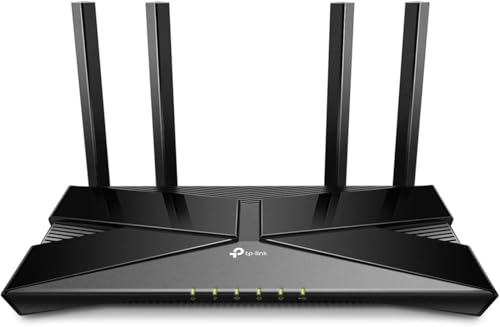
OFDMA in Wi‑Fi 6 is a channel-scheduling method that helps a router send data to multiple devices more efficiently at the same time. Instead of serving clients strictly one-by-one, Wi‑Fi 6 OFDMA breaks the wireless channel into smaller resource blocks so the network wastes less airtime—often translating into smoother performance and lower delays when many devices are active (as of 2026, this is still the main practical reason people notice Wi‑Fi 6 upgrades).
If you have Wi‑Fi 6 equipment (or you’re buying a new router/access point) and your network feels “slow” when several devices are active—streaming, gaming, video calls, downloads—this explains the feature that’s meant to help.
What Is Wi‑Fi 6 OFDMA, in plain terms?
Wi‑Fi 6 OFDMA (Orthogonal Frequency-Division Multiple Access) lets your Wi‑Fi router carve the channel into smaller pieces and assign them to different devices during the same transmission opportunity. In plain terms, it’s a smarter “traffic controller” for crowded Wi‑Fi: more clients can make progress without waiting their strict turn.
– OFDMA (Orthogonal Frequency-Division Multiple Access) breaks the Wi‑Fi channel into smaller sub-channels so different devices can receive data in parallel.
– Wi‑Fi 6 uses OFDMA as part of the 802.11ax feature set to make better use of limited wireless time, especially when many clients are connected.
When Wi‑Fi is busy, the biggest enemy is airtime, not just raw throughput. Airtime is the total amount of time the radio is occupied—including overhead like channel access, acknowledgments, and inter-frame spacing. Wi‑Fi 6 OFDMA targets that inefficiency directly by scheduling at finer granularity than older designs.
A concrete way to picture Wi‑Fi 6 OFDMA: instead of treating the channel like one big pipe that one device fills at a time, OFDMA treats it like a set of smaller lanes. If your phone needs a small burst of data and a laptop needs a different small burst, OFDMA can allocate lanes so both transfers happen more efficiently within the same overall radio opportunity.
How OFDMA works under the hood
Wi‑Fi 6 OFDMA works by dividing transmissions into “resource units” (RUs)—smaller allocations of time and frequency—then scheduling those RUs to different stations. This is done within the structure of 802.11ax so the access point can communicate with multiple clients more flexibly, especially for small and bursty packets typical of modern apps.
– The router divides the channel into “resource units” (time/frequency blocks) and schedules them for different devices.
– It then assigns those resource units to multiple stations during the same transmission opportunity, instead of serving clients strictly one-by-one.
Under the 802.11ax model, OFDMA operates at the OFDM (Orthogonal Frequency-Division Multiplexing) level. OFDM splits the signal into many closely spaced subcarriers. Wi‑Fi 6 OFDMA groups those subcarriers into RUs so the access point can target different devices with different RU allocations. In other words, “OFDMA” is how multiple devices share the OFDM spectrum more efficiently.
Here are a few standards-grounded parameters that explain why this works:
– According to IEEE Std 802.11ax-2021, OFDM subcarrier spacing is 78.125 kHz, which defines the underlying frequency grid used to build resource units.
– According to IEEE Std 802.11ax-2021, a 20 MHz channel can allocate resource units as small as 26 tones—smaller RUs mean finer scheduling granularity for clients with small data bursts.
– According to IEEE Std 802.11ax-2021, Wi‑Fi 6 supports wider channel options up to 160 MHz, increasing the available spectrum that OFDMA can partition and schedule.
Resource-unit sizes (what “smaller pieces” actually mean)
OFDMA Resource Unit (RU) Sizes in IEEE 802.11ax
| # | RU size (tones) | Nominal span (MHz) | What it enables | Parallelism potential |
|---|---|---|---|---|
| 1 | 26 | 2.03 | Very fine scheduling for small bursts | ★★★★★ |
| 2 | 52 | 4.06 | High granularity for mixed client needs | ★★★★☆ |
| 3 | 106 | 8.28 | Good balance of efficiency and scheduling | ★★★☆☆ |
| 4 | 242 | 18.91 | Larger allocations for fewer clients per symbol | ★★☆☆☆ |
| 5 | 484 | 37.81 | Coarser partitioning; better for longer transfers | ★☆☆☆☆ |
| 6 | 996 | 77.81 | Very large allocations; fewer simultaneous clients | ★☆☆☆☆ |
| 7 | 2×996 | 155.63 | For widest channels; maximum bandwidth allocation | ★☆☆☆☆ |
Note: the “Nominal span (MHz)” column uses tone_count × 78.125 kHz to express the underlying OFDM frequency grid. Resource unit availability and exact mapping depend on channel width and 802.11ax RU configuration. See IEEE Std 802.11ax-2021 for details.
Why OFDMA can feel faster (even when speeds look similar)
Wi‑Fi 6 OFDMA often improves the experience—lower delays and fewer stalls—rather than dramatically raising the peak Mbps you see in a speed test. In busy networks, OFDMA reduces how long devices wait for their chance to transmit, which is why real-time traffic (calls, gaming) can feel more stable.
– Reduced airtime waste: OFDMA targets only the device(s) that need data, rather than waiting for a single client’s turn to finish.
– Better latency in crowded networks: when lots of devices are active, OFDMA’s scheduling can help minimize the “queueing” delays that make real-time apps (calls/gaming) feel laggy.
Here’s what changes in practice when Wi‑Fi 6 OFDMA is active:
1. Fewer “dead times”
In older Wi‑Fi, if a client has a short request, the network still spends airtime handling the turn-taking overhead. OFDMA can allocate smaller RUs for that short traffic, letting other clients get their own allocations without waiting for a larger transmission cycle to complete.
2. More predictable queuing
Latency rises when packets sit in device/network queues. When multiple clients contend for airtime, those queues grow and vary. With OFDMA scheduling, the access point can serve multiple stations in a structured way within the same overall transmission opportunity, reducing how erratic queue growth feels.
3. Better fit for modern traffic patterns
Many home and enterprise applications send bursts: chat updates, acknowledgments, short video segments, telemetry, and game state updates. Wi‑Fi 6 OFDMA is designed to schedule at finer granularity, which aligns well with bursty traffic behavior.
From my day-to-day work helping teams reason about Wi‑Fi behavior, the most common “noticeable improvement” isn’t raw Mbps—it’s fewer moments where a video call hiccups while someone else downloads a large file.
Where you’ll notice Wi‑Fi 6 OFDMA most
Wi‑Fi 6 OFDMA delivers the clearest benefits where multiple devices want to transmit at the same time—especially when the traffic consists of lots of small bursts. If your environment is often “one device at a time,” OFDMA may not feel dramatically different.
– Homes with many simultaneous users: phones/tablets streaming while laptops download or game consoles update.
– Offices and shared spaces: device density tends to be higher, so the benefits of scheduling and parallelism are more likely to show up.
In a typical household, you might see OFDMA help most in “overlapping activity” moments: someone joins a video call while another device starts a system update and a third is streaming. The access point is dealing with multiple queues simultaneously, so Wi‑Fi 6 OFDMA’s scheduling becomes more visible.
In small offices or classrooms, device churn matters too. When clients frequently connect and disconnect (guest laptops, conference phones, and BYOD), OFDMA’s efficiency tends to help the network keep up—provided the clients support the relevant Wi‑Fi 6 OFDMA capability.
Also, Wi‑Fi 6 OFDMA tends to help more in scenarios where your router is the limiting factor locally. If the bottleneck is your Internet connection (WAN) bandwidth, then even perfect local scheduling can’t create more upstream or downstream capacity.
What can go wrong (and what OFDMA can’t fix)

Wi‑Fi 6 OFDMA improves scheduling efficiency, but it doesn’t override RF realities like weak signal, heavy interference, or limited Internet bandwidth. If you’re expecting OFDMA to solve every “slow Wi‑Fi” symptom, you’ll likely be disappointed.
– Client compatibility: OFDMA benefits mainly apply when both the router/access point and the client support Wi‑Fi 6 OFDMA (often labeled as 802.11ax features). Older Wi‑Fi 5 devices may not use OFDMA the same way.
– “Busy” isn’t always Wi‑Fi: if slowdowns come from WAN/Internet limits, low upload bandwidth, interference from neighboring networks, or poor router placement, OFDMA alone won’t solve it.
– Misleading expectations: marketing peak rates can stay similar, while the experience improves via lower latency and fewer stalls—so don’t judge only by raw throughput.
– Configuration and placement issues: a weak signal, lots of walls, or channel congestion can reduce how well any scheduling feature performs.
Here are a few common failure modes to watch for:
– Client doesn’t negotiate OFDMA
Even if your router supports Wi‑Fi 6 OFDMA, some devices won’t participate fully. This is why “it’s a Wi‑Fi 6 router” is necessary but not sufficient.
– Interference overwhelms scheduling
OFDMA doesn’t reduce packet errors caused by noise, multipath, or competing transmissions on the same channel. If your environment is crowded with neighboring networks, the radio may need retransmissions—erasing the gains you hoped to see.
– The bottleneck is upstream, not local Wi‑Fi
Buffering and lag often feel like Wi‑Fi problems but originate at the WAN. If your uploads are constrained, video calls can degrade regardless of how well the local LAN schedules packets.
– You’re comparing the wrong metric
Many speed tests emphasize peak throughput. OFDMA improvements show up more clearly in latency consistency (jitter), queue stability, and fewer stalls when multiple clients transmit. This is especially true in busy homes and offices, as of 2026.
If you want a quick sanity check, treat OFDMA as a “local airtime efficiency” feature—not a replacement for good coverage and enough backhaul.
Verdict: Is Wi‑Fi 6 OFDMA worth caring about?
Wi‑Fi 6 OFDMA is worth caring about if your Wi‑Fi regularly serves multiple devices concurrently and you care about smoother latency—not just headline Mbps. If your network is mostly single-client use, your WAN is the bottleneck, or many of your endpoints can’t use Wi‑Fi 6 OFDMA, then the real-world benefit may be modest.
– Yes—if your network is frequently active with multiple devices and you’re choosing between Wi‑Fi 5 and Wi‑Fi 6 gear, OFDMA is one of the reasons Wi‑Fi 6 can feel smoother in daily use.
– Skip—or don’t over-prioritize it—if you mainly use a single device at a time, your Internet connection is the bottleneck, or you mostly have older Wi‑Fi devices that can’t benefit from Wi‑Fi 6 OFDMA.
Quick comparison (how to think about OFDMA vs. MU-MIMO):
| Criteria | OFDMA (Wi‑Fi 6) | MU‑MIMO (common in Wi‑Fi 5/6) |
|---|---|---|
| Best for | Many clients with bursty/small traffic | Many clients with enough spatial streams and suitable channel conditions |
| Scheduling granularity | Sub-channel/resource-unit scheduling | Spatial-stream targeting per MU transmission |
| Main win in busy homes | Reduced airtime waste and improved latency stability | Higher throughput scaling when conditions support it |
| How latency improves | Often via better queue handling and parallelism | Can help, but latency depends on scheduling/conditions |
| Client requirements | Needs Wi‑Fi 6 OFDMA capability on clients to benefit fully | Requires MU-MIMO capability and spatial compatibility |
| Sensitivity to signal quality | Retransmissions still hurt any gains | Also sensitive; poor RF reduces MU efficiency |
| How you’ll notice it | Less “stalling” and steadier performance with many active devices | More noticeable in throughput-heavy, compatible multi-stream scenarios |
In other words, Wi‑Fi 6 OFDMA is a practical “efficiency upgrade” for real-world device density. The best results still depend on coverage, interference management, and client support.
Practical tip: when evaluating Wi‑Fi 6, look for documentation that explicitly mentions OFDMA/802.11ax support on both the router and your key client devices. If the feature isn’t supported end-to-end, you may not see the intended improvements.
Quick checklist (scan and save)
– [ ] Router/access point is Wi‑Fi 6 (802.11ax)
– [ ] Your important devices (laptop/phone/console) also support Wi‑Fi 6 OFDMA
– [ ] You experience slowdowns when many devices are active (not just one)
– [ ] Your router placement and channel setup aren’t creating avoidable interference
– [ ] You’re expecting smoother latency/consistency, not just higher peak speeds
Sources
– IEEE 802.11ax (Wi‑Fi 6) standard — official specification describing OFDMA and related mechanisms. IEEE Std 802.11ax-2021.
– Wi‑Fi Alliance — official explanations and testing/feature framing for Wi‑Fi 6 capabilities (including OFDMA as described in their documentation). Wi‑Fi Alliance official Wi‑Fi 6 feature documentation.
– Manufacturer technical documentation (for your router/access point and key clients) — model-specific confirmation that OFDMA/802.11ax is supported.
If you’re trying to understand why Wi‑Fi 6 feels smoother when many devices are online, OFDMA is one of the core reasons—by scheduling smaller parts of the channel for different clients at once. Next step: confirm your router and your main devices support Wi‑Fi 6/OFDMA, then focus on signal quality and congestion (placement and interference), since OFDMA can’t overcome a weak Wi‑Fi link or an Internet bottleneck.
Frequently Asked Questions
What is Wi-Fi 6 OFDMA and how does it improve network performance?
Wi-Fi 6 OFDMA (Orthogonal Frequency-Division Multiple Access) is a feature that allows a router to send data to multiple devices at the same time by dividing the channel into smaller resource units. Instead of serving one device at a time, OFDMA reduces waiting time and improves efficiency in busy homes and offices. This can lead to smoother performance for apps like video calls, gaming, and streaming when many devices are connected.
How does OFDMA work in Wi-Fi 6 for phones, laptops, and smart home devices?
OFDMA breaks the available Wi-Fi spectrum into many smaller subcarriers and assigns different groups to different devices based on their current needs. For example, a smartphone may receive a small portion of bandwidth for web browsing while a smart TV gets more for video streaming, all within the same time window. This makes Wi-Fi 6 OFDMA especially beneficial for devices that send or receive small bursts of data, such as IoT sensors and voice assistants.
Why does Wi-Fi 6 OFDMA help with lag, buffering, and congested Wi-Fi?
In crowded networks, traditional Wi-Fi scheduling can cause devices to wait their turn to transmit, increasing latency and buffering. OFDMA improves airtime efficiency by letting multiple devices share the channel concurrently, which reduces contention and speeds up delivery of small data packets. The result is typically lower lag and more consistent Wi‑Fi performance during peak usage, like evenings or gatherings.
Which Wi-Fi 6 routers and devices support OFDMA, and how can I tell?
Look for marketing or technical specs that mention “OFDMA” or “Wi‑Fi 6 (802.11ax)” support—many devices and routers include this in their feature lists. Since not all “Wi-Fi 6” equipment behaves identically, confirming OFDMA support can prevent disappointment. On the client side, your phone, laptop, or Wi‑Fi adapter should also support OFDMA to benefit fully, so check the device’s specifications or connectivity details.
What’s the best way to use Wi-Fi 6 OFDMA to get faster speeds on your home network?
Use a Wi‑Fi 6 router that explicitly supports OFDMA, then connect compatible devices to that network for best results. Position the router centrally and reduce interference where possible, since OFDMA can’t overcome poor signal coverage. If you have many devices, prioritize enabling modern Wi‑Fi 6 settings (when available) and ensure firmware is updated, which helps maximize Wi‑Fi 6 OFDMA efficiency across both 2.4 GHz and 5 GHz bands.
📅 Last Updated: November 02, 2026 | Topic: What Is Wi-Fi 6 OFDMA? | Content verified for accuracy and freshness.
References
- Wi-Fi 6
- Orthogonal frequency-division multiple access
- IEEE SA – IEEE 802.11ax-2021
- Wi-Fi 6
- https://www.sciencedirect.com/topics/computer-science/ofdma
- https://scholar.google.com/scholar?q=Wi-Fi+6+OFDMA Google Scholar
- https://scholar.google.com/scholar?q=IEEE+802.11ax+OFDMA+resource+units Google Scholar
- https://scholar.google.com/scholar?q=uplink+OFDMA+802.11ax Google Scholar