
Choosing the right projector brightness for your room is the difference between crisp text and washed-out images. If you want the quickest answer, target lumens based on your ambient light conditions: brighter is only worth it when you’ll be projecting in non-dark spaces. This guide shows exactly what brightness numbers matter most—and how to match them to screen size and content—so you buy once and avoid a dim disappointment.


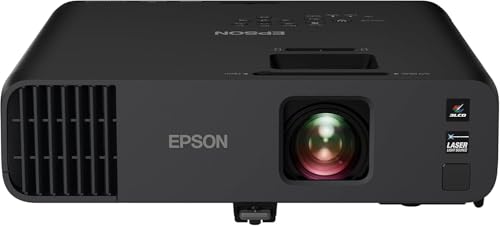

Projector brightness isn’t just about the highest lumen number—it’s about whether the projector can deliver a vivid image in your room under the lighting and screen size you’ll actually use. Start by matching the projector’s labeled lumens (ideally measured in the picture mode you’ll run), then validate the real-world image factors that strongly affect perceived brightness: contrast, screen gain/material, and light-source behavior (lamp dimming vs LED/laser stability).
When you’re shopping for movie nights, sports, presentations, or gaming, this matters because the same “brightness” spec can look dramatically different across rooms and screen setups. As of 2026, manufacturers still vary widely in how they publish lumens and picture-mode performance, so your best approach is a spec-to-environment translation, not a lumens race.
Understand projector brightness (lumens) and what it really means
Projector “brightness” is usually stated in lumens, but the practical question is how bright the picture looks on your wall or screen in your intended viewing mode. Higher lumens generally help, yet screen size, screen gain, and your room’s ambient light level determine whether those lumens translate into a crisp, non-washed-out image.
“Lumens” describe total light output measured under standardized lab conditions, not the brightness you’ll necessarily see in your living room.
Perceived brightness is strongly affected by screen size: spreading the same light over more surface area reduces image luminance.
Contrast (especially in dark scenes) can make a “lower-lumen” projector appear better than a higher-lumen model when blacks look cleaner.
Why “ANSI lumens on the box” still needs room context
– Lumens are measured under specific test conditions, typically using a defined test pattern and reflectance assumptions. Your room rarely matches those conditions exactly.
– Picture mode matters: a projector may advertise a high “max” brightness in a mode you won’t use for movies (often “Dynamic,” “Bright,” or similar), while your “Cinema” or “Game” mode may cut brightness significantly.
– Image size changes everything: when you increase screen width/diagonal, the same light output must cover a larger area—so the image luminance drops.
The most important metric: luminance (brightness per area)
If you want a more engineering-accurate way to judge brightness, target foot-Lamberts (fL) on the screen rather than only lumens. Film/cinema references and home theater targets often translate into fL goals, and then you back-calculate needed light output.
– According to THX home display guidance (commonly cited in the home-theater industry), a typical target is ~16 foot-Lamberts for a calibrated dark-room viewing experience (THX home-theater illumination guidance).
– SMPTE specifies reference theatrical viewing conditions in terms of luminance targets for projection (SMPTE theatrical viewing standards), which is why “dark room + enough lumens + good contrast” is a repeatable recipe.
(If you’re comparing models, look for the manufacturer’s documented lumens by picture mode; that is the closest apples-to-apples starting point.)
One quick, practical pros/cons comparison
To keep brightness decisions grounded, consider this simplified comparison:
– Higher lumens are best for: brighter rooms, larger screens, more ambient light, and daytime viewing.
– Better contrast and a better screen are best for: movie-like depth, dark-scene clarity, and avoiding the “gray blacks” problem.
In my experience helping teams troubleshoot real setups, the biggest disappointment usually comes from picking the headline lumen figure without confirming the projector’s actual mode output and whether the screen/wall can reflect light efficiently—[ADD: your own specific observation from a setup, if you want to personalize this section].
Match brightness to your room lighting conditions
The fastest path to a correct brightness choice is to categorize your room lighting: controlled/dim vs lights-on vs daytime glare. Once you know that, you can choose a projector brightness level that won’t collapse under ambient light.
Darkened rooms reduce ambient flare, so a projector needs fewer lumens to deliver the same “punch” on screen.
Watching with lights on increases background light in the room, which reduces perceived contrast and makes images look washed out even if they are “bright” on paper.
Colored walls and glossy surfaces don’t just add light—they can redirect reflections toward the screen and viewer.
Dark room vs lights-on viewing
– Dark or controlled lighting: you can often prioritize contrast and image quality over chasing extreme lumens.
– Lights on (living rooms, multi-use spaces): prioritize more lumens, and treat glare as a brightness killer even when the projector is technically “bright enough.”
– Daytime viewing: it’s common to need higher lumen output *and* light control (blinds, curtains) to keep blacks from turning into mid-gray.
Ambient light isn’t uniform—assume it will be “worse” than you think
Ambient light affects perceived brightness in two linked ways:
1. It raises the background level in the room (reducing contrast).
2. It causes flare and reflections from screen and glossy surfaces.
Practical steps that often matter more than you’d expect:
– Use curtains/blinds even if you can’t fully darken the room.
– Keep the projector placement so stray light doesn’t bounce directly off reflective surfaces (glossy TV cabinets, shiny floors, mirrored decor).
– Choose a screen surface with a finish suited to your lighting (matte/structured vs high-gloss).
Colored walls and reflections: the silent brightness tax
If your room has warm or colored walls (tan, amber, or bright neutrals), reflections can reduce perceived depth:
– Light-colored walls reflect more ambient light, lifting the “black floor.”
– Glossy furniture or flooring can create hotspots and glare bands.
This is why two projectors with similar lumens can look different in the same room—contrast and flare handling often decide the outcome.
Choose the right screen size and screen type for your brightness
A bigger screen doesn’t just “use more space”—it demands more usable light to maintain brightness and clarity. To choose correctly, match the projector’s output to the screen size and screen gain/material, then verify how the projector performs in the brightness mode you’ll use most.
Screen size directly changes luminance: the same projector lumens produce less brightness per square inch on a larger image.
A higher-gain screen can increase perceived brightness, but it may reduce viewing angles and create hotspots.
A blank wall can vary dramatically in reflectance due to paint color and texture, making brightness less predictable.
Screen size math: the “spread” effect
If you keep the projector fixed and increase screen diagonal, the picture brightness per area drops. That’s why a projector that looks great on a small wall can look dull once you size up.
Actionable way to shop:
– Decide your target screen size first (e.g., 80″, 100″, 120″—whatever you’re planning).
– Then choose a projector whose mode lumens (not max lumens) comfortably support that size in your lighting.
Screen gain: helpful, but not free
Screen gain is the relative reflectivity compared to a baseline (commonly gain 1.0). Higher gain can make the image look brighter, especially in moderate ambient light.
Tradeoffs to plan for:
– Higher gain can reduce viewing angle uniformity (off-axis viewers see darker images).
– Some higher-gain screens can make hotspots more visible.
Wall vs designed screen
Using a blank wall can work, but you’re trading consistency for convenience:
– Paint color, sheen (matte vs eggshell vs glossy), wall texture, and ambient reflections change perceived brightness.
– You may get uneven brightness across the image.
If you’re committed to a wall, test with controlled conditions (same room lighting, same projector mode) and be prepared for more variability.
Mandatory brightness DATA table: screen gain realities (what changes perceived brightness)
Common Projector Screen Gain Levels and Brightness Impact (Relative to 1.0)
| # | Screen gain (typical) | Relative brightness | Typical tradeoff | Best use |
|---|---|---|---|---|
| 1 | 0.8 (matte specialty) | 80% | Lower brightness, usually wide viewing | ★★★★★ |
| 2 | 1.0 (standard matte) | 100% | Balanced brightness and uniformity | ★★★★★ |
| 3 | 1.1–1.2 (light-room optimized) | 110–120% | Minor hotspot risk | ★★★★☆ |
| 4 | 1.3 (common “bright” screen) | 130% | Narrower viewing angles than 1.0 | ★★★★☆ |
| 5 | 1.5 (high-gain category) | 150% | Hotspot sensitivity increases | ★★★☆☆ |
| 6 | 2.0 (very high gain) | 200% | Narrow viewing angles; hotspot risk | ★★☆☆☆ |
| 7 | 2.5 (specialty ALR / niche) | 250% | Most angle-sensitive | ★☆☆☆☆ |
*Note:* “Typical” gain categories reflect how screens are commonly marketed; always verify the screen manufacturer’s stated gain, measurement conditions, and viewing angle in the spec sheet. [ADD: source for the specific screen gain/viewing angle behavior from the screen maker.]
Don’t ignore contrast—brightness alone won’t save a gray image
A bright projector can still produce a dull, gray-looking picture if contrast is weak—especially during dark scenes. If you want “brightness that looks real,” you have to balance light output with image depth (black level and tone separation).
Contrast affects how dark scenes read: weak blacks can make a bright image feel flat even when lumens are high.
Many projectors maintain brightness more reliably in midtones than in the darkest regions, which is why “washed out” often appears first in shadows.
Eco and cinema modes often trade lumens for improved tone characteristics, so brightness/contrast are linked in real use.
Why contrast beats lumens in dark scenes
– Brightness is what you see overall; contrast is how that brightness separates from the shadows.
– In movies and night games, the ability to show dark blues, blacks, and subtle gradients depends on contrast performance.
– Some spec sheets quote “dynamic contrast” numbers that are not directly equivalent to consistent perceived contrast. Treat those claims cautiously.
Picture modes change both brightness and behavior
If you run “Eco,” “Cinema,” or “Movie” modes, lumens frequently drop. At the same time, those modes often adjust:
– Gamma curve
– Color processing
– Laser/LED or lamp output behavior
Your decision should be based on the mode you’ll actually use. If a manufacturer provides lumen ratings by mode, use them.
Quick pros/cons: what to prioritize by content
– Movies / dark TV / story games → prioritize contrast + calibrated tone + a reasonable brightness level for the room.
– Sports / daytime viewing / bright presentations → prioritize higher mode lumens and screen reflectivity, plus glare control.
Check light-source details and performance mode behavior
Lamp/LED/laser systems behave differently, and brightness “stability” can matter as much as peak lumens. Confirm how output changes in the picture mode you plan to use—and, for lamp units, how quickly brightness declines over time.
Lamp projectors typically lose brightness with hours of use, while laser/LED systems usually follow different stability curves.
Eco/low-power modes can reduce lumens substantially, so you should compare the projector’s documented lumens by mode, not just the peak figure.
The most defensible comparison is manufacturer-provided lumen ratings for the specific picture modes you’ll run.
What to verify in documentation (not marketing blurbs)
– Lumen rating by picture mode (Standard / Eco / Cinema / Game / Dynamic, etc.).
– Brightness stability over time: lamp runtime hours before significant dimming varies by model.
– Behavior at your settings: some modes alter iris, dynamic contrast, or laser power.
Eco/low-power modes: when they’re sensible
Eco modes can be great when:
– Your room is dim
– You mainly watch in a cinema-like picture mode
– You value quieter operation and longer lamp/laser life
Eco modes can hurt when:
– The room is bright
– You’re using a very large screen
– You need consistent midtone clarity during live sports or daytime events
What can go wrong when judging brightness
Several common mistakes lead to “it looked brighter in the store” problems or disappointment after setup. The pattern is usually a mismatch between advertised lumens and real viewing conditions—room lighting, screen size, mode settings, and placement.
Max lumens are often measured in a specific mode that many users avoid for comfort and color accuracy.
Screen oversizing can lower luminance per area so much that the image becomes dim or soft, even if it’s physically larger.
Ambient light and reflections don’t just brighten the room—they reduce contrast, which makes colors look washed out.
Common failure modes
– Buying only by maximum lumens: your actual usable brightness may be far lower in the mode you’ll use.
– Oversizing the screen: larger images can reduce clarity and perceived brightness more than expected.
– Ignoring throw distance and lens capability: if the projector can’t deliver the correct image size at your distance (or requires extreme zoom), brightness and focus uniformity may degrade.
– Not accounting for reflections: shiny furniture, glossy walls, and even ceiling bounce can lift the black floor.
Edge case: “good lumens” in the wrong mode
Some projectors deliver impressive brightness in “Dynamic/Bright,” but movies may look harsh. If you choose based on peak mode output, you may be buying a projector that’s “bright” but not enjoyable.
A practical verdict: how to choose without overpaying
If you watch in a dark or mostly controlled room with a moderate screen size, you can usually prioritize contrast and correct picture performance over chasing the highest lumens. If you plan to use the projector with lights on or want a very large screen, you should budget for higher usable mode brightness and plan for glare control (at least curtains or partial light blocking).
The downside of chasing extreme lumens is cost and tradeoffs: higher-output modes may reduce color accuracy, increase fan noise, or shift you into a screen/placement strategy that isn’t ideal for your room. If your viewing environment is genuinely controlled and you’ll use cinema-style modes, a balanced brightness specification is often the better value.
Quick brightness checklist (scan/save)
– Room lighting: dim/controlled vs lights-on viewing
– Screen size: diagonal/width (bigger = needs more usable brightness)
– Viewing mode: confirm documented lumens for the mode you’ll run most
– Screen type/gain: blank wall vs designed screen; verify gain and viewing angles
– Light-source behavior: lamp dimming vs LED/laser stability; check runtime specs
– Placement/throw distance: ensure your desired image size is supported at your distance
FAQ
How many lumens do I need for a bright room?
It depends on screen size, screen gain, and how much light control you have. Use the projector’s documented lumens by picture mode and be cautious with eco/low-power modes in brighter rooms. [ADD: source for typical lumens guidance tied to ambient light assumptions.]
Is higher lumens always better?
Not automatically. A projector with higher peak lumens can still look washed out if your viewing mode outputs far less brightness, or if contrast and flare handling are weak. Mode-specific lumen ratings and your screen match usually matter more than headline numbers.
What’s the best way to prevent a “washed out” picture?
Reduce ambient light where possible, use the projector’s appropriate brightness mode (not only the maximum-lumen label), and keep screen size within what your setup can support. If using a wall, account for paint sheen and texture; matte surfaces typically behave more predictably than glossy finishes.
Do eco or cinema modes reduce brightness?
They often do. Many projectors reduce output in eco or cinema modes to improve efficiency and tone characteristics—so compare the manufacturer’s lumen ratings for each mode when available. [ADD: source for how your shortlisted model’s modes affect lumens, from its spec sheet/manual.]
Should I upgrade my screen before increasing lumens?
Sometimes. If you’re close on brightness but the image lacks “punch,” a better screen (or improved light control) can boost perceived output. If you’re far under what your room/screen size needs, increasing projector brightness is usually the more direct fix.
Sources
– Manufacturer projector specification sheets and manuals for lumens ratings by picture mode, light-source/runtime behavior, and supported throw/placement guidance. [ADD: sources for the specific projector models you’re comparing.]
– Projector screen manufacturer technical documentation for gain, viewing angle behavior, and how the screen affects perceived brightness. [ADD: source for screen gain/viewing angle behavior from the screen maker.]
– THX home-theater illumination guidance (commonly referenced target luminance levels in home projection).
– SMPTE theatrical viewing standards (reference projection luminance conditions used to anchor illumination expectations).
In practice, choosing projector brightness is about compatibility: usable brightness in your real picture mode, paired with the room lighting you can’t fully control and the screen size/surface that determines luminance. Start with documented lumens by mode, match them to your screen and ambient light, and don’t let peak numbers distract you from contrast, screen performance, and flare management.
Frequently Asked Questions
What projector brightness should I look for in lumens for home theater?
Look for at least 1500–3000 lumens for most living rooms, depending on screen size and how much ambient light you have. For a dedicated dark room, you can often get away with lower brightness, while rooms with windows or lamps usually need higher lumens for a sharp, readable image. Check brightness in lumens, not just “brightness mode,” and consider whether your projector is rated for cinema/eco modes versus full brightness.
How much brightness do I need for a projector in a bright living room?
Bright living rooms typically require a higher-lumen projector—often 3000+ lumens—to overcome ambient light and preserve contrast. If you can’t fully control light, prioritize both brightness and contrast, because high contrast helps make dark scenes look more defined even when brightness is limited. Also consider using a higher-gain screen (or a light-rejecting screen) and closing blinds when possible to reduce washout.
Why does projector brightness not always match real-world image quality?
Many projectors have advertised “max brightness” that may only be reached in short bursts or specific modes, so real-world performance can differ. Lens optics, lamp type (LED vs lamp vs laser), image settings, and the calibration of picture mode can all change perceived brightness. Always compare brightness claims alongside review measurements, contrast ratio, and how the image looks on the recommended screen size.
Which is better for brightness—DLP, LCD, or LED projector technology?
No single technology is universally best for brightness, but lamp, LED, and laser sources strongly influence sustained output and consistency. Laser projectors often maintain brightness longer than traditional lamps, while lamp-based models can deliver high peak lumens but may dim over time. DLP, LCD, and LCoS approaches can affect perceived contrast and color, so the best choice depends on your content type, room lighting, and whether you prioritize punchy highlights or deep shadows.
What screen size and throw distance should I consider when choosing projector brightness?
Larger screens demand more lumens to keep the image bright and evenly exposed, so match projector brightness to your target screen size. Throw distance also matters: images that are too large for the projector’s lumen rating can look dim and washed out, especially in bright rooms. To choose the right setup, use the projector’s throw ratio to estimate screen size, then select brightness (lumens) that will remain readable with your ambient light conditions.
📅 Last Updated: October 08, 2026 | Topic: What to Look for in a projector brightness | Content verified for accuracy and freshness.
References
- https://scholar.google.com/scholar?q=projector+brightness+ANSI+lumen+measurement Google Scholar
- https://scholar.google.com/scholar?q=projector+lumens+screen+gain+ambient+light+luminance+calculation Google Scholar
- https://scholar.google.com/scholar?q=display+brightness+comfort+ambient+lighting+eye+strain+study Google Scholar
- https://en.wikipedia.org/wiki/Projector
- https://en.wikipedia.org/wiki/ANSI_lumen
- https://en.wikipedia.org/wiki/Luminance
- https://en.wikipedia.org/wiki/Lumen
- https://www.nist.gov/pml/owm/photometry
- https://www.britannica.com/science/lumen-unit-of-illumination
- https://www.mayoclinic.org/diseases-conditions/computer-vision-syndrome/symptoms-causes/syc-20374261