
If your speaker keeps cutting out, it’s likely due to connectivity issues, interference from other devices, hardware malfunctions, software glitches, or environmental factors. Understanding these common problems can help you pinpoint the issue and find effective solutions, allowing you to enjoy uninterrupted audio once again.



Connectivity Issues
One of the most frequent culprits behind speakers cutting out is connectivity issues. If you’re using Bluetooth speakers, a weak or unstable connection can lead to frustrating audio dropouts. This can happen if you’re too far from the audio source or if there are obstacles blocking the signal. In addition, if you’re using wired speakers, loose or damaged cables may also be to blame. For instance, if your speaker is connected via an aux cable and the cable is frayed or not plugged in securely, it can result in intermittent sound loss.
To troubleshoot connectivity issues, ensure that your Bluetooth device is within a reasonable range, ideally within 30 feet. If you’re using wired connections, check for any visible damage on the cables and try replacing them to see if that resolves the issue. Additionally, try plugging the speaker into a different audio source to rule out problems with the original device.
Interference from Other Devices
Interference from other electronic devices is another common reason for speakers cutting out. Devices such as microwaves, Wi-Fi routers, and even some wireless headphones can disrupt the signal to your speakers, particularly if they are Bluetooth models. For example, if you find your sound cutting out while you’re using your microwave, that’s a classic case of electromagnetic interference.
To minimize interference, try to keep your speaker away from other electronic devices. If you’re using Bluetooth speakers, ensure that there are no walls or large appliances between the speaker and the audio source. Additionally, if you’re experiencing issues with Wi-Fi interference, consider changing the channel on your router or switching to a wired connection if possible.
Hardware Malfunctions
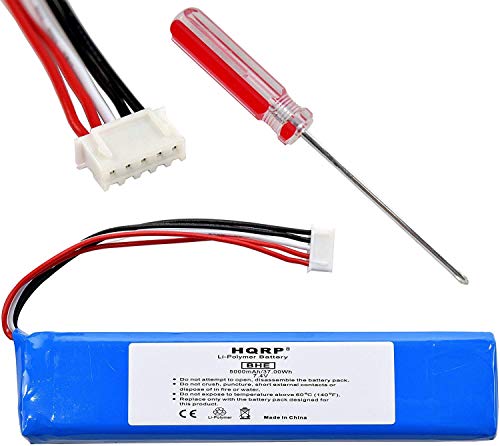
Sometimes, the problem may lie within the hardware itself. Faulty speaker components, such as blown drivers or damaged circuits, can result in sound cutting out unexpectedly. For instance, if you hear crackling noises or if the sound drops out entirely, it could indicate that the speaker’s internal components are failing. Internal circuitry issues might manifest as a complete loss of sound or even a distortion in the audio output.
If you suspect a hardware malfunction, it’s best to consult the manufacturer’s warranty or take the speaker to a professional technician for repair. In some cases, it may be more cost-effective to replace the speaker, especially if it’s an older model.
Software Glitches
Software glitches can also contribute to speakers cutting out. Outdated firmware or software may lead to compatibility problems with your audio source. For example, if your smartphone or computer has pending updates, it might not be able to communicate effectively with your Bluetooth speaker, resulting in dropouts.
To tackle software issues, regularly check for updates on your devices and ensure that your speaker’s firmware is up to date. Restarting the device or reinstalling the audio driver can also help clear up any temporary glitches. If you find that audio still drops after these steps, consider resetting the speaker to factory settings, which can often resolve deeper software conflicts.
Environmental Factors
Environmental factors can significantly impact speaker performance. For instance, obstacles such as furniture, walls, or even heavy curtains can block signals between your speaker and the audio source. Additionally, extreme humidity or temperatures can affect the electronic components inside your speaker and lead to performance issues over time.
To improve speaker performance, try moving the speaker to a more open area, away from dense furniture or other obstructions. If you live in a particularly humid area, consider using a dehumidifier to protect your electronics. Also, avoid placing speakers in areas with extreme temperature fluctuations, such as near windows or heating vents.
Troubleshooting Steps
If your speaker keeps cutting out, it’s essential to begin with some basic troubleshooting checks. Start by ensuring that all connections are secure and that your devices are updated to the latest software versions. Additionally, check if your speaker is within range of the audio source and that there are no obstructions blocking the signal.
If issues persist, performing a factory reset on the speaker may help clear up ongoing problems. Refer to the user manual for instructions on how to perform a reset specific to your model. If you’ve tried all these steps and the sound still cuts out, it may be time to reach out to customer support or consult a professional technician for further assistance.
In summary, if your speaker keeps cutting out, it could be due to connectivity issues, interference from other devices, hardware malfunctions, software glitches, or environmental factors. By following the troubleshooting steps outlined, you can identify and resolve the problem effectively. If issues persist, consider reaching out to customer support or a professional technician for further assistance. Enjoying your favorite music or podcasts should be a seamless experience, and with a little effort, you can eliminate those annoying audio interruptions!
Frequently Asked Questions
Why does my Bluetooth speaker keep cutting out during playback?
Bluetooth speakers can cut out during playback due to several factors, including distance from the connected device, interference from other wireless signals, or low battery levels. Ensure that your speaker is within the recommended range (usually around 30 feet) and free from obstacles that may block the signal. Additionally, check if your device has sufficient battery power, as low battery can affect performance.
What should I do if my wired speaker keeps cutting out?
If your wired speaker keeps cutting out, start by checking all cable connections to ensure they are secure and undamaged. Loose or frayed cables can lead to intermittent sound issues. Additionally, try connecting the speaker to a different audio source to determine if the issue lies with the speaker or the original device.
How can I fix my speaker cutting out issue during streaming?
To fix a speaker cutting out issue during streaming, first, verify your internet connection as a weak Wi-Fi signal can cause audio dropouts. Ensure that your streaming device and speaker firmware are up-to-date, as manufacturers often release updates to improve performance. If the problem persists, consider using a wired connection instead of Bluetooth to enhance stability.
Why does my speaker cut out when I increase the volume?
If your speaker cuts out when you increase the volume, it may be a sign of overloading or distortion. Most speakers have a maximum power rating; exceeding this can cause the speaker to shut down temporarily to protect its internal components. To prevent this, avoid setting the volume too high and consider using an amplifier that matches the speaker’s specifications for optimal performance.
Which troubleshooting steps can I take if my speaker keeps cutting out intermittently?
If your speaker keeps cutting out intermittently, start with basic troubleshooting: check for software updates for both the speaker and connected devices, restart them, and try different audio sources. Additionally, inspect for any physical damage to cables and connectors. If the issue persists, it may be beneficial to reset the speaker to factory settings, as this can clear any software bugs causing the interruptions.
References
- https://en.wikipedia.org/wiki/Speaker_(audio
- https://www.lifewire.com/speaker-cutting-out-3134878
- https://www.techradar.com/news/why-does-my-bluetooth-speaker-keep-cutting-out
- https://www.soundguys.com/speaker-cutting-out-19313/
- https://www.repairclinic.com/RepairHelp/How-To-Fix-A-Speaker-Cutting-Out-Repair
- https://www.hifitest.de/tests/warum-cuts-mein-lautsprecher-aus-2571
- https://www.cnet.com/tech/home-entertainment/how-to-fix-your-bluetooth-speaker-cutting-out/
- https://www.wikihow.com/Fix-Your-Speakers-If-They-Cut-Out

7 Comments