
If your Cambridge Audio speaker is not charging, it could be due to several factors, including a faulty cable, dead battery, or an issue with the speaker itself. Identifying the root cause is essential for resolving the issue efficiently. In this article, we’ll explore common reasons for charging issues and provide troubleshooting steps to help you get your speaker back to life.



Common Reasons for Charging Issues
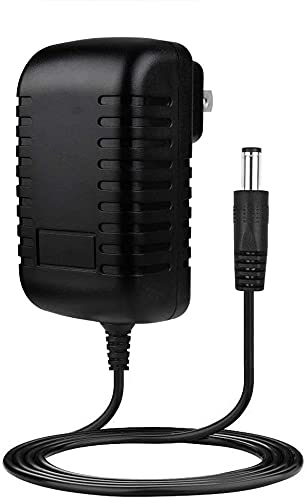
One of the first things to examine when your Cambridge Audio speaker fails to charge is the charging cable. A faulty or damaged cable can disrupt the flow of power and prevent the battery from charging. Check for any visible wear, fraying, or pinching along the cable. Additionally, ensure that the cable is securely connected to both the speaker and the power source. Sometimes, a loose connection can hinder charging.
Another potential culprit is the power source. If you are using a wall outlet, ensure the outlet is functional by testing it with another device. If you’re charging through a USB port, try switching to a different port or using a different power adapter. Power sources can sometimes fail or deliver insufficient current, leading to charging issues.
Battery Health Concerns
The age and condition of the battery can significantly impact its ability to hold a charge. Lithium-ion batteries, commonly used in portable speakers, degrade over time. If your speaker is several years old, its battery may no longer be capable of holding a full charge. In such cases, a battery replacement may be necessary.
Additionally, batteries sometimes require calibration to function optimally. If your speaker has been left uncharged for an extended period, the battery may need to recalibrate itself. This can typically be done by fully charging the speaker and then allowing it to discharge completely before charging it again.
Resetting Your Speaker
When troubleshooting charging issues, performing a factory reset can be an effective solution. A factory reset clears any temporary software glitches that could be affecting the charging functionality. To perform this reset, refer to the user manual specific to your Cambridge Audio model, as the process may vary.
In addition to a factory reset, simply restarting the speaker can refresh its system and potentially resolve minor software-related issues. Turn off the speaker completely, wait for a few moments, and then power it back on.
Common Charging Issues and Their Causes
| # | Issue | Description | Solution |
|---|---|---|---|
| 1 | Faulty Cable | Cable may be damaged or not connected properly. | Inspect and replace the cable if needed. |
| 2 | Power Source Issues | The outlet or USB port may not be working. | Test with another device or outlet. |
| 3 | Battery Age | Older batteries lose capacity over time. | Consider replacing the battery. |
| 4 | Calibration Needs | Battery may require recalibration. | Fully charge and discharge the battery. |
| 5 | Software Glitches | Temporary software issues may hinder charging. | Perform a factory reset. |
| 6 | Overheating | Excess heat can affect battery performance. | Let the speaker cool down before charging. |
| 7 | Hardware Failure | Internal components may be damaged. | Seek professional repair. |
Alternative Charging Methods
If the traditional charging methods fail, consider alternative options. Using a different charger or cable can help rule out compatibility issues. Ensure that the charger specifications match the requirements of your Cambridge Audio speaker. Sometimes, using a charger that delivers higher or lower voltage than required can cause charging problems.
If your model supports wireless charging, ensure that you are using a compatible wireless charging pad and that the speaker is positioned correctly. Misalignment can prevent the speaker from charging wirelessly. Check the manufacturer’s website for compatibility details and setup instructions.
When to Seek Professional Help
If you’ve attempted all troubleshooting steps and your Cambridge Audio speaker still won’t charge, it may be time to consult a professional. Persistent issues could indicate a more serious hardware failure that requires specialized diagnosis and repair. Before proceeding, check if your speaker is still under warranty; many manufacturers offer warranty options for repairs or replacements, which can save you money and time.
Maintenance Tips for Longevity
To ensure the longevity of your Cambridge Audio speaker and its battery, practice proper charging habits. Avoid allowing the battery to drain completely before recharging, as this can strain the battery and reduce its lifespan. Instead, charge the battery when it reaches about 20% or lower.
Additionally, regularly clean the charging ports to prevent dust and debris from accumulating. A clean connection ensures efficient charging and can significantly reduce the risk of charging issues in the future.
Conclusion
Your Cambridge Audio speaker not charging can be frustrating, but understanding the common issues and solutions can help you diagnose the problem effectively. By checking the cable, power source, battery health, and performing resets, you can often resolve minor issues. If these steps don’t work, consider alternative charging methods and consult a professional for persistent problems. Maintaining proper charging habits and keeping your speaker clean will enhance its longevity and performance, allowing you to enjoy your audio experience without interruptions.
Frequently Asked Questions
Why is my Cambridge Audio speaker not charging when plugged in?
If your Cambridge Audio speaker is not charging when connected to a power source, first check the charging cable and adapter for any signs of damage. Ensure that the power outlet is functional and that the connections are secure. Sometimes, a reset of the speaker can help; consult the user manual for reset instructions.
What should I do if my Cambridge Audio speaker won’t turn on even when charging?
If your Cambridge Audio speaker won’t turn on despite being plugged in, it could indicate a deeper battery issue. Try using a different charging cable or adapter to rule out charging equipment problems. If the speaker remains unresponsive, it may require professional servicing or a battery replacement.
How can I troubleshoot my Cambridge Audio speaker that isn’t charging properly?
To troubleshoot your Cambridge Audio speaker’s charging issues, start by inspecting the charging port for any debris or damage. Try using a different power outlet and a compatible charging cable to see if that resolves the issue. Additionally, check for firmware updates that might address known charging problems.
Why does my Cambridge Audio speaker flash a red light while charging?
A flashing red light on your Cambridge Audio speaker while charging typically indicates a low battery or a charging error. It may suggest that the battery is unable to hold a charge, or that there is an issue with the charger or cable. Refer to the user manual for specific troubleshooting steps related to charging indicators.
Which Cambridge Audio speakers are known for battery and charging reliability?
Models like the Cambridge Audio YOYO and the Cambridge Audio G2 are generally praised for their battery life and charging reliability. When looking for a dependable speaker, consider reviews and specifications that highlight battery performance and user experiences regarding charging issues.
References
- https://en.wikipedia.org/wiki/Speaker_(audio
https://en.wikipedia.org/wiki/Speaker_(audio - https://www.cambridgeaudio.com/usa/en/support
https://www.cambridgeaudio.com/usa/en/support - Google Scholar Google Scholar
https://scholar.google.com/scholar?q=Cambridge+Audio+Speaker+not+charging - Google Scholar Google Scholar
https://scholar.google.com/scholar?q=speaker+battery+issues - https://www.sciencedirect.com/topics/engineering/loudspeaker
https://www.sciencedirect.com/topics/engineering/loudspeaker - https://www.britannica.com/science/speaker-electronics
https://www.britannica.com/science/speaker-electronics - https://www.nytimes.com/2020/04/17/style/self-care/tech-gadgets-broken.html
https://www.nytimes.com/2020/04/17/style/self-care/tech-gadgets-broken.html - https://www.theguardian.com/technology/2021/jan/15/tech-support
https://www.theguardian.com/technology/2021/jan/15/tech-support - https://pubmed.ncbi.nlm.nih.gov/
https://pubmed.ncbi.nlm.nih.gov/ - https://www.cambridgeaudio.com/usa/en/support/faq
https://www.cambridgeaudio.com/usa/en/support/faq




9 thoughts on “Why Is My Cambridge Audio Speaker Not Charging?”