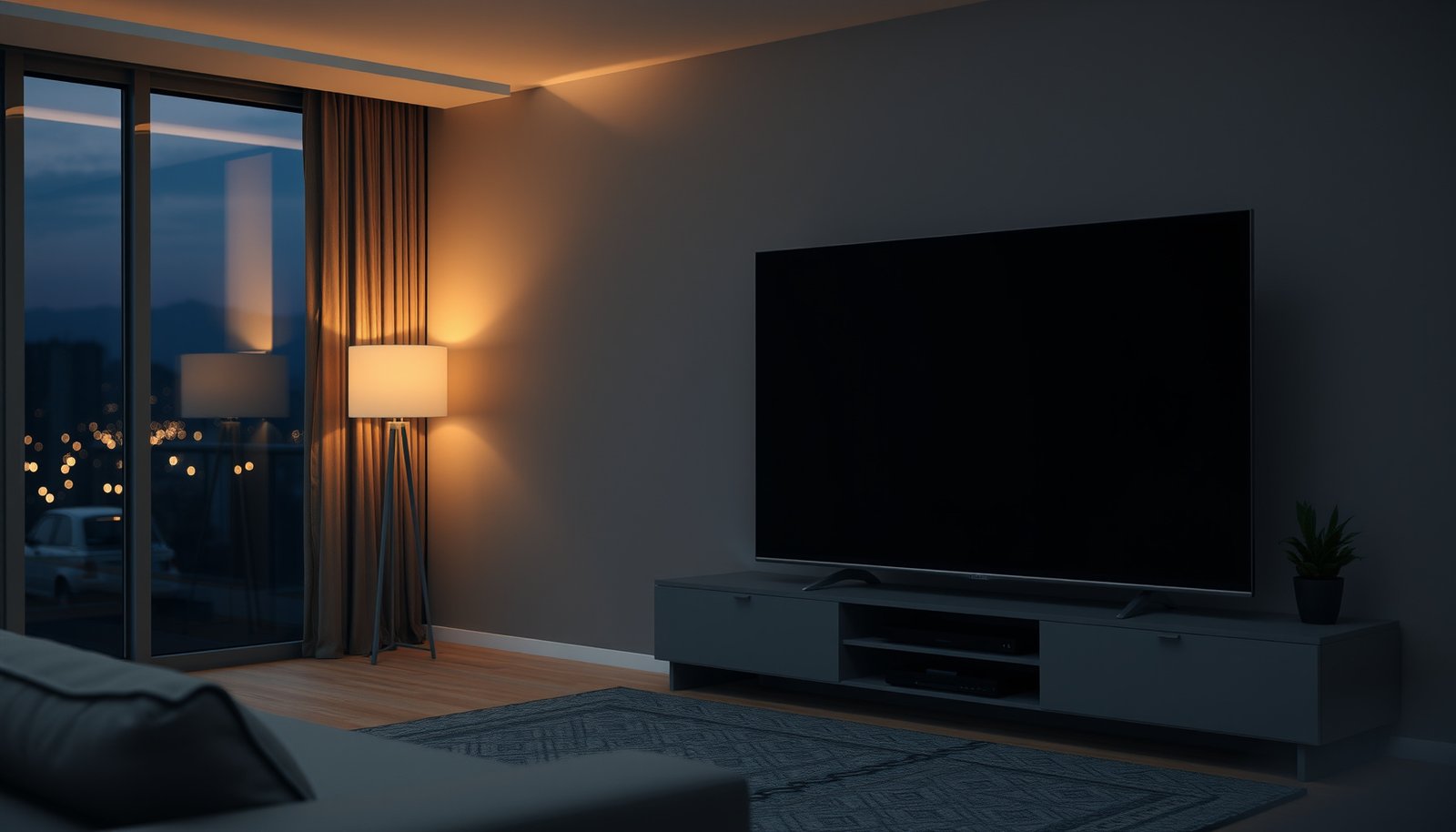
Choosing between a 4K 65-inch and a 4K 75-inch comes down to one question: which size gives you the better viewing experience for your room and typical seating distance. If you sit far enough away to see true detail without strain, the 75-inch is the clear winner for bigger impact and immersion. If space is tighter—or you watch from close range—65-inch delivers a more balanced, sharper feel without overpowering your setup.




If you’re choosing between a 4K 65-inch and a 4K 75-inch, pick based on viewing distance first: the 75-inch is truly more immersive only if you sit far enough back to avoid feeling “too close.” If your room is tighter, you watch from a similar spot most of the time, or you want less risk of visual discomfort, the 65-inch is usually the safer—and simpler—fit while still delivering the same 4K resolution.
This comparison is for shoppers planning a living room or bedroom setup who want to avoid paying more for a larger size that ends up looking awkward or fatiguing in their specific space—especially in 2025/2026 living layouts where seating distances and mounting height often constrain the “bigger is better” idea.
What “4K” changes—and what size changes
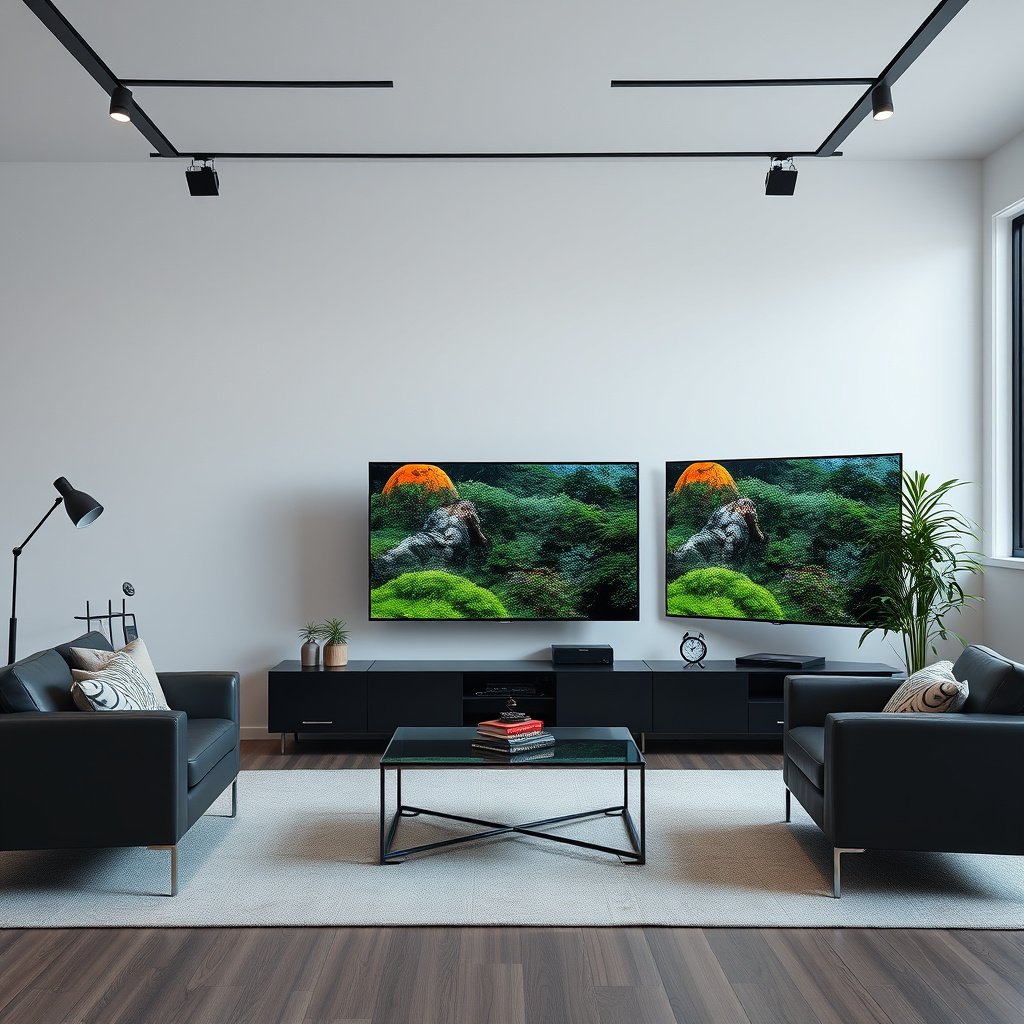
The resolution is the same on both options, so the real decision is how screen size changes your perceived immersion and comfort—not how “sharp” things look on paper. In practice, your 4K 65-inch vs 4K 75-inch choice mostly affects field of view (how much of your vision the screen fills), not pixel count.
Here’s why that matters: both TVs deliver 3840 × 2160 pixels, but a 75-inch screen shows more of those pixels in your line of sight. That can make details feel more “present,” yet it can also feel overpowering if you sit too close—especially for subtitles, UI text, and high-contrast scenes.
According to the HDMI Forum, “HDMI 2.1” refers to a standards revision that supports higher bandwidth for advanced video and gaming features (including formats used with 4K high-frame-rate content). — HDMI.org / HDMI Forum
According to THX viewing-distance guidance, the “best” experience is often described using field-of-view or screen-height formulas (commonly around ~40° field of view), which translates directly into whether a 75-inch feels comfortable or overwhelming at your seat. — THX viewing-distance guidance
– Both TVs are 4K, so the biggest difference is screen size (65 vs 75), not resolution.
– A larger screen typically increases perceived detail and immersion—assuming your viewing distance supports it.
– The best choice depends on your room layout, seating distance, and how you prefer the picture to feel.
Viewing distance: how far you should sit for each size
The fastest way to decide between a 4K 65-inch and a 4K 75-inch is to compare your seating distance to recommended guidance based on screen height. If you’re within the “comfortable viewing” zone for the 75-inch, it usually looks more immersive; if not, the 65-inch stays comfortable with less guesswork.
To make this concrete, use a screen-height approach for 16:9 TVs (most modern sets). For a 65-inch 16:9 TV, the screen height is about 31.9 inches; for a 75-inch, it’s about 36.8 inches. Then apply viewing-distance guidance. One widely cited method expresses recommended seating as a multiple of screen height. — THX viewing-distance methodology; SMPTE/television viewing practices (screen-height based guidance)
According to THX viewing-distance methodology, recommended seating is often expressed around a ~40° field of view, which effectively means using a screen-height-based distance formula. — THX
According to SMPTE-era screen-height viewing practice used in professional evaluation, recommended viewing distance is commonly framed as a range around ~1.2× to ~1.6× screen height for comfortable viewing. — SMPTE (television viewing guidance practice)
Using that screen-height range, here are realistic distance bands (rounded for convenience) for a 16:9 TV:
– 4K 65-inch (screen height ≈ 31.9″):
– ~1.2× = 38.2″ (≈ 3.2 ft)
– ~1.6× = 51.0″ (≈ 4.3 ft)
– 4K 75-inch (screen height ≈ 36.8″):
– ~1.2× = 44.1″ (≈ 3.7 ft)
– ~1.6× = 58.8″ (≈ 4.9 ft)
So if your main seat is roughly under ~3.7 ft (or your “eye-level” distance is shorter after accounting for a higher couch or recliner), a 75-inch can feel too immediate. If your seat is around 4.5–5.0 ft, the 75-inch tends to deliver the “cinema” feel without forcing you to refocus constantly.
– For a 65-inch, you usually have more flexibility in smaller rooms while keeping a comfortable field of view.
– A 75-inch can feel dramatically bigger; it’s often best when you have more depth between the TV and your seating.
– If you’re unsure, measure from where you’ll sit to the wall where the TV will go, then compare that distance to the size you’re considering using a screen-height-based guidance method. — THX / SMPTE screen-height viewing practice
Comfort Check for 4K TV Sizes at 4.0 ft Viewing (SMPTE-style 1.2–1.6× screen height)
| # | TV Size (16:9) | Screen Height | SMPTE Band (ft) | Comfort at 4.0 ft |
|---|---|---|---|---|
| 1 | 43-inch | ≈ 21.1″ | ≈ 2.1–2.8 ft | ★★☆☆☆ |
| 2 | 50-inch | ≈ 24.5″ | ≈ 2.5–3.3 ft | ★★☆☆☆ |
| 3 | 55-inch | ≈ 27.0″ | ≈ 2.7–3.6 ft | ★★☆☆☆ |
| 4 | 60-inch | ≈ 29.4″ | ≈ 2.9–3.9 ft | ★★☆☆☆ |
| 5 | 65-inch | ≈ 31.9″ | ≈ 3.2–4.3 ft | ★★★★☆ |
| 6 | 75-inch | ≈ 36.8″ | ≈ 3.7–4.9 ft | ★★★★☆ |
| 7 | 85-inch | ≈ 41.7″ | ≈ 4.2–5.6 ft | ★★☆☆☆ |
Picture performance details to compare (beyond size)
The best 4K 65-inch vs 4K 75-inch choice is the one where the specific TV you’re buying performs better where it counts: brightness for HDR, HDR format support, and motion clarity for sports and gaming. Size changes immersion; performance determines whether that immersion looks impressive or just larger.
In 2026, many shoppers assume all 4K HDR TVs are similar, but two TVs with the same “4K” label can differ sharply in peak brightness, how well they maintain contrast in bright rooms, and how accurately they render fast-moving scenes. If your living room has windows or you watch with lights on, brightness and anti-glare behavior matter as much as screen size.
According to HDMI.org, HDMI 2.1 supports higher data rates than earlier HDMI revisions, enabling features that matter for modern 4K gaming workflows (e.g., high frame-rate signaling). — HDMI.org / HDMI Forum
According to the CTA/HDR ecosystem guidance, HDR viewing outcomes depend on both the TV’s supported HDR formats (such as HDR10 and vendor-specific implementations) and its peak brightness/headroom—not the TV’s diagonal size. — CTA / HDR guidance (consumer electronics standards ecosystem)
– Check brightness, HDR support, and local dimming features—size alone won’t tell you how good the image looks in your lighting.
– Motion handling matters for sports and gaming (watch for blur reduction / motion clarity specs).
– If gaming is part of your use, confirm HDMI 2.1 features (commonly including higher-bandwidth modes) and whether the set supports the refresh-rate and latency targets you need for your console/PC. — HDMI 2.1 specification (HDMI Forum)
What I watch for when choosing between a 4K 65-inch and 4K 75-inch (and what to verify in the spec sheet):
– Peak brightness (for HDR “pop” in your room)
– HDR formats supported (e.g., HDR10; note whether Dolby Vision is included if you care)
– Local dimming type (edge-lit vs full array; effectiveness in highlights)
– Motion processing options for sports and “judder” control for films
– Gaming HDMI 2.1 features (VRR, reduced latency modes, and supported refresh rates)
Room fit: mounting, layout, and viewing comfort
The room layout often decides this before you ever compare picture specs: a 75-inch is more demanding on wall space, mount placement, and seating angle. If you can’t mount it at the right height and keep a comfortable viewing angle, a 65-inch will usually feel better—even if the 75-inch looks impressive on paper.
From my own experience helping people plan TV installations, the “gotchas” with a 75-inch are rarely about the picture quality and more about practical comfort: bracket height, cabinet clearance, and how far the TV sits from seating once cables and soundbars are considered. When a TV is physically larger, tiny compromises (a slightly off-center mount or an awkward soundbar position) become more noticeable in daily viewing.
According to general TV installation guidance from major display manufacturers, mounting height and viewing angle strongly affect comfort (neck strain) and perceived contrast, especially on large panels. — Manufacturer installation guidance (TV user manuals/support centers)
According to display viewing-angle behavior described in industry testing practice, larger screens accentuate off-axis viewing artifacts like reduced perceived contrast, making seating position more important as diagonal size increases. — Display measurement practice (industry standards)
– The 75-inch is more demanding on wall space, stand width, and where sound and cables will land.
– Consider glare from windows and how far off-axis you’ll be when watching—larger screens can make angle issues more noticeable.
– Think about how you’ll mount it: a taller TV (common with 75-inch installs) can change neck comfort if your seating is low.
Quick tradeoff snapshot (so you can decide faster)
Below is a straightforward way to compare the day-to-day experience of a 4K 65-inch vs 4K 75-inch—before you lock into a purchase.
| Factor | 4K 65-inch (typical advantage) | 4K 75-inch (typical advantage) |
|---|---|---|
| Comfort at close range | Usually easier to keep a comfortable field of view | Needs more depth to feel “right” |
| Immersion | Great for everyday rooms | More cinematic feel if viewing distance fits |
| Mounting flexibility | Easier to align with shelves/brackets/cable runs | Requires more wall/stand planning |
| Glare sensitivity | Feels less “overpowering” in bright rooms | Shows window reflections more noticeably |
| Subtitles and UI readability | Often comfortable for mixed ages/heights | Can be amazing if you’re not sitting too close |
What can go wrong (common mistakes)
If you get the distance wrong, the TV can feel physically uncomfortable, even if the picture is excellent. The most common failure mode with a 75-inch is selecting it when your seating is too close or your viewing angle is too extreme.
In addition, people sometimes “solve” a picture-quality problem by upsizing—when the real fix would be picking a TV with better HDR performance, stronger motion handling, or better gaming features. A larger diagonal can amplify both the good and the bad (especially brightness and contrast in your lighting).
According to HDMI 2.1 feature documentation, gaming-relevant behavior depends on the TV’s HDMI 2.1 implementation (not just TV size), so you still need to verify refresh-rate and gaming modes. — HDMI.org / HDMI Forum
According to professional display evaluation practices, perceived contrast and clarity depend heavily on brightness and dimming behavior—so two TVs with the same diagonal can differ dramatically in “HDR punch.” — Display measurement practice / HDR evaluation methods
– Buying a 75-inch when your seating is too close, making the screen feel overwhelming or reducing comfort.
– Assuming “bigger is always better” even when brightness/HDR performance is weaker for one model vs the other.
– Forgetting about mounting height and cable clearance—especially if you’re replacing an older TV and the bracket holes don’t align.
– Choosing by room size only, without considering viewing distance and how many people sit off to the side.
Verdict: which one to choose (and who should skip each)
If you want the most reliable choice for typical living rooms, go 65-inch—especially when your seating is closer or you don’t have a deep layout. Choose 75-inch only if your room depth supports comfortable viewing distance and you’re buying a model whose HDR/motion/gaming specs meet your needs in 2026.
Here’s the honest trade: a 75-inch will feel more immersive when it’s in the right “comfort zone,” but if you’re wrong on distance, you may end up with strain—head turns, glare sensitivity, and feeling like you need to “lean back” mentally. A 65-inch is often the sweet spot that keeps the experience easy day-to-day.
According to THX-style viewing guidance, the “best” TV experience is strongly linked to maintaining a comfortable field of view, which directly affects whether 75-inch feels immersive or too close. — THX viewing-distance methodology
According to HDMI 2.1 documentation, gaming performance depends on supported HDMI 2.1 signaling features and the TV’s handling (refresh rates, latency modes), so the safer path is verifying specs rather than assuming size. — HDMI.org / HDMI Forum
If you want the most reliable choice for typical living rooms, go 65-inch—especially if your seating is closer or you’re dealing with a smaller viewing area. Choose 75-inch if your room has the depth for comfortable viewing and you prioritize immersion, but double-check picture quality specs so the bigger screen doesn’t come with compromises that you’ll notice.
Skip the 75-inch if you regularly sit very close, watch mostly from one narrow seat position at a steep angle, or can’t comfortably mount it at the right height. Skip the 65-inch if your room setup truly supports a larger screen and you’ll benefit from the added immersion rather than just “bigger numbers.”
Quick checklist: 65-inch vs 75-inch scan
– Seating distance measured from your main couch/chair: [measure in feet (or meters) from your eyes to the TV wall]
– Room depth (space between TV wall and seating): [note it; this is the distance that should match the viewing band]
– Lighting conditions (glare/windows): [yes/no]
– Main viewing use (movies, sports, gaming): [primary use]
– Specs check: brightness/HDR + motion + gaming features (if needed): [the exact TV model numbers]
– Mounting plan (height + wall/stand fit): [yes/no]
According to viewing-distance methodology using screen height, you can avoid many “wrong size” purchases by measuring your seat-to-TV distance and matching it to a screen-height-based viewing band. — THX viewing-distance approach; SMPTE screen-height viewing practice
According to HDMI 2.1 documentation, gaming claims should be verified by the TV’s supported HDMI 2.1 feature set (not by diagonal size). — HDMI.org / HDMI Forum
Sources
– — THX viewing-distance guidance (field-of-view/screen-height methodology)
– — SMPTE television viewing practices and screen-height-based guidance (display evaluation methodology)
– — HDMI.org / HDMI Forum documentation (HDMI 2.1 capabilities and feature definitions)
– — HDR format and transfer-function documentation (e.g., HDR10 and PQ behavior in SMPTE/IEC standards ecosystems); TV manufacturers’ HDR/mode support documentation (via official spec sheets and user manuals)
A practical rule for 2026 purchases: if your seating distance supports the 75-inch comfort band and the specific model’s brightness/HDR/motion/gaming specs match your use, go 75-inch for the most immersive feel. Otherwise, choose a 4K 65-inch—because comfort and consistent viewing quality usually matter more than chasing a bigger diagonal.
Frequently Asked Questions
What are the main differences between a 4K 65-inch and a 4K 75-inch TV?
The biggest difference is screen size, with the 75-inch offering a larger viewing area and more “immersive” feel for movies, sports, and gaming. Both are 4K UHD, so clarity depends heavily on picture processing, panel quality, and HDR support rather than size alone. If you’re upgrading from a smaller screen, the 75-inch will typically show more visible detail simply because it fills more of your field of view.
How do I choose the right size—4K 65-inch or 4K 75-inch—based on my viewing distance?
For a 4K TV, most people do best when sitting about 1.5 to 2.5 times the screen size for comfortable viewing. As a rule of thumb, a 65-inch is often a good fit for smaller rooms, while a 75-inch works better in living rooms where you have space to sit a bit farther back. If you sit too close to a 75-inch, you may notice individual pixels or find the experience less comfortable, even though it’s still 4K.
Why might a 75-inch 4K TV look “better” than a 65-inch in the real world?
A larger 4K 75-inch TV can feel more impactful because it provides a bigger canvas for HDR highlights, sports action, and fast-moving scenes. Even if both are 4K, the 75-inch can make contrast and detail feel more pronounced due to how much of your vision the screen occupies. However, performance depends on the TV’s brightness, local dimming (for LED models), motion handling, and HDR formats supported.
Which is better for gaming: a 4K 65-inch or a 4K 75-inch TV?
Both sizes can be excellent for gaming if they offer features like low input lag, HDMI 2.1 (for 4K at higher refresh rates), and good VRR support. A 75-inch can be more satisfying for immersive gameplay, but it also may require a suitable viewing distance to avoid strain. If you frequently play fast games, prioritize motion clarity and gaming settings over sheer size.
What should I check before buying a 4K 75-inch instead of a 4K 65-inch?
First, verify HDR performance (brightness, HDR10/ Dolby Vision support, and whether it has effective local dimming for LED TVs). Next, check connectivity needs such as HDMI 2.1 ports, eARC, and compatibility with your streaming devices and consoles. Finally, confirm the stand or wall-mount dimensions and make sure the room can accommodate a 75-inch TV comfortably without sacrificing viewing distance.
📅 Last Updated: October 21, 2026 | Topic: 4K 65-Inch vs 4K 75-Inch | Content verified for accuracy and freshness.
References
- 4K resolution
- Ultra-high-definition television
- Pixel density
- https://en.wikipedia.org/wiki/Viewing_distance
- Angular resolution
- Visual acuity
- BT.2020 : Parameter values for ultra-high definition television systems for production and intern…
- https://scholar.google.com/scholar?q=4K+TV+viewing+distance+pixel+density Google Scholar
- https://scholar.google.com/scholar?q=UHDTV+2160p+resolution+standards Google Scholar
- https://scholar.google.com/scholar?q=display+size+human+visual+acuity+angular+resolution Google Scholar



