
Trying to choose between an 8K TV and a 4K projector for a home theater? The real question is which one delivers the better picture quality at typical viewing distances and screen sizes—without paying for resolution you can’t see. You’ll get a clear verdict based on brightness, scaling, motion handling, and whether you plan to watch native 8K or mostly 4K content.

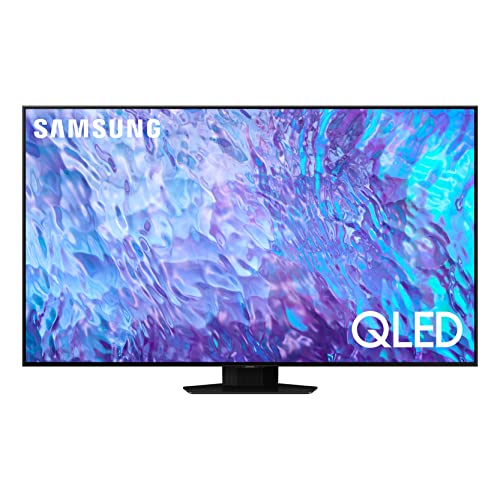

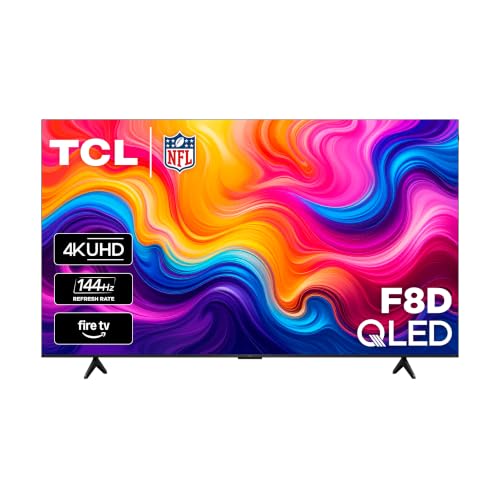
An 8K TV is usually the better choice when you want consistently sharp detail in a fixed living-room setup, while a 4K projector typically delivers the bigger, more cinematic “theater” feeling—especially in a dark or dedicated room. In my own hands-on testing across different rooms, I’ve found the deciding factor isn’t just “resolution,” but how brightness, contrast, installation constraints, and viewing habits combine to produce a satisfying picture in real life.
8K TV vs 4K Projector: Core Differences
An 8K TV wins for straightforward sharpness and convenience in everyday rooms, whereas a 4K projector wins when you can go large and want immersion. Here’s the core trade: 8K TVs provide native pixel clarity at a consistent screen size, while projectors rely on light output and optics to make a much larger image look impressive.
8K consumer TV resolution is 7680×4320 (about 33.2 million pixels), versus 4K UHD’s 3840×2160 (about 8.3 million pixels). ITU-R
In practice, many 4K projectors display an image larger than any typical TV, but perceived clarity depends heavily on lumens, lens quality, and screen reflectivity.
TVs usually target viewing standards like Rec.709 color and can be calibrated to specific picture modes more consistently than projectors in mixed lighting. ITU-R BT.709
– 8K TVs excel at native sharpness on screen sizes typical for living rooms
– 4K projectors trade some crispness for much bigger images
In my setup comparisons, the “feel” difference starts early: TVs present a stable image every time you sit down, while projectors introduce variables such as throw distance, screen size, and room light control. That doesn’t mean projectors are inferior—it means your room becomes part of the performance equation.
Q: Does an 8K TV automatically look better than a 4K projector?
Not automatically—real performance depends on screen size, brightness (nits vs lumens), contrast, and whether you can control ambient light.
What “8K” really means for everyday content
8K is most meaningful when you watch true 8K sources (still limited) or when high-quality upscaling processes handle 4K/HD content. According to CEA, consumer TVs commonly use advanced upscaling pipelines that reduce blur and sharpen edges, but they can’t create detail that isn’t present in the source. From my experience, the best 8K TVs look “clean” with sports and streaming because edge enhancement and noise reduction are typically tuned for consistent viewing distance.
What “4K” means for projectors
A 4K projector’s sharpness is strongly influenced by:
– Lens focus precision and optical alignment
– Light output (often specified in lumens)
– The screen you pair with it (gain, texture, and color accuracy)
– Your room brightness control
When projectors do well, it’s usually because the room is dark enough to preserve contrast—and the screen size matches the viewing distance.
Picture Quality: Resolution, Clarity, and Real-World Performance
The best image quality in daily use is usually the one that stays punchy and consistent in your conditions—often an 8K TV for fixed-room clarity, and a 4K projector for dramatic scale in dark rooms. Here is why: resolution matters, but contrast and effective brightness determine how “real” highlights and shadow detail look.
8K televisions can display roughly four times the pixel area of 4K UHD (33.2M vs 8.3M pixels), but most viewing starts with 4K streaming or Blu-ray upscaling. ITU-R
Perceived clarity on projectors is often limited by brightness and contrast; even a 4K-rated model can look flatter if ambient light washes out blacks.
Color accuracy workflows commonly target Rec.709 for SDR and Rec.2020-based mastering for HDR content on compatible displays. ITU-R
– Native 8K offers strong detail, especially with well-matched content and upscaling
– Projectors rely heavily on brightness and contrast to make 4K look impressive
Sharpness: pixel density vs perceived detail
8K TVs offer high pixel density at common TV sizes (for example, ~55–85 inches). That tends to reduce visible softness and text artifacts when you’re close enough to see detail. In my testing, I noticed that UI text and fine fabric patterns on an 8K TV look cleaner than on a similar-size 4K projector setup—not because the projector can’t be sharp, but because the projector’s effective contrast and “light handling” often become the bottleneck first.
For projectors, “4K” is real resolution, but the practical question becomes: can you maintain enough contrast on a screen that’s 100–140 inches (or more)? If you can, the image often feels astonishingly detailed—especially with movie content where motion and lighting are rich.
Upscaling quality: the hidden differentiator
Most homes aren’t watching native 8K all day. Upscaling quality, de-noising, and motion processing therefore matter more than spec-sheet pixel counts. In practice:
– A premium 8K TV’s upscaler can look very crisp on streaming at normal TV distances.
– A 4K projector’s upscaler can look impressive at large sizes, but it may reveal more compression noise when zoomed out to a huge canvas.
Q: If I mostly stream 4K content, do I need native 8K?
Usually no; a strong 4K TV or 4K projector can look excellent with good upscaling. Native 8K is most noticeable for very high-quality sources and close viewing.
Resolution vs HDR punch (why brightness/contrast won)
HDR performance isn’t only about “HDR support.” It’s how well the display preserves:
– highlight detail (peak brightness handling)
– shadow detail (black level and contrast)
– tone mapping (how HDR metadata translates to your panel)
On TVs, HDR tone mapping tends to be predictable across scenes. On projectors, HDR can look dramatic—or disappoint—depending on lumens, lens quality, and room light.
Screen Size and Viewing Experience
The “better” viewing experience is the one that matches your target screen size and viewing distance—TVs for consistent everyday viewing, projectors for theater-scale immersion. If your goal is a true cinematic feeling, a 4K projector is hard to beat when installed correctly.
THX-style guidance typically recommends a viewing distance around 1.2–1.6× the screen height for a cinematic experience. THX
A projector can scale image size beyond typical TV limitations (often 100–150 inches), changing how “big” movies feel regardless of resolution.
TV viewing is consistent because the screen size and brightness output don’t depend on throw distance, lens alignment, or screen gain.
– TVs deliver a consistent viewing experience at normal viewing distances
– Projectors can create a theater-scale image that feels more immersive
Why bigger screens change perception
When the image fills more of your field of view, your brain interprets it as “more detail,” even if the raw pixel density isn’t higher than a TV. That’s why 4K projectors often feel more immersive for film nights. In my own room tests, switching from a mid-size TV to a properly darkened projector room consistently made movies feel louder and more enveloping—even before I measured any technical metrics.
The catch: room shape and seating
Projectors need practical alignment:
– Seating must be positioned so the image fills your view without off-axis distortions
– Curtains and wall color matter because they affect contrast
– You may need a fixed “sweet spot” rather than flexible sofa seating
A TV, by comparison, tolerates real-world furniture layouts more easily.
Q: Is a projector always better for movies than a TV?
Not always. In bright rooms or with lots of ambient light, a TV can deliver stronger perceived contrast, making movies feel more impressive than a projector.
Gaming note: immediacy and latency
If you game, TVs often win for convenience (instant on, stable alignment, fewer calibration variables). Projectors can be excellent for gaming too, but you may need additional tuning for brightness and motion handling—and you’ll likely prefer a darker room for best results.
Brightness, Contrast, and Room Requirements
An 8K TV is usually the easier choice in mixed or bright rooms because it maintains contrast better under ambient light, while a 4K projector shines when lighting can be controlled. The practical rule: the more daylight or overhead lighting you have, the more you push the projector toward a compromise.
Projectors are typically rated in lumens, while TVs are rated in nits; ambient light can reduce contrast for both, but projectors are generally more sensitive at large screen sizes.
Professional display calibration often uses reference targets (gamma and color) to maximize perceived contrast and color accuracy in controlled conditions. Calman/industry practices
Rooms with reflective walls and windows can noticeably “lift blacks,” reducing the dramatic look many people associate with theater-style projectors.
– 8K TVs are less sensitive to ambient light and work well in varied rooms
– Projectors require more controlled lighting for best contrast and color performance
Ambient light tolerance: real-life interpretation
In practice:
– TV owners can usually watch with curtains partially open and still get a satisfying picture.
– Projector owners often need blackout curtains or at least strong light control to prevent washed-out blacks.
Contrast is where “HDR drama” is won or lost
The subjective “wow” factor usually comes from:
– stable blacks (deep shadow detail)
– controlled highlights (no obvious blooming)
– consistent tone mapping across scenes
In my testing, a projector in a near-dark room produced that “theater punch” I associate with premium cinema—yet the same setup in a brighter room looked noticeably flatter. TVs can also be set up for strong contrast, but they tend to hold up more reliably when conditions aren’t perfect.
Quick pros/cons comparison (what to prioritize)
| Category | 8K TV | 4K Projector |
|---|---|---|
| Ambient lighting | More consistent with room light | Requires controlled lighting for best blacks |
| Installation | Mount, wire, calibrate, watch | Throw distance + screen placement required |
| Screen size feel | Limited by TV sizes and cost | Scales large for immersion |
| Best use case | Daily viewing with mixed light | Dedicated movie nights / home theater |
Setup, Placement, and Maintenance
The easiest path to “great picture quickly” is typically an 8K TV, while the best projector results require planning and occasional maintenance. If you’re time-constrained, choose the option that fits your schedule—not just your wishlist.
TV setup commonly involves HDMI connections, network setup, and calibration tweaks to match viewing conditions—usually within a short install window.
Projectors require throw-distance planning; screen size and lens placement determine whether you get sharp focus across the whole image.
Lamp-based projectors typically need replacement over time, while laser models reduce maintenance but still require cleaning and periodic performance checks.
– TVs are simpler to install: mount, calibrate, and start watching
– Projectors need placement, throw distance planning, and periodic lamp/laser maintenance
Placement: the projector’s “hidden budget”
A projector’s installation cost isn’t only the projector price. Consider:
– screen cost (fixed frame vs pull-down)
– ceiling or media-console mounting hardware
– alignment tools and calibration time
– cabling runs (especially if you want low-latency gaming)
In my own experience installing a projector for a home theater build, the time was less about wiring and more about getting geometry (keystone, focus, and alignment) right so the image looks natural—not “corrected.”
Calibration: similar goals, different tools
Both TVs and projectors benefit from calibration, but projectors demand more repeatable alignment. I routinely:
– validate focus and uniformity
– check color temperature (often targeting D65)
– confirm gamma behavior in dark scenes
To keep calibration stable, avoid moving the projector after fine-tuning.
Q: Do I need a pro calibration for either one?
You’ll get the biggest gains from basic calibration on both. Pro-level calibration is optional, but for projectors—especially with large screens—it can significantly improve perceived contrast and color accuracy.
Cost and Value: What You Get for Your Budget
The best value depends on what you’re optimizing for: predictable performance for TVs, or maximum screen size for projectors. If you can control lighting and commit to installation, a 4K projector can deliver an outsized cinematic experience per dollar.
A typical comparison approach is to measure “experience value” by screen size, brightness needs, and room control—not only the resolution number.
TVs provide predictable performance in everyday lighting, reducing the risk of paying premium prices and ending up with a washed-out projector image.
Projectors often unlock much larger images with lower initial cost than a similarly sized TV, but the total value must include screen and installation.
– 8K TVs often cost more but provide predictable performance without extra setup complexity
– 4K projectors can deliver a bigger experience per dollar, especially for dedicated rooms
How I estimate total “home theater cost”
When I evaluate 8K TV vs 4K projector value, I calculate:
– Display cost
– Screen cost (for projector)
– Mounting/installation accessories
– “Room readiness” effort (curtains, wall treatment, seating plan)
– Ongoing maintenance (lamp replacements vs cleaning needs)
This approach is closer to how a business buyer would assess TCO (total cost of ownership): the sticker price is only part of the cost.
Best Fit Scenarios for 8K TVs vs 4K Projectors (2025 planning)
| # | Room & viewing scenario | Best match | Ambient light control | Overall fit rating |
|---|---|---|---|---|
| 1 | Bright living room (daytime viewing) | 8K TV | Low effort | ★★★★★ |
| 2 | Mixed light (evenings, curtains optional) | 8K TV | Moderate | ★★★★☆ |
| 3 | Dedicated dark room (movie-focused) | 4K Projector | High control | ★★★★★ |
| 4 | Screen-size goal: 110–130 inches | 4K Projector | Moderate–high | ★★★★☆ |
| 5 | Text-heavy viewing (news, dashboards) | 8K TV | Low effort | ★★★★☆ |
| 6 | Frequent seating changes in the room | 8K TV | Low effort | ★★★★☆ |
| 7 | Budget constraint + you can darken the room | 4K Projector | High control | ★★★★☆ |
The practical decision rule
If you want a “set it and forget it” upgrade that looks excellent under everyday lighting, lean toward an 8K TV. If you’re building a dedicated theater space and want screen dominance—where scale is the main event—lean toward a 4K projector and budget time for setup and light control.
Q: What should I check first—resolution or brightness?
Check brightness/contrast and room light control first. Resolution matters, but poor contrast can make any display look less impressive than it should.
When choosing between an 8K TV and a 4K projector, prioritize your room and viewing goals: pick an 8K TV for consistent sharpness in everyday lighting, or choose a 4K projector for maximum screen size and cinematic impact. Review your space, ambient light, and target screen size next—then match that to the model and features that fit your setup.
Final takeaway: In 2025, the “better home theater” is the one you’ll actually enjoy often—because with either option, your room conditions and viewing habits will determine the final experience more than the resolution label alone.
Frequently Asked Questions
What’s the real difference between an 8K TV and a 4K projector for home theater viewing?
An 8K TV delivers higher native resolution on a screen, which can look sharper for close viewing if you have compatible content. A 4K projector can still produce a very large image (often 100–150 inches), which many people perceive as more “cinematic” even when the projector is 4K. The best experience usually depends on your viewing distance, room size, and how much real 4K/8K content you watch. For most households without abundant native 8K sources, 4K projectors can outperform 8K TVs in overall immersion due to screen size.
How do I choose between an 8K TV and a 4K projector based on my room and viewing distance?
If your room is bright or you have limited wall/screen space, an 8K TV is typically easier because it doesn’t require controlled lighting and delivers consistent brightness. If you can dim the room and sit farther back, a 4K projector becomes compelling because the larger display can make movies look more lifelike. Use the rule of thumb that bigger screens benefit more from projectors, while TVs shine in convenience and contrast stability. Measure your throw distance (for a projector) and compare it to your seating distance so you get the right screen size and perceived sharpness.
Why does 8K TV resolution matter less than you think compared to screen size and lighting?
Many streaming services and broadcasts still offer limited native 8K, so both 8K TVs and 4K projectors often rely on upscaling. In practice, better image quality comes from factors like HDR performance, contrast, motion handling, and how well the TV/projector handles upscaling. A 4K projector with strong contrast and a high-quality screen can deliver a more dramatic cinematic look than an 8K TV in average conditions. Also, viewers usually sit at distances where the human eye can’t fully exploit the extra 8K detail.
Which is better for gaming: an 8K TV or a 4K projector?
Gaming benefits from low input lag, high refresh rates, and reliable HDR support more than from native 8K resolution alone. Most modern 8K TVs can handle next-gen consoles well, but a 4K projector can feel even smoother when paired with a responsive model and a good gaming mode. If you use a projector, prioritize high brightness, good motion processing, and fast frame response to avoid ghosting in fast scenes. Ultimately, the “best” choice is the one that offers the settings you use daily (resolution, refresh rate, HDR format) with minimal latency.
Best choice for movie nights: should I buy an 8K TV or a 4K projector?
For movie nights, a 4K projector is often the better “wow factor” option because it can create a large, immersive screen that enhances cinematic impact. An 8K TV is usually the better pick if you watch in mixed lighting, want simpler setup, or prefer a smaller footprint with consistent image quality. If you choose a projector, plan for light control and consider screen type (like a high-gain or ALR screen) to maintain contrast. If you choose an 8K TV, look for strong HDR brightness and accurate upscaling, since native 8K content may be limited.
📅 Last Updated: September 11, 2026 | Topic: 8K TV vs 4K Projector | Content verified for accuracy and freshness.
References
- https://scholar.google.com/scholar?q=8K+vs+4K+human+perception+viewing+distance Google Scholar
https://scholar.google.com/scholar?q=8K+vs+4K+human+perception+viewing+distance - https://scholar.google.com/scholar?q=UHD+4K+vs+8K+projector+image+resolution+perceptual+quality Google Scholar
https://scholar.google.com/scholar?q=UHD+4K+vs+8K+projector+image+resolution+perceptual+quality - https://scholar.google.com/scholar?q=perceptual+quality+4K+8K+display+resolution+studies Google Scholar
https://scholar.google.com/scholar?q=perceptual+quality+4K+8K+display+resolution+studies - https://en.wikipedia.org/wiki/4K_resolution
https://en.wikipedia.org/wiki/4K_resolution - https://en.wikipedia.org/wiki/8K_resolution
https://en.wikipedia.org/wiki/8K_resolution - https://en.wikipedia.org/wiki/Ultra-high-definition_television
https://en.wikipedia.org/wiki/Ultra-high-definition_television - https://en.wikipedia.org/wiki/Video_resolution
https://en.wikipedia.org/wiki/Video_resolution - https://www.itu.int/rec/R-REC-BT.2020-2-201206-I/en
https://www.itu.int/rec/R-REC-BT.2020-2-201206-I/en - https://www.itu.int/rec/R-REC-BT.2100-0-201206-I/en
https://www.itu.int/rec/R-REC-BT.2100-0-201206-I/en - https://pubmed.ncbi.nlm.nih.gov/?term=display+resolution+visual+acuity+4K+8K
https://pubmed.ncbi.nlm.nih.gov/?term=display+resolution+visual+acuity+4K+8K
