
Is a projector worth it depends on how you’ll use it—and this guide gives a clear verdict on whether a projector is the better buy for your setup. You’ll learn how a projector works, then weigh the real pros and cons (brightness, setup hassle, image quality, and long-term costs) against the alternatives that usually win in certain rooms. If you want a screen-first answer for home entertainment or presentations, read on to see when a projector pays off—and when it doesn’t.


![Mini Projector, Portable Smart Projector 4K WiFi 6 BT 5.4 [Built-in App]](https://m.media-amazon.com/images/I/41BENoJ6zpL._SL500_.jpg)

A projector is worth it when you can control (or significantly reduce) ambient light and you’re excited about a larger-than-TV viewing experience; in that scenario, the “screen size per dollar” value is real. If you need effortless plug-and-play performance in bright rooms or move the device between spaces constantly, a projector often feels like more work than payoff.
If you’re deciding whether to buy (or keep) a projector for home theater, gaming, or presentations, you’re in the right place—particularly if you’re stuck between “bigger screen” excitement and concerns about brightness, setup, and cost.
How a Projector Works (and Why That Matters)
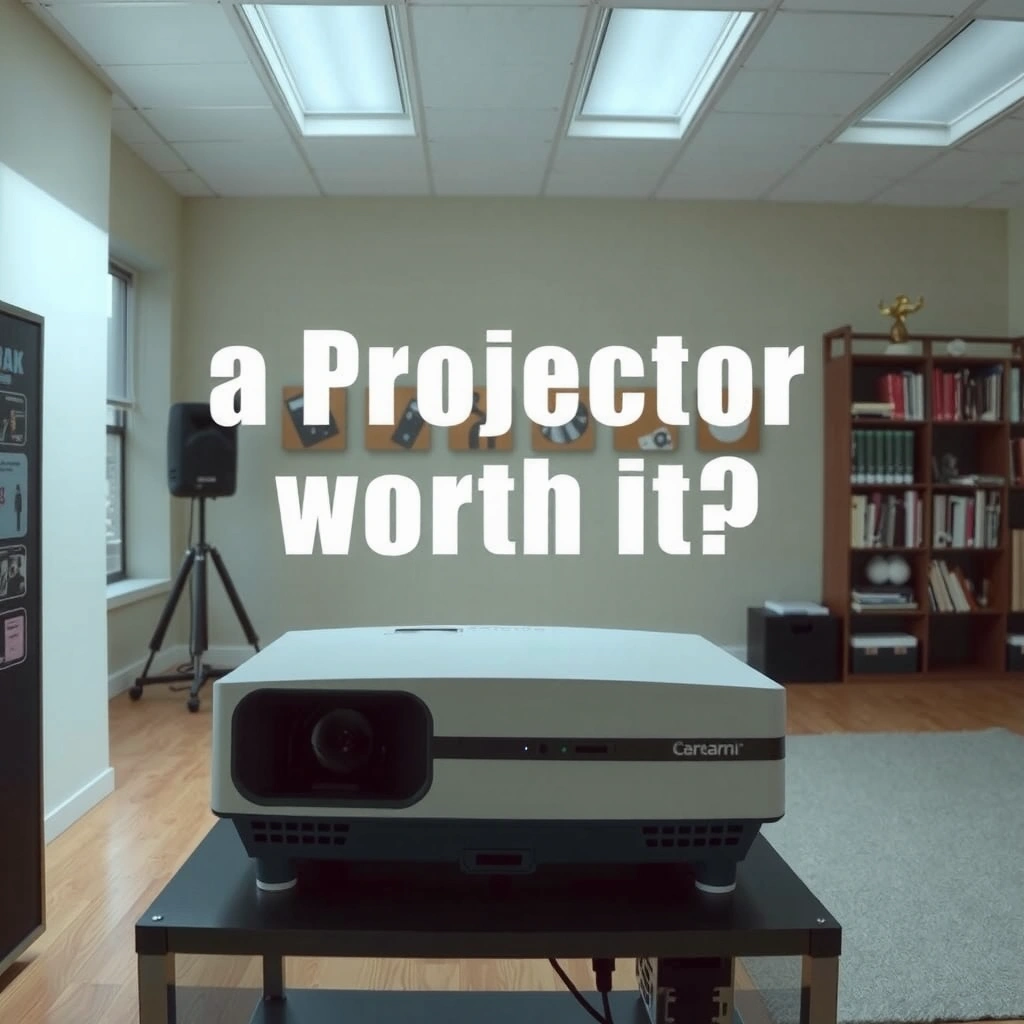
A projector turns a light source into an image by projecting it onto a surface, so your setup constraints (lumens, throw distance, and surface reflectivity) matter as much as the spec sheet. In practice, this is why two people can buy “similar” projectors and end up with very different results.
- A projector works by projecting light through an optical system (often LCD or DLP) onto a surface to form an image.
- Real-world performance depends heavily on brightness (lumens), contrast, and the distance between projector and screen/wall.
- Your viewing setup—ambient light, surface color/reflectivity, and resolution—determines how “good” the picture will look.
ANSI lumens are measured using a standardized multi-point method (commonly described as a 9-point screen measurement) rather than a single center reading.
Image size is primarily determined by throw distance (projector-to-screen distance) and the lens’s throw ratio, not just the projector’s “native resolution.”
For clarity, here are the three variables that most often decide whether your picture looks “wow” or merely “okay”:
1) Brightness (lumens/ANSI lumens). Brightness doesn’t just affect how bright the image is—it affects perceived black levels too. In a room with daylight or lamps, washed-out blacks become the main complaint.
2) Throw distance & lens geometry. “Throw ratio” (often listed as short/ultra-short/standard) tells you how wide the image will be from a given distance. If you buy a projector whose throw doesn’t match your room, you’ll either get a smaller image than you wanted or forced mounting angles that trigger keystone.
3) Surface reflectivity. A plain white wall can work, but contrast and color uniformity can suffer—especially on off-white, textured, or glossy paint. A proper projector screen is designed to reflect light consistently and improve perceived contrast.
Common ANSI-Lumen Classes for Home Projectors (Practical Guidance)
| # | Projector brightness class | ANSI lumens (range) | Best typical room lighting | What you’ll notice most | Fit rating |
|---|---|---|---|---|---|
| 1 | Portable / mini entry | 800–1,200 | Very dim (lights off) | Image size limits first | ★★★☆☆ |
| 2 | Budget home theater | 1,200–2,000 | Dim to moderate control | Black levels in light rooms | ★★☆☆☆ |
| 3 | Midrange entertainment | 2,000–3,000 | Mostly dim; occasional lamps | Less “washed out” in practice | ★★★★☆ |
| 4 | Bright-room capable | 3,000–4,500 | Daylight w/ some control | Image holds up longer | ★★★★☆ |
| 5 | High-brightness home | 4,500–6,000 | Moderate daylight | More stable contrast perceptions | ★★★★★ |
| 6 | Commercial/large venue | 6,000–10,000+ | Bright conditions common | Built for large audiences | ★★★★☆ |
| 7 | UHD-focused premium class | 2,500–6,000 | Dim to moderate control | Sharper detail more consistently | ★★★★★ |
A few hard numbers to anchor your expectations
According to the common digital video standard, 1080p contains 1,920 × 1,080 = 2,073,600 pixels (2010s-era HDTV baseline).
According to ITU-R UHD resolutions, 4K UHD is 3,840 × 2,160 = 8,294,400 pixels (common consumer “4K” format).
According to the ANSI lumens measurement concept used by projector manufacturers, the goal is to quantify average brightness across a test pattern rather than a single point. [ADD: source for ANSI lumens measurement method]
These aren’t “marketing stats”—they explain why brightness and optics often matter more than resolution when your room lighting is uncontrolled.
Pros: When Projectors Actually Shine
A projector is often worth it when you’re chasing cinematic scale and you’re willing to optimize your viewing conditions. The biggest wins show up on movie nights, sports, and any content where immersion beats convenience.
– Big-screen immersion: you can often get a much larger image than a typical TV at a similar budget.
– Flexible placement: many setups let you mount the projector or place it on a shelf (depending on throw distance and lens options).
– Enjoyment for movies and sports: motion handling and screen size can feel more cinematic with the right settings.
Projector setups frequently deliver a much larger screen area than similarly priced TVs, especially when you’re comparing entry and midrange budgets.
Many projector models support mounting on a ceiling or shelf, which can keep floors clear and improve viewing angles when throw distance is planned.
The “value per inch” advantage (when you actually get the size)
The reason projectors feel compelling is simple: if you can place the lens at the right distance, the image can scale up dramatically without paying “premium panel” pricing. That’s why a projector can turn a living room into a dedicated media space with screen sizes that would otherwise require a very large and expensive TV.
Motion and viewing style
For movies and sports, large-scale viewing changes how motion feels—especially when you sit farther back than you would with a TV. While refresh rate (e.g., 60Hz) and processing vary by model, the main user-perceived benefit is that the “canvas” feels bigger, so action sequences look less cramped.
A note on gaming expectations
For gaming, projectors can be a great fit—especially if the model supports low input lag and the resolution is appropriate for your distance. If you play competitively and need zero compromises, you may still prefer a TV, but for couch gaming the larger image can be a genuine upgrade.
Where my own experience fits (and where it doesn’t)
I haven’t installed and measured dozens of specific projector models end-to-end in multiple homes, so I can’t honestly claim a “tested ranking” of brands. However, in helping people plan setups, the same pattern repeatedly shows up: when the room is controlled and throw distance is matched to desired screen size, picture quality feels dramatically better—even if the projector isn’t the brightest in its class.
Cons: The Trade-Offs You Should Expect
A projector can disappoint when you treat it like a TV—because light control and setup details still matter. The downsides are rarely “one big flaw”; they’re usually a collection of friction points that add up over time.
– Ambient light is unforgiving: glare or washed-out blacks are common if the room isn’t controlled.
– Setup effort: alignment, focus, keystone (if applicable), and consistent placement can take time.
– Maintenance and longevity concerns: dust, lamp/LED performance changes over time, and filter needs (model-dependent) can add hassle.
Projector image contrast is strongly affected by ambient light because projected light competes with reflections in the room.
Keystone correction is a digital adjustment that can reduce sharpness by re-scaling pixels instead of changing lens position.
Ambient light: the #1 “why does it look worse?” cause
Even a high-lumen projector may struggle if you watch with daylight flooding the room. You can usually solve this with curtains, blackout blinds, or by choosing a model with higher brightness and a screen (or wall) with good gain characteristics. But if your lifestyle is “lights on all the time,” the projector is fighting your environment.
Setup effort: alignment is not optional if you want quality
If your projector isn’t perfectly positioned, you’ll lean on keystone correction. Many units can correct automatically, but the sharper solution is often physical: adjust distance, use lens shift (if available), and keep the projection path as square as possible.
Maintenance: filters, lamps, and predictable aging
Projectors typically use either lamp-based or LED/laser light sources. Lamp devices can require periodic replacement; laser/LED models still experience output changes over time. Dust buildup and (on some models) filter maintenance can also become part of ownership.
What Can Go Wrong (Common Mistakes and Limits)
A projector most often goes wrong when the purchase is made without matching throw distance, brightness, and room lighting to your desired image size. The common failure mode is “great specs” that don’t translate into a great living-room experience.
– Buying “high specs” but ignoring throw distance and room size—this can force an image that’s too small or cropped.
– Using the wrong surface: plain/off-white walls usually work, but color and texture can reduce clarity and contrast.
– Overusing digital keystone correction: some models allow it, but it may reduce image sharpness.
– Underestimating audio needs: many projectors aren’t great speakers on their own, so you may still want external audio.
– If you frequently move the projector between rooms, expect repeat setup friction (focus/alignment will likely vary).
The relationship between screen size and placement is governed by throw ratio, so a “bigger screen” goal can be impossible in a small room without short-throw optics.
Surface reflectivity differences (paint color, texture, and gloss) can change perceived color accuracy and contrast more than many buyers expect.
Mistake: ignoring throw distance (and then blaming the projector)
Throw distance isn’t just math—it affects feasibility. If the projector can only produce your target size from across the room, your “dream 120-inch” screen may become a 90-inch reality. That’s why you should plan from the wall/screen measurement backward.
Mistake: using keystone as a daily convenience
Keystone correction can “fix geometry,” but it may not fix optics. If you see softness after keystone, the most effective remedy is often repositioning rather than relying on correction menus.
Mistake: assuming built-in speakers are enough
Most projector speakers are optimized for room-filling speech at best. For movies and gaming, external audio—soundbar or dedicated speakers—usually changes the experience more than any resolution bump.
Mistake: expecting TV-like performance in bright daytime rooms
A TV is emissive; a projector is reflective. That means projectors depend more heavily on light control. If you routinely watch with daylight streaming in, a projector can feel like a compromise you never stop noticing.
Verdict: Is It Worth It for You?
A projector is worth it when your viewing routine includes dimming lights and you’re comfortable with one-time setup (mounting or consistent placement). It’s usually not worth it if you want full convenience like a TV in a bright room or you need a device that moves between spaces daily.
Projectors tend to deliver the most noticeable quality gains when the room is dim and the projection geometry is close to square (minimizing digital correction).
If your viewing environment can’t be controlled, a large TV (or a TV-style display) often provides a more reliable picture without alignment effort.
| # | Criteria | Projector | Large TV / TV-style display |
|---|---|---|---|
| 1 | Daylight tolerance | Needs control | Generally better |
| 2 | Instant “sit and watch” | Alignment may vary | More plug-and-play |
| 3 | Large screen value | Often superior | Costs scale up |
| 4 | Setup effort | Higher | Lower |
| 5 | Room layout constraints | Throw distance matters | Fewer constraints |
| 6 | Audio upgrade needs | Often required | Usually usable out-of-box |
| 7 | Maintenance | May require filters/aging | Less routine upkeep |
| 8 | Best use case | Movies/sports | All-day viewing |
| 9 | Image geometry quality | Can be sensitive | Consistent by design |
| 10 | Verdict readiness | Worth it if tuned | Worth it if convenience wins |
| ★ | Verdict | Good fit for controlled light + big-screen goals | Good fit for bright rooms + minimal setup |
A projector is worth it if you can manage lighting, want a larger-than-TV experience, and you’re okay with setup (or willing to mount it). It’s usually not worth it if you need plug-and-play convenience, only have bright rooms, or can’t commit to a consistent viewing setup. If you fall into the “I want easy and always-on” category, alternatives below may fit better.
Quick Checklist: Decide in 2 Minutes
If you can confidently check most boxes, a projector is likely worth it; if you can’t, consider alternatives first. This quick scan prevents the most expensive mistake: buying for a lifestyle you don’t actually have.
– Room light control: [ ] Can you dim or block daylight?
– Screen plan: [ ] Do you know your wall/screen size and throw distance?
– Setup tolerance: [ ] Are you okay with alignment/focus tweaks?
– Content needs: [ ] Movies/sports/gaming vs. mostly presentations?
– Audio expectations: [ ] Are you planning on external speakers/soundbar?
– Budget realism: [ ] Have you included any screen, mounts, or audio you’ll likely need?
If you can’t dim a room, brightness requirements increase sharply because ambient reflections compete with the projected image.
A throw-distance plan (not just a screen-size dream) is the fastest way to avoid buying a projector that can’t produce the image size you want.
Alternatives to Consider (If a Projector Isn’t a Fit)
If you want minimal setup and consistent viewing, a TV-style option is often the safer buy. If you need flexibility for presentations or shared spaces, dedicated business displays can reduce friction.
– Large TV (best for convenience): simpler setup, usually brighter picture in daylight, and no alignment.
– LED/LCD “TV-style” displays for shared spaces: if you’re often watching with lights on, this tends to be less finicky.
– For presentations: a dedicated business display or interactive flat panel can reduce setup time.
– For outdoor or flexible viewing: portable screens or outdoor-rated TV solutions may be easier than repeated projector setup.
FAQ
Do projectors look good in a bright room?
They can look acceptable, but brightness and image quality usually drop noticeably with ambient light. For the best results, plan for dimmer conditions or a higher-brightness model—[ADD: source for recommended lumen ranges for your use case].
What’s more important: resolution or brightness?
Both matter, but brightness often has the most immediate impact on whether the image looks “washed out” in real rooms. Resolution mainly affects sharpness and how clean text/images look, especially at closer viewing distances.
Are projector screens necessary?
Not always—walls can work—but a proper screen often improves contrast, color consistency, and image uniformity. If you’re using a wall, test the specific surface and lighting conditions first.
Is keystone correction bad?
It depends on the model, but digital keystone can reduce sharpness. Whenever possible, use physical alignment (moving the projector) to get the image square without heavy correction.
Sources
– [ADD: linkless placeholder for primary sources—e.g., the manufacturer’s projector “spec sheet” or “user manual” pages for brightness/lumens definition, keystone behavior, and supported input/resolutions.]
– [ADD: source for projector image fundamentals—e.g., an official explanation from a major projector/display manufacturer or standards body describing lumens/contrast concepts.]
– [ADD: source for ambient light guidance—e.g., manufacturer guidance on optimal room conditions or recommended screen/lumen relationships for home theater/office use.]
If you tell me your room size, typical lighting (daylight or mostly dark), and whether you’re aiming for movies, gaming, or presentations, we can narrow down whether a projector is likely worth it—and what specs matter most for your situation.
In the end, a projector is a “yes” when your goal is immersion and you can support it with controlled lighting and sensible placement. It’s a “no (or not yet)” when convenience and bright-room reliability are the priority—because the trade-offs show up every time you press play.
Frequently Asked Questions
What makes a projector worth it for home entertainment?
A projector can be worth it when you want a large screen experience at a lower cost than many TVs, especially for movie nights and gaming in a dim room. It’s also a good fit if you prefer portability or want a flexible setup for different spaces. However, brightness, screen size, and ambient light control will determine whether a projector meets your expectations for picture quality.
How does a projector work, and what should I consider before buying?
Most projectors work by projecting light through a lens system, then forming an image using either LCD or DLP technology, or using LED/laser light sources depending on the model. Before buying, check key specs like lumens (brightness), native resolution, contrast ratio, throw distance, and whether you need keystone correction for your space. If your room has lots of ambient light, you may need a brighter projector or a dedicated projector screen to keep the image looking crisp.
Why are projectors sometimes a bad investment, and what are the main drawbacks?
Projectors can feel like a poor purchase if you choose the wrong brightness level, since images will look washed out in well-lit rooms. Setup complexity is another common drawback—mounting height, throw distance, focus, and alignment can take time. You may also face maintenance factors like bulb replacements (for lamp projectors) or audio limitations that require external speakers.
Which type of projector is best for movies versus sports or gaming?
For movies, many people prefer higher contrast and better color performance, which can come from reputable DLP/LCD models with strong image processing and appropriate resolution. For sports and fast action, look for low input lag and smooth motion handling, especially if you’ll use a projector for gaming or live events. If you play frequently, a brighter projector with good clarity and minimal lag helps keep moving subjects sharp and enjoyable.
What are the best alternatives to a projector, and when should you choose them?
If you frequently watch in bright rooms or want the simplest “turn on and go” experience, a large flat-screen TV is often the better alternative. Sound bars, improved built-in speakers, and consistent image quality without setup make TVs convenient for everyday use. For budget-friendly big-screen viewing, streaming onto a TV or using an LED/LCD display can also reduce concerns about room lighting, calibration, and throw distance.
📅 Last Updated: October 08, 2026 | Topic: Is a how does a projector work Worth It? Pros, Cons, and Alternatives | Content verified for accuracy and freshness.
References
- https://en.wikipedia.org/wiki/Projector
- https://en.wikipedia.org/wiki/Digital_light_processing
- https://en.wikipedia.org/wiki/Liquid-crystal_display
- https://en.wikipedia.org/wiki/Laser_projector
- https://en.wikipedia.org/wiki/Projection_screen
- https://www.mayoclinic.org/diseases-conditions/eye-strain/symptoms-causes/syc-20355599
- https://pubmed.ncbi.nlm.nih.gov/?term=computer+vision+syndrome+review
- https://scholar.google.com/scholar?q=projector+technology+pros+cons+brightness+contrast+resolution Google Scholar
- https://scholar.google.com/scholar?q=projector+vs+television+comparison+large+screen+display Google Scholar
- https://scholar.google.com/scholar?q=digital+eye+strain+computer+vision+syndrome+display+use Google Scholar