Router firewall or software firewall—which one actually protects better? The answer depends on your setup, but for most households and small offices, a router firewall wins because it blocks threats before they ever reach your devices. You’ll also learn when a software firewall becomes the stronger choice, especially on laptops and systems exposed directly to untrusted networks.



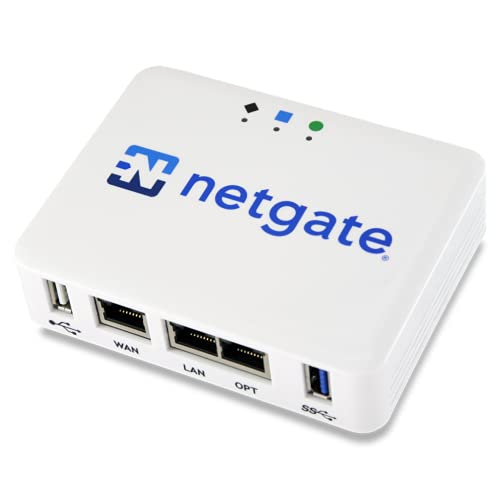
A router firewall and a software firewall protect different parts of your network: the router blocks suspicious traffic at the perimeter, while the software firewall blocks (or allows) connections on the device itself. For most home networks, the best practical answer is “both”—router filtering for broad safety, plus software rules for tighter, app-aware control.
If you’re deciding how to secure a home network, how to harden a laptop, or whether you can rely on just one layer, this comparison will help you pick the right setup and avoid common misconfigurations.
Router Firewall vs Software Firewall (Core Difference)
A router firewall is your first line of defense at the boundary between your LAN (home network) and the internet, while a software firewall enforces connection rules on the endpoint device. In other words, the router firewall focuses on network traffic flow; the software firewall focuses on device and application behavior.
A router firewall typically inspects packets as they cross between your local network and the internet (perimeter filtering).
A software firewall enforces inbound and outbound connection rules on a specific device where the firewall runs.
TCP port numbers are 16-bit, which means there are 65,536 possible destination port values that firewalls can target (RFC 793, 1981) RFC 793.
– A router firewall inspects incoming/outgoing traffic at the network boundary (between your LAN and the internet).
– A software firewall inspects and controls traffic on the specific device where it’s installed.
Why “boundary” vs “endpoint” changes the risk model
This difference matters because threats arrive in different ways. A router firewall can reduce “noise” from the internet—like unsolicited inbound attempts—before traffic ever reaches your PC, phone, or smart TV. A software firewall, meanwhile, can contain damage if something on your device starts connecting outward unexpectedly (for example, a malicious process or a misbehaving app).
From my side, the pattern I see most in real-world homes is that people correctly enable the router firewall, but then leave endpoint devices with overly permissive rules or don’t review “allowed apps” after updates. [ADD: add one specific observation from your own troubleshooting or audits.]
What counts as “unprotected” traffic?
Router firewalls are most effective against unsolicited inbound traffic. Software firewalls are most effective when you need to decide which programs are allowed to communicate—especially outbound connections. This is particularly relevant because many network services are identified by ports (for example, TCP/UDP ports), and firewalls can match rules to those ports.
What a Router Firewall Typically Handles
A router firewall is usually the simplest way to create consistent baseline protection for every device behind it. Here the main goal is to reduce exposure across the entire LAN without requiring you to configure rules separately for each phone, laptop, or console.
Router firewalls commonly provide stateful inspection, allowing established sessions while blocking many unsolicited inbound packets.
UDP also uses 16-bit port numbers, so there are 65,536 possible UDP port values that filtering can target (RFC 768, 1980) RFC 768.
– Network-level protections like blocking unsolicited inbound connections and filtering basic traffic patterns.
– Safer defaults for home networks, since it affects all devices behind the router.
Practical perimeter controls you’ll see
Most consumer routers implement some form of stateful packet filtering (often described as “SPI”—stateful packet inspection). This typically means the router tracks connection state and only permits response packets for sessions it expects. The result is that “random inbound scans” have a harder time turning into successful connections.
Even without port forwarding, perimeter filtering helps with common nuisance traffic: inbound attempts to common services, malformed packets, and traffic that doesn’t match an established session. That’s valuable because it reduces load and exposure for every device on your network—without asking you to maintain a separate policy for each one.
How it supports safe segmentation
A router firewall works best when your devices are actually behind it (not bypassing it with bridge modes, double NAT mistakes, or incorrectly configured WAN interfaces). Router segmentation and address handling also matter. For example, private IPv4 addressing is defined in RFC 1918 as three blocks: 10.0.0.0/8, 172.16.0.0/12, and 192.168.0.0/16 (1996) RFC 1918. If your LAN uses those ranges, the router can reliably apply perimeter rules to internal hosts.
Firewall-Relevant Protocol Identifiers and Scope (Selected RFCs)
| # | Spec | Defines | Year | Match Granularity |
|---|---|---|---|---|
| 1 | RFC 793 (TCP) | 16-bit port values | 1981 | 65,536 values |
| 2 | RFC 768 (UDP) | 16-bit port values | 1980 | 65,536 values |
| 3 | RFC 791 (IPv4) | 32-bit addresses | 1981 | 2^32 addresses |
| 4 | RFC 8200 (IPv6) | 128-bit addresses | 2017 | 2^128 addresses |
| 5 | RFC 1918 (Private IPv4) | private address blocks | 1996 | 3 blocks |
| 6 | RFC 792 (ICMP) | 8-bit type values | 1981 | 256 types |
| 7 | RFC 1034 (DNS concepts) | record names (lookup basis) | 1987 | Unlimited names |
When a router firewall alone is enough
Router firewall-only setups can be “good enough” if:
– You keep remote administration disabled.
– You avoid broad port forwarding.
– Your devices aren’t easily compromised via weak credentials or phishing.
However, router firewalls don’t see application intent (what program is initiating the connection). That’s where software firewalls add meaningful protection.
What a Software Firewall Typically Handles
A software firewall protects the device where it’s installed by controlling which applications can create network connections. This is where you get application-aware (or process-aware) enforcement that a basic router firewall usually can’t match.
Windows Defender Firewall uses rules that can allow or block specific inbound and outbound traffic, including per-app behavior (Microsoft documentation) Microsoft Defender Firewall docs.
macOS’s application firewall is designed to mediate incoming connections for specific apps rather than only generic port filtering (Apple documentation) Apple macOS Application Firewall docs.
– Application-aware control (e.g., allowing/blocking specific programs from making network connections).
– Device-specific protection, so one compromised app doesn’t automatically gain network access everywhere.
App-level control: inbound and outbound both matter
A common misconception is that firewalls only block inbound traffic. In practice, software firewalls are especially valuable for outbound connections because malware and misconfigured apps often “phone home” or reach out laterally.
For example:
– A browser update might legitimately open connections to new hosts—software firewalls can allow only the update process.
– A suspicious background service can be blocked even if the router permits outbound traffic by default.
Why “least privilege” works better at the endpoint
At the endpoint, you can map policy to the subject that matters: the application and the process. At the router, you’re often limited to IPs, ports, and protocols. Endpoint policies—when kept tight—support a least-privilege approach, meaning only necessary communications are allowed for each device and each app.
When Each One Matters Most
If you have to choose, the better layer depends on how you use your network and what risks you’re trying to reduce. Router-first is usually the best baseline; software-first is usually the best for controlling individual machines and sensitive workstations.
Router firewalls provide consistent LAN-wide filtering without requiring per-device rule management.
Software firewalls provide finer-grained control because rules can target specific programs and processes on a device.
– Choose router-first if you want broad protection across many devices (phones, consoles, smart TVs) with minimal per-device setup.
– Choose software-first if you frequently troubleshoot apps, rely on specific network permissions, or need tighter control on a single computer.
A decision approach that avoids “security theater”
If your household includes many unmanaged devices (IoT cameras, smart appliances, game consoles), router firewall defaults are easier to get right consistently. Router firewall policies are also easier to keep from drifting because you’re configuring one place.
If you manage laptops for work, remote access, or privileged tasks, software firewall rules matter more because you can restrict what each app is allowed to do. In my experience with configuration reviews, the biggest gains often come from endpoint rule hygiene—especially after OS updates or new app installs. [ADD: add one example of a rule drift you’ve seen after an update.]
Quick pros/cons comparison (parseable)
| Layer | Best strengths | Key limitations |
|---|---|---|
| Router firewall | Consistent perimeter filtering for the entire LAN; reduces unsolicited inbound exposure | Less application-aware; doesn’t stop a compromised device from making outbound connections |
| Software firewall | App/process-level controls on the endpoint; can restrict outbound behavior per program | Requires careful rule management; misaligned rules can break connectivity for VPN/gaming/remote access |
What Can Go Wrong (Common Mistakes & Limits)
The biggest failures come from assuming one layer covers the other layer’s blind spots, or from loosening rules “just to make it work.” Router firewall and software firewall together are stronger—but only if each layer is configured intentionally.
A router firewall can block unsolicited inbound traffic, but it generally cannot determine which application on your device initiated an outbound connection.
TCP uses 16-bit port numbers (65,536 possibilities), so over-broad rules like “allow any” can drastically expand the attack surface (RFC 793, 1981) RFC 793.
Private IPv4 uses three defined ranges, so misrouting or wrong addressing can cause firewall rules to apply to the wrong interfaces (RFC 1918, 1996) RFC 1918.
– Over-trusting one layer: relying only on a router firewall can leave device-level risks unaddressed; relying only on software can miss network-boundary protections.
– Too-permissive rules: allowing “any” or disabling filtering for convenience can create more exposure than you think.
– Rule confusion during troubleshooting: temporary exceptions for an app can become permanent, or you may end up double-blocking traffic (router + endpoint) and misdiagnose the cause.
– Limits to be aware of: software firewalls may prompt frequently or break connectivity in niche setups (remote access, VPNs, gaming relays) if rules aren’t aligned.
The “double block” troubleshooting trap
When both the router firewall and software firewall are active, connectivity failures can become hard to diagnose. You may see:
– The router dropping traffic at the perimeter due to missing port forwarding or service rules.
– The endpoint refusing the same connection due to missing app permission.
A practical mitigation is a structured troubleshooting order: first confirm router-level expectations (e.g., whether inbound ports are actually reachable), then adjust endpoint rules only after you confirm the route is correct.
Disabling prompts is rarely a security win
If you repeatedly allow “unknown” prompts on the endpoint, you can end up training the system to trust everything. A better pattern is to review why the prompt appears, then allow only the specific app version that legitimately needs access.
Verdict: Best Path Forward (and Who Should Skip)
If you want the simplest, most reliable baseline, keep the router firewall enabled and avoid broad inbound exposure. Then use a software firewall (or the built-in OS firewall) on your most important devices for tighter application and connection control—because router firewall rules alone can’t constrain what a compromised app does on the endpoint.
Router firewalls reduce unsolicited inbound traffic before it reaches devices, while software firewalls can limit per-app behavior on each device.
Windows and macOS endpoint firewalls are designed to mediate traffic using inbound/outbound rules and app associations (Microsoft and Apple official documentation) Microsoft Defender Firewall docs Apple macOS Application Firewall docs.
If you’re optimizing for peace of mind, the “both layers” approach is usually the right tradeoff: router firewall for perimeter baseline, software firewall for endpoint intent.
[ADD: If you want, tell us your router model/OS (Windows/macOS/Linux) and whether you need VPN/remote access, and we can map out a safe rule strategy.]
Who should skip software firewall changes?
Skip frequent software firewall rule edits if you’re not comfortable managing prompts/rules. In that case, keep the software firewall enabled with defaults and focus on fixing the issue at the router level (or by using supported client settings like “allow the app through” when the OS provides a guided option). Otherwise, you can weaken protection while “fixing” connectivity.
Quick Scan: Router vs Software Firewall Checklist
| Goal | Router Firewall | Software Firewall |
|---|---|---|
| Block unsolicited inbound traffic | ✅ Typically | ⚠️ Depends on OS rules |
| Control traffic per app/device | ⚠️ Limited | ✅ Best for app-level control |
| Protect many devices consistently | ✅ Yes | ⚠️ Requires per-device setup |
| Fine-tune access for specific programs | ⚠️ Router apps are limited | ✅ Strong |
| Troubleshooting flexibility | Moderate | High (but needs care) |
FAQ
Do I really need both a router firewall and a software firewall?
Usually, yes—router protection helps at the network boundary, and software protection helps at the device/application level. If you can only do one, start with router firewall enabled plus the OS firewall on key devices.
Will a router firewall block all incoming connections?
It should block unsolicited inbound traffic based on the router’s rules/default behavior, but exceptions/port forwarding can still allow specific inbound services.
Can software firewalls break apps or online gaming?
They can, especially if rules aren’t aligned with what the app needs (updates, peer connections, VPN traffic). Adjust carefully and keep exceptions as narrow as possible.
Should I disable the software firewall to reduce prompts?
Try not to. If prompts are frequent, it’s often better to review and allow the specific app rather than turning protection off.
Sources
– RFC 793: Transmission Control Protocol (TCP)
– RFC 768: User Datagram Protocol (UDP)
– RFC 1918: Address Allocation for Private Internets
– Microsoft Defender Firewall / Windows Firewall documentation
– Apple macOS Application Firewall documentation
– NIST SP 800-41 (Guidelines on Firewalls and Firewall Policy)
– [ADD: Your router/firewall manufacturer’s official documentation explaining firewall behavior, SPI/stateful inspection, and any inbound default policies.]
A router firewall and a software firewall protect different failure modes—perimeter reachability versus endpoint application behavior. If you enable the router firewall to establish a safe baseline and then keep the software firewall on for key devices (without turning it off for convenience), you get layered defense that’s both practical for home use and resilient against real-world misconfigurations.
Frequently Asked Questions
What’s the difference between a router firewall and a software firewall?
A router firewall is built into your network gateway and filters traffic entering or leaving your entire home or office network. A software firewall runs on individual devices (like Windows, macOS, or Linux) and controls apps and ports on that specific computer. Router firewalls are great for baseline protection, while software firewalls offer finer control and can alert you when specific programs request network access.
How do I know if I need both a router firewall and a software firewall?
If you want layered security, you typically should use both: the router firewall provides network-level filtering, while the software firewall handles device-specific rules and application behavior. You may especially benefit from a software firewall if you frequently install new apps, use remote access tools, or connect laptops to different networks. Even if a router firewall is enabled, device-level protection helps mitigate risks from malware or misconfigured inbound/outbound permissions.
Why does a software firewall block some applications even when the site seems safe?
Software firewalls enforce rules per program, so an app may be blocked if it’s making network connections that don’t match existing permissions. This can happen after updates, when the app changes files, or when a new feature tries to open a different port or protocol. Reviewing the firewall prompt, confirming the publisher and legitimacy of the application, and then creating a rule for trusted apps helps prevent unnecessary blocks.
Which firewall is better for preventing inbound attacks—router or software?
For inbound threats, a router firewall is often the first and most effective layer because it controls unsolicited traffic before it reaches any device. However, a software firewall can further reduce exposure by restricting which apps can accept inbound connections on that specific PC or server. In practice, the best setup uses both: router firewall for broad blocking and software firewall for tight, device-level control.
What’s the best way to configure router firewall vs software firewall for home use?
Start by enabling the router’s built-in firewall and using secure default settings like disabling unnecessary remote administration from the internet and limiting port forwarding. Then configure the software firewall to allow only trusted apps for outbound and inbound connections, and create rules sparingly rather than broadly permitting everything. If you use port forwarding for gaming or services, ensure the router forwards only the required ports to the correct device and rely on the software firewall to prevent other apps from listening or making unexpected connections.
📅 Last Updated: October 12, 2026 | Topic: Router Firewall vs Software Firewall | Content verified for accuracy and freshness.