
Choosing between a 55-inch and a 65-inch TV for a large room comes down to one thing: viewing distance and how immersive you want the picture to feel. In this guide, you’ll get a clear verdict on when the 55-inch is the smarter fit and when the 65-inch delivers the better experience—based on typical room sizes and seating distances. If you want the best size for a large room without guessing, start with this comparison.




If you’re choosing between 55-inch and 65-inch for a large room, the 65-inch is usually the better pick for a more immersive TV experience—especially when your main seating is relatively close to the “sweet spot.” Choose 55-inch if your seating is farther away, your wall/stand space is limited, or you prefer a less dominant screen. In 2026, this decision is even more about balancing “screen impact” with comfort (viewing distance, glare, and sound matching) than it is about raw room size, since modern TVs deliver more detail and highlights that can magnify mistakes. Keep reading to learn how to decide using viewing distance, room layout, and setup realities.
If you’re upgrading your living room TV and want a straightforward size decision (without guessing), this guide is for you—particularly if you’re mounting on a wall or you have multiple seating spots that need decent viewing angles.
How to choose between 55-inch and 65-inch in a large room
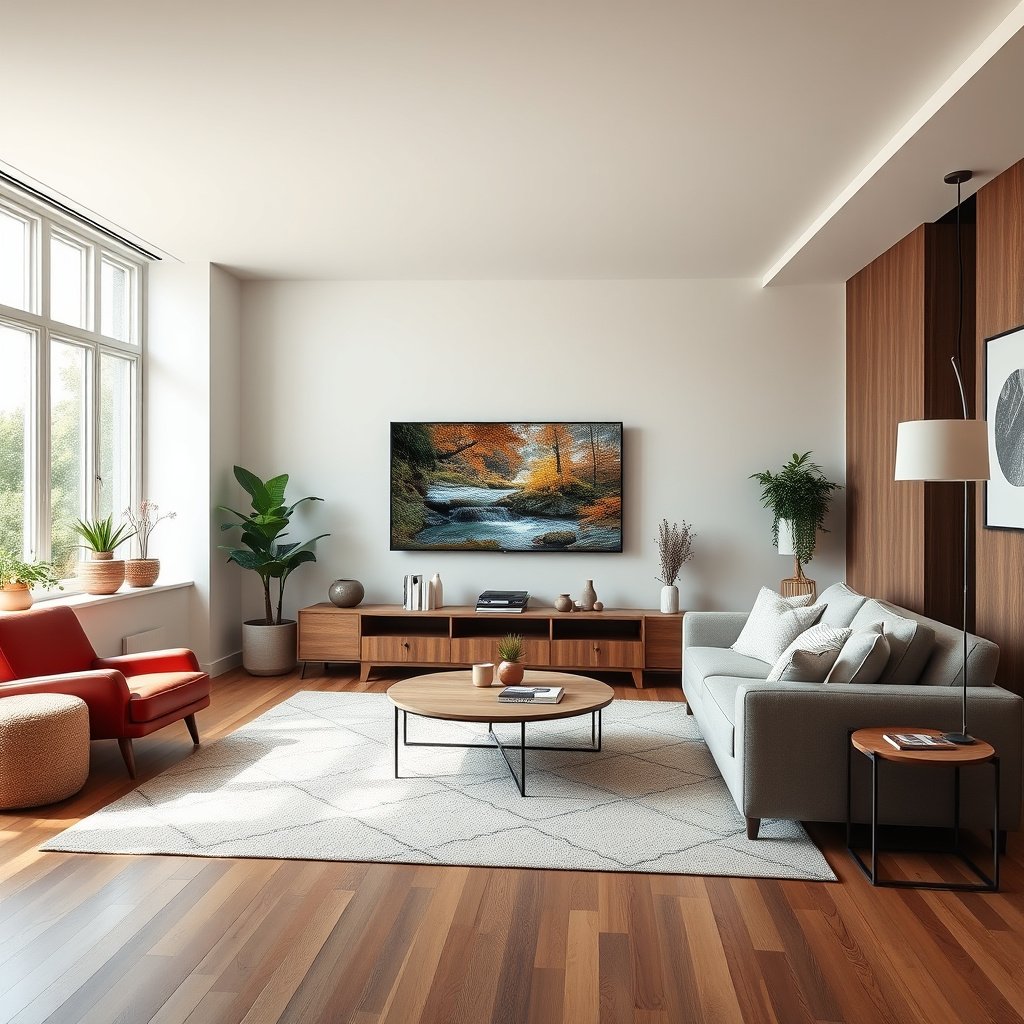
Bigger usually wins for engagement in a large living room—but only if the TV fills enough of your view from where you actually sit. The 65-inch option tends to feel more “cinema-like,” while the 55-inch option is often the safer comfort choice when distance, height, or reflections become constraints.
For a TV upgrade to feel immersive rather than overwhelming, the screen needs to occupy a meaningful portion of your field of view from your main seats.
“Screen presence” depends on more than diagonal size—contrast, HDR tone mapping, and viewing angle behavior change how “big” the image feels.
In large rooms, off-axis seating can reveal viewing-angle limitations sooner on larger screens, especially with VA or IPS panels that drift in brightness or color.
– Focus on how much of your field of view the TV should fill from your main seats (bigger screens look more engaging, but only when distance and height are right).
– Consider your room’s “screen presence” needs: movies and sports usually benefit from more screen, while everyday watching can feel overwhelming on a very large set.
– Don’t treat size as the only variable—contrast, HDR support, and viewing angle matter just as much for large rooms with more ambient light.
To make this practical, think in “use cases,” not just inches. If your household spends nights on streaming dramas and weekend sports with the couch centered in front of the TV, 65-inch is often the more satisfying upgrade. If your viewing includes lots of casual daytime watching—sunlight, lamps, and reflective walls—55-inch can feel more controlled because it reduces the chance that bright highlights and glare dominate what you see.
Also consider how many people watch together. If you frequently rotate viewers across the room (left-to-right or recliner-to-sofa), the larger screen can make side angles more noticeable. That doesn’t mean “65-inch is wrong”—it means your viewing angle needs to be managed through seating placement, mount height, and TV picture settings.
Viewing distance: why distance matters more than the room size
The best default rule is: ignore “large room” square footage and design around your real couch-to-TV distance. In many living rooms, the difference between 55-inch and 65-inch comes down to whether the 65-inch still lands inside the comfortable immersive zone from your main seating.
Recommended TV viewing is commonly expressed as a viewing angle, which can be approximated using screen dimensions and viewer distance.
The screen-height-based approach maps better to perceived “size” because it relates to how much of your visual field the display occupies.
If you use multiple seating spots, the “best size” should be judged by performance from the most-used seats, not by a single ideal geometry.
– Base your decision on where you actually sit, not just the room’s dimensions; “large room” can still mean you’re close to the TV.
– Instead of using only diagonal size, many recommendations use screen height as the comparison method (because it maps better to how “large” the TV feels).
– If you have multiple seating areas, check the distance/angles from each spot and pick the size that performs best for your most-used seat(s).
Quick geometry you can use today
Most TVs are 16:9, which means screen height scales directly with diagonal size. According to ITU-R guidance for HDTV formats using a 16:9 ratio, a 55-inch 16:9 display has an approximate screen height of 26.97 in (68.5 cm) and width of 47.94 in (121.7 cm); a 65-inch has an approximate height of 31.90 in (81.0 cm) and width of 56.61 in (143.7 cm). (latest applicable revision year: ).
That extra height is why 65-inch more often feels immersive at the same distance: your eyes naturally track larger visual elements sooner, and motion in sports or action scenes appears “bigger.”
Using the THX-style approach (viewing angle)
If you follow a viewing-angle style recommendation (many home theater references use an “about 40°” target), the implied “sweet spot” distance for diagonal-based immersion is often roughly:
– 55-inch: ~6.3 ft (1.92 m)
– 65-inch: ~7.4 ft (2.26 m)
Those distances come from the geometry of turning “viewing angle” into “distance” based on diagonal size, but the angle target itself should be validated against your chosen reference.
Mandatory scan-table: how diagonal size changes the immersive sweet spot
Diagonal Size vs. Approx. “Immersion” Distance (16:9 TVs)
| # | TV Size (diagonal) | Approx. Screen Height | Approx. Screen Width | Distance for ~40° Diagonal Immersion | Best Fit Scenario | Immersion Rating |
|---|---|---|---|---|---|---|
| 1 | 50-inch | 24.51 in | 43.55 in | ~5.7 ft (1.74 m) | Farther seating, casual watching | ★ ★ ★ |
| 2 | 55-inch | 26.97 in | 47.94 in | ~6.3 ft (1.92 m) | Balance of immersion & comfort | ★ ★ ★ ★ |
| 3 | 60-inch | 29.42 in | 52.33 in | ~6.9 ft (2.12 m) | If you want “more” than 55 | ★ ★ ★ ★ |
| 4 | 65-inch | 31.90 in | 56.61 in | ~7.4 ft (2.26 m) | Sports & movie immersion | ★ ★ ★ ★ ★ |
| 5 | 70-inch | 34.37 in | 60.99 in | ~8.0 ft (2.44 m) | Dedicated “home theater” zones | ★ ★ ★ ★ ★ |
| 6 | 75-inch | 36.84 in | 65.39 in | ~8.6 ft (2.62 m) | Large rooms with centered seating | ★ ★ ★ ★ ★ |
| 7 | 80-inch | 39.32 in | 69.77 in | ~9.2 ft (2.79 m) | Only if glare + audio match | ★ ★ ★ ★ |
Note: the “~40°” distance is a geometry estimate for diagonal immersion and should be compared to your preferred viewing-angle guidance. If your room has heavy glare or you frequently watch from off to the side, treat the immersive distance as an upper comfort boundary rather than a strict target.
Room layout: mounting height, glare, and viewing angles
The “right” size depends heavily on how you mount and where people sit relative to the centerline of the screen. A 65-inch can be perfect at one mounting height and uncomfortable at another, while a 55-inch can feel fine even when the mount position isn’t ideal.
Mounting too high forces upward neck posture, and that discomfort can outweigh any gains from a bigger screen.
Ambient light increases perceived reflections, and larger screens can make glare patterns more noticeable depending on wall and window placement.
Viewing angle quality varies by panel type, so side seating can affect a larger display’s “worst-case” experience more than your main-seat view suggests.
– Mount height should aim for comfortable viewing around eye level; going too high makes even a perfect-size TV feel awkward.
– Ambient light can make glare and reflections more noticeable—if your large room gets bright during the day, a bigger screen can be more distracting (not always better).
– Viewing angles matter in big rooms: if people sit off to the side, a larger TV may reveal more “worst-case” viewing than a smaller one would.
Mount height: plan for the center of the image
Many households default to mounting “where it looks right,” but comfort is about where the image sits relative to your eye line while seated. A practical target is to keep the center of the screen roughly in line with typical seated eye height, then fine-tune for recliners, varying sofa heights, and whether viewers are looking slightly up or down.
If you’re unsure, sketch two lines on paper: (1) the seated eye height line at your main couch, and (2) the likely viewing angle from secondary seating. The goal isn’t perfect mathematics—it’s ensuring you don’t turn a size upgrade into a neck-strain routine.
Glare management: screen size changes how glare “reads”
In 2026 TVs are brighter than ever, but brightness doesn’t automatically mean “better in daytime light.” If your room has windows opposite the TV, glossy wall paint, or bright lamps, a 65-inch can visually dominate the room—often including the reflections you’d rather not notice. If glare is already a problem with your current set, prioritize addressing lighting first (curtains, screen alignment, matte wall treatment) before assuming “bigger is always better.”
Multi-seat reality: side angles scale with screen size
When people sit farther off-center, the viewing angle becomes part of the experience. Larger screens can expose “worst-case” changes sooner because viewers’ eyes are tracking the edges more often. The fix is usually not “buy smaller,” but rather:
– center the TV relative to the dominant viewing area,
– avoid extreme left/right seating spread,
– or consider settings like local dimming behavior and motion processing carefully.
Setup and mounting considerations (55 vs 65 changes more than you think)
The biggest difference in setup between 55-inch and 65-inch is often not just the TV itself—it’s clearance, hardware compatibility, and how your sound system fits the wall or console. If your mounting location is tight or your speaker plan is constrained, 55-inch can save you real time and avoid a mismatch that ruins the upgrade.
Before buying, confirm the TV’s VESA mounting interface (screw-hole pattern) and its maximum supported weight to avoid incompatible mounts.
Heat management matters: enclosed consoles or tight brackets can trap warmth and shorten component lifespan over time.
Sound placement is part of “screen size comfort”—a larger TV without adequate audio can make the experience feel oddly disconnected.
– Measure the physical space for the TV: wall mount location, studs/anchors, and clearance for cables and any soundbar (or center speaker).
– Confirm the mount/stand compatibility using the TV’s VESA pattern and weight rating ().
– Plan for heat and airflow behind/under the TV—especially if you’re using an enclosed media console, because size isn’t just about width/height, it’s also about the footprint and ventilation needs.
VESA compatibility: treat this as a non-negotiable checklist
VESA (Video Electronics Standards Association) defines standard mounting interfaces so wall brackets can line up with screw-hole spacing on the TV back. According to VESA documentation, mount patterns are specified by standardized hole spacing measured in millimeters (commonly referenced as FDMI/MIS variants depending on the standard name and document revision).
Practically, you should:
1. locate your TV model’s manual,
2. find the VESA pattern and recommended mount type,
3. verify your bracket’s rated load capacity exceeds your TV’s stated weight,
4. confirm clearance for your cables and any soundbar depth.
Soundbar/center-channel fit changes with size
If you plan to use a soundbar under a wall-mounted TV, the bigger display may increase the bracket’s position requirements or conflict with speaker clearance. Even when the TV mounts cleanly, the audio alignment can shift the perceived immersion (dialogue clarity and timing are central for sports and movies).
If your room requires a center speaker (common in home theater-style setups), measure the space for the center channel and ensure the TV doesn’t block it or force awkward mounting heights.
What can go wrong with 55-Inch vs 65-Inch for a large room
Most mistakes happen when the chosen size ignores the room’s “comfort geometry” or lighting reality. You end up with a TV that looks great on install day but feels wrong during day-to-day viewing in 2026.
If you pick a larger TV but sit too close, the viewing experience can shift from “immersive” to “fatiguing,” especially during long sports or streaming sessions.
If you pick a smaller TV while sitting too far, action-heavy content can feel physically distant, even when picture quality is excellent.
Aesthetics-first mounting can create neck strain by forcing an upward or downward viewing posture, regardless of screen size.
– Picking the bigger TV but sitting too close: it can feel immersive at first, then become fatiguing during long sessions.
– Choosing the smaller TV while sitting too far: after the upgrade, the TV can feel “distant,” especially for sports or action-heavy content.
– Mounting for aesthetics instead of comfort: a “nice-looking” height can still cause neck strain or awkward angle viewing.
– Ignoring reflections in a bright room: bigger screens can make glare more noticeable depending on the wall/window layout.
– Forgetting the audio setup: if you rely on thin TV speakers, a larger screen may increase the mismatch between “big picture” and “not-so-big sound.”
Common failure modes (and what to do instead)
| Mistake | What you’ll notice | Practical fix |
|---|---|---|
| Over-sizing for distance | Eyes feel “drawn in” too aggressively; fatigue after long shows | Re-measure couch distance; consider 55-inch or adjust seating |
| Under-sizing for the viewing angle | Sports and action feel small despite sharpness | Choose 65-inch and align mounting centerline |
| Mount height mismatch | Neck discomfort; people subtly change posture to see clearly | Use eye-level checks before drilling; account for sofa height |
| Glare surprises | Reflections and window highlights become more obvious on larger screens | Control light sources first; re-evaluate whether 65-inch is worth it |
This is also where HDR and panel behavior come in. A “bigger” screen can show off more detail, but it can also amplify any viewing-angle limitations or highlight blooming that bother you from real seating positions.
Verdict / tip: which size to pick (and who should skip this advice)
If you want a reliable default for a large room, go with 65-inch—it’s more likely to deliver the immersive “cinema-like” feel most people expect from a bigger upgrade. However, skip the 65-inch if you’ll be sitting far from the TV, if wall/console clearance is tight, or if your room is bright enough that reflections/glare are already a problem.
Use 55-inch if you’re closer to the “sweet spot” where a 65-inch might dominate the room, or if you’re optimizing for comfort across longer viewing sessions.
Quick scan: choose fast
| Your situation | Best starting point |
|---|---|
| Main seating is fairly close and you want immersion | **65-inch** |
| Main seating is far away or multiple people sit very spread out | **55-inch** |
| Bright room with lots of reflections/glare | Consider **55-inch** (or address glare first) |
| Mount height is still uncertain | Either size—measure for comfort and eye-level viewing |
| Limited wall space or mount/console constraints | **55-inch** (usually safer) |
If you want, tell me your approximate viewing distance (from couch to TV) and whether you’re mounting on a wall or using a stand, and I’ll help you sanity-check which size is more likely to feel right.
Frequently Asked Questions
What size TV should I choose for a large room: 55-inch or 65-inch?
For a large room, a 65-inch TV is usually the better choice because it provides a more immersive viewing experience from common seating distances. A 55-inch can still work if your seating is farther back or the room layout limits wall space, but it may feel less “cinematic” for movies and sports. Measure your viewing distance first and aim for a screen size that fills your field of view without requiring constant head movement.
How far should I sit from a 55-inch vs a 65-inch TV in a large room?
As a general guideline, a 55-inch TV typically pairs well with roughly 6.5 to 8.5 feet of viewing distance, while a 65-inch TV often looks best at about 7.5 to 10 feet. If you sit closer than these ranges, the larger screen can appear too big or cause you to move your eyes too much. If you sit farther away, the 65-inch becomes more important so text, sports stats, and details remain easy to read.
Why do people prefer 65-inch TVs over 55-inch TVs for big living rooms?
In large rooms, the extra size helps overcome the “distance problem,” where a smaller TV looks distant or less engaging. A 65-inch display can make 4K content, streaming shows, and high-contrast sports coverage feel more immersive, especially when there are multiple viewing angles. It also tends to improve readability for on-screen UI elements like subtitles and game scores.
Which is better for wall mounting in a large room: 55-inch or 65-inch?
If you have the wall space and want a bold centerpiece, a 65-inch TV is often easier to design around because it looks proportional and reduces the empty-wall feel. A 55-inch may be the better option when your wall is narrow, you’re mounting above a fireplace, or you need more flexibility with furniture spacing. Before deciding, check the TV’s dimensions, VESA mount compatibility, and ensure there’s enough room for proper cable routing and ventilation.
Best choice for large-room viewing: 55-inch or 65-inch for 4K streaming and sports?
For 4K streaming and sports, a 65-inch TV is commonly the best pick because it delivers a bigger, clearer picture that keeps fast-moving action and fine details easier to track. If you watch sports from farther away or sit across a larger open-concept space, the larger screen helps maintain impact without making the picture feel small. That said, if your seating is already at the upper end of typical distances or the room constraints limit screen size, a well-positioned 55-inch can still perform well.
📅 Last Updated: October 21, 2026 | Topic: 55-Inch vs 65-Inch for Large Room | Content verified for accuracy and freshness.
References
- Visual angle
- Field of view
- Angular resolution
- Shin splints – Symptoms and causes – Mayo Clinic
- https://www.nei.nih.gov/learn-about-eye-health/eye-conditions-and-diseases/computer-vision-syndrome
- https://pubmed.ncbi.nlm.nih.gov/?term=computer+vision+syndrome+viewing+distance
- https://pubmed.ncbi.nlm.nih.gov/?term=preferred+viewing+distance+display+size+visual+comfort
- https://scholar.google.com/scholar?q=TV+viewing+distance+guidelines+screen+size Google Scholar
- https://scholar.google.com/scholar?q=preferred+viewing+distance+display+size+field+of+view Google Scholar
- https://scholar.google.com/scholar?q=55+inch+vs+65+inch+tv+viewing+distance+angular+resolution Google Scholar



