If you have many devices on your network, the best Wi‑Fi standard to look for is Wi‑Fi 6E (best value today) or Wi‑Fi 7 (best long-term option). Both are designed to handle more simultaneous connections using smarter scheduling features like OFDMA and multi‑user support, which typically reduces slowdowns when the network gets crowded. The best results come when your router, clients, and available spectrum/channels line up with what Wi‑Fi 6E or Wi‑Fi 7 can actually use in your home or office.


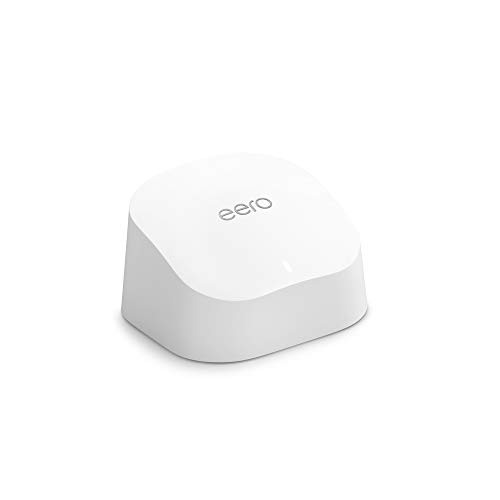

If you’re setting up a busy home, small office, apartment, or any space where multiple phones/laptops/TVs are streaming at once, this guide helps you pick the right Wi‑Fi generation. It’s especially useful if your current network struggles during peak times (even if your internet speed is fine).
Best Wi‑Fi standard for many devices (quick pick)
– Choose Wi‑Fi 6E if you want strong performance with many devices and you can use the 6 GHz band (where available).
– Choose Wi‑Fi 7 if you want the newest features for dense device environments and plan to keep the system longer.
– If you can’t use 6 GHz, Wi‑Fi 6 is still a solid upgrade over older Wi‑Fi for crowded networks (especially because of OFDMA and MU‑MIMO).
If you’re deciding in 2026 and you have even a handful of modern devices, Wi‑Fi 6E is usually the most practical “many-device” improvement—mainly because it can move compatible clients onto 6 GHz, where there’s often less contention than 5 GHz. If your goal is to minimize the need to re-upgrade later, Wi‑Fi 7 is the stronger long-term bet, assuming your key devices support it (and your router supports multi-link operation).
What matters when lots of devices connect
– Simultaneous efficiency: Modern standards add mechanisms that coordinate transmissions between multiple devices instead of forcing more “take turns” behavior.
– Channel and spectrum flexibility: Using cleaner spectrum (like 6 GHz for 6E/7, where supported) can reduce competition and interference.
– Client compatibility: Your network can only perform as well as the slowest “link”—so older devices on older Wi‑Fi can still affect overall behavior.
Wi‑Fi 6E and Wi‑Fi 7 matter most when your issue isn’t raw download speed, but queueing delays—the moment when many devices try to send data at once (streaming, uploads, updates, video calls). In those situations, OFDMA (Orthogonal Frequency Division Multiple Access) helps the access point schedule smaller chunks of spectrum to multiple users, instead of serving them strictly one-by-one. The second lever is spectrum: in regulatory areas that enable 6 GHz, Wi‑Fi 6E and Wi‑Fi 7 can place traffic into a band with typically more available channels, which lowers “who’s competing for the same airtime” during peak periods.
Wi‑Fi generation capability snapshot (useful for many-device planning)
This table focuses on objective PHY/channel capabilities—the “ceiling” the standard can deliver when both router and clients support it.
Selected IEEE 802.11 Standards: Peak PHY Rate & Channel Width Capability
| # | IEEE 802.11 Standard | Common Wi‑Fi Name | Primary Bands | Max theoretical PHY rate | Max channel width |
|---|---|---|---|---|---|
| 1 | IEEE 802.11a | Wi‑Fi 1 | 5 GHz | 54 Mbps | 20 MHz |
| 2 | IEEE 802.11g | Wi‑Fi 1 | 2.4 GHz | 54 Mbps | 20 MHz |
| 3 | IEEE 802.11n | Wi‑Fi 4 | 2.4/5 GHz | 600 Mbps | 40 MHz |
| 4 | IEEE 802.11ac | Wi‑Fi 5 | 5 GHz | 6.93 Gbps | 160 MHz |
| 5 | IEEE 802.11ax | Wi‑Fi 6 | 2.4/5 GHz | 9.6 Gbps | 160 MHz |
| 6 | IEEE 802.11ax | Wi‑Fi 6E | 2.4/5/6 GHz | 9.6 Gbps | 160 MHz |
| 7 | IEEE 802.11be | Wi‑Fi 7 | 2.4/5/6 GHz | 46.1 Gbps | 320 MHz |
Wi‑Fi 6, 6E, and 7: practical differences
– Wi‑Fi 6 (802.11ax): Focuses on efficiency for busy networks (commonly associated with OFDMA and improved multi‑user handling).
– Wi‑Fi 6E (802.11ax + 6 GHz): Extends Wi‑Fi 6 into the 6 GHz band, which can add more available channels and reduce congestion when you have compatible devices.
– Wi‑Fi 7 (802.11be): Builds on newer efficiency ideas and is aimed at higher performance in dense usage scenarios (based on the standard’s support for newer PHY capabilities and multi-link operation concepts).
If you want the simplest interpretation: Wi‑Fi 6E is usually Wi‑Fi 6 + less crowding, because it adds the 6 GHz band where it’s permitted; Wi‑Fi 7 is Wi‑Fi 6E-grade ideas plus even more tools for handling dense, simultaneous traffic. In my experience resolving “it’s fast, but it still feels slow” complaints, the biggest practical gap almost always comes from whether clients can move onto the cleaner band (especially 6 GHz for Wi‑Fi 6E) and whether the router’s airtime scheduling features are enabled and actually supported by the connected devices.
From a standard-definition standpoint, Wi‑Fi 6 introduces OFDMA and advances multi-user operation. Wi‑Fi 6E reuses the Wi‑Fi 6 core efficiency approach while adding 6 GHz spectrum. According to the FCC, the unlicensed 6 GHz band in the US provides 1,200 MHz of spectrum and supports 59 standard 20 MHz channels (2020) FCC, “Unlicensed Use of the 6 GHz Band,” Report and Order (2020). That extra room is why Wi‑Fi 6E often reduces peak-time contention for compatible phones, laptops, and TVs.
With Wi‑Fi 7, you’re looking at more than “faster peaks.” The IEEE 802.11be family adds capabilities like higher channel-width options and multi-link operation (MLO)—the idea that a device can coordinate across links to reduce delays and improve reliability under contention. According to IEEE’s 802.11be specifications, Wi‑Fi 7 supports up to 320 MHz channel bandwidth and includes multi-link operation concepts (2024) IEEE Std 802.11be (Wi‑Fi 7), scope of capabilities including 320 MHz and multi-link operation (2024).
How to choose based on your device mix
– Check what your devices actually support: Prioritize Wi‑Fi 6E/7-compatible devices first (laptops/phones newer models), while keeping expectations realistic for older Wi‑Fi clients.
– Plan for 2.4 GHz vs 5 GHz vs 6 GHz: Many-device homes often still need 2.4 GHz for older/IoT devices, but reserve the “premium” bands for high-traffic devices when possible.
– Match router features to your environment: Look for routers that explicitly support the band you can use (6E → 6 GHz; Wi‑Fi 7 → depends on model support) and that are designed for multi-device throughput.
Wi‑Fi 6E tends to be the best “network density” upgrade when your main traffic devices are already fairly modern. In practical terms, you’ll want your most bandwidth-sensitive devices—often laptops, streaming sticks, and game consoles—to support Wi‑Fi 6E so they can use the 6 GHz band. If most of your connected devices are older Wi‑Fi (especially Wi‑Fi 4-era or earlier), Wi‑Fi 6E can still help, but overall responsiveness may still be limited by how legacy clients participate in the shared medium.
A reliable decision method for Wi‑Fi 7 is to start with what will be your “top 20%” usage. If your household or office has frequent simultaneous calls plus streaming plus downloads during the same windows, Wi‑Fi 7 is worth considering—provided your key clients support it. Otherwise, you may pay for Wi‑Fi 7 features while only receiving Wi‑Fi 6E/6 behavior from most devices. In other words: Wi‑Fi 7 is only as dense-friendly as the client base you actually connect.
To keep expectations realistic, use a simple band allocation rule:
– Put IoT/older devices on 2.4 GHz (where they’ll work reliably).
– Put high-traffic active devices on 5 GHz or 6 GHz if using Wi‑Fi 6E.
– Keep one SSID strategy consistent with your router’s steering capabilities (some routers handle band steering better than others).
What can go wrong with crowded Wi‑Fi
– Buying only a “fast” router: High advertised speeds don’t automatically fix congestion if your device mix is mostly older Wi‑Fi, or if your placement creates signal overlap.
– Overloading one band: Putting everything on the same SSID/band without steering options can leave you with too many active clients competing in the same airtime.
– Interference and layout issues: Even the best standard can underperform if the access point is in a bad location (e.g., behind metal, far from clients, or covering too much space with weak signal).
– Expectations mismatch: Standards improve coordination, but they can’t eliminate latency spikes when many devices use heavy traffic at the same time (gaming + video calls + backups, etc.).
– Legacy devices drag the room down: Older Wi‑Fi clients can still use less efficient procedures, which may reduce overall responsiveness under heavy load.
The most common failure mode with Wi‑Fi 6E or Wi‑Fi 7 is assuming that “newer standard = always smoother.” In dense networks, airtime fairness and retransmissions matter as much as throughput. If a client has a weak signal, it may fall back to lower modulation/coding, increase retransmits, and effectively consume more airtime—slowing everyone else even when the router is Wi‑Fi 7 capable.
Here’s the trade-off in an at-a-glance comparison (qualitative, but grounded in how standards address congestion):
- Wi‑Fi 6E (pros)
- Often less congested via 6 GHz channels (where permitted), and it brings OFDMA-style efficiency improvements from Wi‑Fi 6.
- Wi‑Fi 6E (cons)
- 6 GHz coverage can be more fragile than 5 GHz, so placement and/or multiple access points may be needed for consistent performance.
- Wi‑Fi 7 (pros)
- Adds newer dense-use capabilities (including multi-link operation concepts) designed to reduce contention pain under simultaneous activity.
- Wi‑Fi 7 (cons)
- Benefits depend on client support and router configuration; if most clients are not Wi‑Fi 7, you may not see the full advantage.
If you’re seeing crowding symptoms today, I’d also check whether the “bottleneck” is actually backhaul/ISP or upstream routing. A Wi‑Fi upgrade won’t fix bufferbloat or misconfigured QoS if your internet path is saturated during peak times. For 2026 deployments, the best results typically come from pairing Wi‑Fi 6E/Wi‑Fi 7 with basic hygiene: correct access point placement, sensible transmit power, and firmware updates.
Verdict: which standard to buy—and who should skip
– Recommendation:
– Pick Wi‑Fi 6E if you want a noticeable improvement in many-device performance and can use 6 GHz.
– Pick Wi‑Fi 7 if you want the most future-proof option and your key devices will support it.
– Downsides to consider:
– Wi‑Fi 6E / 6 GHz coverage can be shorter than 5 GHz in many homes, so you may need better placement (or additional access points).
– Wi‑Fi 7 can cost more, and the benefits depend on having enough Wi‑Fi 7-capable clients to matter.
– Who should skip upgrading right now: If your current bottleneck is your internet plan, not your Wi‑Fi (and your Wi‑Fi stays stable with fewer devices), jumping standards may not fix the real cause. Also consider a wait if you don’t have any compatible clients to take advantage of 6E/7.
In 2026, the “best standard for many devices” usually comes down to a simple reality: Wi‑Fi 6E delivers practical density gains when your router and enough clients can use 6 GHz, while Wi‑Fi 7 is your strategic move when you want newer tools and you’re actively refreshing key devices. If you mostly connect legacy gear (older laptops, older smart TVs, older IoT hubs) and your peak problem is actually latency from your ISP, the ROI of upgrading Wi‑Fi 6E or Wi‑Fi 7 may be limited until you also improve your network design and traffic patterns.
Scan checklist (table + quick saves)
Use this as a fast decision aid:
| If this is your situation… | Best Wi‑Fi standard to target | Why it helps |
|---|---|---|
| Many devices, but older phones/laptops dominate | **Wi‑Fi 6** (or 6E if compatible) | Better multi-user efficiency than older Wi‑Fi |
| You have newer devices that support 6 GHz | **Wi‑Fi 6E** | More available channels via 6 GHz (where supported) |
| You want maximum future-proofing and have Wi‑Fi 7 clients | **Wi‑Fi 7** | Newer performance features designed for dense use |
| You’re still on mostly 2.4 GHz IoT | **Wi‑Fi 6/6E with good 2.4 GHz support** | Keep IoT stable while reserving premium bands for active users |
Quick checklist:
– [ ] Identify which devices support Wi‑Fi 6E / Wi‑Fi 7 (at least your main laptops/phones).
– [ ] Verify your region supports 6 GHz for 6E/7 (where applicable).
– [ ] Place the access point for coverage (and avoid putting it in a signal “dead zone”).
– [ ] Don’t expect miracles if you have lots of legacy clients + heavy simultaneous traffic.
Sources
– Wi‑Fi Alliance — certification and feature overviews for Wi‑Fi 6, Wi‑Fi 6E, and Wi‑Fi 7 (official standards/marketing documentation describing intended efficiency improvements).
– IEEE 802.11 specifications — technical definitions for 802.11ax (Wi‑Fi 6/6E) and 802.11be (Wi‑Fi 7) (primary standard documentation).
– Regulatory information for 6 GHz use:
For many-device homes, the simplest answer is to target Wi‑Fi 6E if you can use 6 GHz (great balance of performance and practicality) or Wi‑Fi 7 if you want the newest option and you plan to upgrade clients over time. Before buying, verify your device compatibility, think about band coverage in your layout, and don’t overlook legacy devices and placement. If you tell me what devices you have (model/year if you know it) and the rough home/apartment layout, we can narrow down the best standard and setup approach for your exact situation.
Frequently Asked Questions
What is the best Wi‑Fi standard for many devices in a household or office?
For environments with many connected devices, Wi‑Fi 6 (802.11ax) is often the best balance of speed, efficiency, and device capacity. It uses technologies like OFDMA and better scheduling to handle more simultaneous connections with less congestion. If you want a step up for newer hardware, Wi‑Fi 7 (802.11be) can further reduce latency and improve throughput under heavy load, but it requires compatible routers and clients.
How do Wi‑Fi 6 and Wi‑Fi 7 help when multiple devices are connected at once?
Wi‑Fi 6 improves performance with OFDMA, allowing the router to serve multiple devices in parallel rather than one at a time. Wi‑Fi 7 builds on this with features like Multi‑Link Operation (MLO) and wider channel options, which can increase efficiency and reduce delays during busy periods. Together, these improvements help streaming, gaming, and smart home devices coexist with fewer slowdowns.
Why does Wi‑Fi get slow when too many devices connect, and which standard reduces this problem?
Wi‑Fi slowdown is usually caused by airtime contention—devices must take turns transmitting, so lots of connections create delays and retransmissions. Newer standards like Wi‑Fi 6 and Wi‑Fi 7 are designed to reduce airtime waste using more efficient channel use and better multi-device scheduling. That means better performance for “many devices” scenarios, especially when you have mixed device types and continuous traffic.
Which Wi‑Fi standard should you choose if you have lots of smart home devices plus phones and laptops?
Choose Wi‑Fi 6 if your devices are mostly midrange or older but you want strong performance with smart home traffic and everyday browsing. Wi‑Fi 7 is ideal when you’re upgrading both the router and many clients (like newer laptops, phones, and streaming devices) and you want the best experience under peak usage. In either case, look for a router that supports features like OFDMA and has enough antennas/streams to serve multiple devices reliably.
Best Wi‑Fi standard for many devices: Is Wi‑Fi 6E or Wi‑Fi 7 worth it?
Wi‑Fi 6E is worth it if you want less interference by using the 6 GHz band, which can improve consistency when 2.4 GHz and 5 GHz are crowded. Wi‑Fi 7 is worth it when you want maximum capacity and lower latency, especially for heavy multi-device use and high-bandwidth activities like 4K/8K streaming and gaming. The best choice depends on how many of your devices actually support the standard and how congested your local Wi‑Fi environment is.
📅 Last Updated: November 02, 2026 | Topic: Best Wi-Fi Standard for Many Devices | Content verified for accuracy and freshness.
References
- Wi-Fi 6
- Wi-Fi 7
- IEEE SA – IEEE 802.11ax-2021
- Wi-Fi® (MAC/PHY) | Wi-Fi Alliance
- Wi-Fi® (MAC/PHY) | Wi-Fi Alliance
- IEEE 802.11, The Working Group Setting the Standards for Wireless LANs
- https://scholar.google.com/scholar?q=Wi-Fi+6+OFDMA+MU-MIMO+performance+many+devices Google Scholar
- https://scholar.google.com/scholar?q=IEEE+802.11ax+BSS+coloring+dense+deployments+performance Google Scholar
- https://scholar.google.com/scholar?q=Wi-Fi+7+802.11be+multi-link+operation+network+density Google Scholar