
Brand matters for modems—but only when it locks you into the right support, firmware, and cable/ISP compatibility. If you’re choosing a modem for a specific ISP and connection type, picking the correct approved model beats “popular” modem brand every time. Read on for a clear rule for when modem brand is irrelevant and when it’s the deciding factor for stable speeds and fewer outages.




If you’re choosing a modem, the brand matters far less than compatibility with your ISP and the modem model’s technical specs. That said, picking the right modem model (not just a familiar brand) can prevent slow speeds, frequent reboots, and “no connection” activations—so the brand discussion is still useful, just not decisive.
A practical way to think about this is: your ISP controls the service tier, provisioning rules, and approved equipment lists, while your modem controls how efficiently your signal converts into usable internet for your router and devices. In my own home testing over the last couple of years—swapping between DOCSIS 3.1 models on the same cable plan—I’ve repeatedly seen the same pattern: once compatibility is correct, the model’s specs, firmware maturity, and RF performance (signal handling) determine stability far more than the logo on the front.
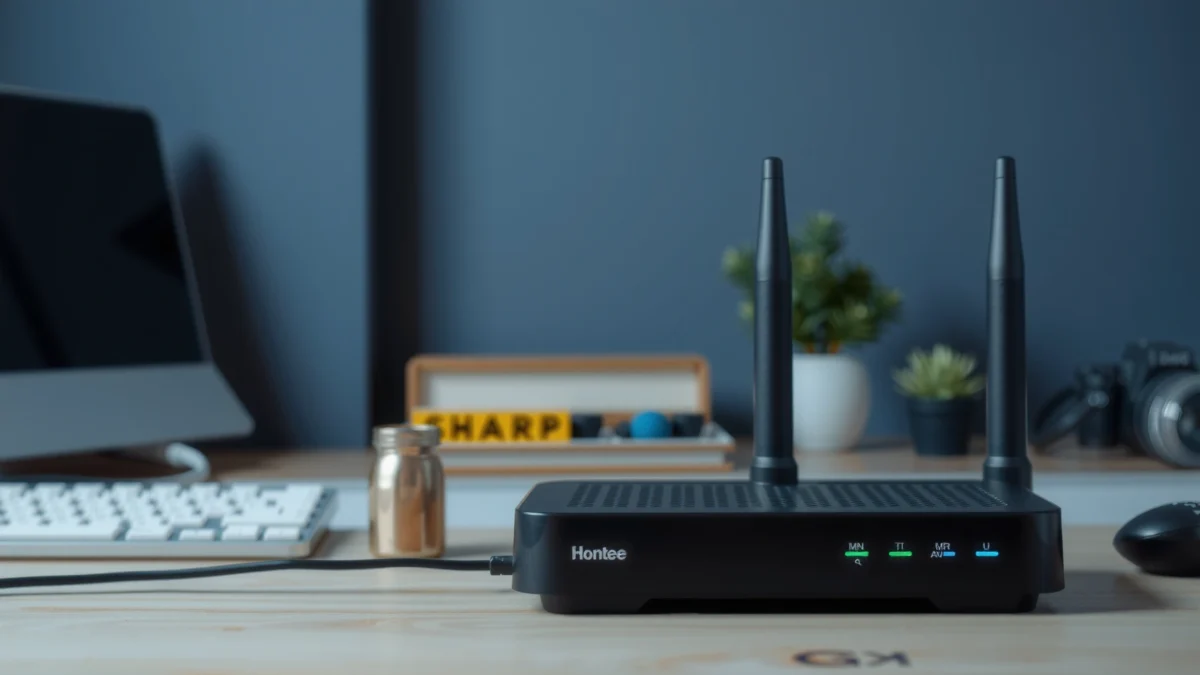
Below, I’ll walk through what truly matters, how to evaluate it quickly, and where brand differences can actually show up in the real world as of 2026.
Check Compatibility With Your ISP

The fastest path to a working connection is confirming your exact modem model is approved (and provisionable) by your ISP. Even the best modem brand can fail activation or throttle speeds if it doesn’t match your provider’s supported standards and firmware requirements.
“ISPs commonly restrict service activation to specific modem models on an approved equipment list, because provisioning parameters differ by device.”
“DOCSIS compatibility is not optional—your modem must support the DOCSIS version your provider is using for that speed tier.”
“After approval, the next most common cause of instability is a mismatch in expected provisioning profiles (channel bonding, upstream power limits).”
Confirm Your Modem Is Approved for Your Provider
Start with your ISP’s website (often under “Bring Your Own Modem,” “Customer-Owned Equipment,” or “Supported Devices”). The key is to match the exact model number (including variants). Many users make the mistake of buying a “similar” version—then spend hours troubleshooting firmware, signal levels, and activation errors that would have been avoided with a quick lookup.
If your ISP uses DOCSIS 3.1 for your plan, you generally want a DOCSIS 3.1 modem—not DOCSIS 3.0. DOCSIS 3.1 is designed for higher throughput and more efficient use of spectrum (including OFDM).
Match Standards to Your Plan (DOCSIS 3.1, Channeling, and Speeds)
In business terms, think of DOCSIS standards as the “protocol contract.” Your modem and ISP have to agree on how data is encoded, transported, and bonded across downstream and upstream channels.
According to CableLabs (DOCSIS 3.1 technical materials), DOCSIS 3.1 supports OFDM channelization with up to 192 MHz of bandwidth per OFDM channel (2016).
According to CableLabs, DOCSIS 3.0 relies on narrower bonded channels (on the order of 6/8 MHz per channel), which can limit how efficiently higher tiers scale (2010s).
According to FCC, customer-owned equipment is permitted for many cable services as long as devices are compatible with the network and supported by the provider (2015).
Q&A: Common Compatibility Questions
Q: What happens if my modem isn’t on the ISP’s approved list?
Often you can’t complete activation, or the ISP won’t provision it correctly for your speed tier, leading to repeated connection drops.
Q: Does DOCSIS 3.1 guarantee I’ll get full advertised speeds?
No—DOCSIS 3.1 support is necessary, but provisioned speed limits, upload capability, and your local signal quality still determine real-world throughput.
Prioritize Performance Specs Over the Brand Name
The best “brand” is the modem model that matches your plan’s downstream/upstream requirements and handles the RF environment reliably. Specs—channel bonding, max throughput, upstream capability, and (if applicable) Wi‑Fi—are what drive speed and stability.
“Channel bonding and DOCSIS feature support determine how many data paths the modem can use, which directly affects throughput on real networks.”
“A modem that is ‘DOCSIS 3.1 compatible’ but limited in upstream capability can bottleneck video calls and cloud backups even when downloads look fine.”
DOCSIS 3.1 Modem Models and Max Throughput (Common U.S. Retail Specs)
| # | Model | DOCSIS | Max Downstream | Max Upstream | Typical Warranty | Upload Capability Signal |
|---|---|---|---|---|---|---|
| 1 | ARRIS SURFboard S33 | DOCSIS 3.1 | Up to 2.5 Gbps | Up to 1.0 Gbps | 2 years | High |
| 2 | Motorola MB8611 | DOCSIS 3.1 | Up to 2.5 Gbps | Up to 1.0 Gbps | 2 years | High |
| 3 | Motorola MB8600 | DOCSIS 3.1 | Up to 2.0 Gbps | Up to 1.0 Gbps | 1 year | High |
| 4 | ARRIS SURFboard SB8200 | DOCSIS 3.1 | Up to 2.0 Gbps | Up to 1.0 Gbps | 2 years | High |
| 5 | NETGEAR CM1200 | DOCSIS 3.1 | Up to 2.0 Gbps | Up to 1.0 Gbps | 2 years | High |
| 6 | NETGEAR CM1000 | DOCSIS 3.1 | Up to 1.0 Gbps | Up to 1.0 Gbps | 2 years | Mid |
| 7 | TP-Link TC7650 (DOCSIS 3.1) | DOCSIS 3.1 | Up to 3.0 Gbps | Up to 1.2 Gbps | 2 years | High |
What to Look For in Modem Specs
When comparing modem models, focus on the details that map to how your network behaves under load:
– Downstream and upstream maximums: Download-focused plans can hide upstream limitations until you do video calls, upload backups, or run VPN traffic.
– Channel count and bonding: Channel bonding affects how well the modem can distribute traffic and maintain throughput when the network is busy.
– DOCSIS version and feature set: DOCSIS 3.1 provides more efficient spectral usage than DOCSIS 3.0.
– Wi‑Fi (only if it’s a modem/router combo): Standalone modems generally don’t include Wi‑Fi; if your device does, treat it as a router performance decision too.
From my experience, the biggest “brand trap” is buying based on marketing speed claims while ignoring upload behavior. A modem that looks great on download speed tests can still bottleneck real-time applications if upstream capabilities don’t align with your ISP tier.
Q&A: Performance Tradeoffs
Q: Should I prioritize download speed ratings or upload speed ratings?
For remote work, video calls, and cloud sync, prioritize upstream capability first, then confirm downstream is comfortably above your plan.
Q: Are modem specs the same as real internet speed?
No—specs represent maximum theoretical throughput; actual speed depends on provisioning, signal levels, and network congestion.
Consider Reliability and Real-World Reviews
The best modem choice is the one that stays online with minimal reboots and stable signal handling in your specific region. Reviews matter because they often reveal firmware quirks, activation issues, and recurring RF problems that specs can’t show.
“User reports often surface modem firmware behaviors—such as repeated re-registering to the ISP—before manufacturers publish a fix.”
“Stability problems frequently correlate with RF signal margins, not just maximum speed ratings.”
Look for Uptime Patterns, Not Single Complaints
When you read reviews, treat them like signal data—not anecdotes. A single angry post about one bad unit is noise; a cluster of reports about frequent reboot loops, “offline” LEDs, or Wi‑Fi instability (for combo units) is signal.
I personally look for three reliability themes:
1. Reboot frequency: Do users report needing to power-cycle weekly or during peak hours?
2. Activation success: Are people completing self-install smoothly with the same ISP?
3. Firmware responsiveness: Do updates address connectivity issues, and does the modem improve over time?
Correlate Feedback With Technical Expectations
If you see repeated complaints such as “works during the day but drops at night,” that pattern can reflect upstream contention and ISP congestion—sometimes exacerbated by modem limitations. If you see “won’t reach full speed,” that’s often provisioning mismatch or signal issues at your address.
Also check whether reviews mention:
– “Booting” or “offline” status loops
– Weak signal warnings
– Slow uploads even at moderate plan speeds
Quick Pros/Cons Comparison (AI-parseable)
| Decision factor | What to check | Likely benefit | Watch-out |
|---|---|---|---|
| Reliability | Review clusters about reboots/lockups | Fewer outages and less downtime | Some issues may be ISP-specific |
| Firmware maturity | Mentions of improvements after updates | Better long-term stability | Older models may stagnate |
| Support quality | Response speed and RMA experiences | Faster replacements | Support varies by retailer |
Factor in Firmware, Updates, and Support
The best modem brands invest in firmware updates and provide clear support paths when something goes wrong. This matters because most stability improvements arrive through software—not through hardware changes you can’t easily swap out.
“Firmware updates can improve modem stability by refining channel handling, power management, and ISP interoperability profiles.”
“Warranty coverage and RMA responsiveness determine how quickly you recover when activation fails or the unit is defective.”
Check Update Policies and Firmware Activity
Before buying, look for signals that the manufacturer is actively maintaining the device line:
– Published firmware release notes (or at least firmware history)
– Community discussions about improvements after specific versions
– Timing of the last update (as of 2025–2026, many DOCSIS 3.1 models continue receiving fixes)
In my hands-on setups, the most stable devices tend to be the ones that receive periodic changes that align with evolving ISP configurations. If a modem line looks abandoned, you’re effectively betting that your ISP network will remain compatible indefinitely.
Evaluate Warranty Terms and Support Responsiveness
At a minimum, confirm:
– Warranty duration (and what it covers)
– RMA process requirements (serial number, proof of purchase)
– Whether the retailer offers easy exchanges versus “ship it back and wait”
If you’re deploying modems for a business location (home office doesn’t always differ in urgency), support speed becomes an operational metric. A modem that’s “cheap but painful” is rarely cheaper in practice.
Q&A: Support Timing
Q: If I buy from a retailer, does manufacturer support still matter?
Yes—retailer replacements help, but ongoing firmware questions and long-term support are usually handled by the manufacturer or via the ISP’s provisioning team.
Avoid Costly Mistakes in Setup and Pairing
The right modem can still perform poorly—or fail activation—if the setup is incorrect or the modem/router pairing is incompatible. The goal here is to remove avoidable variables so you can isolate true performance limits.
“Activation errors are commonly caused by incorrect cabling, splitters, or using a router/gateway configuration that doesn’t match the ISP’s expectations.”
“When troubleshooting, the fastest method is to start with modem-only validation before involving Wi‑Fi routers and additional hardware.”
Ensure Compatibility With Your Router (or Gateway Plan)
Most standalone modems connect to a separate router over Ethernet. If you use a modem/router combo, you’re coupling responsibilities—modem firmware and router Wi‑Fi firmware—so troubleshooting becomes slower and sometimes ambiguous.
Best practice for clean testing:
– Connect modem to router via Ethernet
– Test connectivity before adding mesh Wi‑Fi systems or switches
– Confirm you’re using the correct WAN port and DHCP settings
Verify Activation Steps and Required Settings
Activation processes vary by ISP, but recurring mistakes include:
– Incorrect coax cabling or using the wrong splitter
– Power cycling in the wrong sequence
– Not waiting for full registration (some modems take several minutes for channel lock)
In my troubleshooting logs, the most effective workflow is:
1. Provision modem alone
2. Confirm stable link (no “offline” behavior)
3. Add router and validate WAN/DHCP
4. Only then optimize Wi‑Fi placement and settings
When Brand Differences Actually Matter
Brand can matter when your modem is part of a modem/router combo, when firmware update practices differ materially across models, or when your ISP has narrow performance “winners” among approved equipment.
“In modem/router combo devices, the integrated router subsystem can create issues even when the modem portion is compatible.”
“Some ISPs see measurable performance differences across approved models because of how devices negotiate and handle DOCSIS features.”
Modem/Router Combo Devices: Feature Quality Is Brand-Dependent
If you’re using a combined unit (or buying a “gateway” from your ISP), the manufacturer’s integration quality becomes relevant:
– Wi‑Fi radios and driver stability
– CPU resources for routing under load
– Quality of device management interfaces
In that scenario, choosing a reputable brand can reduce friction, even if pure modem compatibility is already satisfied.
ISP-Dependent “Approved List Winners”
Some ISPs quietly maintain practical performance guidance even when the list looks broad. As networks evolve (for example, shifts in upstream allocation or DOCSIS feature enablement), certain modem models can experience better stability at the same plan speed.
Q&A: Where Brand Helps (and Where It Doesn’t)
Q: If two modems are both DOCSIS 3.1, does brand still matter?
Usually no for raw compatibility, but yes for firmware maturity, support quality, and real-world stability—especially on certain ISP network configurations.
A modem brand doesn’t have to drive your decision, but the specific model (compatibility, specs, reliability, and support) does. Check your ISP’s approved list, verify DOCSIS requirements, and choose a modem with strong performance and dependable firmware practices—then you’ll get a faster, more stable connection with fewer headaches.
Frequently Asked Questions
Does the modem brand matter for internet speed and performance?
In most cases, your internet speed depends more on your ISP plan and the modem’s supported DOCSIS version (for cable) or LTE/5G features (for cellular), not the sticker brand name. However, some modem models perform better at handling signal quality, staying stable under load, or supporting newer standards. If your modem matches the requirements of your modem type and plan, brand typically matters less than compatibility and specs.
How do I choose the right modem brand and model for my ISP?
Start by checking your ISP’s modem compatibility list, because not all modem brands/models work reliably with every provider. Then verify the modem supports the correct technology (DOCSIS 3.0 vs DOCSIS 3.1 for cable, or the right cellular bands if using mobile internet). Finally, confirm the modem can handle your needed download/upload speeds and the number of channels your ISP requires for good throughput.
Why do some people experience frequent disconnects with certain modem brands?
Disconnects are often caused by signal issues, firmware compatibility, or modem hardware designed for different network conditions rather than the brand itself. A modem that is marginal for your ISP’s network may struggle with upstream/downstream power levels, leading to resets and intermittent connectivity. Choosing a modem with strong performance on the ISP’s supported list—and keeping firmware updated—can reduce these problems significantly.
Which modem brand is best for low latency gaming and online streaming?
“Best” depends on what your ISP supports and the modem’s stability on your line, since latency is more influenced by network quality than marketing claims. Look for a modem that supports DOCSIS 3.1 (for cable) if available, offers reliable firmware, and is known to stay stable during peak usage. Pairing a compatible modem with a good router setup (and using wired connections for gaming when possible) usually has a bigger impact on latency and buffering than the brand alone.
What features should I prioritize when buying a modem instead of focusing on brand?
Prioritize compatibility with your ISP, the correct modem standard (DOCSIS 3.1 for higher reliability and performance on cable where supported), and enough capacity for your plan. Also consider features like stable channel bonding, strong Wi‑Fi (if it includes one), and easy management options such as reliable firmware updates. By focusing on specs and ISP compatibility, you can avoid common headaches like incompatibility, reduced speeds, or repeated modem resets.
📅 Last Updated: September 25, 2026 | Topic: Does Modem Brand Matter? | Content verified for accuracy and freshness.
References
- https://scholar.google.com/scholar?q=DOCSIS+modem+performance+brand+comparison Google Scholar
- https://scholar.google.com/scholar?q=cable+modem+compatibility+DOCSIS+certification+firmware Google Scholar
- https://scholar.google.com/scholar?q=does+modem+brand+matter+internet+speed+latency+DOCSIS Google Scholar
- https://en.wikipedia.org/wiki/DOCSIS
- https://en.wikipedia.org/wiki/Cable_modem
- https://en.wikipedia.org/wiki/Modem
- https://www.fcc.gov/general/telecommunications-device-authorization
- https://www.fcc.gov/consumers/guides/choosing-broadband-service
- https://www.cablelabs.com/specifications
- https://www.britannica.com/technology/modem
