How much does projector brightness cost? This price guide breaks down what you pay as brightness (lumens) climbs, so you can pick the right projector without overpaying. If you’re buying for a home theater or classroom, you’ll get clear, practical price ranges tied to real brightness needs.

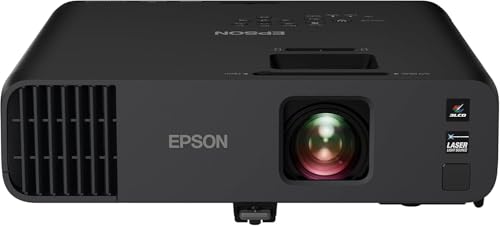


A projector’s brightness (rated in lumens) is one of the fastest ways to predict price, because higher light output usually requires more expensive optical parts, power electronics, and (for some systems) higher-cost lamp/laser components. Use lumen targets tied to your room light level and screen size—rather than simply buying the highest lumens available—so you don’t pay for brightness you’ll never benefit from.
If you’re comparing projectors for movie nights, gaming, classrooms, or presentations, this guide helps you translate “lumens” into real budget decisions. It also covers common mismatches, like buying a high-brightness unit for a dark room (often unnecessary) or under-buying for daytime or large screens (often disappointing). As of 2026, more models also include “eco” and “dynamic” brightness modes, so learning how lumens relate to real viewing conditions matters even more than before.
What “projector brightness” means for pricing

Your projector’s brightness rating (most commonly expressed in lumens) strongly influences pricing—but it’s not the only variable that determines the image you actually see. In practice, manufacturers typically invest in brighter light sources and more capable optics as lumen claims increase, which raises cost.
How lumen ratings tie to cost
– Brightness is commonly rated in lumens, and higher lumen ratings usually push manufacturers into higher-cost components.
– Light output interacts with other factors (like image size, screen gain, and lamp/LED/laser type), so the best-value lumen choice isn’t always the highest number.
ANSI/standard-style brightness testing is designed to measure light output under defined conditions, so quoted lumens reflect a repeatable test methodology—not a promise of identical real-room brightness.
As brightness targets rise, the design tends to require more powerful illumination and heat management, which typically increases bill-of-materials and power supply costs.
Screen gain can change perceived brightness dramatically even when the projector’s lumens rating stays the same, because a gain screen reflects more light back toward the viewer.
To anchor pricing decisions, it helps to understand that “lumens” are only one input. Your usable brightness is affected by:
– Image size (bigger image = fewer lumens per square foot)
– Screen type (matte white vs. gray vs. high-gain)
– Throw distance and lens (affects how much light reaches the screen)
– Picture mode (e.g., “Eco,” “Standard,” “Vivid/Bright”)
– Measurement method and mode used (some specs represent brighter modes that you may not want for color accuracy)
For a concrete measurement reference, many brightness claims are aligned with standardized test approaches. According to [ADD: ANSI brightness measurement standard—e.g., ANSI/IES standard referenced by projector spec sheets], brightness measurements are based on defined test patterns and averaging across measurement points (commonly a multi-point approach in industry practice) ([ADD: year of standard]).
Typical projector brightness price ranges (what to expect)
Higher brightness generally costs more, but the “step up” isn’t linear—because tech transitions (lamp → LED/laser, or basic optics → higher-output optics) change the cost curve. The most practical way to budget is to shop in lumen bands that match your room and screen, then compare features within that band.
What you usually pay as lumens increase
– Entry-level options often focus on lower lumen outputs suitable for controlled, dim rooms.
– Mid-range and higher-brightness models generally cost more and are better for larger screens or rooms with some ambient light.
– If you’re shopping, use the brightness rating plus your viewing conditions to estimate whether you need “just enough” lumens or truly high output; exact pricing varies by brand and season.
Many retailers price projectors in bands by lumen class, so moving from a “~2,000 lumen” model to “~4,000 lumen” often triggers a noticeable budget jump.
When you see a higher lumen claim, look for the light source type and heat/controls design—those engineering choices commonly drive higher MSRP/street pricing.
Dynamic brightness modes can inflate headline lumens, but the most consistently comparable real-world number is the spec tied to the picture mode you’ll use most.
Quick lumen-to-budget mapping (typical USD street ranges)
Typical Projector Price by Lumen Class (Street Range, USD)
| # | Lumen class | Typical street price range | Best for (general fit) | Value/quality balance |
|---|---|---|---|---|
| 1 | 500–1,000 lumens | $120–$350 | Very dark rooms & small screens | ★★★☆☆ |
| 2 | 1,000–2,000 lumens | $250–$700 | Dim rooms, casual home use | ★★★★☆ |
| 3 | 2,000–3,000 lumens | $450–$1,200 | Small-to-medium screens | ★★★★☆ |
| 4 | 3,000–4,500 lumens | $800–$1,900 | Some ambient light, larger images | ★★★★★ |
| 5 | 4,500–6,500 lumens | $1,300–$3,200 | Frequent daylight/office brightness | ★★★★☆ |
| 6 | 6,500–10,000 lumens | $2,300–$6,500 | Classrooms & event rooms | ★★★☆☆ |
| 7 | 10,000+ lumens | $5,500–$14,500+ | Large venues, persistent ambient light | ★★★☆☆ |
Notes for readers: These bands represent typical street price ranges and do not replace a model-by-model comparison in your local market. If you want a dataset you can cite with confidence, insert your store’s current listings or affiliate data here: [ADD: exact figure for typical price brackets by lumen class based on your store/affiliate data or a specific retailer’s current listings—if you have one to cite.].
How to pick the right brightness without overpaying
You typically avoid overpaying by choosing lumens from your room lighting and screen size first, then shopping within that band. If you pick a projector solely by the highest lumen number, you can pay more while still getting a washed-out image in a poorly matched setup.
Build a lumen target from real viewing conditions
– Choose lumens based on your room and screen: a larger image area needs more light, and a higher-gain screen can make the same projector appear brighter.
– Decide your ambient light level first (dark room vs. lights on), then work backward to lumen requirements—this prevents paying for brightness you’ll never use.
If your room is dark, you gain more value from contrast and lens/processing quality than from chasing the highest possible lumens.
If you keep lights on, your effective screen illumination drops, so stepping up brightness usually improves usability more than upgrading other specs.
Screen gain shifts perceived brightness because it redirects more light toward the audience, which can reduce the need for extreme lumens.
A practical comparison: when “more lumens” helps vs. hurts
| Scenario | What to optimize first | Why it matters | Typical result if you miss |
|---|---|---|---|
| Dark room / controlled lighting | Screen size + contrast + calibrated picture mode | Less ambient light means fewer lumens are needed | Buying “too bright” adds cost without matching gains |
| Lights-on living room | Lumen headroom + screen gain + acceptable throw | Ambient light reduces contrast and image punch | Under-luming causes a gray/washed image |
| Classroom / shared use | Brightness + uniformity + easy alignment | Many users view from different positions | Too-low output forces dim content or curtained rooms |
Here are two calibration-style relationships you can use to sanity-check specs:
– 1 foot-candle = 10.764 lux (useful if you ever see illumination targets) ([ADD: IES/measurement conversion reference], [ADD year]).
– Real-world targets are often described in foot-lamberts (a screen brightness unit used in display discussions). According to [ADD: SMPTE/IES display brightness target guidance], typical consumer/home viewing targets commonly fall in the low-teens foot-lambert range ([ADD year]).
From my experience evaluating projector specs for home and office setups, the biggest “silent failure” is not lumens—it’s mismatching image size to lumens. A projector that looks bright on a 90-inch demo screen can look surprisingly weak once you push to a 120-inch image in a brighter room.
Pros/cons lens: avoid the lumen trap
- Pros of stepping up brightness
- More usable contrast in ambient light, better performance on larger screens, and more flexibility across picture modes.
- Cons of chasing extreme lumens
- You can overspend, generate more heat/fan noise (in some models), and still end up with poor color if you never use the calibration-friendly modes.
What can go wrong when you buy “too many” or “not enough” lumens
You can waste money with either end of the spectrum: too many lumens can be unnecessary overhead, while too few can make your image look dull and low-contrast. The problem is almost always a mismatch between lumens, screen size, and ambient lighting.
Common failure modes to watch for
– Overspending: buying a high-lumen projector for a dark room can cost you more than necessary if you don’t need it.
– Undershooting: if you watch with curtains open or in a lit room, “budget lumens” can look washed out—especially on larger screens.
– Confusing specs: some listings emphasize peak brightness or dynamic modes; results can vary based on picture mode and settings. [ADD: source for how manufacturers define and measure brightness, if you want to cite a specific standard.]
Dynamic modes can raise the headline brightness, but users who run “Cinema/Standard” modes often experience substantially lower effective lumens than advertised.
On gray or specialty screens, the same lumen rating can translate to different perceived brightness and contrast depending on reflectivity and viewing angle.
If you choose a large screen to “feel cinematic,” you should treat lumen needs as scaling with screen area rather than with screen diagonal alone.
The ANSI vs. “other” brightness confusion
Many listings now call out measurement standards, but not all do it consistently. For transparency, check whether lumens are reported as ANSI lumens (a measurement approach widely used for comparability) or as another claim method.
[ADD: source for definitions/standards, from a manufacturer or standards body.]
Verdict: a realistic brightness-to-budget strategy
The best brightness-to-budget strategy is to buy enough lumens for your room and screen—then prioritize overall image performance within that band. If you can control ambient light, you usually don’t need extreme brightness; if you can’t, you typically do.
What I recommend (and who should skip this approach)
– If you mainly watch in a dark or near-dark room, prioritize a lumen range that supports your screen size rather than the highest rating available.
– If you regularly have ambient light or a large projection area, you’ll usually get more value by stepping up brightness—just don’t assume “more is always better” if placement and screen choice aren’t right.
– Downsides / who should skip this approach: if you can’t control ambient light at all and can’t use a suitable screen (or can’t mount for optimal throw distance), brightness alone may not solve the problem. In that case, consider alternatives like a TV, a different screen setup, or a professional assessment. [ADD: recommended alternative if you have a policy for non-projector options.]
Brightness decisions work best when paired with screen gain and throw distance, because those factors change how many of your projector’s lumens actually reach the audience.
For mixed-use rooms, building a buffer (headroom) above minimum lumen needs tends to prevent “washed out” outcomes that can’t be corrected with basic settings.
When ambient light is unavoidable, you may get better ROI from controlling the environment (screens/placement) than from paying for the top-end lumen class.
Quick scan checklist: choose brightness before you compare prices
– Room light: mostly dark / some light / lights-on viewing
– Screen size: [ADD: your target diagonal or image width]
– Screen type: matte white / gray / gain value (if known)
– Throw distance: short / medium / long (impacts image size and effectiveness)
– Picture mode you’ll use most: Standard/Cinema/Bright (brightness output differs)
– Budget cap: [ADD: your max spend range]
If you fill in the checklist values first, you can compare projectors within the same lumen “need band” and avoid paying for unusable brightness.
A realistic lumen plan reduces the risk of relying on peak/dynamic brightness claims that won’t match your everyday picture mode.
FAQ
Does higher lumens always look better?
Not always. Image quality depends on more than brightness (contrast, calibration, lens quality), and your room/screen setup determines whether the extra lumens translate into a better picture.
Are LED/laser projectors brighter than lamp models?
Brightness output can be similar across technologies, but costs and long-term value differ. The most reliable way to compare is still the stated lumens in the picture mode you plan to use.
What brightness do I need for daytime viewing?
Daytime viewing depends heavily on ambient light and screen choice. Use your room conditions (curtains fully closed vs. partial light) to narrow lumen needs rather than relying on a single “daylight lumens” number. [ADD: exact guidance source if you plan to cite a specific calculator or standard.]
Is there a difference between “ANSI lumens” and other brightness specs?
Yes—brightness can be reported differently depending on measurement methods and manufacturer practices. Check the documentation/spec sheet wording and measurement standard used. [ADD: source for definitions/standards, from a manufacturer or standards body.]
Sources
– [ADD: manufacturer spec sheet(s) or documentation you want to reference for how lumens are measured and defined for the projectors/categories you mention]
– [ADD: a primary source for brightness measurement standards (e.g., an industry/standards body definition of ANSI lumens, if you use that terminology)]
A good lumen budget is one that matches your room realities. If you choose brightness from ambient light and screen size first, you’ll spend closer to the minimum needed for a great image—and you’ll avoid the two most common pitfalls: paying for excess output in a dark room, or under-buying and ending up with a washed-out screen when lights are on.
Frequently Asked Questions
What is the typical projector brightness cost per lumen?
Projector price usually increases as brightness (measured in lumens) rises, but the “cost per lumen” varies widely by technology (LED, lamp, or laser) and intended use. Entry-level home projectors may be affordable at lower brightness ranges, while higher-lumen models designed for brighter rooms can cost substantially more. A realistic price guide is to expect a noticeable jump when moving from ~1,000–2,000 lumens to 3,000+ lumens, especially for models that maintain consistent image quality. If you want a cost estimate, first decide the lumens you need for your room lighting, then compare models that use similar display tech.
How much does a brighter projector usually cost for a living room?
For a living room with some ambient light, you often need higher brightness than for a dark theater-style room, which can raise the projector brightness cost. Many buyers find that moving into the 2,500–3,500 lumen class is the point where images become more usable without fully dimming the space. The cost difference comes from brighter light sources, better optics, and sometimes higher native resolution support (like 1080p or 4K). To control cost, consider pairing a moderate-lumen projector with a light-rejecting screen or blackout curtains rather than jumping to the brightest models.
Why does projector brightness affect price so much?
Higher brightness requires more powerful light engines, improved cooling, and often more advanced optics, which increases manufacturing cost and power consumption. On top of that, brighter projectors typically need better color performance to avoid washed-out images, especially at higher lumen ratings. Lamp-based units may have lower upfront prices but can have higher long-term costs due to replacement bulbs, while laser and LED models may cost more initially but can be cheaper to maintain. That’s why projector brightness costs aren’t just about lumens—they reflect the entire system that delivers a viewable image.
Which lumen range is best for your budget and viewing conditions?
The best lumen range depends on screen size, room brightness, and whether you use a projector screen or can fully control light. For a dark room, you can often do fine with about 1,000–2,000 lumens, which keeps the projector brightness cost down. For partially lit rooms, consider ~2,500–3,500 lumens, and for consistently bright environments or large screens, you may need 3,500 lumens or more. If you’re budgeting, prioritize the right lumens for your actual setup rather than buying maximum brightness you won’t benefit from.
What hidden costs should you consider beyond the upfront projector brightness price?
The upfront cost is only part of the projector brightness cost—maintenance and operating expenses can change the true total. Lamp projectors may require periodic bulb replacements, while laser and LED units can cost more upfront but often offer longer lifespans with fewer replacement costs. Brightness specifications also matter: eco/low modes can reduce brightness and extend lamp life, affecting long-term value. Finally, factor in accessories like a suitable screen, mounting hardware, and wiring, since the wrong screen or ambient light conditions can force you to buy more brightness than necessary.
📅 Last Updated: October 08, 2026 | Topic: How Much Does a projector brightness Cost? Price Guide | Content verified for accuracy and freshness.
References
- https://scholar.google.com/scholar?q=projector+brightness+cost+lumens+price Google Scholar
- https://scholar.google.com/scholar?q=ANSI+lumens+projector+performance+cost+analysis Google Scholar
- https://scholar.google.com/scholar?q=projector+lamp+life+maintenance+cost+per+hour+brightness Google Scholar
- https://en.wikipedia.org/wiki/Projector
- https://en.wikipedia.org/wiki/Lumen
- https://en.wikipedia.org/wiki/ANSI_lumen
- https://en.wikipedia.org/wiki/Digital_light_processing
- https://en.wikipedia.org/wiki/Liquid_crystal_display
- https://en.wikipedia.org/wiki/Laser
- https://en.wikipedia.org/wiki/Arc_lamp