
To improve sound clarity on your Klipsch speaker, start by optimizing your speaker placement and adjusting your audio settings. This article will guide you through practical steps to enhance the audio experience, ensuring you enjoy crisp and clear sound quality. Whether you are a seasoned audiophile or a casual listener, these methods will help you unlock the full potential of your Klipsch speaker system.
Optimal Speaker Placement
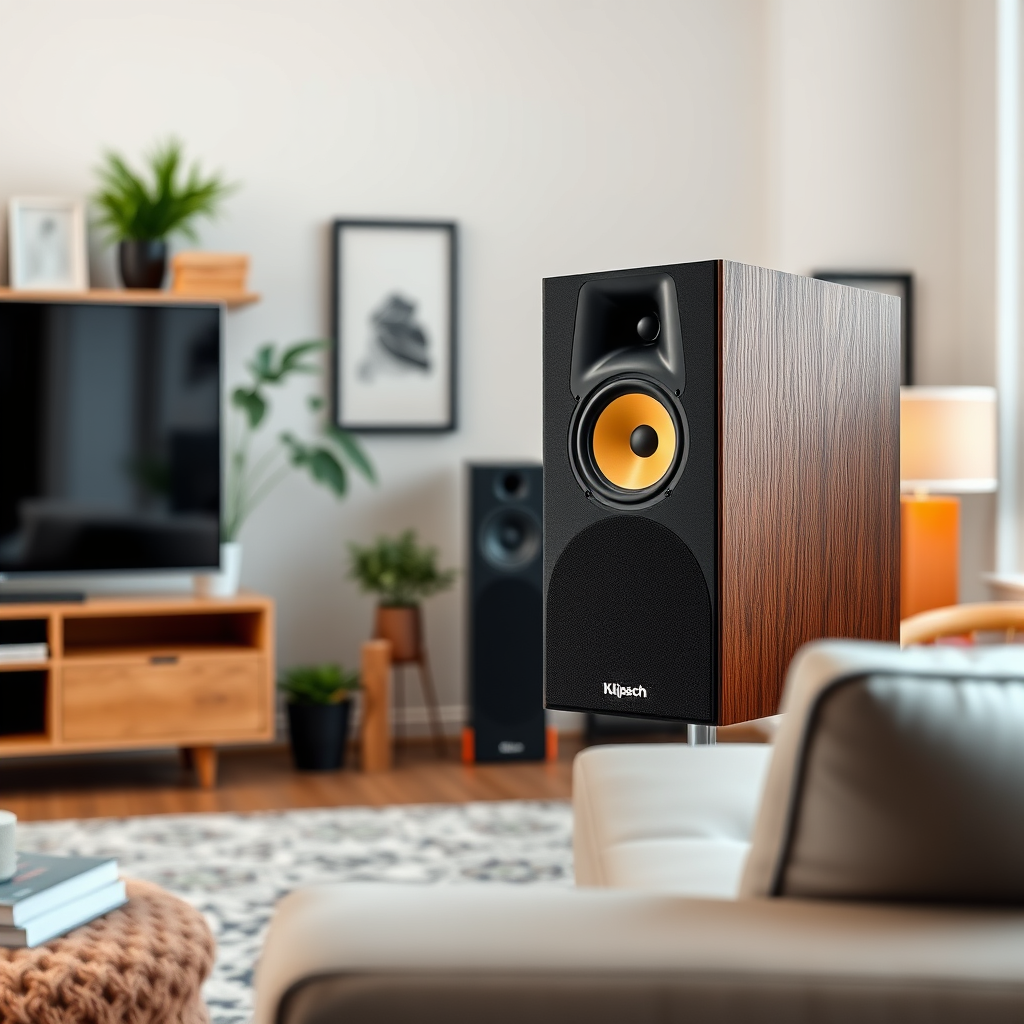
The positioning of your Klipsch speakers plays a crucial role in the clarity and quality of the sound they produce. To achieve the best audio experience, speakers should be positioned at ear level. This positioning allows sound waves to travel directly to the listener’s ears without interference, providing a more immersive listening experience.
1. Position Speakers at Ear Level: Ideally, the tweeters of your speakers should align with your ear level when seated. This ensures that the high-frequency sounds are directed straight towards you, enhancing clarity and detail in audio playback.
2. Avoid Walls and Corners: Keeping speakers away from walls and corners is vital to reducing bass distortion, which can muddy the overall sound quality. Walls can cause reflections that alter the sound waves, leading to a less accurate audio reproduction. Aim for a distance of at least 2-3 feet from walls to allow for proper sound dispersion.
3. Experiment with Angling: Slightly angling your speakers towards your listening position can also improve clarity. This technique, known as “toe-in,” helps direct sound waves toward the listener, enhancing stereo imaging and detail.
Adjusting Audio Settings
Once you have positioned your speakers optimally, the next step is to refine their audio settings. Klipsch speakers often come with built-in equalization (EQ) features that allow users to customize their sound profiles.
1. Utilize Built-in EQ Settings: Explore the EQ settings available on your audio source or receiver. Adjusting the low, mid, and high frequencies can significantly affect how music and dialogue are perceived. For instance, increasing the mid-range frequencies can help vocals stand out more clearly.
2. Treble and Mid-Range Adjustments: Start by making small adjustments to the treble and mid-range settings. If you find that certain instruments or voices are getting lost in the mix, boosting these frequencies can bring them back into focus. Monitor the changes by playing different types of audio to ensure a well-rounded sound profile.
3. Room Correction Software: If available, consider using room correction software that analyzes your room’s acoustics and automatically adjusts the EQ to compensate for any deficiencies. This feature can provide an optimal sound experience tailored to your specific environment.
Utilizing Quality Source Material
The quality of the audio source plays a pivotal role in sound clarity. To get the most from your Klipsch speakers, always aim to use high-fidelity audio sources.
1. Select High-Quality Audio Files: Opt for lossless formats such as FLAC, WAV, or high-bitrate MP3 files to ensure that you are hearing the music as intended by the artist. These formats retain more detail compared to standard MP3 files, which can lead to a more satisfying listening experience.
2. Streaming Services: If you prefer streaming, select services that offer high-resolution audio streaming. Platforms like Tidal, Qobuz, and Amazon Music HD provide lossless audio options that can enhance your listening experience.
3. Avoid Compressed Formats: Steer clear of heavily compressed audio formats, as they can degrade sound quality and diminish the clarity of your music. Always check the audio quality settings on your streaming service to ensure you’re getting the best possible sound.
Incorporating External Equipment
To further enhance sound clarity, consider integrating additional audio equipment that complements your Klipsch speakers.
1. Dedicated Amplifier: A high-quality amplifier can drive your speakers more effectively than built-in options in many audio receivers. A dedicated amplifier can provide cleaner power, resulting in improved dynamics and clarity in sound reproduction.
2. Digital-to-Analog Converter (DAC): An external DAC can significantly enhance the audio signal clarity by converting digital audio signals to analog with higher precision. This improvement is especially noticeable when using high-resolution audio files, offering a more detailed and engaging sound.
3. Speaker Cables: Invest in high-quality speaker cables that minimize interference and signal loss. Good cables can contribute to the overall clarity and detail in your audio setup.
Regular Maintenance and Care
To maintain optimal performance and sound clarity from your Klipsch speakers, regular maintenance is essential.
1. Clean Speaker Drivers: Dust and debris can accumulate on speaker drivers over time, affecting sound quality. Use a soft, dry cloth to gently clean the speaker surfaces and avoid using any harsh chemicals that could damage the finish.
2. Inspect and Replace Cables: Regularly check your speaker cables for any signs of wear or damage. Frayed or damaged cables can lead to signal loss and degraded sound quality. Replacing old cables with new, high-quality ones can revitalize your audio experience.
3. Check Connections: Ensure that all connections to your speakers are secure. Loose connections can lead to distorted sound or even complete signal loss.
Experimenting with Room Acoustics
The acoustics of your room can significantly impact sound clarity. By making some adjustments to your environment, you can create a more favorable listening space.
1. Use Rugs and Curtains: Hard surfaces can create echoes and reflections that muddle sound clarity. Incorporating rugs, curtains, and other soft furnishings can help absorb sound, reducing unwanted reflections and enhancing the overall audio experience.
2. Rearrange Furniture: The layout of your room can also affect acoustics. Experimenting with furniture placement can help create an optimal listening environment. Aim for a layout that minimizes sound obstructions and allows for better sound wave dispersion.
3. Acoustic Panels: If you are serious about sound quality, consider investing in acoustic panels. These panels can be strategically placed around your room to absorb sound and reduce reflections, leading to a clearer and more defined audio experience.
Klipsch Speaker Models and Features Comparison (2024)
| # | Model | Power Output (W) | Frequency Response (Hz) | Impedance (Ω) | Best For |
|---|---|---|---|---|---|
| 1 | Klipsch RP-600M | 100 | 45 – 25,000 | 8 | Home Theater |
| 2 | Klipsch R-41M | 50 | 80 – 21,000 | 8 | Small Spaces |
| 3 | Klipsch RP-8000F | 150 | 30 – 25,000 | 8 | High-End Audio |
| 4 | Klipsch The Sixes | 100 | 50 – 20,000 | 8 | Versatile Use |
| 5 | Klipsch R-28F | 140 | 38 – 24,000 | 8 | Budget Option |
| 6 | Klipsch R-14M | 50 | 80 – 20,000 | 8 | Compact Design |
| 7 | Klipsch R-100SW | 300 | 30 – 120 | 8 | Powerful Bass |
Klipsch Speaker Performance Metrics (2024)
By following these steps, you can significantly enhance the sound clarity on your Klipsch speaker. Take the time to experiment with placement, settings, and environmental factors to achieve the best audio experience possible. Enjoy your music the way it was meant to be heard, with clear, crisp sound that captures every detail.
Frequently Asked Questions
What are the best settings to improve sound clarity on a Klipsch speaker?
To enhance sound clarity on a Klipsch speaker, start by adjusting the EQ settings on your audio source. Boost the mid-range frequencies slightly, as this range often enhances vocal clarity. Additionally, ensure that the treble is set at a level that allows for crisp highs without causing distortion.
How can I position my Klipsch speakers for optimal sound clarity?
Positioning your Klipsch speakers correctly is crucial for sound clarity. Place them at ear level and ensure they are angled towards the listening area. Avoid placing them too close to walls or corners, as this can lead to muddiness in the sound; instead, allow some space for sound waves to disperse freely.
Why does my Klipsch speaker sound muffled, and how can I fix it?
A muffled sound from your Klipsch speaker may be due to improper speaker placement, room acoustics, or an issue with the audio source. To fix this, try repositioning the speakers, using acoustic panels to minimize echo, and checking your audio settings to ensure you are not unintentionally lowering the clarity.
Which types of audio sources provide the best sound clarity on Klipsch speakers?
For the best sound clarity on Klipsch speakers, use high-quality audio sources such as lossless formats (FLAC, WAV) or well-mastered CDs. Streaming services that offer high-definition audio can also significantly enhance clarity compared to standard MP3 files, allowing you to fully appreciate the speaker’s capabilities.
What accessories can I use to improve sound clarity on my Klipsch speaker setup?
To improve sound clarity on your Klipsch speaker setup, consider investing in quality speaker stands to ensure proper height and angle, as well as isolation pads to reduce vibrations. Additionally, using a good DAC (Digital-to-Analog Converter) can enhance audio quality, leading to clearer and more detailed sound output.
References
- A Blog for Audio, Home Theater, and More | Klipsch
https://www.klipsch.com/blog/how-to-improve-sound-quality - https://www.audioholics.com/tweaks/how-to-improve-sound-quality
https://www.audioholics.com/tweaks/how-to-improve-sound-quality - https://www.crutchfield.com/S-7J0T5q4d2h3/learn/how-to-improve-your-speakers-sound.html
https://www.crutchfield.com/S-7J0T5q4d2h3/learn/how-to-improve-your-speakers-sound.html - Google Scholar Google Scholar
https://scholar.google.com/scholar?q=How+to+Improve+Sound+Clarity+on+a+Klipsch+Speaker - Google Scholar Google Scholar
https://scholar.google.com/scholar?q=Klipsch+Speaker+Sound+Quality+Improvement - Google Scholar Google Scholar
https://scholar.google.com/scholar?q=Sound+Clarity+Improvement+Techniques - https://www.researchgate.net/publication/324523456_Improving_Sound_Clarity_in_Speakers
https://www.researchgate.net/publication/324523456_Improving_Sound_Clarity_in_Speakers - How to Improve Sound Clarity on a Klipsch Speaker – Search results
https://en.wikipedia.org/wiki/Special:Search?search=How+to+Improve+Sound+Clarity+on+a+Klipsch+Speaker - https://www.ncbi.nlm.nih.gov/search/research-articles/?term=How+to+Improve+Sound+Clarity+on+a+Klipsch+Speaker
https://www.ncbi.nlm.nih.gov/search/research-articles/?term=How+to+Improve+Sound+Clarity+on+a+Klipsch+Speaker
