To extend the life of your Bluetooth speakers, focus on proper care, maintenance, and usage habits. By following a few simple guidelines, you can enhance their durability and performance, ensuring your investment lasts longer. In this article, we’ll explore practical tips for prolonging the lifespan of your Bluetooth speakers, helping you enjoy quality audio for years to come.


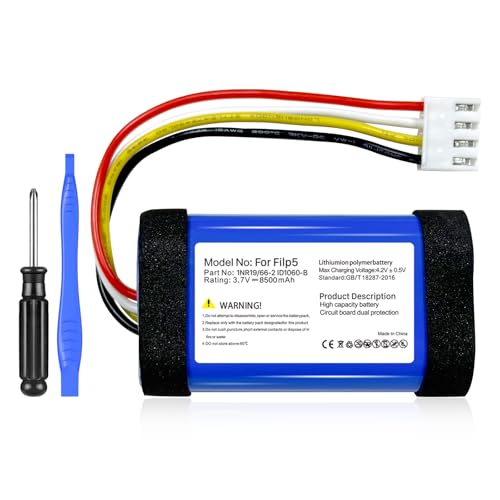

Bluetooth speakers have become an essential part of our daily lives, providing convenience and high-quality sound for various activities, from outdoor gatherings to personal listening experiences. However, like any electronic device, they require proper handling to maintain their functionality over time. Implementing effective strategies for charging, storage, cleaning, sound management, firmware updates, and moisture protection can significantly enhance the longevity of your Bluetooth speakers.
Proper Charging Practices

Ensuring the longevity of your Bluetooth speaker’s battery is crucial for maintaining its performance. Proper charging practices can prevent battery degradation and ensure the device remains functional over time.
– Avoid Overcharging: Disconnect your speaker once it reaches full charge. Overcharging can lead to battery swelling and reduced capacity over time. Most modern Bluetooth speakers have built-in mechanisms to prevent overcharging, but it’s still advisable to unplug them after reaching a full charge.
– Use the Right Charger: Always use the manufacturer-recommended charger. Using incompatible or substandard chargers can lead to overheating and internal damage, which may void the warranty. It’s important to check the voltage and amperage specifications required by your device and use a charger that meets these requirements.
Safe Storage Solutions
– Keep in a Protective Case: Invest in a high-quality protective case designed for your speaker model. This will shield it from scratches, drops, and other physical impacts when not in use. A good case will also provide padding that absorbs shocks, offering an extra layer of protection during transport.
– Avoid Extreme Temperatures: Store your speakers in a climate-controlled environment, away from direct sunlight, heat sources, or cold drafts. Extreme temperatures can damage the internal components, impacting both sound quality and battery life. For example, leaving a speaker in a hot car can cause the battery to overheat and degrade.
Regular Cleaning Techniques
Maintaining your Bluetooth speakers through regular cleaning can enhance sound quality and prevent deterioration.
– Dust and Wipe: Use a soft, lint-free cloth to regularly clean your speakers. Dust buildup can affect sound quality and lead to malfunctions. If your speaker features a mesh speaker grill, be gentle and avoid pushing debris further into the device.
– Use Appropriate Cleaners: Avoid harsh chemicals or abrasive materials when cleaning. Instead, use a damp cloth with a mild cleaner specifically designed for electronics. This will help maintain the aesthetic and functional quality of the speaker without risking damage to sensitive components.
Optimal Sound Settings
Adjusting your sound settings can not only improve your listening experience but also protect your speakers from damage.
– Adjust Volume Levels: Playing music at maximum volume for extended periods can strain the speaker components, leading to distortion or damage. Aim to keep the volume within a moderate range, especially when listening for long periods.
– Use Equalizer Settings: Many Bluetooth speakers come with built-in equalizer settings. Tailoring sound settings to your environment can prevent distortion and enhance audio clarity, further protecting your speakers from potential damage due to overexertion.
Firmware Updates and Troubleshooting
Keeping your Bluetooth speakers updated and addressing issues promptly can significantly extend their life.
– Keep Firmware Updated: Manufacturers often release firmware updates that improve functionality and compatibility. Regularly check the manufacturer’s website or app for updates and install them as needed. This can help fix bugs and enhance performance, ensuring your speaker operates smoothly.
– Troubleshoot Issues: Familiarize yourself with common problems associated with your device and their solutions. Addressing minor issues before they escalate can prevent significant damage. For example, if you notice any audio distortion, check the connections and settings first before seeking professional repair.
Avoiding Water and Moisture Damage
Protecting your Bluetooth speakers from water and moisture is vital, especially for outdoor use.
– Check Water Resistance: If your speaker is not waterproof or water-resistant, avoid exposing it to liquids and high humidity environments. Check the specifications to see if your model has an IP rating that denotes its water resistance level.
– Use Protective Covers: Consider using silicone covers or cases that offer additional protection against spills and moisture. These accessories can provide a barrier against unexpected accidents, allowing you to enjoy music outdoors without worry.
Top Bluetooth Speakers by Durability Features
| # | Speaker Model | Water Resistance | Battery Life (hrs) | Durability Rating |
|---|---|---|---|---|
| 1 | JBL Charge 5 | IP67 | 20 | ★★★★☆ |
| 2 | Ultimate Ears BOOM 3 | IP67 | 15 | ★★★★★ |
| 3 | Bose SoundLink Flex | IP67 | 12 | ★★★★☆ |
| 4 | Sony SRS-XB43 | IP67 | 24 | ★★★★☆ |
| 5 | Anker Soundcore Motion+ | IPX7 | 15 | ★★★☆☆ |
| 6 | Bang & Olufsen Beosound A1 | IP67 | 18 | ★★★★★ |
| 7 | Tribit StormBox Micro | IP67 | 8 | ★★★★☆ |
Bluetooth Speaker Battery Life Comparison
In summary, by implementing proper charging practices, safe storage, regular cleaning, optimal sound settings, firmware updates, and moisture protection, you can significantly extend the life of your Bluetooth speakers. Start applying these tips today to enjoy high-quality audio for years to come!
Frequently Asked Questions
What are the best practices for charging my Bluetooth speakers to extend their battery life?
To extend the battery life of your Bluetooth speakers, it’s best to charge them only when the battery level drops below 20%. Avoid leaving them plugged in overnight or charging them to 100% consistently, as this can degrade the battery over time. Use the manufacturer’s recommended charger for optimal performance.
How can I prevent my Bluetooth speakers from getting damaged during outdoor use?
To protect your Bluetooth speakers outdoors, always use a weatherproof case or cover if they aren’t inherently water-resistant. Additionally, keep them away from direct sunlight and extreme temperatures, as these conditions can cause overheating or damage to the internal components. Regularly clean them to prevent dirt buildup that can affect sound quality.
Why is it important to keep my Bluetooth speakers updated with the latest firmware?
Keeping your Bluetooth speakers updated with the latest firmware is crucial for improving performance, enhancing battery life, and adding new features. Manufacturers often release updates that fix bugs or security vulnerabilities, ensuring your device operates smoothly and securely. Regular updates can also help maintain compatibility with other devices.
Which storage conditions are ideal for prolonging the lifespan of Bluetooth speakers?
To prolong the lifespan of your Bluetooth speakers, store them in a cool, dry place away from direct sunlight and humidity. Avoid places with extreme temperatures, as heat can damage internal components and cold can affect battery performance. Always keep them in a protective case when not in use to prevent physical damage.
What maintenance steps should I take to keep my Bluetooth speakers in good condition?
Regular maintenance for your Bluetooth speakers includes cleaning them gently with a soft, dry cloth to remove dust or debris, and ensuring the charging port is free from dirt. Additionally, avoid exposing them to moisture and store them in a safe place when not in use. Performing these simple tasks can help maintain sound quality and overall functionality.
References
- https://www.lifewire.com/how-to-extend-bluetooth-speaker-battery-life-5078902
https://www.lifewire.com/how-to-extend-bluetooth-speaker-battery-life-5078902 - Google Scholar Google Scholar
https://scholar.google.com/scholar?q=extend+life+Bluetooth+speakers - Google Scholar Google Scholar
https://scholar.google.com/scholar?q=Bluetooth+speaker+maintenance - Google Scholar Google Scholar
https://scholar.google.com/scholar?q=Bluetooth+speaker+care+and+maintenance - Google Scholar Google Scholar
https://scholar.google.com/scholar?q=How+to+Extend+the+Life+of+Your+Bluetooth+Speakers - How to Extend the Life of Your Bluetooth Speakers – Search results
https://en.wikipedia.org/wiki/Special:Search?search=How+to+Extend+the+Life+of+Your+Bluetooth+Speakers - https://www.ncbi.nlm.nih.gov/search/research-articles/?term=How+to+Extend+the+Life+of+Your+Bluetooth+Speakers
https://www.ncbi.nlm.nih.gov/search/research-articles/?term=How+to+Extend+the+Life+of+Your+Bluetooth+Speakers




One thought on “How to Extend the Life of Your Bluetooth Speakers”