
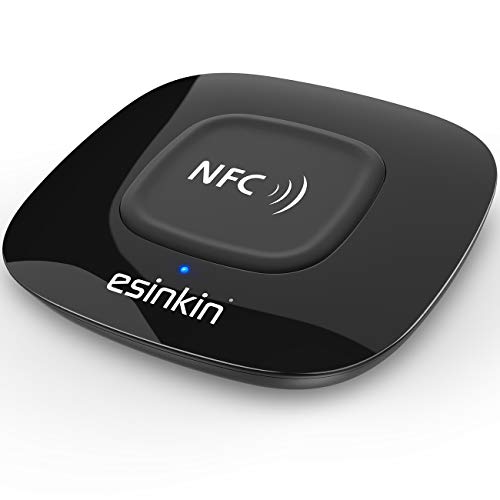
Using NFC for quick audio device pairing is a simple and efficient solution. With just a tap, you can connect your smartphone or tablet to compatible audio devices like headphones and speakers, eliminating the hassle of manual pairing. In this guide, you will learn how to set up and use NFC for seamless audio connections, turning your listening experience into something delightful and straightforward.



Understanding NFC Technology
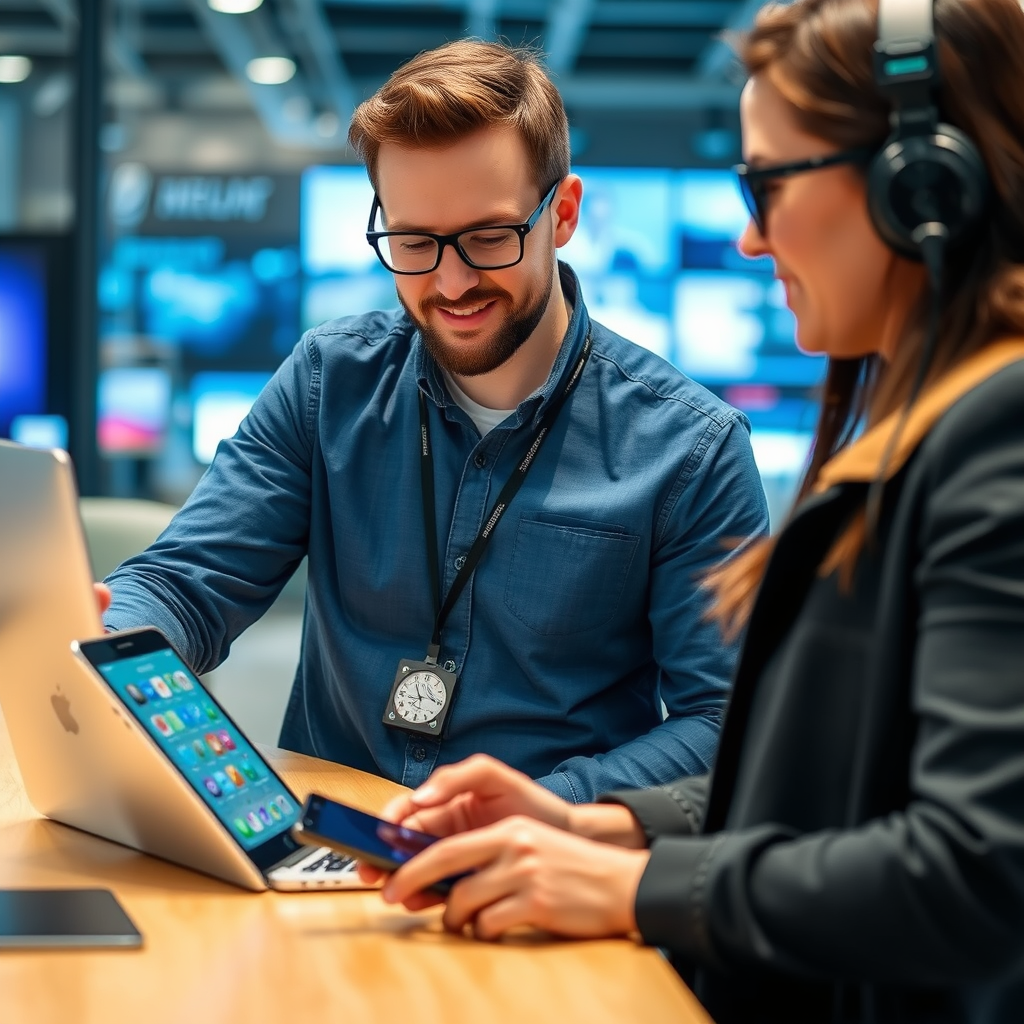
NFC, or Near Field Communication, is a technology that allows devices to communicate wirelessly over short distances, typically within a few centimeters. This technology has revolutionized the way we interact with gadgets, especially when it comes to pairing devices. Unlike traditional Bluetooth pairing, which often requires multiple steps like entering codes or confirming connections, NFC simplifies the process by enabling a direct, instantaneous connection with minimal user interaction. For example, if you’ve ever struggled with connecting your phone to a friend’s Bluetooth speaker, NFC can eliminate that stress—just a tap, and you’re good to go!
NFC operates on a secure frequency, making it not only convenient but also safe for transferring data such as audio settings or playlist information. It’s widely used in various applications, from mobile payments to smart home devices, but its utility in audio device pairing is particularly noteworthy. By understanding how NFC works, you can better appreciate its seamless integration into your tech ecosystem.

Setting Up NFC on Your Devices

To get started, you’ll first want to ensure that your audio device supports NFC and is set to pairing mode. Most modern headphones and Bluetooth speakers come equipped with this feature, but it’s always best to check the specifications or user manual if you’re unsure.
Next, on your smartphone, navigate to the settings. Look for the “Connections” or “Network & Internet” section—this is where you’ll find the options to enable NFC. Simply toggle the NFC switch to ‘On.’ Additionally, ensure that Bluetooth is also enabled, as some devices might require it to be active alongside NFC for successful pairing.
For example, if you own a pair of Sony WH-1000XM4 headphones, you can quickly start the pairing process by just tapping them against your phone, provided that NFC is enabled. This effortless setup makes NFC an attractive choice for anyone looking to connect devices easily and quickly.
Pairing Audio Devices Using NFC
Now that NFC is enabled on both your smartphone and audio device, it’s time to pair them together. Begin by ensuring that your audio device is powered on and in pairing mode; this is often indicated by a blinking light.
To connect, hold your NFC-enabled smartphone close to the NFC tag or sensor on your audio device. The NFC tag is usually located in a specific spot, often indicated by an NFC logo. When the devices come into proximity, you should feel a vibration or hear a sound indicating that they are communicating.
Follow any prompts that appear on your smartphone—this might include confirming the connection or selecting the audio device from a list. Once completed, you should receive a notification that the devices are successfully paired. Enjoy your music or podcast with a connection that was made in mere seconds!
Troubleshooting Common NFC Issues
While NFC is a reliable technology, you may occasionally encounter pairing issues. If you find that your devices aren’t connecting, the first step is to double-check that both devices are NFC-enabled. Some older models may not support this feature, so it’s essential to verify compatibility.
Make sure that both devices are within the required range—usually just a tap is needed, but sometimes you might need to reposition them slightly for a successful connection. If problems persist, try restarting both your smartphone and the audio device. This can refresh the connection settings and help resolve minor glitches.
Additionally, if you’re in a crowded area with many wireless devices, interference could be an issue. Moving to a quieter space may also help facilitate a smoother connection. By troubleshooting these common issues, you can ensure a seamless and enjoyable pairing experience.
Enhancing Your Audio Experience
After successfully pairing your devices, don’t forget to explore additional features that can enhance your audio experience. Many audio devices come with companion apps that allow you to customize sound settings, such as equalizer adjustments or noise cancellation features. For instance, if you’re using Bose headphones, the companion app can let you fine-tune your audio preferences, ensuring that you get the perfect sound tailored to your liking.
Moreover, NFC isn’t limited to just one device at a time. If you have multiple NFC-enabled audio devices, you can switch between them effortlessly. Imagine transitioning from your headphones to a portable speaker just by tapping your phone against each device. This flexibility allows you to enjoy music wherever you go, whether you’re at home, in the office, or on the move.
Maintaining NFC Connectivity
To ensure optimal NFC performance, it’s essential to keep your devices updated with the latest firmware. Manufacturers often release updates that improve connectivity, fix bugs, and enhance security features. Regularly checking for updates can help you avoid potential issues.
Additionally, don’t forget to review your NFC settings occasionally. Some devices may have specific toggles for NFC pairing or visibility. Ensuring these settings are configured correctly can prevent future connectivity problems. For instance, if you find that your device isn’t detecting other NFC devices, it might be worth revisiting the settings to confirm everything is enabled.
By maintaining your devices and their software, you can enjoy a hassle-free audio experience that leverages the full potential of NFC technology.
The ability to use NFC for quick audio device pairing streamlines your listening experience, making it more enjoyable and convenient. By following the steps outlined above, you can easily connect your devices and enhance your audio experience. Don’t hesitate to explore the capabilities of your devices to get the most out of NFC technology! Whether you’re jamming out to your favorite tunes or catching up on podcasts, NFC makes sure you stay connected without the fuss.
Frequently Asked Questions
What is NFC and how does it work for audio device pairing?
NFC, or Near Field Communication, is a short-range wireless technology that enables devices to communicate when they are close together, typically within a few centimeters. For audio device pairing, NFC allows users to establish a connection between their smartphone and audio devices, such as headphones or speakers, simply by tapping them together. This process eliminates the need for manual Bluetooth pairing, making it faster and more user-friendly.
How do I enable NFC on my smartphone for audio pairing?
To enable NFC on your smartphone, go to the “Settings” menu and look for the “Connections” or “Wireless & Networks” section, depending on your device. Toggle the NFC option to ‘On.’ After enabling NFC, you can pair it with compatible audio devices by bringing them close together, ensuring that NFC is also enabled on the audio device for successful pairing.
Why is my NFC audio pairing not working?
If your NFC audio pairing is not working, it could be due to several reasons. First, ensure that both devices have NFC enabled and are compatible with each other. Additionally, check if there are any obstructions, such as cases or covers, that might interfere with the NFC connection. Lastly, make sure that the audio device is in pairing mode, as some devices require specific steps to initiate the connection.
What are the best audio devices that support NFC for quick pairing?
Some of the best audio devices that support NFC for quick pairing include the Sony WH-1000XM4 headphones, Bose QuietComfort 35 II, and the JBL Flip 5 portable speaker. These devices provide seamless NFC functionality, excellent sound quality, and user-friendly features. When selecting an NFC-enabled audio device, consider factors such as battery life, sound performance, and additional features like noise cancellation.
Which smartphones have the best NFC capabilities for audio device pairing?
Many modern smartphones are equipped with NFC capabilities, but some of the best options include the Samsung Galaxy series (like the Galaxy S23), Google Pixel devices (such as the Pixel 7), and the latest iPhone models (iPhone 12 and above). These smartphones offer reliable NFC performance, ensuring a smooth and quick audio device pairing experience. When choosing a smartphone, consider your usage requirements and ecosystem compatibility for the best results.
References
- Near-field communication
- https://www.sciencedirect.com/science/article/pii/S187705091931150X
- https://www.techrepublic.com/article/how-nfc-works-and-how-it-can-help-your-business/
- https://www.wired.com/story/nfc-technology/
- NFC Forum
- https://www.acm.org/publications/turing-awards/2021/nfc-technology
- https://www.cnet.com/tech/mobile/how-to-use-nfc-to-pair-audio-devices/
- https://www.nist.gov/news-events/news/2013/10/near-field-communication-nfc-technology-explained
- https://www.itu.int/en/ITU-T/focusgroups/5g/Documents/FG5G-D3-1-1-3-1-0-NFC.pdf
