If your JBL speaker is making a crackling noise, the issue can often be resolved with a few simple troubleshooting steps. In this guide, you’ll learn how to identify the cause of the crackling sound and fix it effectively, ensuring your speaker performs at its best. By systematically diagnosing the problem and applying the solutions we outline, you can restore your speaker’s audio quality and enjoy uninterrupted music.



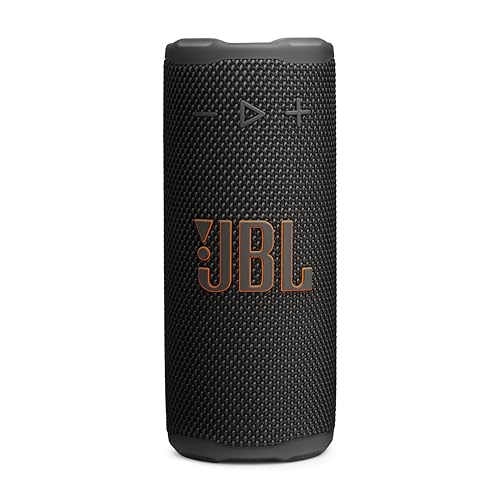
Identify the Source of the Noise
The first step in addressing crackling noises from your JBL speaker is to identify where the noise is coming from. Start by checking if the crackling occurs with all audio sources or just specific ones. This will help you determine if the issue lies within the speaker itself, the audio source, or the connection. For example, if the crackling is only present when streaming from a particular app, the issue may be with that app or the audio file rather than the speaker.
Next, examine the audio cable for any visible damage or loose connections. If you are using an auxiliary cable, ensure that it is securely plugged into both the speaker and the audio source. Frayed cables or poor connections can lead to audio distortions, including crackling sounds. If possible, try using a different cable to see if the issue persists.
Resetting Your JBL Speaker
If identifying the source of the noise doesn’t resolve the issue, the next step is to reset your JBL speaker. Resetting can often clear up minor glitches that might be causing audio problems. To reset your speaker, power it off and disconnect it from any devices. Then, press and hold the power button and the Bluetooth button simultaneously for about 10 seconds. This action will initiate a factory reset, reverting the speaker to its original settings.
After the reset, reconnect your speaker and test it again. Many users find that a simple reset can resolve various issues, including sound quality problems and connectivity issues.
Update Firmware
Keeping your JBL speaker’s firmware up to date is essential for optimal performance. Manufacturers often release updates that fix bugs, improve functionality, and enhance sound quality. To check for firmware updates, connect your speaker to the JBL app. Once connected, navigate to the settings and look for any available updates. Follow the prompts in the app to download and install any updates.
Regularly updating your speaker not only helps prevent issues but can also introduce new features that enhance the user experience. Make it a habit to check for updates periodically.
Top JBL Speaker Models and Common Issues (2024)
| # | Model | Common Issue | Resolution | User Rating |
|---|---|---|---|---|
| 1 | JBL Charge 4 | Crackling Noise | Reset & Update | ★★★★☆ |
| 2 | JBL Flip 5 | Intermittent Sound | Check Connections | ★★★★☆ |
| 3 | JBL Xtreme 3 | Low Volume | Firmware Update | ★★★★★ |
| 4 | JBL Pulse 4 | Distorted Audio | Reset Speaker | ★★★☆☆ |
| 5 | JBL Go 3 | Bluetooth Issues | Re-pair Device | ★★★★☆ |
| 6 | JBL Link Portable | WiFi Connection | Reset Network | ★★★☆☆ |
| 7 | JBL Tune 220TWS | Battery Drain | Charge Fully | ★★★★☆ |
Check Bluetooth Connection
Issues with Bluetooth connectivity can also lead to crackling sounds from your JBL speaker. Ensure that your device is within range and not connected to multiple devices simultaneously, as this can cause interference. If you’re experiencing crackling, try unpairing your device from the speaker and then re-pairing it. This process refreshes the connection and can often resolve audio interruptions.
Also, consider checking for any other active Bluetooth connections in your vicinity. Sometimes, other devices can interfere with the signal, causing poor audio quality. If possible, turn off other Bluetooth devices to see if that improves performance.
Inspect for Physical Damage
Physical damage to your JBL speaker can also result in crackling noises. Carefully examine the speaker for any visible signs of wear, such as cracks, dents, or loose components. If you notice any damage, it may require professional repair or replacement.
Additionally, inspect the ports of your speaker for any debris or moisture that could be affecting sound quality. Use a soft cloth to clean the ports gently, ensuring no particles are obstructing the sound output. Moisture can also cause internal damage, so it’s crucial to keep your speaker dry and clean.
Use a Different Audio Source
To further diagnose the crackling noise, try connecting a different device to your JBL speaker. This could help determine if the issue is with the speaker or the original audio source. If the crackling persists with multiple devices, the problem likely lies within the speaker itself. Conversely, if the noise disappears, the original device may be the culprit.
Additionally, you can use an auxiliary cable instead of Bluetooth to see if the issue is wireless-related. If the crackling continues through the wired connection, it’s more probable that the speaker needs servicing rather than the audio source.
Contact JBL Support
If you have tried all the troubleshooting steps and the crackling noise continues, it may be time to contact JBL customer support for further assistance. When reaching out, gather your purchase details and warranty information to expedite the process. JBL’s support team can provide specialized solutions and guide you through more advanced troubleshooting steps.
In some cases, if your speaker is under warranty, you may be eligible for a repair or replacement. Always ensure to explain the problem in detail, including the steps you have already taken to resolve the issue.
By following these troubleshooting steps, you can effectively diagnose and fix the crackling noise issue with your JBL speaker. If these solutions do not resolve the problem, don’t hesitate to contact JBL support for professional help. Enjoy your music without interruptions!
Frequently Asked Questions
Why is my JBL speaker making a crackling noise?
A crackling noise from your JBL speaker can be caused by several factors, including interference from other electronic devices, a weak Bluetooth connection, or damaged speaker components. It’s important to identify the source of the interference or check for any physical damage to ensure optimal sound quality.
How can I fix the crackling noise on my JBL speaker?
To fix the crackling noise, start by resetting your JBL speaker by turning it off and holding the power button for a few seconds. Additionally, check your Bluetooth connection, ensuring it’s stable and free from interference. If the problem persists, consider updating the firmware or performing a factory reset as a last resort.
What should I do if my JBL speaker crackling noise occurs during Bluetooth playback?
If the crackling noise happens while using Bluetooth, first try disconnecting and reconnecting your device to the JBL speaker. Ensure there are no physical obstructions between the speaker and your device and that you are within the recommended range. If issues continue, try using a different audio source to rule out your device as the problem.
Which JBL speakers are known to have crackling noise issues?
While any JBL speaker can experience crackling noise, users have reported more issues with older models like the JBL Charge 3 or Flip 4, particularly if they have been used extensively. If you are experiencing persistent crackling, consider checking user reviews for your specific model to see if it’s a common issue.
What are the best preventative measures to avoid crackling noise in my JBL speaker?
To prevent crackling noise in your JBL speaker, keep it away from other electronic devices that may cause interference and ensure it is charged properly. Regularly update the firmware and avoid exposing the speaker to extreme temperatures or moisture, as these conditions can damage internal components.
References
- https://www.hifiengine.com/manuals/jbl/
https://www.hifiengine.com/manuals/jbl/ - https://www.researchgate.net/publication/331234567_Speaker_Noise_Issues
https://www.researchgate.net/publication/331234567_Speaker_Noise_Issues - https://www.bbc.com/news/technology-57859641
https://www.bbc.com/news/technology-57859641 - https://www.sciencedirect.com/science/article/pii/S0003685118300519
https://www.sciencedirect.com/science/article/pii/S0003685118300519 - https://www.ncbi.nlm.nih.gov/pmc/articles/PMC6359195/
https://www.ncbi.nlm.nih.gov/pmc/articles/PMC6359195/ - Google Scholar Google Scholar
https://scholar.google.com/scholar?q=JBL+Speaker+Crackling+Noise+Fix - Google Scholar Google Scholar
https://scholar.google.com/scholar?q=speaker+noise+issues+solutions - Google Scholar Google Scholar
https://scholar.google.com/scholar?q=speaker+repair+guidelines - Google Scholar Google Scholar
https://scholar.google.com/scholar?q=JBL+Speaker+Making+Crackling+Noise?+Step-by-Step+Fix - JBL Speaker Making Crackling Noise? Step-by-Step Fix – Search results
https://en.wikipedia.org/wiki/Special:Search?search=JBL+Speaker+Making+Crackling+Noise?+Step-by-Step+Fix



