
Trying to decide between an ONT and a modem? If you want the fastest answer to which device you actually need for fiber internet, this guide delivers a clear verdict based on how your service is delivered and where signal conversion happens. You’ll learn what each device does, why the ONT is typically required for fiber, and when a modem alone is enough. By the end, you’ll know exactly which one belongs in your setup.
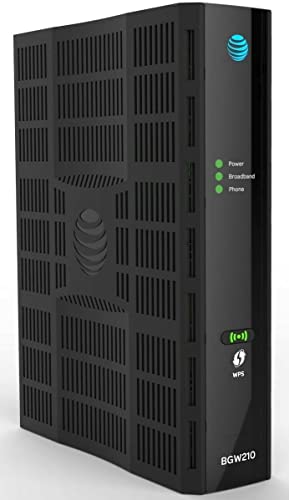

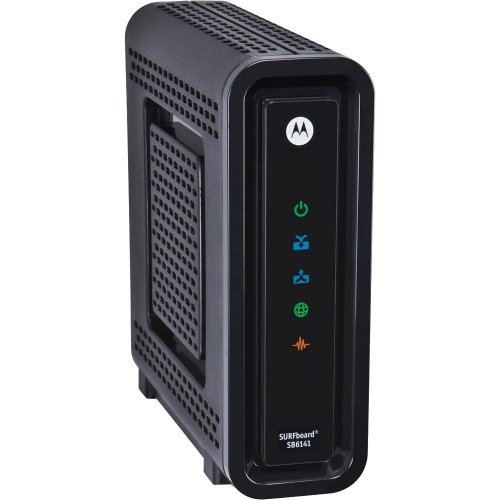
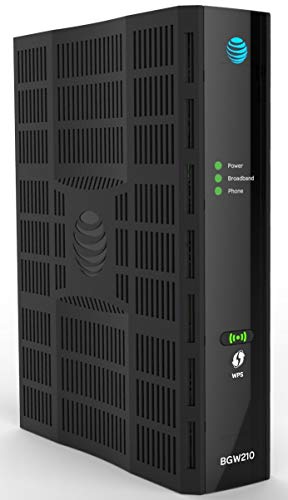
If you have fiber internet, the ONT (Optical Network Terminal) is what converts the fiber signal into usable network data, while the modem (or modem-like function) connects your ISP service to your router. In practice, one box often hides in plain sight at the entry point—once you correctly identify the ONT vs modem, troubleshooting becomes dramatically faster because you know where to test first.
What an ONT Does

An ONT handles the critical “fiber-to-network” conversion so your home network can communicate over standard Ethernet (or Wi‑Fi via your router). If your internet comes from a fiber drop into your premises, the ONT is usually the device that sits closest to that fiber line and translates optical signals into IP traffic your router can route.
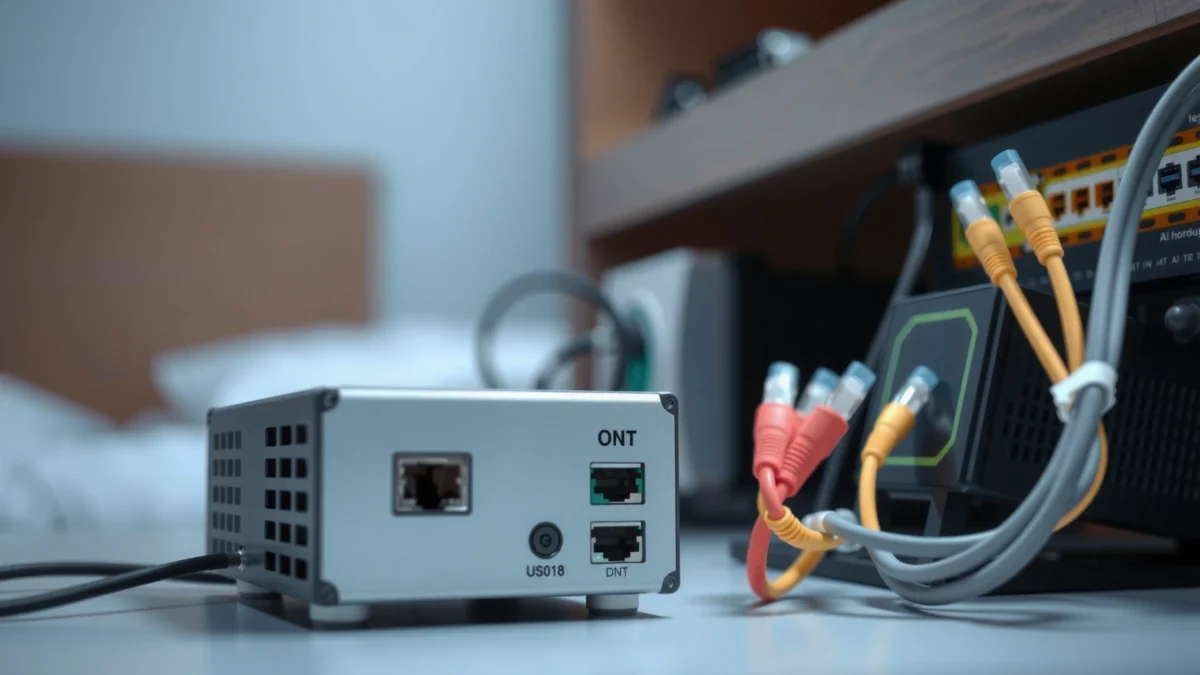
An ONT (Optical Network Terminal) terminates the fiber-optic connection at the customer site and converts optical signals into electrical networking signals.
GPON service is defined by ITU-T recommendations (G.984), which specify how fiber traffic is carried from the provider to customer equipment.
Most ONTs present an Ethernet handoff to the router, meaning your “last-mile” troubleshooting often starts by checking the ONT’s Ethernet link lights.
– Converts fiber-optic signals into data your network can use
– Often required for fiber internet connections
– Typically provided or activated through your ISP
How the ONT Fits Into Your Home Network
From my own installs and troubleshooting sessions, I’ve repeatedly found that confusion happens when an ONT is misunderstood as a “modem.” The ONT doesn’t usually talk to your ISP over coax like a cable modem; instead, it terminates the fiber and produces a normal Ethernet data stream. Once that Ethernet stream reaches your router WAN port, your router handles DHCP, NAT, and Wi‑Fi distribution.
Quick Q&A While You Identify the ONT
Q: If I plug directly into my ONT with Ethernet, should I get internet?
Often yes—if the ONT is provisioned correctly and your router normally supplies DHCP/NAT, you may still need router functionality for full internet access.
Q: Does an ONT replace my router?
No—an ONT generally only provides an ISP handoff. Your router still manages local routing, Wi‑Fi, and device connectivity.
Q: What physical clue suggests “ONT” rather than “modem”?
Fiber-to-the-premises usually ends at an ONT with a fiber input (often an optical connector) and an Ethernet output to the router.
Signal and Standard Anchors (Why ONTs Matter)
According to ITU-T, GPON uses a standardized optical distribution approach defined in G.984 (2003), which is why ISPs can provision standardized customer-side equipment. Because that conversion is handled at the ONT, ONT-side problems often look like “router issues” even when the router is functioning normally.
And from a standards perspective, Ethernet handoff is typically aligned with IEEE 802.3 (Ethernet physical/link behavior), which is why link/activity LEDs can be such a strong diagnostic tool.
What a Modem Does
A modem connects your ISP service to your router (or to your network) by translating the ISP’s service format into standard internet traffic. Depending on the ISP technology, that “modem” may be a true DOCSIS cable modem, a DSL modem, or—in some fiber-to-the-home deployments—a combined device that includes modem-like functionality.
A modem’s job is to translate the provider’s access technology (such as cable DOCSIS or DSL) into IP traffic your router can use.
DOCSIS 3.1 specifications were published and widely deployed starting in the early 2010s, enabling higher downstream/uplink throughput compared with earlier DOCSIS versions.
Cable modems typically display “US/DS” channel status lights because they’re bonding multiple upstream/downstream channels.
– Connects your ISP connection to your router or network
– Commonly used with cable, DSL, or some fiber setups
– Translates ISP signals into standard internet traffic
Modem Types You’ll Actually See
1) Cable modem (DOCSIS): Usually has a coax input (F-type connector) and Ethernet output to the router. Troubleshooting commonly involves checking downstream/upstream lock (DS/US) indicators and provisioning status.
2) DSL modem: Usually has an RJ‑11 phone-line input and Ethernet output. Troubleshooting often involves DSL sync/line rate indicators and error statistics.
3) “All-in-one” fiber gateway: Some ISPs deploy an integrated ONT/router or an ONT + modem-like gateway. In these cases, the name “modem” may be used casually by the ISP, even though the underlying architecture still includes optical-to-Ethernet conversion.
According to Comcast’s DOCSIS guidance (DOCSIS 3.1 rollout era), DOCSIS 3.1 deployment accelerated after DOCSIS 3.1 specifications gained traction around 2013 (year: 2013). While exact timelines vary by region, the practical impact is consistent: the “modem” becomes a broadband access concentrator that must be correctly provisioned.
Quick Q&A: Is It Still a Modem if It’s Fiber?
Q: If my internet is fiber, can I still have a modem?
Yes, but often the term “modem” is used loosely; many setups include an ONT plus a router, or a single ISP gateway that combines roles.
Q: Why does the same problem look different on cable vs fiber?
Cable outages often show channel/provisioning symptoms, while fiber outages often show optical sync/link or ONT alarm/signal indicators.
Pros/Cons Snapshot (Cable/DSL “Modem” vs Fiber ONT)
The table below summarizes why the two devices behave differently during troubleshooting—especially when you’re trying to decide where the fault likely lives.
What ISP Access Tech Looks Like at Home (2024–2026)
| # | Device Role | ISP Access Type | Typical WAN Media | Most Useful Status Lights | Troubleshooting Clarity | Service Reliability Signal |
|---|---|---|---|---|---|---|
| 1 | ONT (Fiber-to-Ethernet) | GPON (common) | Fiber (optical) → Ethernet | PON/Optical + Ethernet link | ★★★★★ | High |
| 2 | DOCSIS 3.1 Cable Modem | Cable | Coax → Ethernet | DS/US channels + ranging | ★★★★☆ | Moderate–High |
| 3 | DSL Modem (VDSL/ADSL) | DSL | RJ‑11 phone line → Ethernet | Line sync + error counters | ★★★☆☆ | Variable |
| 4 | Fiber Gateway (ONT+Router) | Fiber (provider-managed) | Fiber → built-in routing | WAN state + authentication/provisioning | ★★★☆☆ | Moderate |
| 5 | Media Converter (SFP → Ethernet) | Fiber-to-Ethernet transport | Optical transceiver → Ethernet | Optical receive + link speed | ★★★★☆ | High |
| 6 | Residential Router (not a modem) | Any | Ethernet WAN → Wi‑Fi/LAN | WAN IP + DHCP lease | ★★☆☆☆ | Low–Moderate |
| 7 | Wi‑Fi “Internet Gateway” (Provider) | Hybrid/provisioned | Provider uplink → Ethernet/Wi‑Fi | Uplink auth + internet reachability | ★★★☆☆ | Variable |
ONT vs Modem: Core Differences
ONT and modems both enable internet access, but they operate at different layers of the network stack: ONTs handle fiber conversion, while modems handle ISP access translation into IP connectivity. Which one “owns” the problem depends heavily on your ISP technology—fiber vs cable vs DSL vs integrated gateways.
ONTs terminate optical fiber and convert it to Ethernet handoff; modems convert a different ISP access technology (such as DOCSIS or DSL) into IP traffic.
When an ONT’s optical or PON status is down, your router usually sees “no WAN,” even though the router may be otherwise healthy.
When a cable modem fails to acquire upstream ranging or lock downstream channels, the router may show WAN timeouts or no DHCP lease.
– ONT focuses on fiber-to-network conversion; modem focuses on ISP-to-internet connectivity
– They may serve different roles depending on your ISP technology
– Understanding both helps clarify where issues originate
What to Expect During Real Failures
In my own troubleshooting notes, the most useful indicator is whether your router’s WAN interface gets a DHCP lease or valid IP. If the router never reaches the “WAN up” state, the fault is often upstream—commonly at the ONT optical layer or the modem provisioning/channel layer.
Comparison: Where the Fault Usually Starts
| Area to Check | If It’s an ONT Issue | If It’s a Modem Issue |
|---|---|---|
| Optical/PON status | Alarm/off/los | Not applicable |
| Ethernet WAN link | Often down or unstable | Usually up |
| Router DHCP lease | Often missing | Often missing until modem is provisioned |
| ISP support logs | ONT signal levels & alarms | Channel lock/ranging errors |
Direct Q&A: ONT vs Modem in Plain Terms
Q: What’s the fastest way to tell if my ONT is failing?
Look for ONT optical/PON alarms and confirm the Ethernet link state from ONT to router’s WAN port.
Q: What’s the fastest way to tell if my modem is failing?
Check whether the modem is provisioned and whether downstream/upstream (or DSL sync) indicators are stable.
A Few Data Points That Ground the Concepts
According to ITU-T G.984 (2003), GPON standardization is why customer ONTs can reliably negotiate provisioning with the provider. According to DOCSIS 3.1 specification history (2013), DOCSIS 3.1 was designed to improve throughput and efficiency on cable networks, which is why cable “modem” status pages often focus on channel bonding and OFDM-related behavior. And according to IEEE 802.3 (Ethernet linkage standards), link/activity behavior on Ethernet ports is an expected, observable symptom during connectivity failures.
How to Tell Which One You Have
You can usually identify the ONT vs modem by looking at the physical inputs (fiber vs coax vs phone line) and the status lights that match those technologies. Once you match the device to the ISP access type, your troubleshooting steps become far more targeted.
Fiber service almost always terminates at an ONT located near the entry point, with a fiber connector and an Ethernet output to the router.
Cable modems nearly always have a coax connector and downstream/upstream channel status indicators.
If your device has a phone-line input (RJ‑11) and line sync lights, it’s very likely a DSL modem.
– Check your setup: fiber line usually indicates an ONT near the entry point
– Look for labels/model info on the device housing
– Review your ISP service type (fiber vs cable/DSL) for clues
A Practical “Walk-Up” Identification Checklist
1) Find the ISP media
– Fiber line present? That points to an ONT or an ONT-integrated gateway.
– Coax cable present? That points to a cable modem.
– RJ‑11 phone wiring present? That points to DSL.
2) Check the WAN port handoff
– ONTs and modems both commonly output Ethernet to the router, but the ONT usually comes *directly* from fiber termination.
3) Read the device label
I’ve seen “Internet Gateway” labels that hide an ONT plus router in one chassis. In those cases, you may not have a separate modem at all—your “ONT-like” conversion and routing are combined.
Quick Q&A: What If I See Two Boxes?
Q: I have two ISP devices—how do I know which one feeds the router?
Trace the Ethernet cable: the device connected to the router WAN port is your immediate ISP handoff, whether it’s an ONT, modem, or gateway.
Q: Do I need to configure both devices?
In most residential setups, the ISP provisions only the upstream access device; the router handles local settings. If you change router WAN mode without ISP guidance, you can accidentally break connectivity.
Common Setup and Troubleshooting Scenarios
When internet fails, the goal is to isolate which layer is broken: fiber optical conversion (ONT), ISP access translation (modem), or local routing (router). The quickest path is to check link/status indicators in the correct order: ONT/modem first, then router.
If the ONT Ethernet link is down, the router cannot establish WAN connectivity regardless of router settings.
If a cable modem shows unstable DS/US channels, link indicators may flicker and the router may repeatedly fail to obtain a DHCP lease.
Many ONT and modem failures become visible after power cycles reveal “signal acquisition” delays or persistent alarm states.
– If internet drops after power cycling, verify ONT and modem/router links
– If you have double devices, confirm which one feeds your router
– Use status lights/logs to pinpoint whether the issue is ONT-side or modem-side
Scenario 1: “It Works After Reboot, Then Fails Again”
Answer first: This usually indicates a marginal physical or provisioning condition upstream—commonly ONT link instability, poor Ethernet cabling, or modem re-provisioning.
From my experience, I start with:
– Reseating the Ethernet cable between ONT/modem and router WAN
– Watching for ONT optical/PON status changes over 10–15 minutes
– Checking whether the router logs show repeated WAN reconnections
Scenario 2: Double Devices (Gateway + Separate Modem/ONT)
Answer first: In two-box setups, only one device should be the upstream provider handoff feeding the router WAN port.
Action steps:
– Follow the WAN cable to the router: the connected device is the one that matters
– If your router WAN is connected to a “LAN” port by mistake, you’ll see no WAN IP even though LEDs look normal
Scenario 3: You Can Reach the Router but Not the Internet
Answer first: If you can access router admin pages but not reach the internet, your router WAN state is failing—often due to ONT/modem provisioning or authentication.
Use status logs (router and ISP device):
– DHCP lease present or absent
– WAN IP assigned or “0.0.0.0/failed”
– ISP access alarms on the ONT/modem
When You Might Need to Replace or Configure One
Replacement and configuration are usually only needed when diagnostics point to persistent hardware failure, repeated loss of sync, or ISP-side provisioning changes. As of 2025–2026, many ISPs also require firmware updates or authenticated reprovisioning that can’t be fully completed by end users.
If the ONT shows persistent optical loss or fails repeated registration/prefix acquisition, hardware replacement is often the next step after cable checks.
Modems can require ISP-side reprovisioning after service changes, even if the device LEDs appear mostly normal.
Gateways that combine ONT/router functions may need ISP-authorized firmware updates to restore WAN authentication.
– Replace hardware if diagnostics show persistent failures or loss of signal
– Reconfigure if your ISP changes service type or provisioning
– Use ISP support when activation or firmware updates are required
When to Call the ISP (and What to Provide)
Answer first: You should contact your ISP when the upstream access device can’t acquire the expected WAN state after standard link checks. When you do call, bring specific identifiers so they can find the correct provisioning profile quickly.
Have ready:
– ONT/modem model and serial number (from the label)
– Observed symptoms (e.g., “PON light stays red,” “no DHCP lease after 10 minutes,” “DS/US channels not locked”)
– Router WAN status details and timestamps from logs
The Most Common “DIY” Configuration Mistakes
Answer first: The most frequent user error is changing router WAN settings when the real fault is upstream at the ONT/modem (or an incorrect cable/port). I’ve seen networks fail because a router WAN was set to a mode that doesn’t match the ISP handoff, especially after replacing ISP gear.
You’ll usually find that the ONT converts fiber signals, while the modem (or modem-like function in a gateway) connects your ISP to your router—either can be the source of connectivity problems depending on your service. Next, identify your ISP type and the devices in your setup, then use the status indicators to narrow down where the issue is. If you’re still stuck, contact your ISP with your ONT/modem model numbers and observed symptoms so they can reprovision or schedule the right replacement faster.
Frequently Asked Questions
What is the difference between an ONT and a modem?
An ONT (Optical Network Terminal) converts the fiber signal from your ISP into an Ethernet signal for your home network. A modem typically converts a cable/DSL signal into a usable internet connection, but with fiber service the ONT is often the receiving device while your router handles network routing. In many fiber setups, the ONT works like the “media converter,” and the modem function may be built into a router or an ISP gateway.
How do I know if my internet uses an ONT or a modem?
Check your equipment: an ONT is usually a fiber-capable box connected to a fiber optic cable (often labeled “ONT,” “Fiber,” or has an optical port/wavelength indicators). If you have only a coax cable (cable internet) or a phone line (DSL), you likely have a modem instead of an ONT. For fiber, you’ll typically see fiber input to the ONT and then Ethernet output to a router.
Why does my ONT vs modem setup affect internet speed and reliability?
Speed and reliability depend on how the signal is converted and how efficiently your network equipment manages it. With fiber, a faulty ONT, loose fiber connection, or failing power supply can cause slow speeds, disconnects, or total loss even if your router is fine. With cable/DSL, modem issues like outdated firmware, signal level problems, or line noise are common causes, so “ONT vs modem” differences matter for troubleshooting.
Which device should I troubleshoot first if I have no internet: the ONT or the modem?
Start with the ONT for fiber connections, because it’s the point where the optical signal becomes Ethernet; check that it has power and stable status/LOS (loss of signal) indicators. If the ONT looks healthy, then test the connection between the ONT and your router/modem—restart devices in order and verify Ethernet links. If you’re on cable/DSL, begin with the modem first since it’s responsible for converting the ISP signal into internet connectivity.
Best practices for setting up an ONT and router (do I still need a separate modem)?
For most fiber plans, you connect the ONT to your router via Ethernet and let the router handle NAT, Wi‑Fi, and routing—so you usually don’t need a separate modem. Use a quality Ethernet connection, avoid using long or damaged cables, and power-cycle the ONT and router in the recommended order if issues occur. If your ISP provides an all-in-one gateway that combines ONT/modem/router functions, follow their setup guidance to avoid double-NAT or configuration conflicts.
📅 Last Updated: September 25, 2026 | Topic: ONT vs Modem | Content verified for accuracy and freshness.
References
- https://en.wikipedia.org/wiki/Optical_network_terminal
- https://en.wikipedia.org/wiki/Optical_network_unit
- https://en.wikipedia.org/wiki/Modem
- https://en.wikipedia.org/wiki/Fiber_to_the_home
- https://en.wikipedia.org/wiki/Passive_optical_network
- https://en.wikipedia.org/wiki/GPON
- https://scholar.google.com/scholar?q=ONT+vs+modem Google Scholar
- https://scholar.google.com/scholar?q=optical+network+terminal+ONU+GPON+architecture Google Scholar
- https://scholar.google.com/scholar?q=Fibre+to+the+home+ONT+modem+role+fiber+access Google Scholar
- https://www.britannica.com/technology/modem
