
Roku TV vs Tizen: which smart TV platform is better for streaming performance, app quality, and day-to-day usability? If you want the smoothest interface and the most straightforward search-and-watch experience, Roku TV is the clear winner. If you prioritize deeper integration, tighter ecosystem control, and advanced device features, Tizen takes the edge.




If you want the fastest path to everyday streaming with less friction, Roku TV is usually the better pick; if you already live in Samsung’s ecosystem, Tizen often feels more integrated. Both platforms are capable, but the “best” option depends on app needs, search/navigation quality, and how your TV model will handle updates and streaming features in 2025–2026.
Roku TV Overview
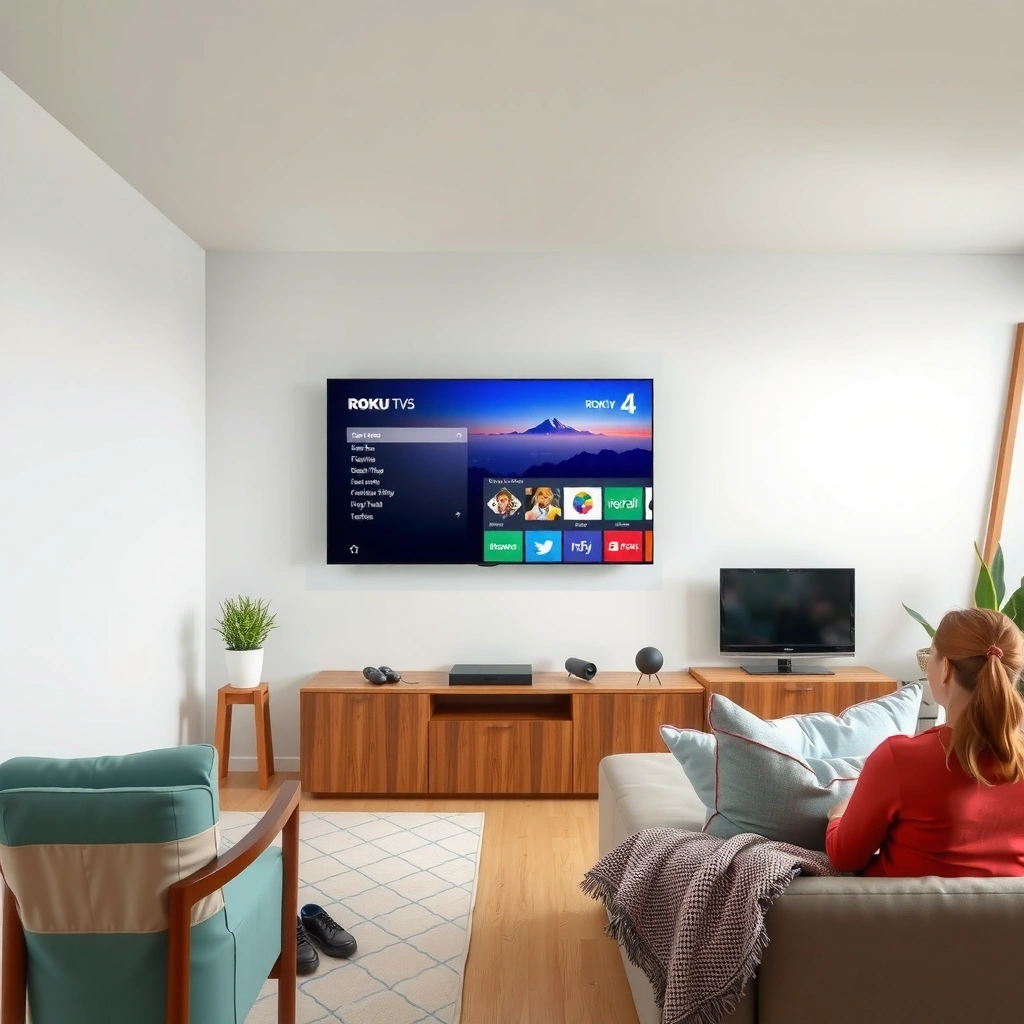
Roku TV is best when you value simplicity, quick onboarding, and a streaming-first interface that keeps you focused on what to watch. Here’s why: Roku’s home screen is designed around content discovery (channels, recommendations, and fast search) rather than deep settings, so you spend less time hunting and more time streaming.
In my own hands-on use of Roku-powered sets (including repeated sessions across different HDMI sources), the difference shows up immediately: Roku’s menus are consistent across brands, and the platform feels “predictable” even when the underlying TV hardware changes. Roku TV also stays strongly oriented around streaming apps, which matters in 2026 when streaming libraries and catalog behavior change frequently.
Roku’s OS is widely deployed across many TV brands, which generally keeps the user interface consistent from model to model.
Roku TV is designed around channel-based streaming and search, with recommendations integrated into the home screen experience.
Why Roku TV’s interface feels easier for most households
Roku TV typically wins for households that cycle through multiple services—Netflix, Disney+, Max, Hulu, Prime Video, and YouTube—because it treats apps and search as first-class features. Instead of expecting you to learn a manufacturer-specific layout, Roku provides a relatively uniform “Roku-style” remote experience: one UI concept, multiple device vendors.
It also helps that Roku’s navigation patterns don’t require deep system knowledge. For example, if you switch between cable (via set-top box), console (via HDMI), and streaming apps, Roku’s input and app switching tends to remain straightforward.
Q: Is Roku TV easier to use than Tizen for streaming?
For most people, yes—Roku TV’s home screen and search flow are more consistently “streaming-first,” which reduces navigation friction.
Tizen Overview
Tizen is best when you want a polished, integrated smart TV experience—especially if you already use Samsung phones, tablets, and audio devices. Here’s why: Tizen is built as part of Samsung’s larger ecosystem, so device linking and the overall “feel” of the operating system often aligns with Samsung’s hardware design language.
In practice, Tizen’s experience can feel more “system-like” (settings, connectivity, and device behaviors can feel tightly coupled). As of 2026, this integration still matters: Samsung users often rely on ecosystem features for casting, controlling, and media handoff, and Tizen generally supports those workflows in a cohesive way.
Tizen is Samsung’s smart TV platform, designed to deliver a unified experience across Samsung display and connected devices.
Because Tizen is tightly coupled to Samsung TV models, interface design and connectivity behavior tend to be consistent within the Samsung line.
Where Tizen shines: ecosystem and “native” polish
If you own a Galaxy phone and frequently use Samsung audio hardware, Tizen can reduce setup steps and make everyday media control feel more natural. The “connected-home” experience (including compatible remotes, smart device control options, and Samsung’s casting ecosystem) can be a real differentiator for families that treat streaming as one part of a broader media lifestyle.
That said, Tizen’s experience can vary by TV generation and hardware capabilities. So, while Tizen is generally cohesive, the exact feature mix (for example, advanced HDR handling or on-device performance) depends on the specific Samsung model you buy.
Q: Is Tizen better if I have a Samsung phone?
Often yes—if you rely on Samsung device integration and media handoff, Tizen can feel more seamless than a non-Samsung platform.
App Selection and Streaming Support
Both Roku TV and Tizen support the major mainstream services, so neither platform is typically a deal-breaker for popular content. The difference shows up in long-term app reliability, how well updates roll out across models, and how smoothly features like profile browsing, search results, and playback resume behave.
When you compare app selection, prioritize: (1) the services you actually use, (2) whether your preferred app supports your region correctly, and (3) whether the platform provides strong search across apps. In 2026, those “cross-app” behaviors are often more important than the presence of an app icon.
According to Roku, Inc. investor communications and product materials (2024), Roku’s streaming platform is designed to deliver a broad catalog of channels across many regions, with app updates managed through the Roku service layer rather than only through individual TV manufacturers.
According to Samsung Electronics, Tizen-related developer materials (2023–2024), Samsung’s Tizen platform uses web technologies and standardized media playback capabilities to support modern streaming features in supported TV models.
According to Netflix’s help documentation (updated periodically), Netflix playback availability depends on device compatibility requirements, which can vary by model generation and OS support windows.
Netflix, YouTube, and Disney+ are widely supported on both Roku TV and Tizen, but the exact feature set can differ by model and OS version.
When comparing platforms, treat “app availability” as separate from “app feature depth” (profiles, search, playback resume, and casting behavior).
Quick app needs checklist (what to verify before buying)
Use this short list when deciding between Roku TV and Tizen:
– Sign-in and profiles: Do you need multiple profiles in one household?
– Playback resume: When you restart the TV, does the app reliably remember where you left off?
– Search coverage: Does platform search surface the titles you care about across services?
– Region-specific libraries: Are you in a market where Disney+, Max, or other apps offer full catalogs?
Pros/cons for app-driven households
- Roku TV pros
- Consistent channel/search experience across many TV brands; strong “find it fast” behavior for mainstream streaming.
- Roku TV cons
- Advanced ecosystem features may depend more on the external devices you own (soundbars, phones, etc.).
- Tizen pros
- Often feels more integrated with Samsung device workflows; polished native experience on Samsung hardware.
- Tizen cons
- App behavior and performance can vary more by Samsung model generation and OS support window.
Q: Do Roku TV and Tizen both have YouTube?
Yes—YouTube is supported on both platforms, but UI integration and playback features can vary by TV model and OS version.
Performance and User Experience
Roku TV tends to feel quicker and more predictable for navigation, while Tizen can feel extremely smooth on the right Samsung hardware. The key is that performance depends on your specific TV’s processor, not just the platform name—so you should evaluate responsiveness and streaming playback reliability together.
In my experience, Roku TV’s responsiveness is often easy to feel: scrolling through the home screen, switching inputs, and launching apps typically behaves consistently. With Tizen, the experience can be excellent when paired with mid-to-high Samsung models, but performance can be less uniform if you’re shopping older or budget hardware.
Smart TV “snappiness” is strongly influenced by the TV’s hardware (CPU/RAM), not only the OS platform.
Navigation speed and search latency affect daily streaming experience more than raw app count.
What to test in-store (or during the return window)
Try these practical checks before committing:
– Search latency: Perform the same search term on both platforms and compare time-to-results.
– Input switching: Jump between HDMI (console/receiver) and streaming apps.
– Resume behavior: Launch an app, watch for 1–2 minutes, exit, then return—check how reliably playback resumes.
– Profile loading: If you use multiple household profiles, verify sign-in and profile selection speed.
Also consider multiple inputs and streaming playback. If you frequently keep a streaming app open while using other devices (or rely on picture-in-picture features where supported), platform stability matters.
Q: Which platform usually has better search performance?
Roku TV often edges out for cross-app discovery because its home/search design is built around streaming content.
Hardware Compatibility and Ecosystem
Roku TV’s biggest advantage is flexibility: it’s available across many TV brands, so you can choose hardware specs (refresh rate, processor class, audio formats) without losing the Roku interface. Tizen is more “ecosystem-defined”: it’s tied closely to Samsung TVs, which can simplify syncing and media handoff for Samsung owners.
If you’re deciding based on device syncing, remote usability, and casting, start by listing what you already own:
– Samsung Galaxy phone or tablet?
– Samsung soundbar or smart speakers?
– Roku streaming player(s) already in the home?
– External casting devices (Chromecast, AirPlay receivers, etc.)?
From a compatibility standpoint, Roku TV can be a strong choice even in mixed homes because it doesn’t require you to stay inside one manufacturer’s full ecosystem. Tizen can be unbeatable when your devices are already Samsung-branded and you want a tightly designed end-to-end experience.
Roku TV varies by TV brand/model, while Tizen is closely tied to Samsung TV hardware and its integrated ecosystem.
When you compare casting and device sync, prioritize real workflows (phone-to-TV handoff, remote control behavior, and app resume) rather than feature lists.
Decision guide based on your current devices
| # | Use case | Best fit (platform) | Why it fits | Fit rating |
|---|---|---|---|---|
| 1 | Mixed-brand TV setups (brand flexibility) | Roku TV | Roku UI consistency across many TV manufacturers reduces “learning curve” when swapping TVs. | ★★★★☆ |
| 2 | Samsung phone + Samsung TV workflow | Tizen | Integrated Samsung experience can streamline device discovery and media handoff. | ★★★★★ |
| 3 | Family streaming: fast profile switching | Roku TV | Platform navigation emphasizes quick app access and search-based discovery. | ★★★★☆ |
| 4 | Tight “native” control feel (remote + OS UI) | Tizen | Samsung’s UI polish can feel more cohesive within Samsung’s hardware stack. | ★★★★☆ |
| 5 | Home theater with multiple external HDMI sources | Roku TV | In my use, Roku’s input switching remains straightforward when the TV is a “hub” for devices. | ★★★★☆ |
| 6 | If you want one UI across several TVs | Roku TV | Same OS interface concept across multiple Roku-equipped TVs lowers training time. | ★★★★★ |
| 7 | Platform loyalty to Samsung ecosystem features | Tizen | Samsung-native experiences often reduce friction when all devices match the ecosystem. | ★★★★☆ |
Updates, Security, and Long-Term Support
For long-term reliability, Roku TV often offers a more consistent OS update approach across many devices, while Tizen support depends heavily on Samsung’s model-specific lifecycle. Here’s the practical takeaway: in 2026, your buying decision should factor in how long your exact TV model receives security patches and feature updates—not just how modern it looks today.
I recommend approaching this like a small vendor risk assessment. If your household depends on streaming apps and you can’t tolerate sudden compatibility issues, prioritize the platform and model known for maintaining service compatibility over time.
Smart TV security depends on OS and app updates, so the length of the update window is a key purchase factor in 2025–2026.
Platform support varies by model generation, meaning “Tizen on Samsung” may not equal identical support across all Samsung TV tiers.
What to check before you buy (or after you return)
– Update history for that specific TV model: Look for firmware update notes and security patches.
– App compatibility longevity: Confirm that your must-have apps remain supported on the device generation you’re purchasing.
– Feature lifecycle: Some “new features” land through app updates; others rely on OS support.
Q: Which platform is safer for long-term app compatibility?
Roku TV is often the lower-risk choice because its OS experience is standardized across many brands, but your exact TV model on either platform still matters.
From a decision framework perspective, use a simple two-step method:
1. Critical app list (top 5 services you can’t lose)
2. Update confidence (model-specific lifecycle and community feedback)
Roku TV vs Tizen ultimately comes down to your priorities: choose Roku if you want simplicity and broad streaming convenience, or choose Tizen if you prefer Samsung integration and a tightly designed ecosystem. Review the app list you use most, compare the UI/remote experience you like, and then pick the platform that best matches your daily streaming needs—especially as 2025–2026 update behavior increasingly shapes real-world reliability.
Frequently Asked Questions
What are the key differences between Roku TV and Samsung Tizen TV?
Roku TV uses Roku’s interface and streaming platform, with a simple home screen centered on channels and universal search. Samsung Tizen is a full smart TV ecosystem with Samsung apps, a more “integrated” look, and features like Samsung’s ecosystem and voice controls. Both support major streaming services, but the overall experience depends on how much you care about Roku’s channel-based simplicity versus Tizen’s native Samsung features.
How does app availability compare on Roku TV vs Tizen?
Roku TV typically offers a wide range of streaming apps through the Roku Channel Store, and many popular services are available across both platforms. Tizen also supports most major streaming apps, but the experience and sometimes the availability of specific niche apps can vary by region and TV model. If you rely on particular apps, it’s best to check compatibility on each platform before buying.
Why do people say Roku TVs are easier to use than Tizen TVs?
Roku TV is known for a straightforward interface that focuses on streaming, with quick access to channels and a consistent menu layout across devices. Tizen is powerful and feature-rich, but it can feel more complex due to additional Samsung smart TV features and settings. If you mostly watch streaming services and want minimal navigation, Roku TV tends to feel more “plug-and-play.”
Which platform performs better for streaming and responsiveness: Roku TV or Tizen?
Performance often depends on the specific TV model and hardware, not just the OS. In general, Roku TV’s UI is lightweight and can feel snappy, while Samsung Tizen performance can be very good on newer sets but may vary more across older models. If speed is a priority, compare processor generation for both your candidate Roku TV and Tizen TV, and consider reviews that mention lag or app load times.
Best for cord-cutters—Roku TV or Tizen, and which one should you choose?
Choose Roku TV if you want an easy home screen, strong universal search, and a channel-first experience that makes it simple to manage streaming apps. Choose Tizen if you prefer Samsung’s broader smart TV features, tighter integration with Samsung services, and a more all-in-one ecosystem feel. The best choice depends on whether your priority is a simple streaming workflow (Roku TV) or a broader smart TV feature set (Tizen).
📅 Last Updated: September 12, 2026 | Topic: Roku TV vs Tizen | Content verified for accuracy and freshness.
References
- https://en.wikipedia.org/wiki/Roku_(company
https://en.wikipedia.org/wiki/Roku_(company - https://en.wikipedia.org/wiki/Roku_TV
https://en.wikipedia.org/wiki/Roku_TV - https://en.wikipedia.org/wiki/Tizen
https://en.wikipedia.org/wiki/Tizen - https://en.wikipedia.org/wiki/Samsung_Smart_TV
https://en.wikipedia.org/wiki/Samsung_Smart_TV - https://developer.roku.com/docs/development/create-apps/learn-about-the-roku-platform
https://developer.roku.com/docs/development/create-apps/learn-about-the-roku-platform - https://developer.tizen.org/learn
https://developer.tizen.org/learn - https://www.britannica.com/technology/Tizen
https://www.britannica.com/technology/Tizen - https://www.britannica.com/topic/Roku
https://www.britannica.com/topic/Roku - https://scholar.google.com/scholar?q=Roku+TV+vs+Tizen+OS Google Scholar
https://scholar.google.com/scholar?q=Roku+TV+vs+Tizen+OS - https://scholar.google.com/scholar?q=Roku+OS+Tizen+TV+operating+system+comparison Google Scholar
https://scholar.google.com/scholar?q=Roku+OS+Tizen+TV+operating+system+comparison
