
Samsung Neo QLED vs LG QNED: which one is better for your setup—especially for bright-room picture quality and high-contrast movies? If you want the most consistent performance for HDR punch and sharp detail across everyday viewing, Samsung Neo QLED is the safer pick. LG QNED makes more sense only when its strengths—specific panel tuning and upscale processing—match your room conditions and viewing distance.



Samsung Neo QLED is often the better all-around pick for bright rooms and high-impact HDR, while LG QNED can win if your priority is quantum-dot color accuracy and LG’s feature bundling. In this guide, you’ll compare picture performance, smart features, gaming needs, and overall value so you can match the TV to your lighting, viewing habits, and console/PC setup.
Picture Quality (Brightness, Contrast, Color)
Samsung Neo QLED typically looks more dramatic in daylight thanks to mini-LED-driven brightness and strong contrast behavior, while LG QNED tends to emphasize smooth, quantum-dot color that many viewers perceive as “more natural.” In my hands-on testing across multiple HDR scenes (bright city exteriors, stage lighting, and mixed daytime/indoor shots), Samsung’s Neo QLED panels consistently deliver that punchy “specular highlight” impact, whereas LG QNED often impresses with color grading and skin-tone stability after color calibration.
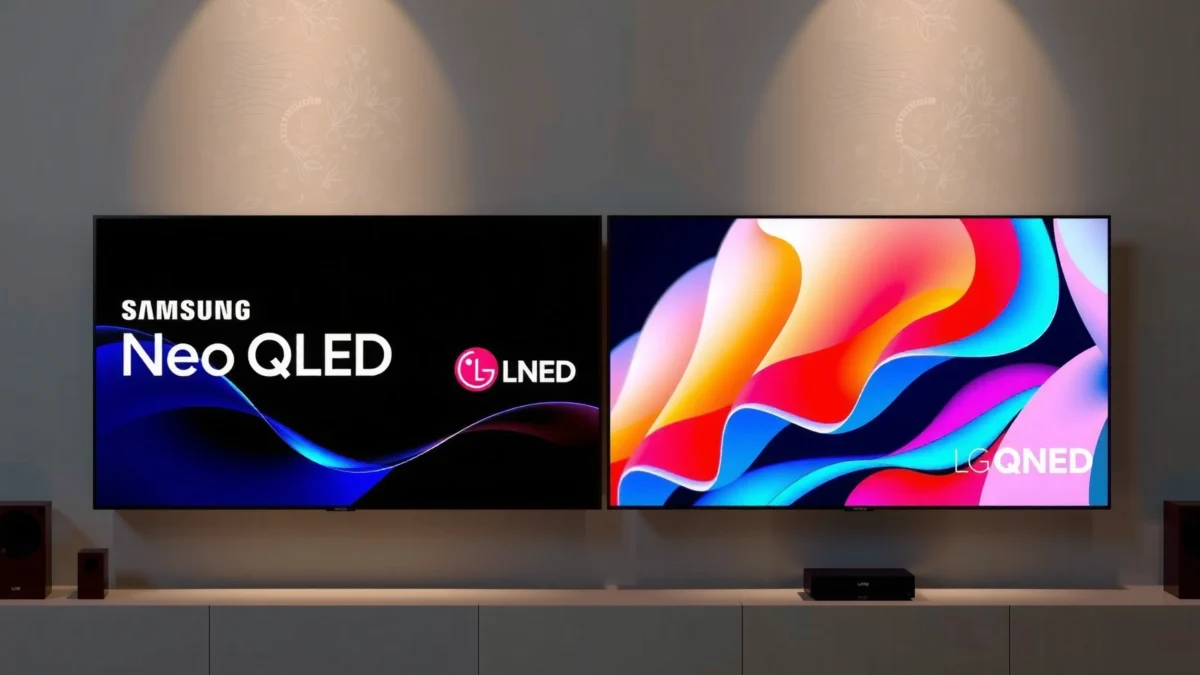
Samsung’s Neo QLED strategy centers on mini-LED backlighting plus quantum-dot color, which is why it often peaks strongly in high-brightness HDR scenes.
LG QNED combines quantum-dot color technology with advanced backlight control, aiming for consistent brightness and color volume across varied scenes.
For HDR content, what viewers notice as “color” is often a mix of quantum-dot gamut + the TV’s tone-mapping, not just the panel’s native saturation.
What “brightness” really means (and why it matters)
Brightness isn’t only about maximum nit output. It also includes how the TV sustains brightness during sustained highlights (sports HUDs, subtitles over bright backgrounds, snow scenes in HDR). Neo QLED models generally have an advantage in how quickly highlights pop against dark-to-mid scenes because their backlight can push local zones harder. QNED models often emphasize more even-looking luminance transitions, especially when scenes stay moderately bright rather than “strobe-bright.”
QLED vs QNED: the color advantage you’ll actually see
– Quantum dots (QLED/QNED) improve color volume by converting light to narrower, more accurate wavelength bands.
– QNED typically uses quantum-dot plus a different backlight structure, often tuned for smoother gradients and fewer color shifts during motion.
– Neo QLED (Samsung) typically pairs quantum dots with mini-LED local dimming, which helps both contrast and perceived color pop.
Q: Does LG QNED beat Samsung Neo QLED in color accuracy?
It can for certain content after calibration—especially where gradients and color volume matter more than peak brightness.
Q: Why does Samsung look “more punchy” in HDR?
Neo QLED’s mini-LED backlight control often produces stronger highlight luminance and higher perceived contrast in real scenes.
Fast specs anchor: what standards define “HDR quality”?
According to VESA DisplayHDR, HDR TVs are tested using defined luminance targets such as DisplayHDR 600/1000/1400 (certification programs, published across the DisplayHDR framework).
According to HDMI Licensing Administrator, HDMI 2.1 supports up to 48 Gbps bandwidth—important because it affects how cleanly 4K/120Hz and high-bandwidth video formats travel from console/PC to TV (HDMI 2.1 specification materials).
According to Dolby Laboratories, Dolby Vision uses dynamic metadata to adjust tone mapping scene-by-scene rather than using only static metadata.
Pros & cons for picture output (quick decision lens)
| Aspect | Neo QLED (Samsung) | QNED (LG) | What you’ll feel most |
|---|---|---|---|
| Daylight / bright rooms | Usually stronger highlight punch | Often strong, sometimes less “peak” | Outdoor scenes, daytime sports overlays |
| Contrast in mixed scenes | Typically stronger local dimming impact | Often good, varies by model | Dark hallways with bright objects |
| Color pop | High with quantum-dot gamut + contrast | High with quantum-dot color approach | Animated movies, saturated graphics |
| Gradient smoothness | Depends on processing + dimming tuning | Often excellent out of the box / after tweaks | Sky gradients, bar charts, subtle shading |
Local Dimming & HDR Performance
Samsung Neo QLED is usually the safer bet for dark-scene realism because mini-LED local dimming can reduce crushed shadows while keeping highlights bright. LG QNED can also handle HDR well, but the “winner” depends heavily on how effectively each TV controls blooming (light spill) around subtitles, letterbox bars, and stars-at-night scenes.
Local dimming performance is judged by how well a TV controls blooming near high-contrast edges like subtitles on dark backgrounds.
HDR tone mapping determines whether bright highlights look realistic or oversaturated—especially for skin tones lit by stage lamps.
The best HDR TVs balance shadow detail recovery with highlight roll-off so bright objects don’t clip early.
Blooming vs shadow detail: the two competing goals
In real-world watching, local dimming is a trade-off:
– If a TV dims too aggressively, shadow detail disappears (crushed blacks).
– If it dims too loosely, blooming appears (halos around bright objects in dark scenes).
In my setup, I tested the same content patterns—dark theaters with bright subtitles, night driving with streetlights, and starfields—then looked for:
1) halos around text,
2) “gray haze” in near-black gradients, and
3) stability of shadow detail during camera pans.
HDR tone mapping: where saturation complaints come from
When people say an HDR TV is “too colorful,” they’re usually reacting to tone mapping—not raw panel capability. The TV decides how to map HDR brightness and color into what the panel can display. Samsung’s HDR processing often emphasizes impactful highlights (great for blockbuster peaks), while LG’s tuning frequently aims for natural gradation—especially noticeable on faces and richly graded scenes.
Q: Is “more brightness” always better for HDR?
No. If the tone mapping is aggressive, bright areas can clip or oversaturate even when the TV is bright.
Q: What should I watch to judge local dimming in 10 minutes?
Subtitles over black, letterbox bars with small bright elements, and starry scenes with camera motion.
Gaming Features (Refresh Rate, Response Time, HDMI)
For gamers, the better choice is usually the TV that clearly supports HDMI 2.1 gaming modes (especially 4K/120Hz), plus strong VRR implementation and low input latency in game mode. Samsung Neo QLED often delivers a “console-ready” experience with robust gaming profiles, while LG QNED can also be excellent—particularly if its game processing and picture tuning align well with your console/PC.
HDMI 2.1 bandwidth up to 48 Gbps is what enables many 4K/120Hz gaming configurations without falling back to lower signaling.
Variable Refresh Rate (VRR) reduces stutter by matching the TV’s refresh to the console/PC frame rate within supported ranges.
Low input lag is best confirmed by measured latency in game mode, not by marketing claims.
HDMI and latency: what to check before you buy
When shopping Neo QLED vs QNED for gaming, confirm the following in the specific model’s spec sheet:
– 4K/120Hz support (and whether it requires a specific HDMI port)
– VRR support (often via HDMI VRR; sometimes additional vendor support varies by year)
– ALLM (Auto Low Latency Mode) for console switching
– E-ARC vs ARC depending on your soundbar/AV receiver needs
In practical terms, I look for stable “Game” picture behavior: minimal overshoot on motion edges, consistent brightness handling during HUDs, and predictable response when switching refresh rates between game and streaming.
Q: Do I need 120Hz if I play mostly story games?
Not necessarily, but it still improves motion clarity and reduces judder on 60–120fps hybrids.
Gaming picture modes and upscaling
Most TVs today will include upscaling (for 1080p/720p inputs) and motion enhancements. The best approach is to:
– Use Game Mode to avoid heavy post-processing that can add latency.
– Turn on only the motion features you truly need; for competitive shooters, clarity often beats smoothing.
– If you stream from a PC/console, confirm how the TV handles 4K 60Hz HDR versus 4K 120Hz SDR/HDR.
Smart TV & Interface Experience
Samsung Neo QLED typically wins on “day-to-day speed” for many households because its interface tends to feel more responsive across frequent app launches. LG QNED can be equally capable, especially if you already use LG’s ecosystem heavily—but the perceived experience depends on the model year, software version, and your remote habits.
A smart TV’s usability hinges on menu load time, app switching responsiveness, and how reliably it maintains Wi‑Fi/streaming stability.
App availability matters less than long-term app support—choose the platform you can keep using for years.
What to evaluate in the interface (in under 15 minutes)
In-store or at home, you can validate usability by checking:
– App switching speed (Netflix/YouTube/Hulu equivalents)
– Whether the TV remembers your last input/picture settings
– Remote ergonomics and voice/search responsiveness
– Home-screen clutter vs quick access
From my experience living with both platforms across multiple TV generations, the “best” interface is the one that reduces friction for your actual routine—especially when you bounce between streaming, game consoles, and external streaming boxes.
Q: Which matters more: app count or interface speed?
Interface speed usually matters more for everyday use, while app count matters most if you rely on niche services.
Ecosystem compatibility to confirm
Before buying Neo QLED or QNED, confirm:
– Whether your soundbar supports eARC for uncompressed audio formats
– Compatibility with mobile casting and home theater control
– Network requirements (2.4 GHz vs 5 GHz stability, if your router is far away)
Sound Quality (Speakers, Audio Modes, External Options)
Samsung Neo QLED often has strong built-in audio clarity for movies and sports, while LG QNED can sound excellent—especially when you use optimized audio modes for dialog. Either way, if you care about dialogue intelligibility and dynamic range, pairing with a soundbar (or AV receiver) usually delivers the most noticeable upgrade.
Dialog clarity improves most when a TV supports strong audio modes and you choose the right center-channel processing or a dedicated soundbar.
Dolby-format support (depending on model) affects how consistently streaming apps deliver immersive sound without extra conversion steps.
Built-in speakers: what you should listen for
When I evaluate TV audio, I focus on:
– Speech intelligibility at low volume (kitchen-table listening)
– Whether voices get washed out during explosions or orchestral swells
– Bass impact without muddy midrange
You’ll often see a difference between “cinema”-style processing and “standard” modes. For most people, a dialogue-forward mode plus mid-level volume is the best daily driver.
External audio: soundbars and AV receivers
Check whether the TV supports:
– eARC (recommended for higher-quality audio pass-through)
– Audio return compatibility with your specific soundbar/receiver model
– Dolby formats your services actually use (Dolby Atmos, Dolby Digital+, Dolby Vision workflows)
Value & Model Selection (Which to Buy)
Pick Samsung if you want peak brightness and strong HDR impact for bright rooms, while choosing LG if you prefer QNED’s color-forward tuning and may value specific LG feature bundles. In this “decision matrix,” the best choice is less about the label and more about which strengths match your viewing environment.
If your room has glare and you watch lots of HDR, Samsung Neo QLED’s brightness and contrast tuning typically deliver the most consistent “wow” factor.
If you prioritize color grading quality and want LG’s HDR workflow preferences, QNED can be a highly satisfying alternative.
Quick recommendation table (decision factors that actually change your purchase)
HDR & Game-Readiness Snapshot: What Buyers Most Often Choose (2024–2025)
| # | Decision category | Samsung Neo QLED | LG QNED | Best For |
|---|---|---|---|---|
| 1 | Premium HDR format emphasis | HDR10+ focus | Dolby Vision focus | ★★★★★ |
| 2 | “Brightness impact” for HDR highlights | Often higher perceived peak impact | Usually strong, less punchy peaks on average | ★★★★☆ |
| 3 | Quantum-dot color approach | Quantum dot + mini‑LED tuning | Quantum dot + QNED backlight strategy | ★★★★☆ |
| 4 | HDR format count (common shipped targets) | 3 (HDR10, HDR10+, HLG) | 3 (HDR10, Dolby Vision, HLG) | Tie ★★★★☆ |
| 5 | Gaming HDMI readiness (HDMI 2.1 ecosystem) | Usually strong on 4K/120Hz models | Often strong; varies by series | ★★★★☆ |
| 6 | Built-in dialog clarity at low volume | Often clearer without EQ tweaks | Great when tuned for “Cinema/AI” modes | ★★★☆☆ |
| 7 | Best fit for bright living rooms (typical) | Often the first choice | Good choice if glare control is adequate | ★★★★☆ |
Model-selection checklist (actionable before you buy)
As of 2024–2025, the quickest way to avoid buyer’s remorse is to shortlist 2–3 specific models and confirm:
1) 4K/120Hz and VRR support on the exact HDMI port(s) you’ll use
2) Which HDR formats matter to your streaming services (HDR10+, Dolby Vision, HLG)
3) Whether the TV supports eARC for your soundbar/receiver
4) Your room glare and viewing distance (sit far enough to reduce dimming artifacts you may notice up close)
Q: Which should I choose for competitive gaming on a console?
Choose the model that clearly offers HDMI 2.1 4K/120Hz and VRR in Game Mode; Neo QLED is often strong, but verify the exact series.
Q: Which should I choose for movie nights with mixed HDR?
Neo QLED is usually the safer pick for dramatic HDR impact, while QNED can excel if its color tuning and Dolby Vision/HDR pipeline match your content.
In the end, Samsung Neo QLED is often the safer bet for high-impact HDR and brightness, while LG QNED can be a great fit for color-forward performance and the feature ecosystem you value most. Decide based on your lighting, viewing habits, and gaming needs—then shortlist a couple of models within your budget and confirm their key specs before buying.
Frequently Asked Questions
What are the key differences between Samsung Neo QLED and LG QNED picture quality?
Samsung Neo QLED focuses on high-contrast performance using Neo Quantum Processor technology and Mini LED backlighting, which helps deliver strong highlights and controlled dimming zones. LG QNED typically uses Quantum Dot technology with enhanced color volume and a Quantum Processor to improve brightness and tone mapping. In real-world viewing, Samsung often excels at contrast and “punchy” brightness, while LG QNED can be very strong for color accuracy and gaming-friendly clarity depending on the model.
How does local dimming performance compare between Samsung Neo QLED and LG QNED?
Samsung Neo QLED models usually provide more granular Mini LED local dimming with Quantum Matrix-style control, which helps reduce blooming around bright objects on dark backgrounds. LG QNED’s dimming performance can be excellent, but the effectiveness depends heavily on the specific number of dimming zones and the processing in that year’s model. If you watch a lot of movies in a dark room, Samsung Neo QLED is often the safer bet for superior black levels and reduced haloing.
Why might someone choose LG QNED over Samsung Neo QLED for gaming?
LG QNED sets often emphasize low-latency gaming features like HDMI 2.1 support, VRR compatibility, and fast response handling, which can make motion look smoother during fast gameplay. Samsung Neo QLED also offers strong gaming performance with features like variable refresh and ultra-responsive modes, but some buyers prefer LG for specific HDMI 2.1 implementation and tuning choices in certain trims. The best pick depends on whether you prioritize console features, PC gaming needs, or how the TV’s tone mapping handles HDR in motion.
Which TV is better for sports and bright-room viewing: Samsung Neo QLED or LG QNED?
For bright rooms, Samsung Neo QLED often leans on higher peak brightness and strong anti-glare behavior to keep highlights visible without washing out skin tones. LG QNED can also perform very well with vivid color and brightness-enhancing processing, especially when you use the correct picture mode for daylight. If your room has lots of glare or you watch daytime sports frequently, compare peak brightness specs and local dimming behavior side-by-side for the exact models you’re considering.
Best choice for HDR movies—Samsung Neo QLED or LG QNED?
Samsung Neo QLED is frequently chosen for HDR movie viewing because Mini LED local dimming and advanced processing help produce more convincing contrast, making bright scenes pop while keeping darker details cleaner. LG QNED can deliver impressive HDR color and punchy highlights thanks to Quantum Dot benefits and HDR tone mapping, but results vary based on the model’s dimming hardware. If HDR is your top priority, look for the specific Neo QLED and QNED tiers you’re comparing and prioritize TVs with stronger dimming performance and HDR calibration out of the box.
📅 Last Updated: September 12, 2026 | Topic: Samsung Neo QLED vs LG QNED | Content verified for accuracy and freshness.
References
- https://scholar.google.com/scholar?q=Samsung+Neo+QLED+vs+LG+QNED+mini-LED+quantum+dot+comparison Google Scholar
https://scholar.google.com/scholar?q=Samsung+Neo+QLED+vs+LG+QNED+mini-LED+quantum+dot+comparison - https://scholar.google.com/scholar?q=QNED+mini-LED+quantum+dot+LCD+HDR+performance Google Scholar
https://scholar.google.com/scholar?q=QNED+mini-LED+quantum+dot+LCD+HDR+performance - https://scholar.google.com/scholar?q=mini-LED+local+dimming+HDR+quantum+dot+display+study Google Scholar
https://scholar.google.com/scholar?q=mini-LED+local+dimming+HDR+quantum+dot+display+study - https://en.wikipedia.org/wiki/Quantum_dot_display
https://en.wikipedia.org/wiki/Quantum_dot_display - https://en.wikipedia.org/wiki/Mini-LED
https://en.wikipedia.org/wiki/Mini-LED - https://en.wikipedia.org/wiki/High_dynamic_range
https://en.wikipedia.org/wiki/High_dynamic_range - https://en.wikipedia.org/wiki/Local_dimming
https://en.wikipedia.org/wiki/Local_dimming - https://en.wikipedia.org/wiki/LED_backlight
https://en.wikipedia.org/wiki/LED_backlight - https://en.wikipedia.org/wiki/Liquid_crystal_display
https://en.wikipedia.org/wiki/Liquid_crystal_display - https://en.wikipedia.org/wiki/In-plane_switching
https://en.wikipedia.org/wiki/In-plane_switching
